How to use talent insights
· 1 min read
An AI assistant for HR that suggests when a conversation may help keep someone: bands from job data you already keep, with the reasons, reviewed by a person, never decided automatically.

Good people often leave after months of small signals nobody connected: no change of role in years, a new manager, months of overtime. Talent insights is an AI assistant for HR that connects them. It shows a band (Low, Elevated or High) with the reasons and a suggested conversation; a person always decides what to do, and nothing happens automatically.
1. Set it up, and tell your people
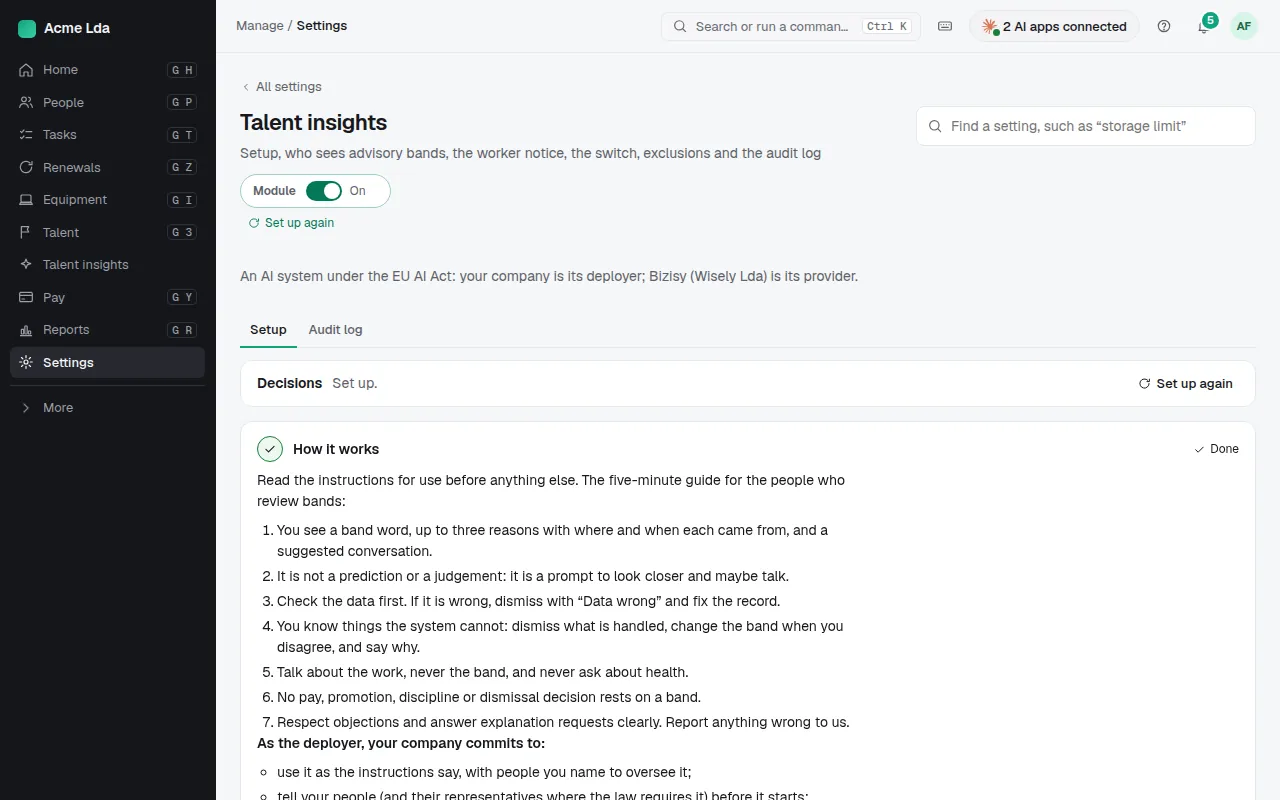
Switch on Talent insights and follow its setup. It walks through each step, including telling your people (they can object) and a back-test on your own past data before any band is shown. Some data never counts: age, sex, nationality, health, family situation, pay amounts and anything people write.
2. Review the bands
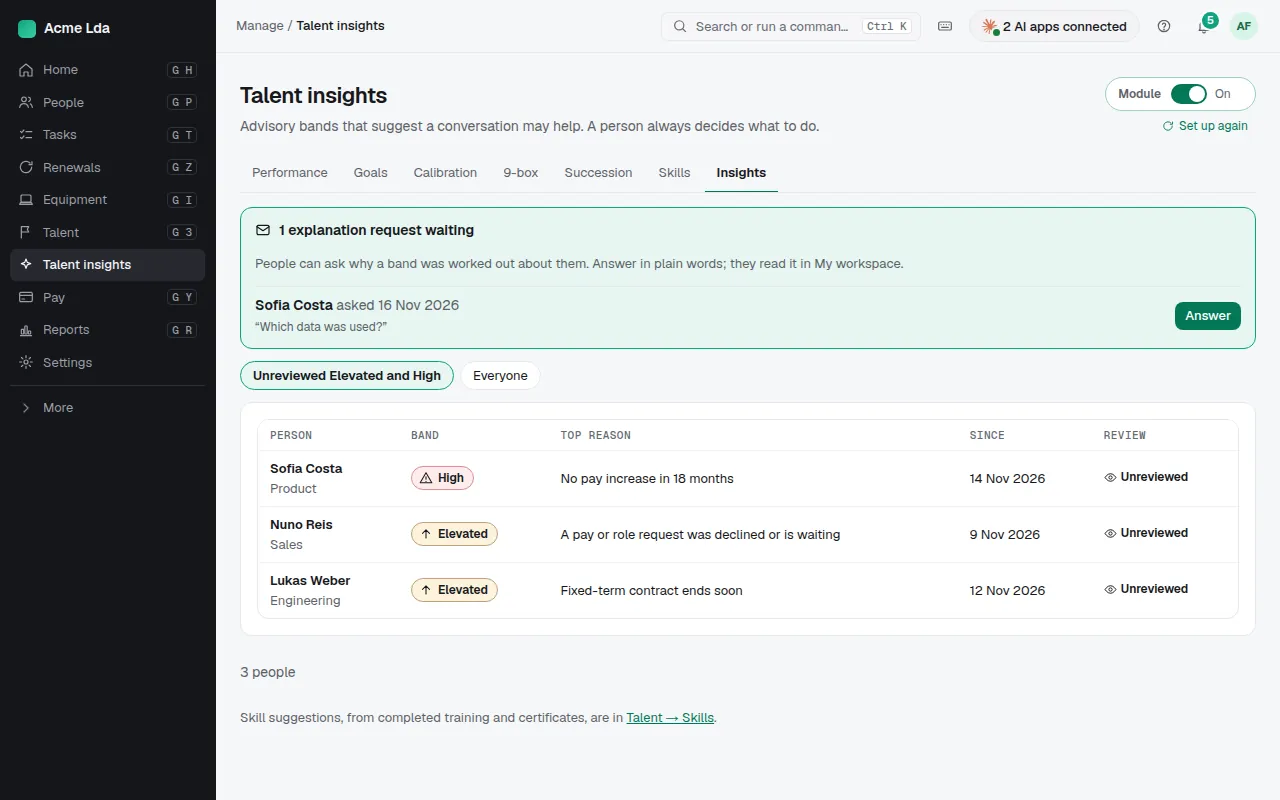
Talent insights lists people with an Elevated or High band that nobody has reviewed yet. Only the people you name see it, and nobody is told they have a band.
3. Read the reasons and act
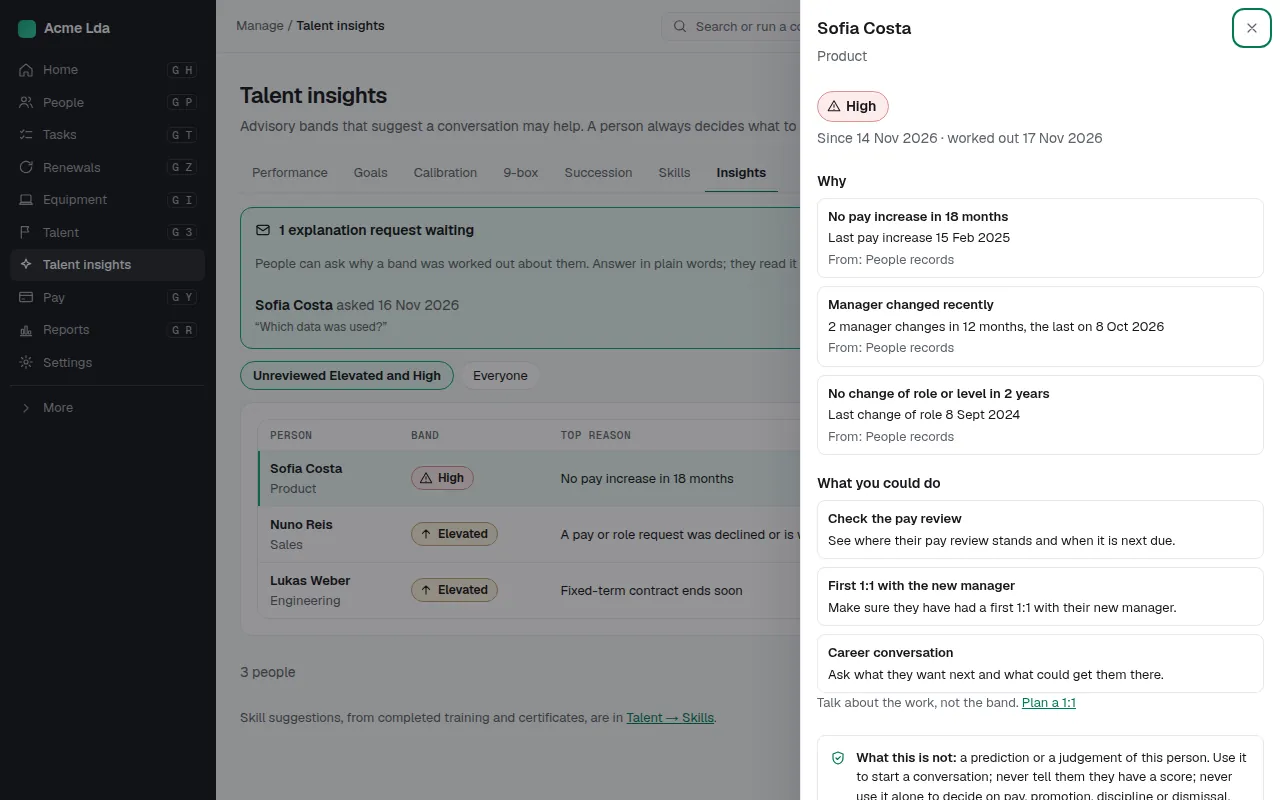
Open a person to see the reasons behind their band, such as no pay increase in 18 months, and a suggested conversation. Then Acknowledge it and, if it helps, plan a conversation, or dismiss it. It isn't a prediction or a judgement: never tell someone they have a band, and never use it alone to decide on pay, promotion, discipline or dismissal.
4. People can see and object
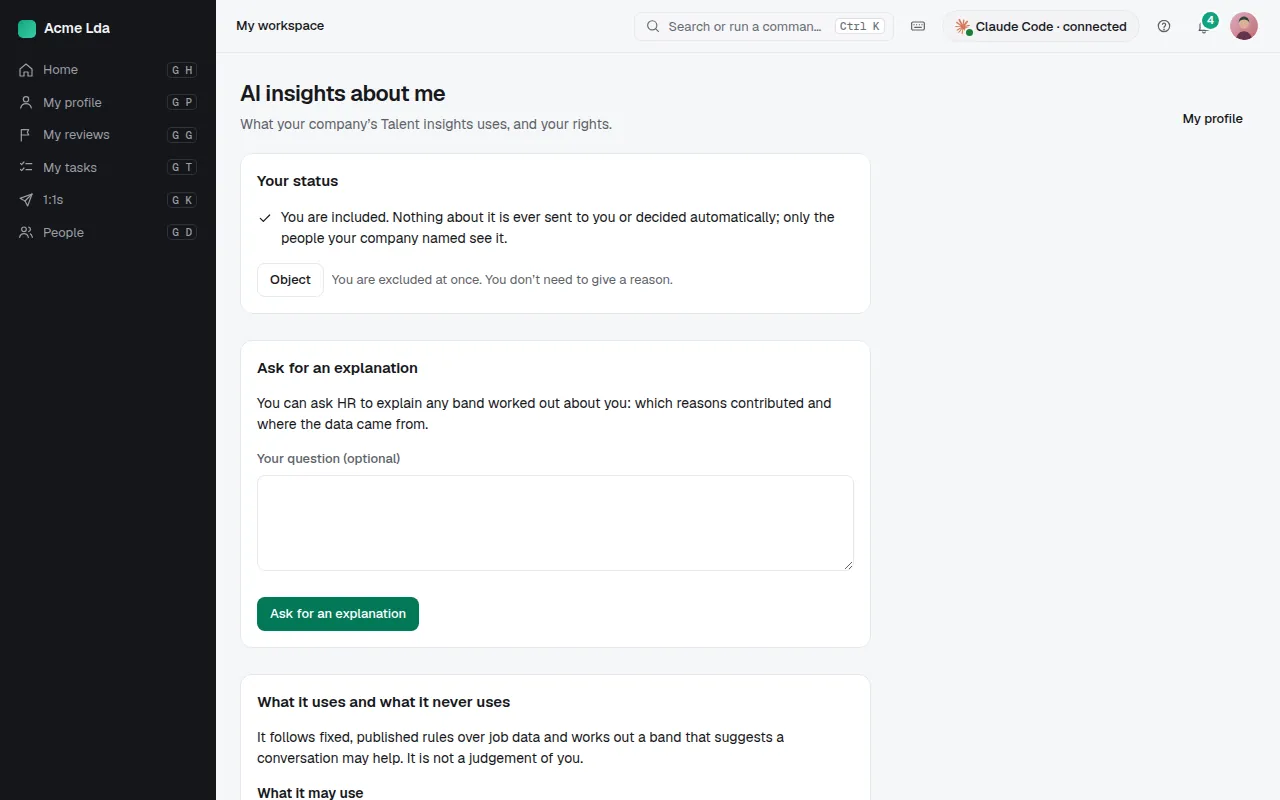
Everyone finds AI insights about me in My workspace: what the assistant uses, and Object to be left out. Their own band is never shown there.
Tips
- With little data (fewer than half the reasons), bands read "Limited data"; Time off, Time clock, Shifts and Performance add reasons.
- Talent insights uses one AI credit per person a month; see the public page on bizisy.com/ai/talent-insights for every input and the human oversight.