How to use open shifts and swaps
· 1 min read
People swap shifts, give one away or ask for an open shift in My workspace; Bizisy checks the rest rules and a rota editor approves.

Rotas change after they're published: someone needs a day, someone else wants more hours. In Bizisy people sort it out between themselves in My workspace, Bizisy checks the rules for everyone involved, and a rota editor approves.
1. Ask for an open shift
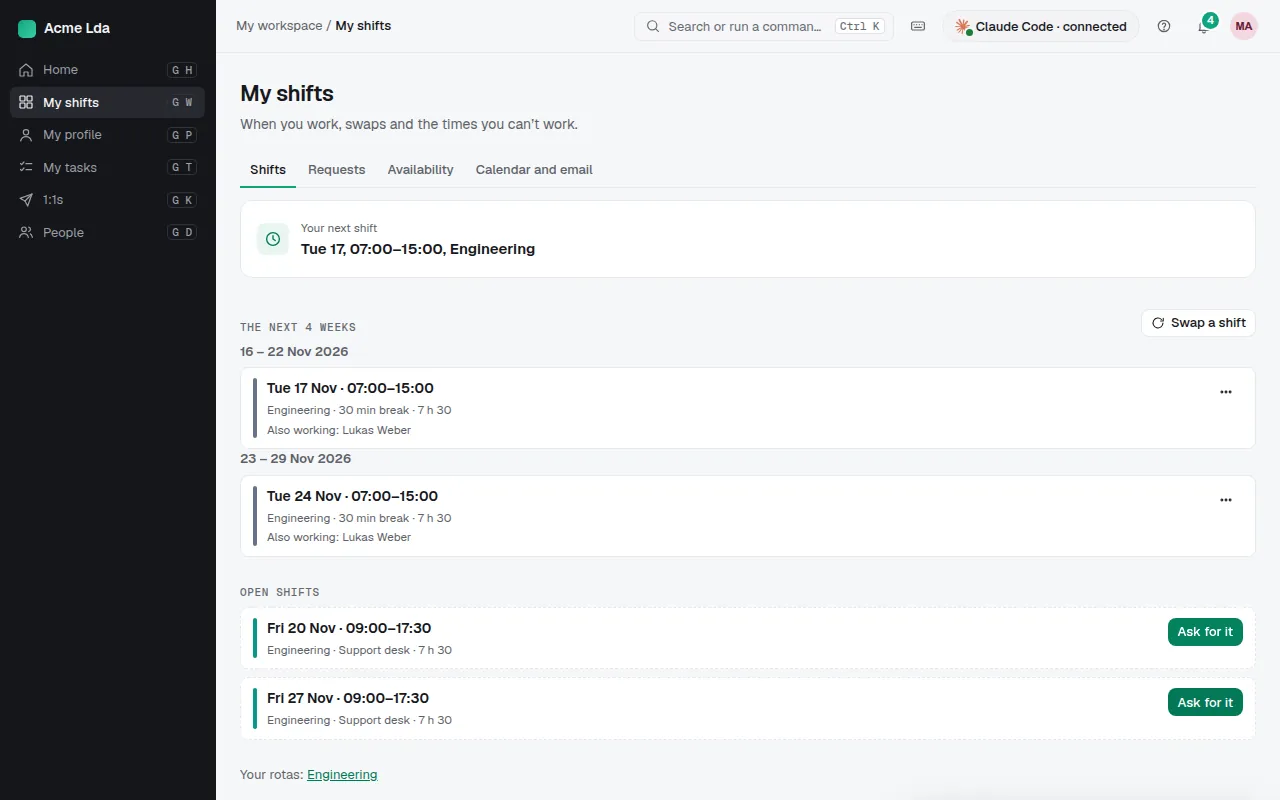
Open shifts are shifts nobody is on yet. People see the ones on their rotas under My workspace → My shifts and choose Ask for it. If the shift passes every check it can be approved at once; otherwise a rota editor decides.
2. Swap a shift or give one away
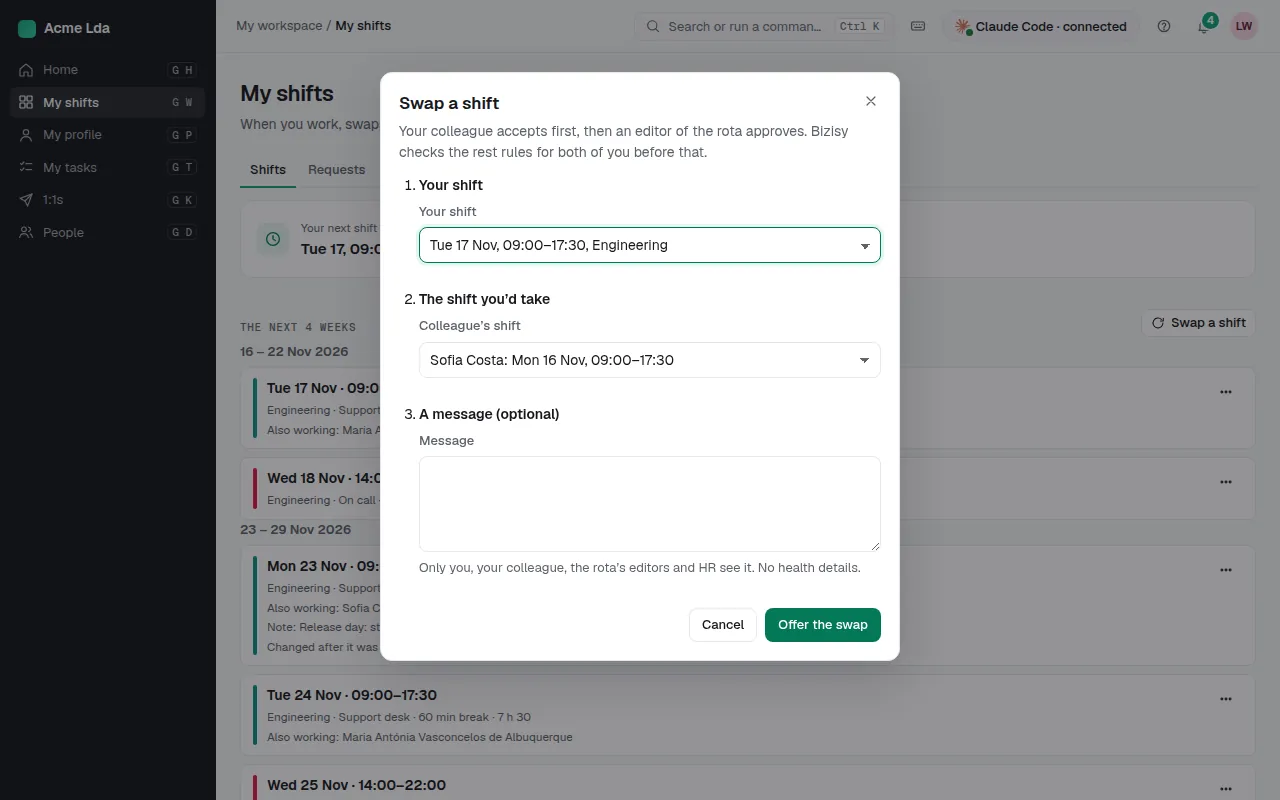
Choose Swap a shift, pick your shift and a colleague's, and offer the swap. Your colleague accepts first, then a rota editor approves; Bizisy checks the rest rules for both of you before that. To give a shift away, offer it: colleagues on the rota who can work it are told, and the first to take it asks an editor. Until then it stays yours.
3. Approve requests
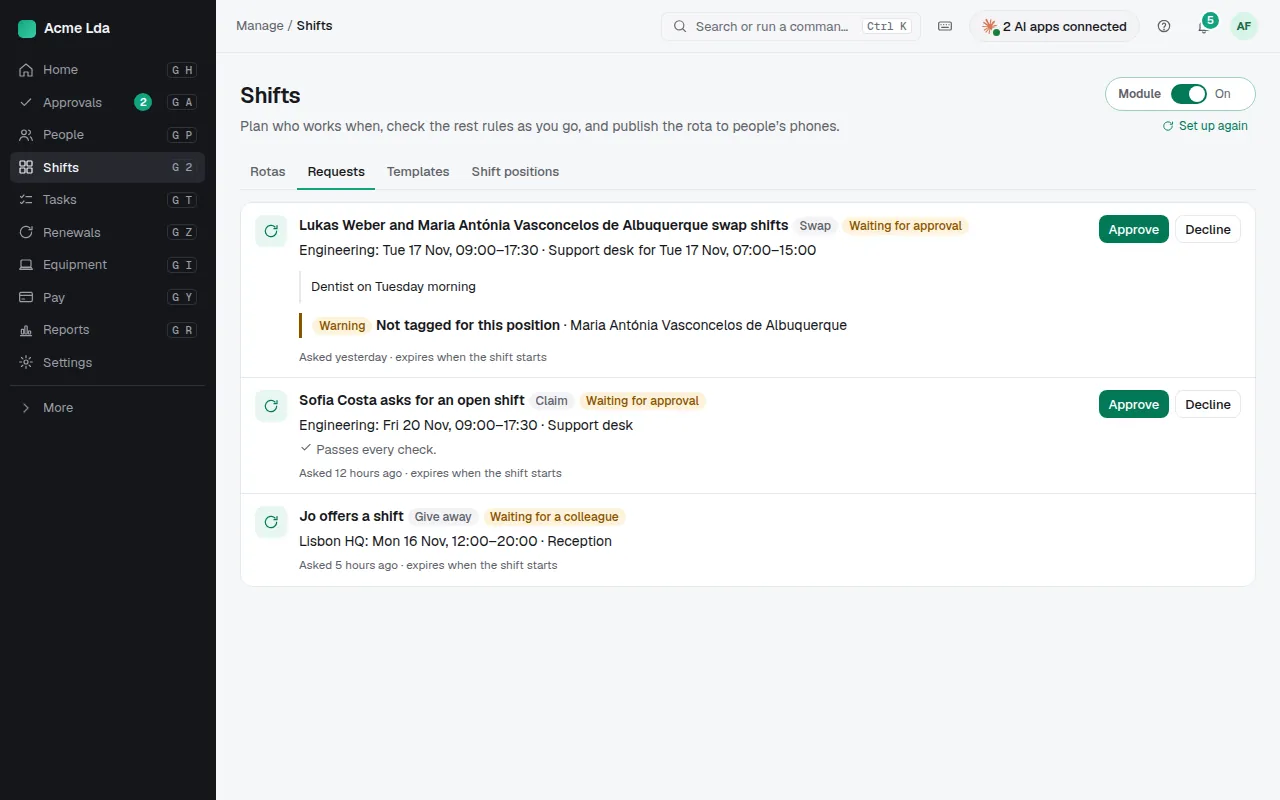
Rota editors find requests under Shifts → Requests (and in My workspace → Approvals), each with its checks, such as someone not tagged for the shift's position. When you approve, the published rota changes and both people are told.
Tips
- People can say when they can't work under My shifts → Availability: planners see it as a warning while planning; it isn't a request, and their notes stay private.
- Choose how claims for open shifts are handled in Settings → Shifts.