How to use Home: what needs you today
· 1 min read
Home in Manage puts what needs you first, such as approvals, people starting and checklist tasks, with the overview of your company one click away; pin the pages and actions you use most.

Home is the first page in Manage. It answers one question: what needs you today? Approvals waiting, people starting, tasks due and renewals to decide come first, so nothing is missed.
1. What needs you
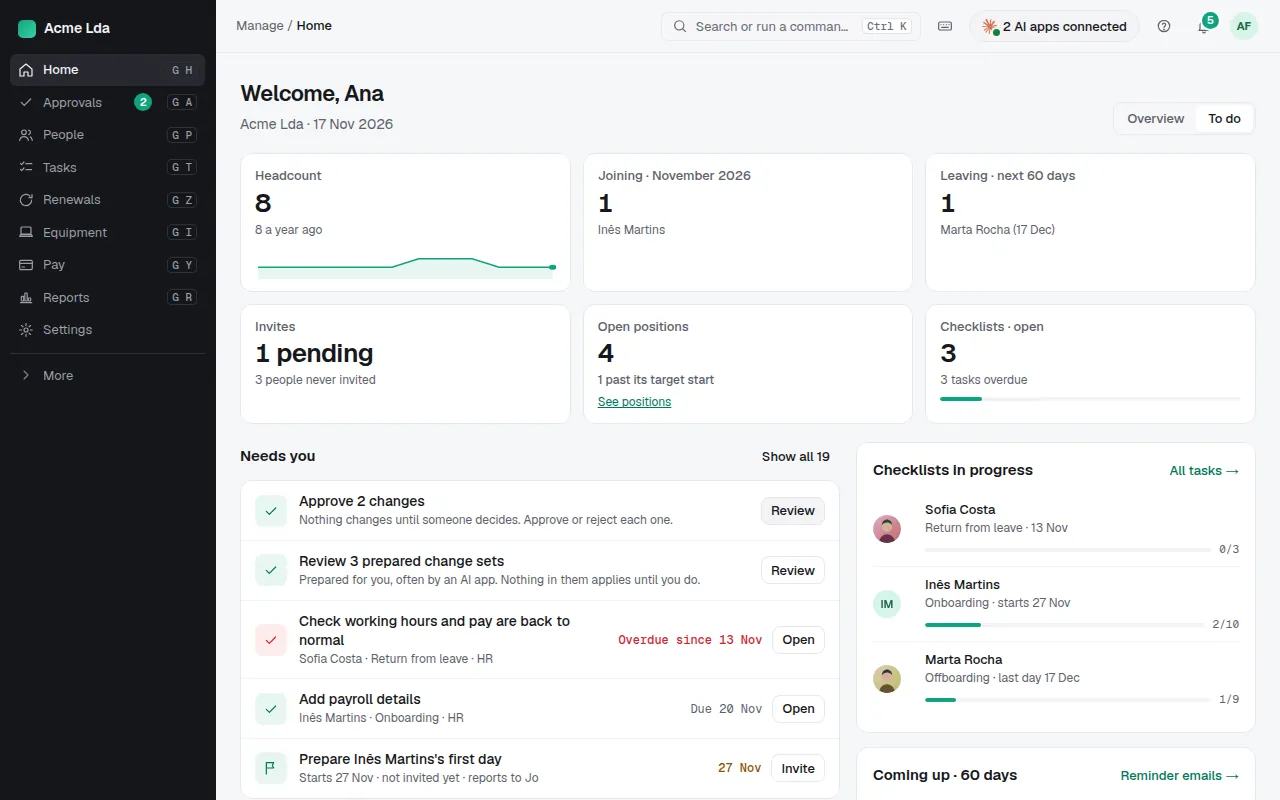
Needs you lists what's waiting for you, most urgent first: approvals, people to invite before their first day, tasks overdue, requests to answer. Each item opens where you deal with it. While your company is new, Get your company ready walks through the setup.
2. Overview or To do
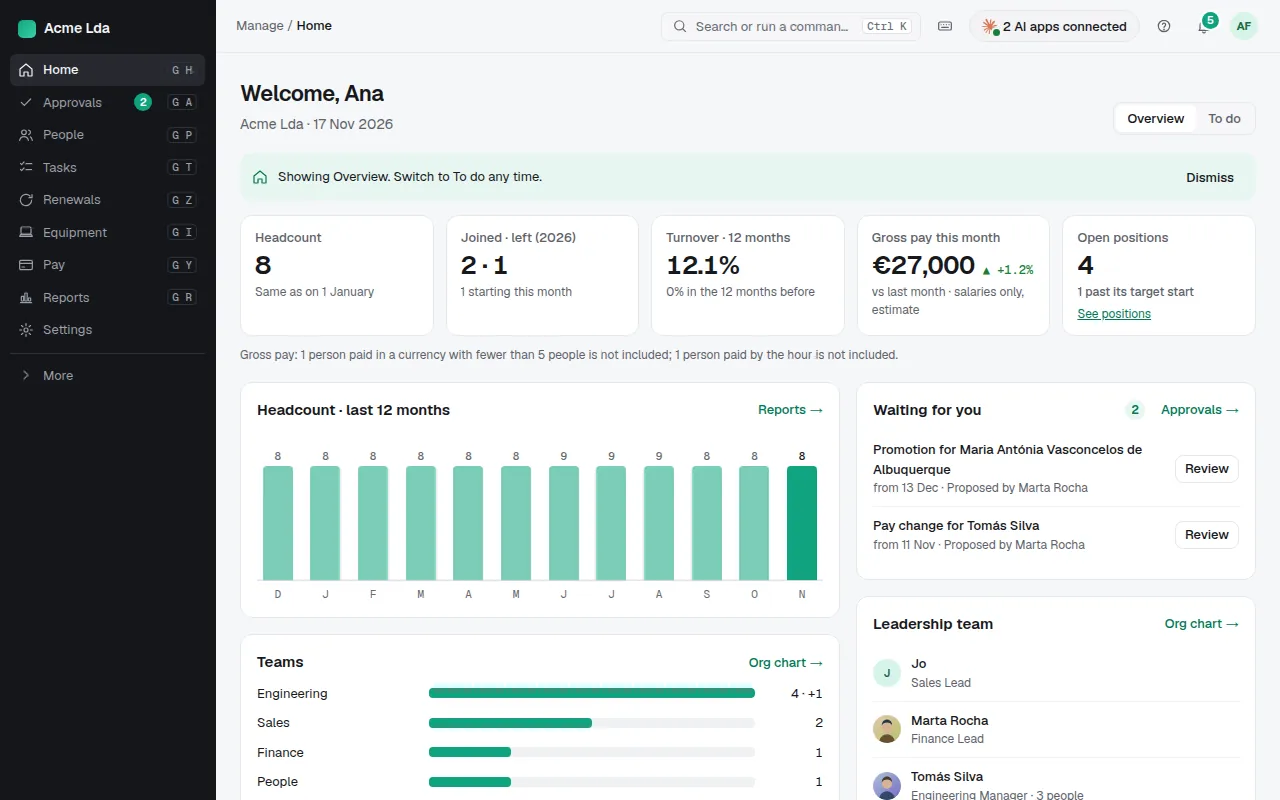
Switch Home between Overview (headcount, people joining and leaving, what's coming up) and To do (only what needs you). Bizisy remembers your choice.
Tips
- Pin the pages and actions you use most: they show at the top of the sidebar. Use the pin next to an item, or Ctrl+Shift+P in ⌘K.
- ⌘K (Ctrl K) finds any person, page or action, and now help guides too.
- Keyboard shortcuts such as G then P (People) are listed under the keyboard icon in the top bar.