How to set up onboarding and offboarding checklists
· 1 min read
Checklists of tasks with an owner and a due date: onboarding starts when you add someone, offboarding when you record a last day, and your own, such as return from leave.

A checklist is a list of tasks, each with someone who does it and a due date counted from a day that matters: the start date, the last day, or the day you start it. Set it up once and every new hire or leaver gets the same steps with fresh dates.
1. Start from the starters
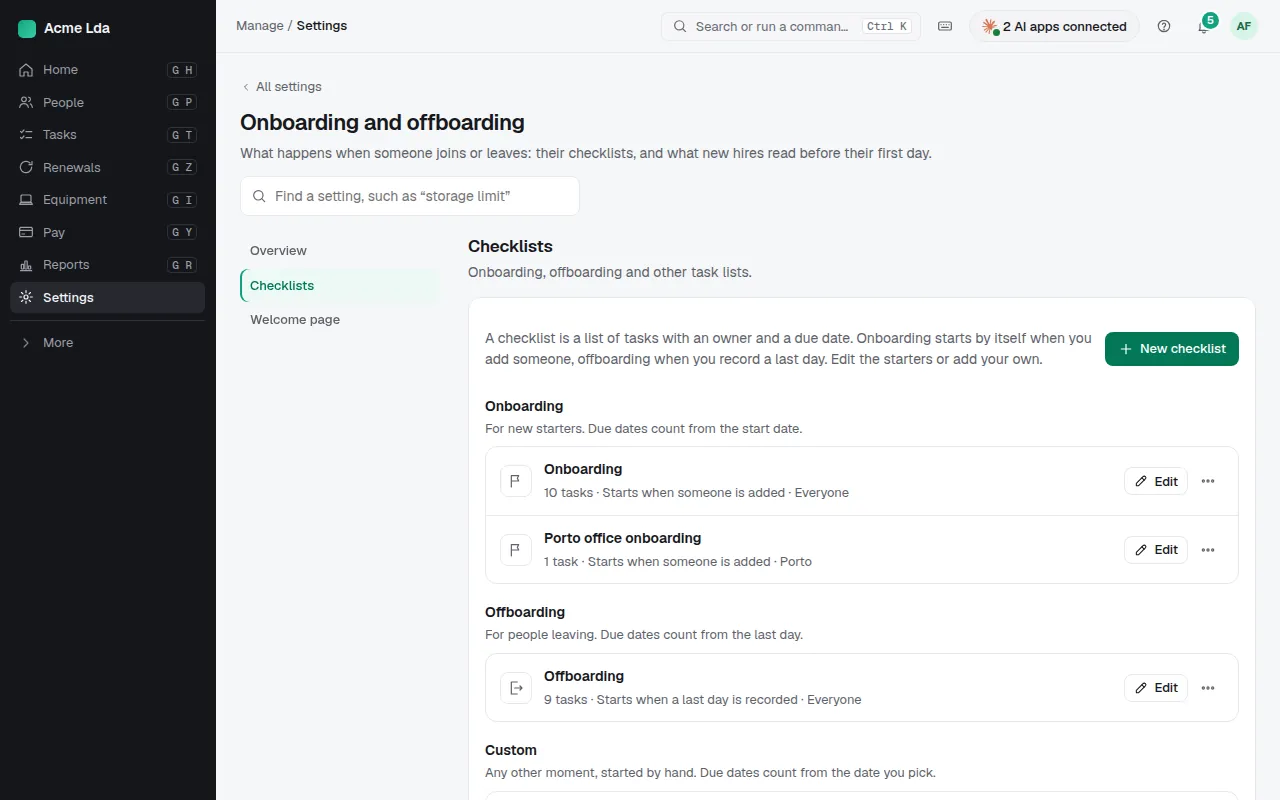
Settings → Onboarding and offboarding → Checklists comes with an onboarding and an offboarding checklist from Bizisy. Onboarding starts by itself when you add someone; offboarding when you record a last day. Edit them, or add your own, such as a return from parental leave, started by HR or managers.
2. Edit the tasks
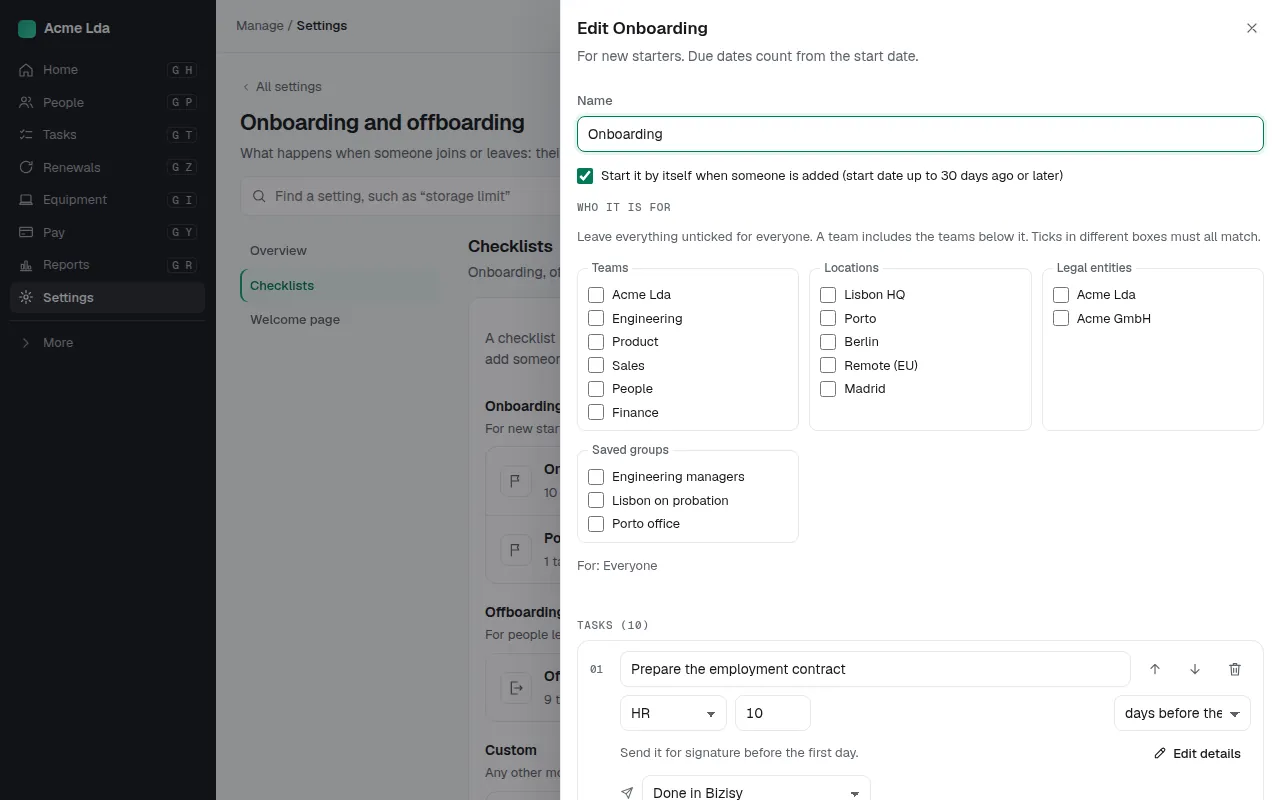
For each task, choose who does it (the person, their manager, HR, or someone specific) and when it's due, such as a day before the start date. Limit a checklist to some teams, locations or saved groups. Changes apply to checklists started from now on; running ones keep their tasks.
3. Follow it on the person
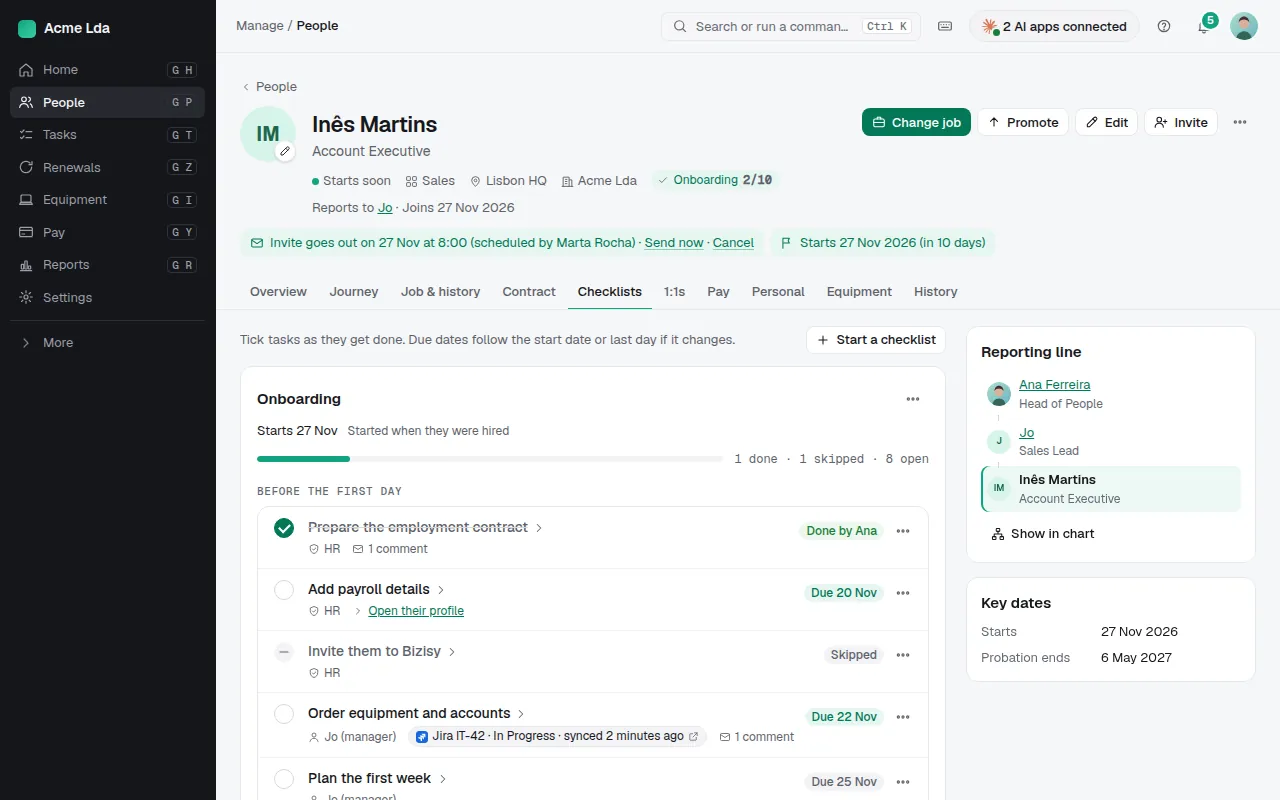
Each person's Checklists tab shows their running checklists, with what's done, skipped and open. Everyone ticks their own tasks in My workspace → My tasks, and Tasks in Manage lists everything open.
Tips
- Email people their due tasks sends a daily reminder on the due date, then weekly while a task stays open.
- Offboarding is discreet: the person leaving and anyone with a task see only their own task, a set number of days before it's due.
- Let managers start a checklist for their team from My workspace → My team; HR sees every one they start.