How to set up roles and permissions
· 2 min read
Decide who can sign in and what each login may see and do: the built-in roles, custom roles for a team lead or a payroll bureau, whom a role covers, and a preview before you save.

Not everyone should see everything. In Bizisy each login has one role, and the role decides what that person may see and change in Manage, and for whom. Five built-in roles cover most companies; custom roles cover the rest, such as a department lead who looks after their team or a payroll bureau that sees pay for one legal entity.
1. See who can sign in
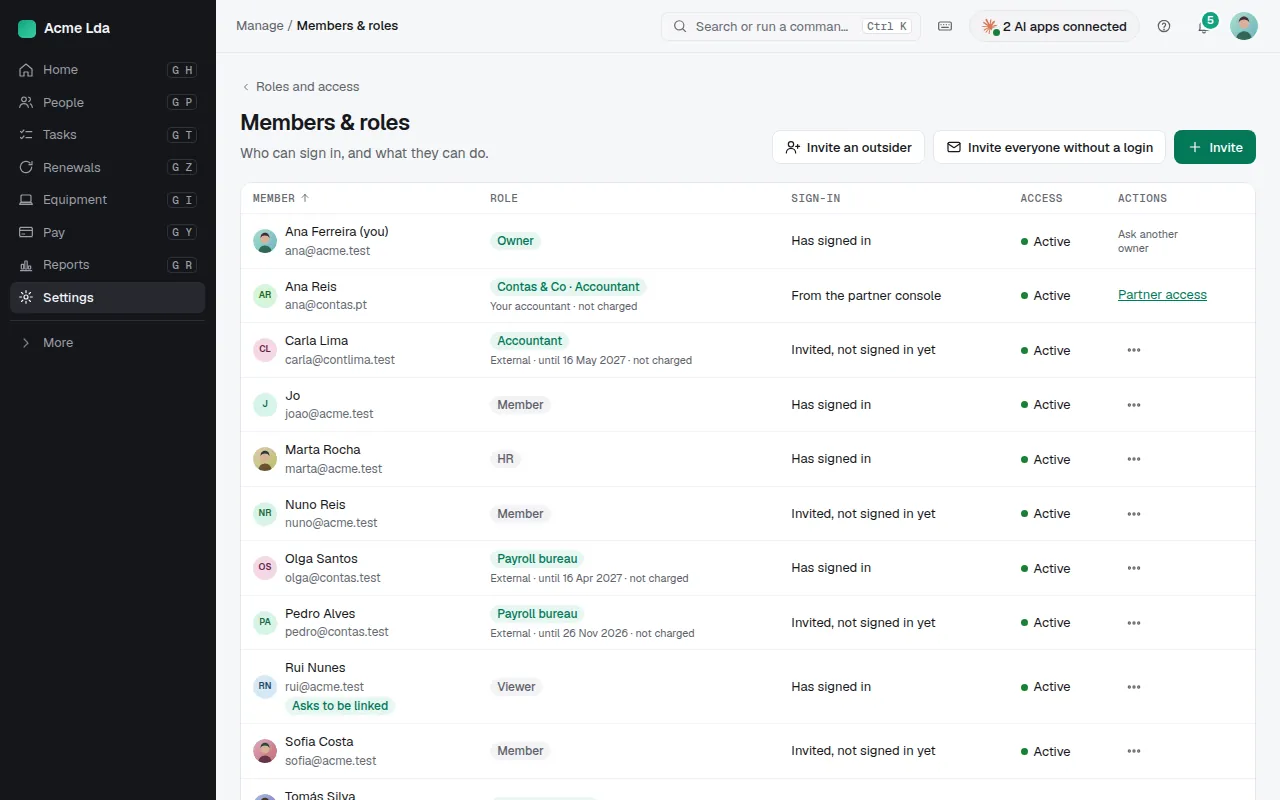
Settings → Members & roles lists every login: their role, whether they have signed in, and actions such as changing the role or disabling the login. Invite sends a sign-in invite; Invite everyone without a login does it for everyone active or starting soon who doesn't have one yet.
2. Start from the built-in roles
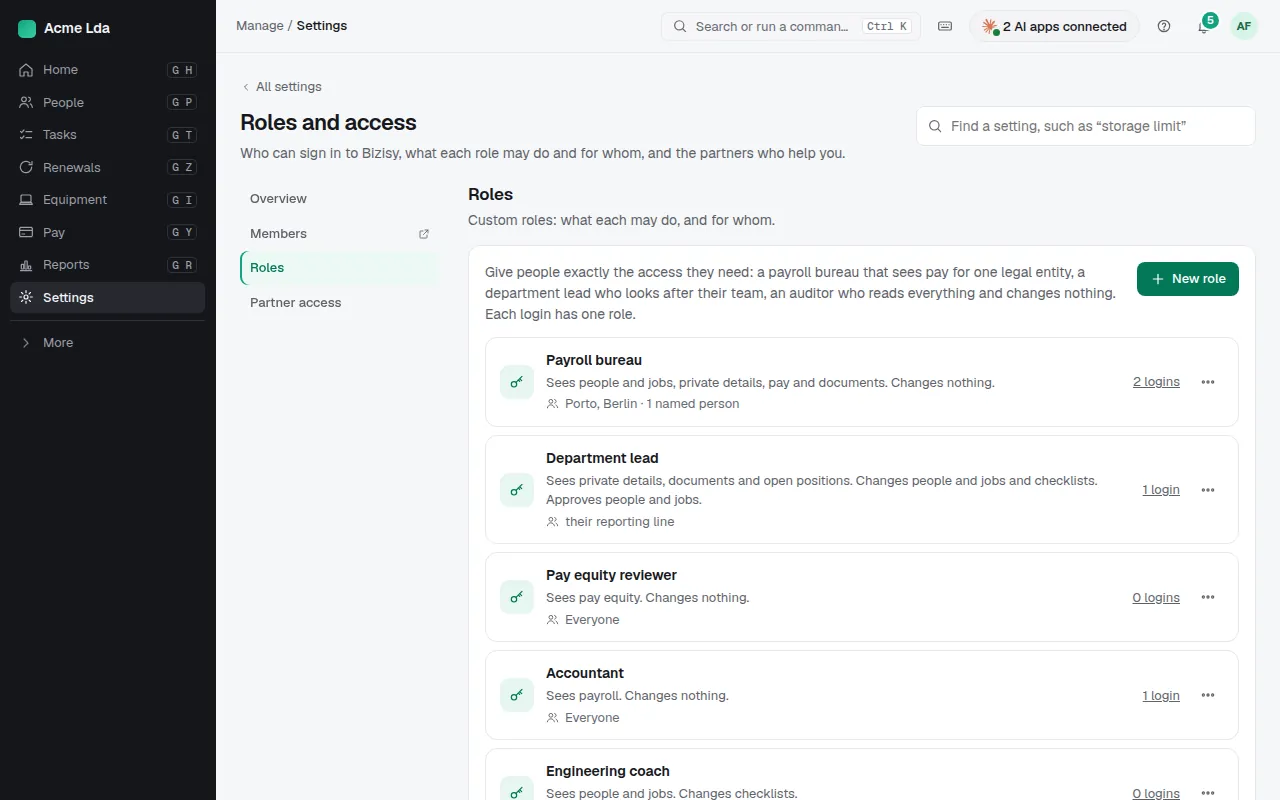
The built-in roles are Owner (everything, including billing and closing the company), Admin (everything except the owner role), HR (every person's jobs, private details, pay and documents), Viewer (people and structure, public details only, changes nothing) and Member (only their own My workspace, not Manage). Managers also find their own team under My team in My workspace.
3. Create a custom role
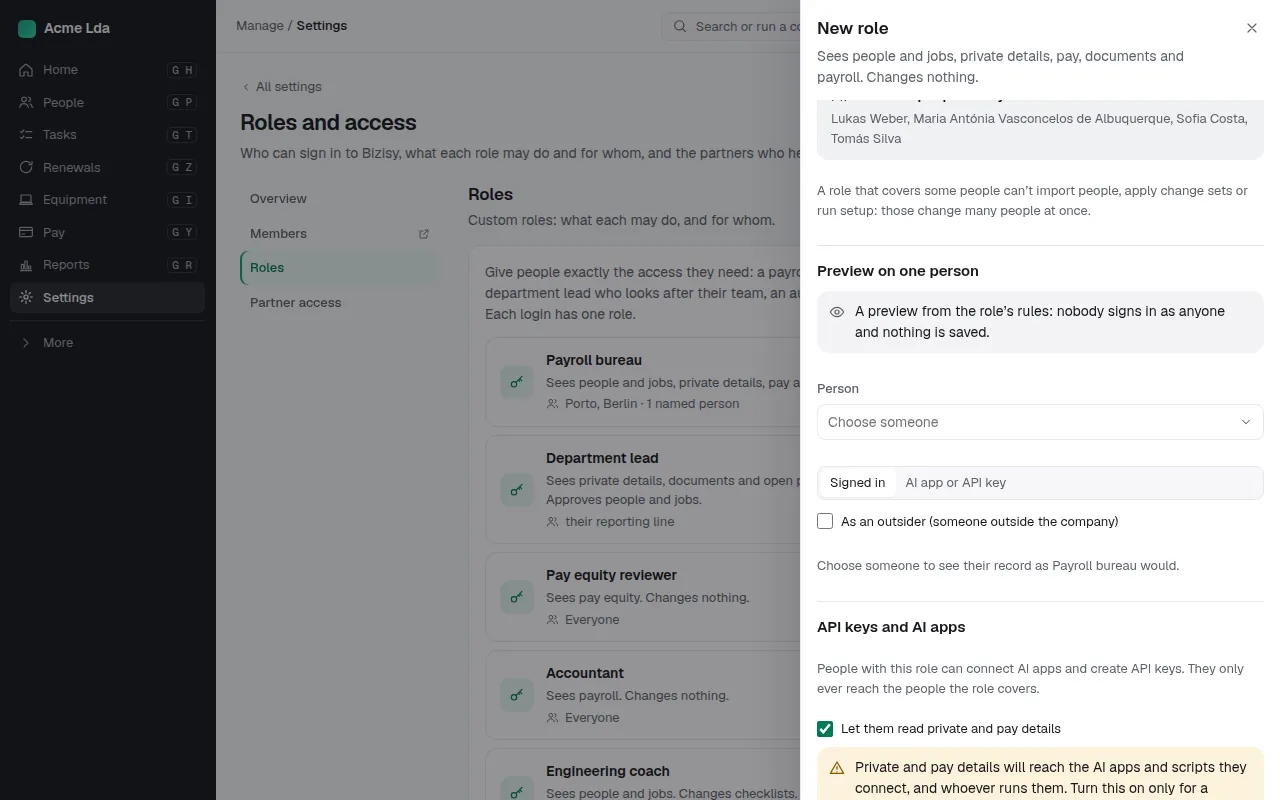
Under Settings → Roles and access → Roles, choose New role. Start from a template (payroll bureau, accountant, auditor, recruiter or department lead) or a copy of a built-in role. For each area (people and jobs, pay, documents, checklists, payroll and more) pick none, view or edit (and approve, where it applies). Then choose whom it covers: everyone, some teams or locations, or the person's own reporting line.
4. Preview before you save
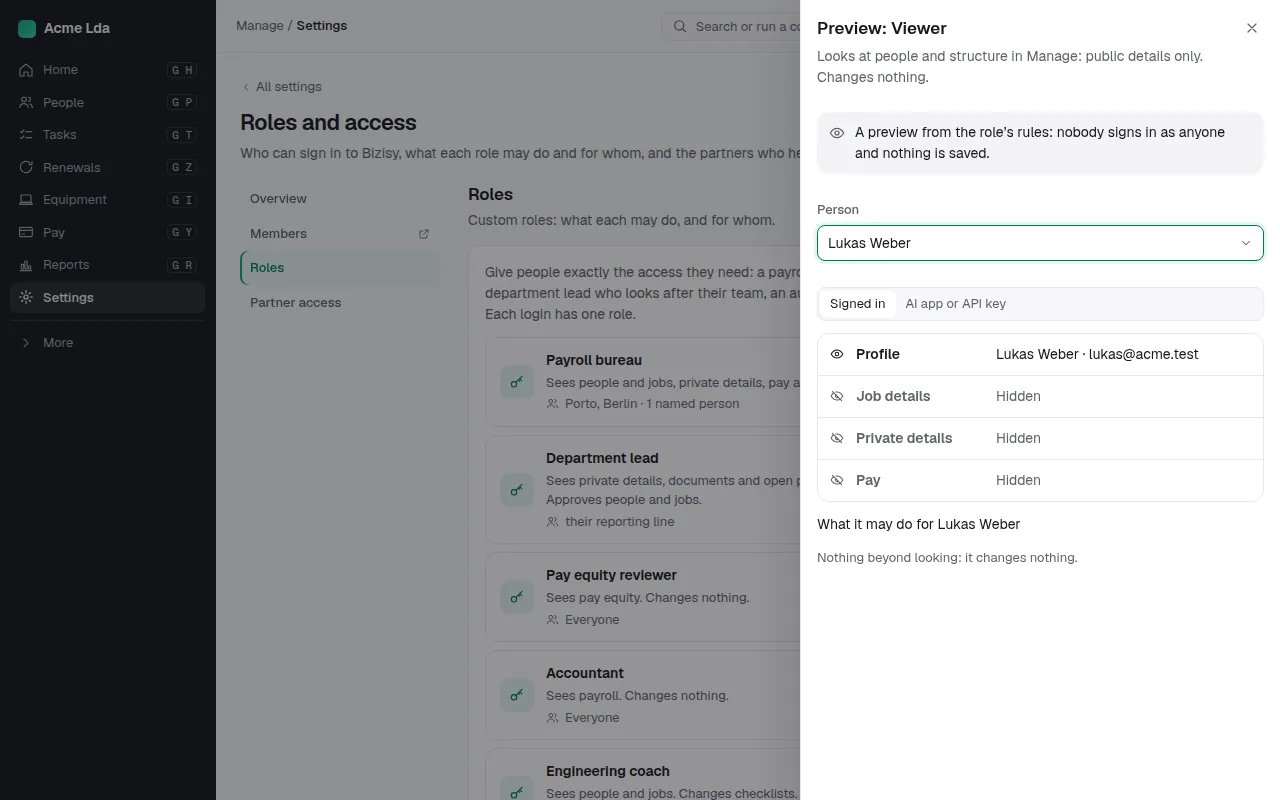
Pick a person and Bizisy shows what the role would see about them, field by field, and what it may do. Nobody signs in as anyone and nothing is saved. You can also check what an AI app or an API key used by someone with that role would see.
Tips
- Invite your accountant or a payroll bureau as an outsider with their own role: outsiders with access aren't charged.
- AI apps and API keys never see other people's private or pay details unless the role allows it explicitly.
- Only owners and admins can create and change roles; HR can see them.