How to set up benefits
· 1 min read
List what your company offers, start from the usual benefits of your countries at their tax-free limits, give people a flexible budget, and let them choose in My workspace.

Benefits are part of what people earn, and many have tax-free limits that differ per country. Bizisy keeps what your company offers in one catalogue, gives people a flexible budget where you want one, and passes their choices to payroll.
1. Start from the usual benefits
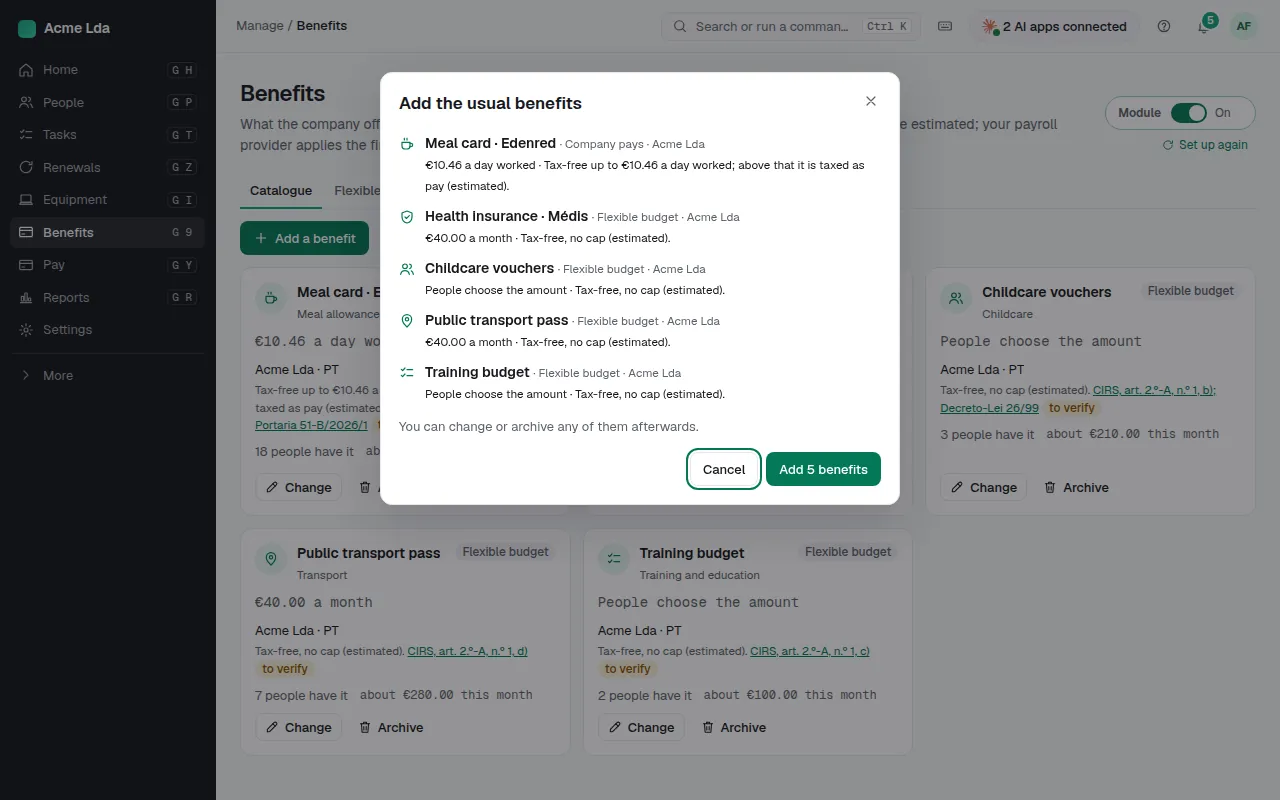
Switch on Benefits and start with the usual benefits for your countries, such as a meal card or a transport pass: amounts come prefilled at each country's tax-free limit, and you can change anything. Tax-free limits are estimates; your payroll provider applies the final tax.
2. Add your own
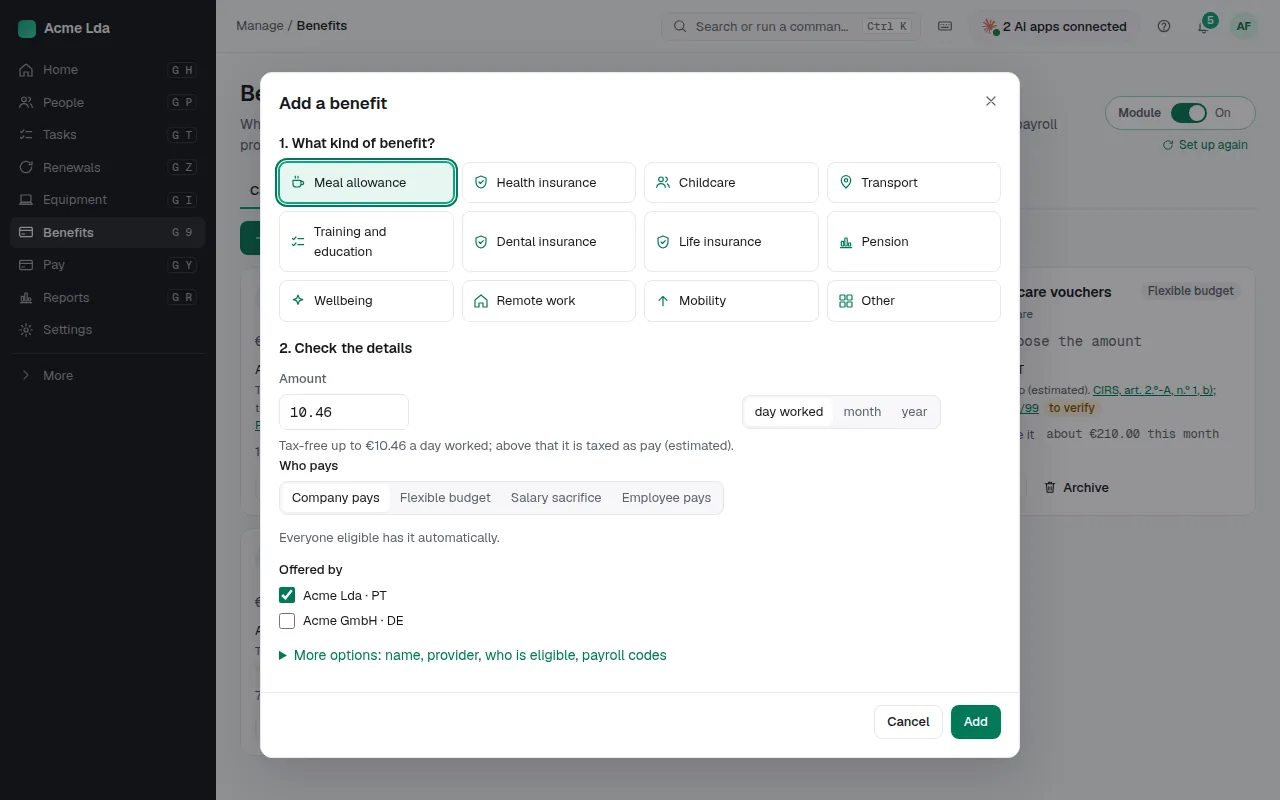
Add a benefit for anything else: its provider, the amount, who is eligible, and the payroll codes for the tax-free and taxable parts. A benefit can be one people switch on and pay for (payroll deducts it), or one paid from their flexible budget.
3. Give a flexible budget
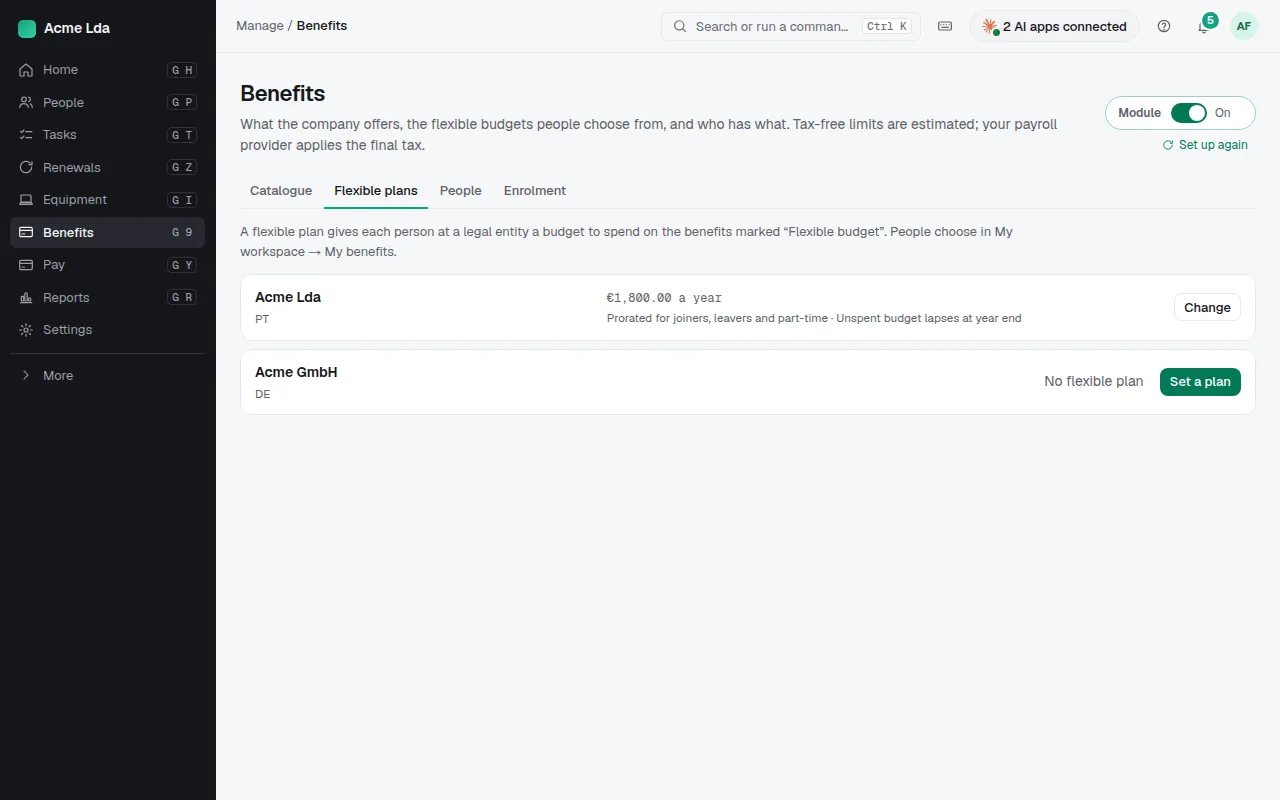
Under Flexible plans, give each person at a legal entity a yearly budget to spend on the benefits marked "Flexible budget". Unspent budget lapses at year end.
4. People choose
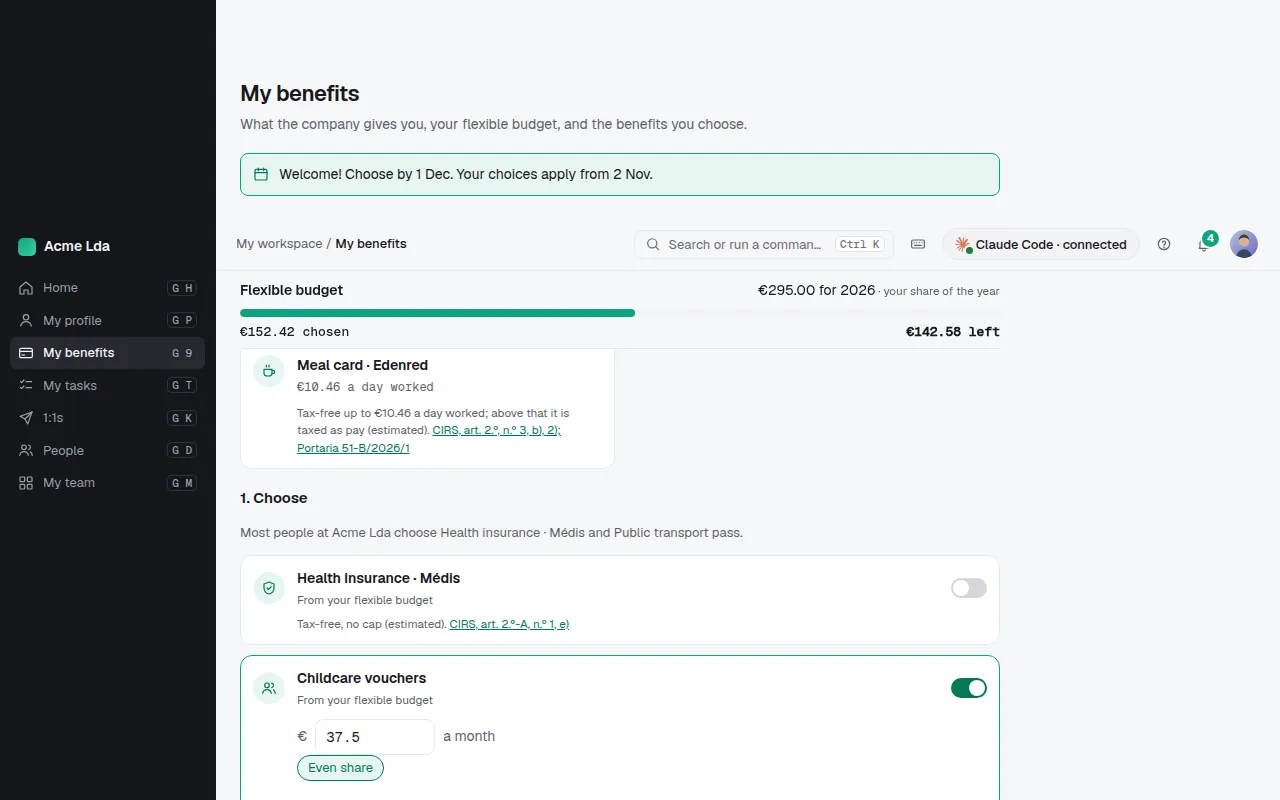
People choose in My workspace → My benefits, with the budget they have left as they go. New joiners can choose from their first day for the days set in Settings → Benefits; Open enrolment lets everyone at a legal entity change their choices for a while.
Tips
- People shows who has which benefit; payroll gets the changes each period.
- Benefits can be part of a job offer when Hiring is on.