How to prepare payroll each month
· 2 min read
Prepare each pay period for your accountant or payroll provider: who joined, who left, what changed and variable pay, then lock, export and share the payslips.

Bizisy doesn't calculate payroll: your accountant or payroll provider does. What Bizisy does is the part that usually takes HR an afternoon of emails: each period it lists who joined, who left, what changed and the variable pay, from the people data you already keep. You check it, lock it and export it in the format your provider uses.
1. Set up your pay schedule
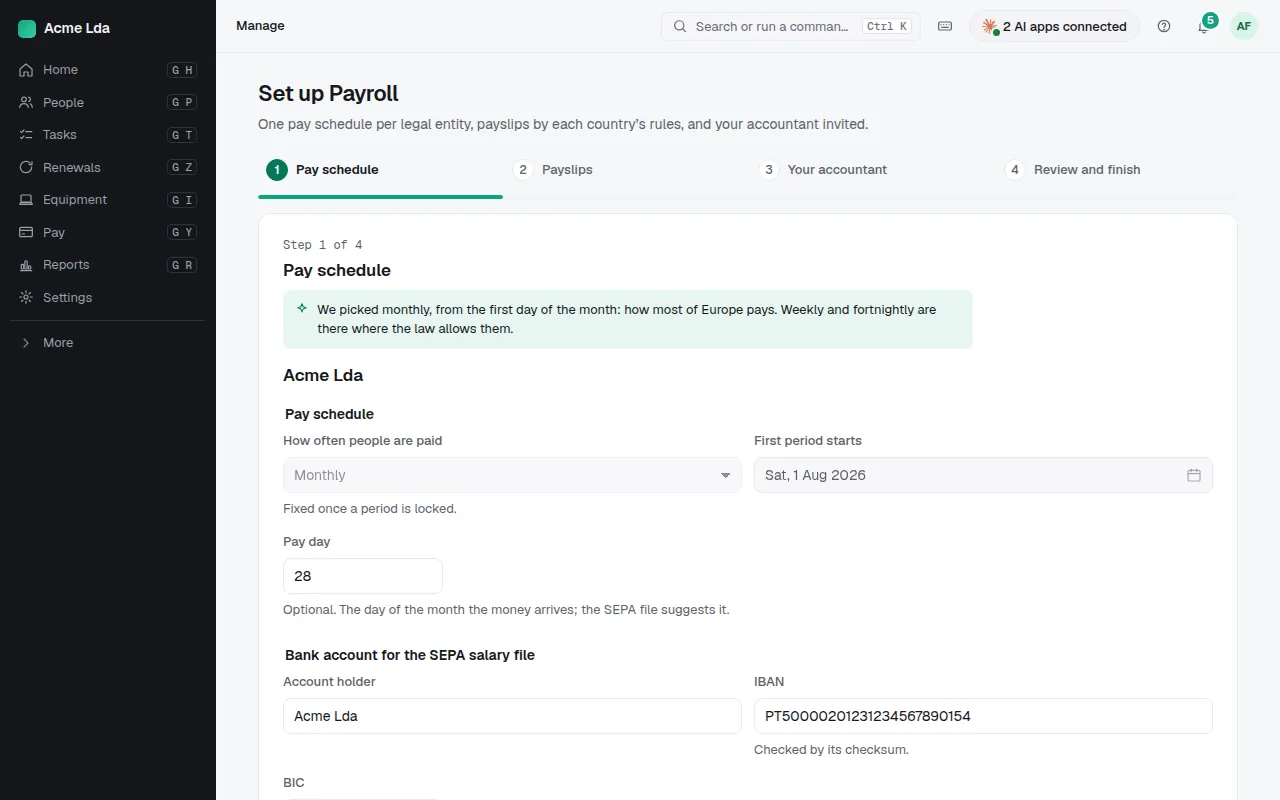
Switch on Payroll and follow its setup: one pay schedule per legal entity (monthly by default, weekly or fortnightly where the law allows), the pay day and the account for the SEPA salary file, how payslips are shared, and your accountant. Invite your accountant to see Payroll in your company.
2. Check the period
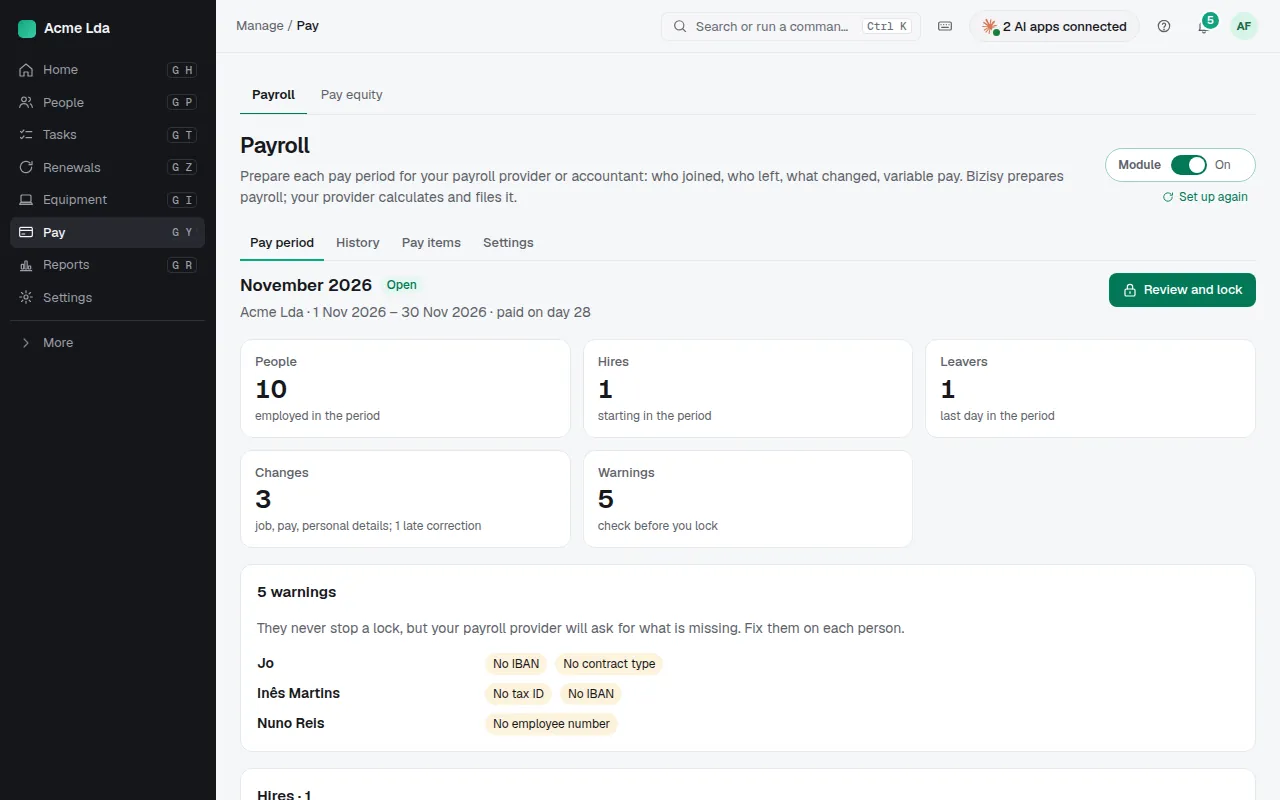
Pay → Payroll shows the current period: the people employed, hires, leavers, job and pay changes and late corrections. Add the variable pay of the period (bonuses, overtime, allowances and deductions) with the codes your accountant uses. Warnings list what your provider will ask for, such as a missing IBAN, tax ID or employee number: fix them on each person.
3. Review and lock
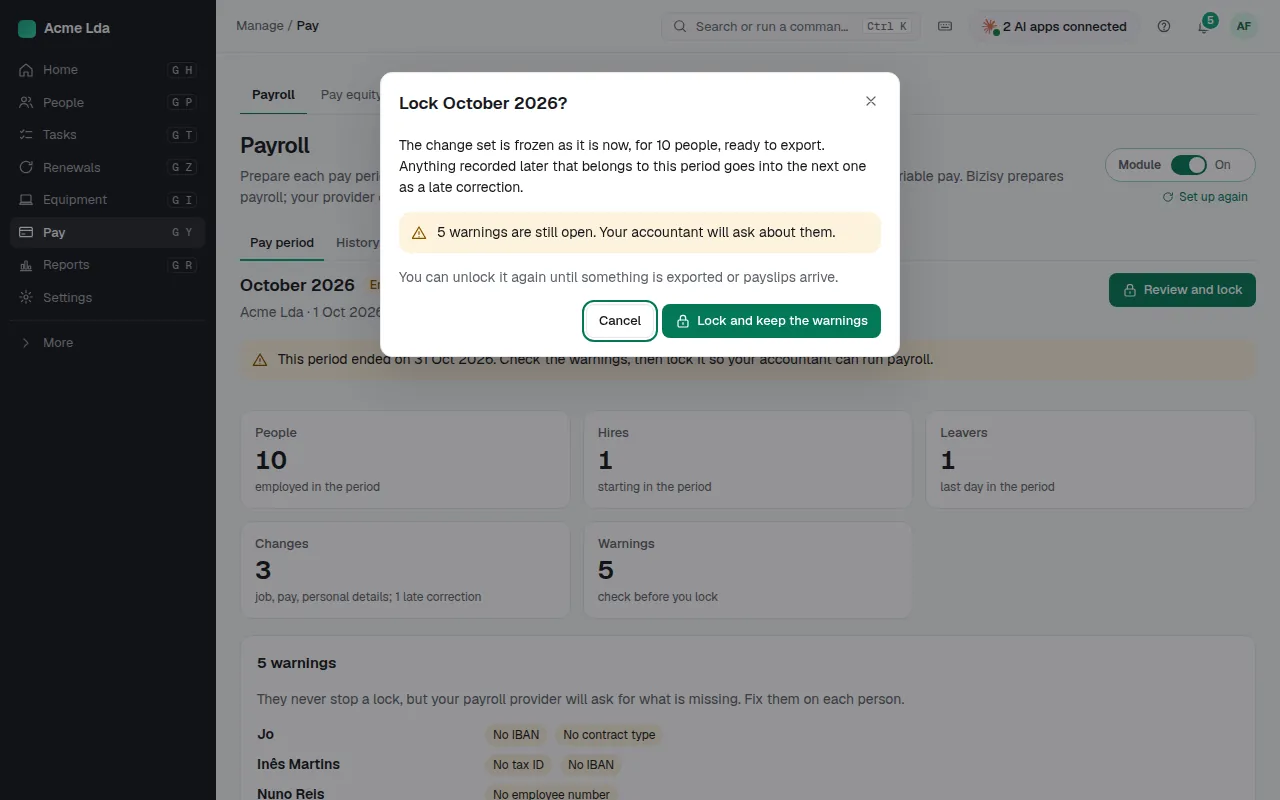
When the period ends, choose Review and lock. The change set is frozen, ready to export; anything recorded later that belongs to this period goes into the next one as a late correction. Open warnings don't block the lock, but they are listed so you can decide. You can unlock again until something is exported or payslips arrive.
4. Export it
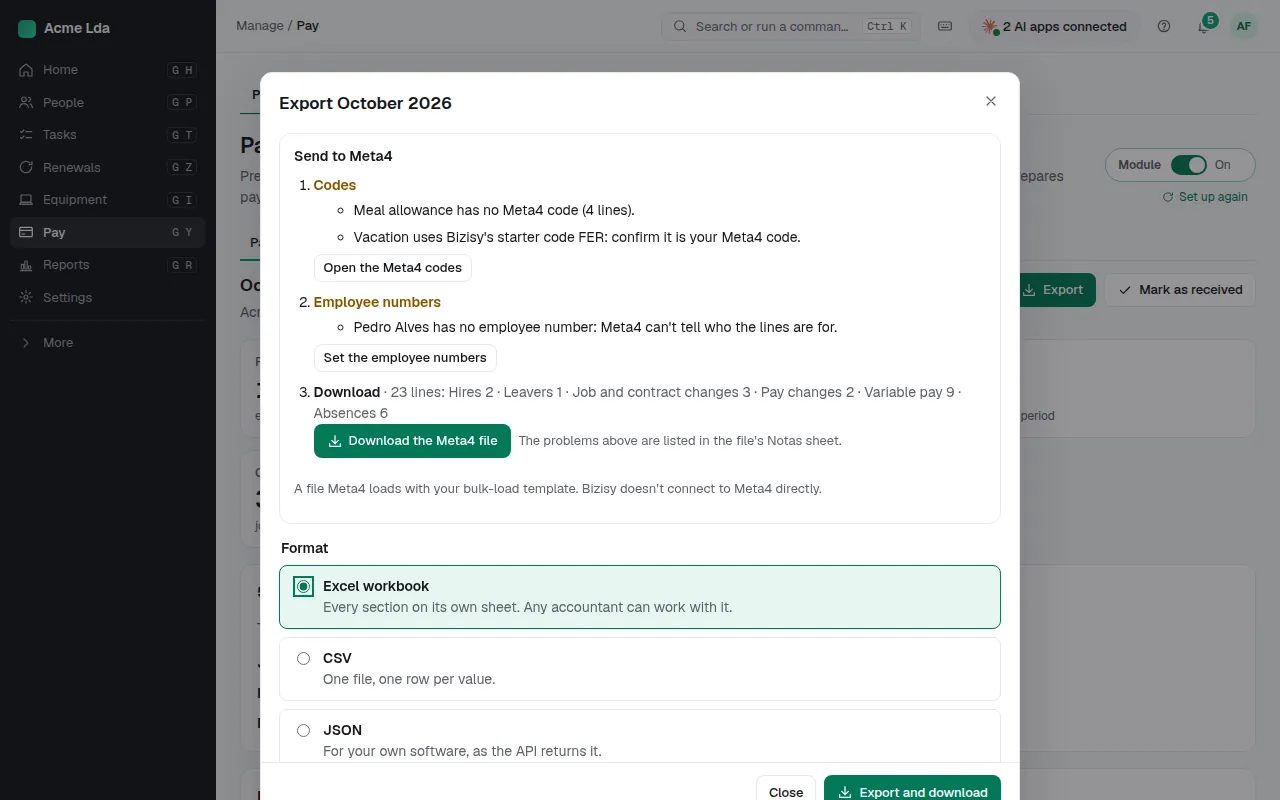
Choose Export and the format: an Excel workbook any accountant can work with, CSV, JSON, or a provider's own format (DATEV LODAS, BrightPay, Lexware lohn+gehalt, Sage 50 Payroll or Silae). Every export is kept with the period, so you can download it again. Once your provider has calculated it, import the net pay and make a SEPA salary file to upload to your bank: Bizisy never moves money.
5. Share the payslips
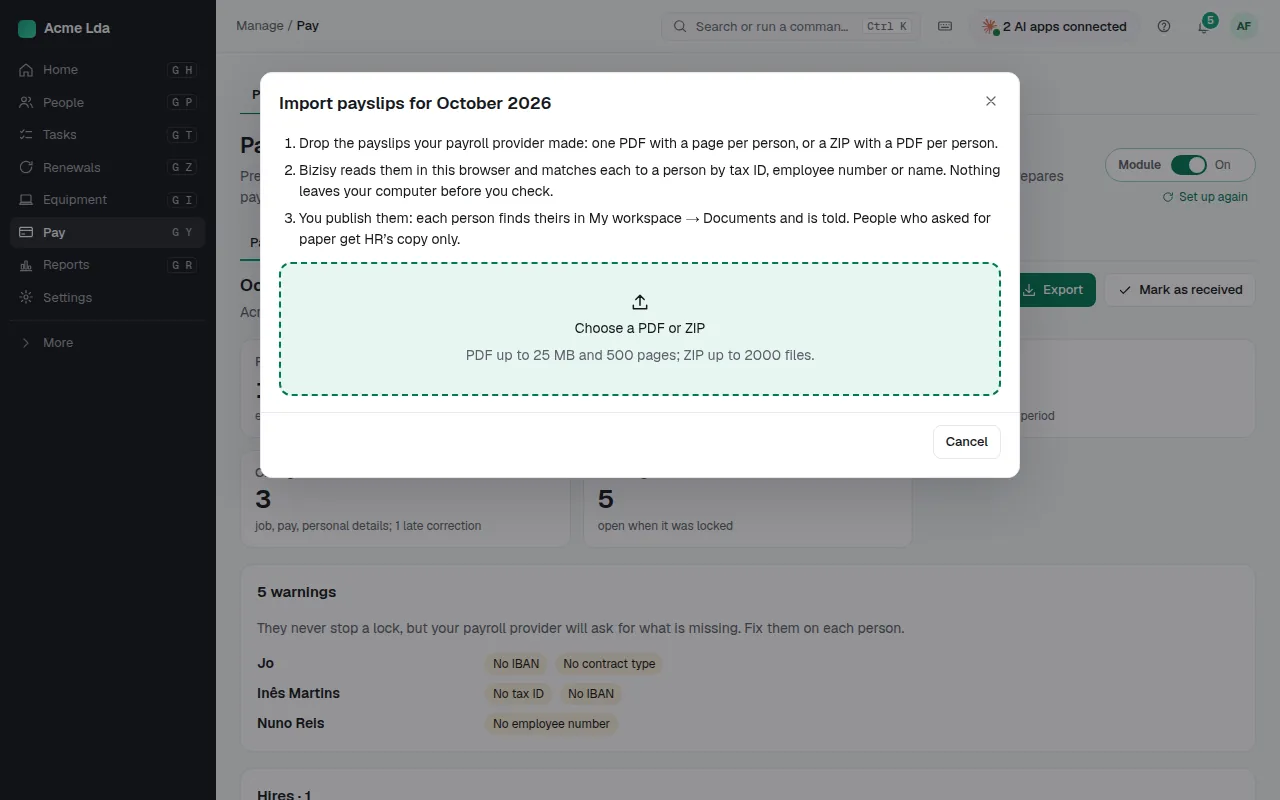
When your provider sends the payslips, choose Import payslips and drop in the PDF or ZIP. Bizisy reads them in your browser and matches each one to a person by tax ID, employee number or name; you check the matches before you publish. When you publish them, each person finds theirs in My workspace → Documents and is told.
Tips
- Past periods stay under History with their exports, for you and your accountant.
- Pay items keeps your provider's codes for each kind of variable pay, so they come out right in every export.
- Your accountant can tick Mark as received on the period, so you know they have it.