How to run 1:1s and check-ins
· 1 min read
Regular 1:1s between managers and their people: book them, prepare a shared agenda, take notes during the meeting, agree on actions, and see how often teams meet.

Regular 1:1s are where managers and their people talk about work, growth and anything in the way. Bizisy keeps them going: a rhythm for each pair, a shared agenda both can add to, notes and actions that carry over to the next one. What is said stays between the two of them.
1. Set the rhythm
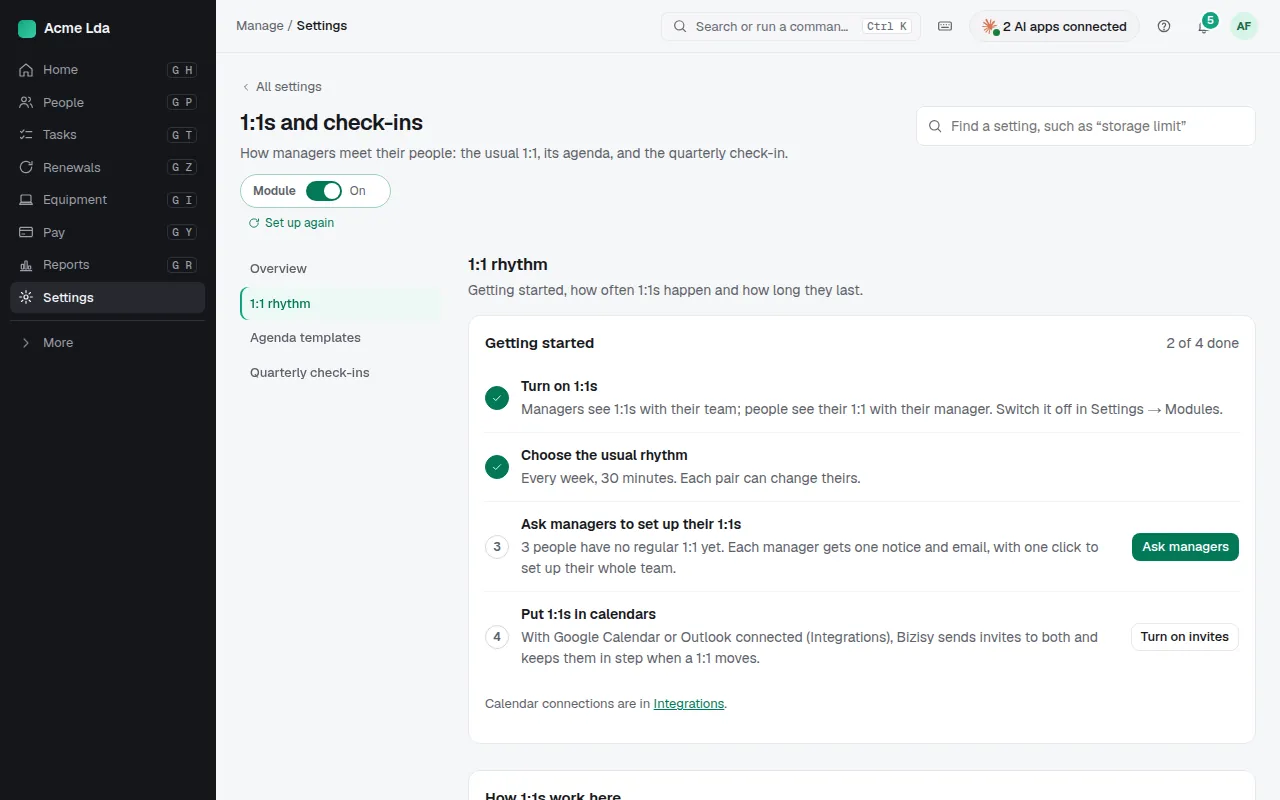
In Settings → 1:1s and check-ins, choose the usual rhythm, such as every two weeks, and Ask managers to set up their 1:1s. Some people can be exempt from regular 1:1s.
2. Book and prepare
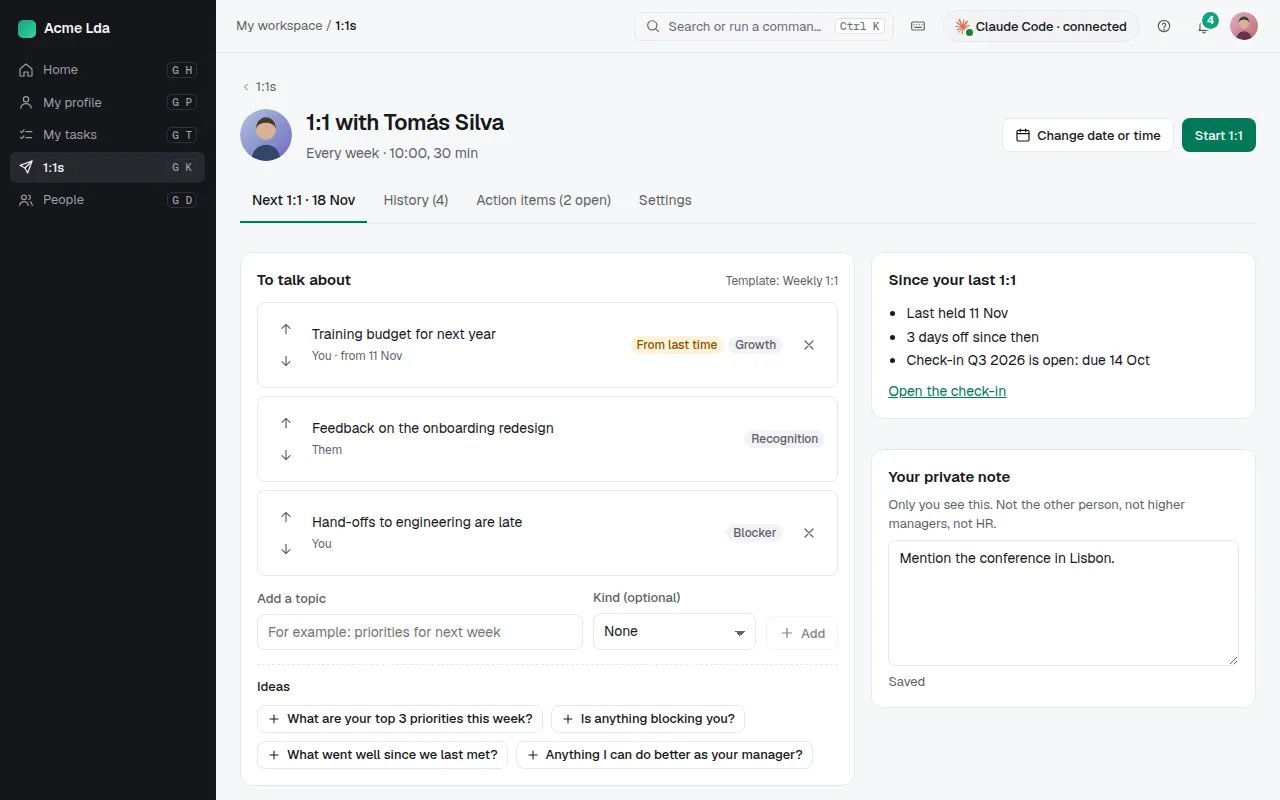
Managers and their people find their 1:1s in My workspace → 1:1s, where either can book the next one. Before it, both add topics to To talk about, and see what happened since the last 1:1. Each can keep a private note the other never sees.
3. Meet and wrap up
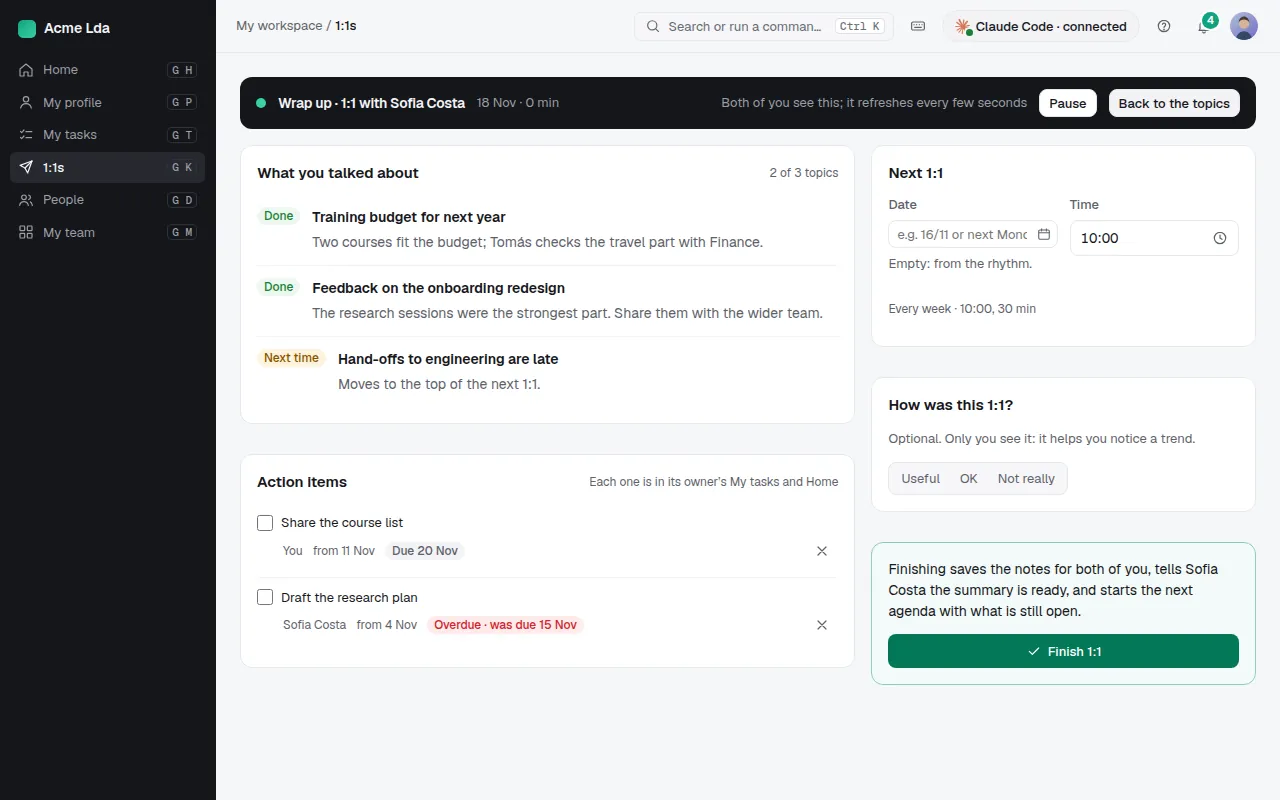
During the meeting, go through the topics and take notes together. Wrap up records what you talked about and the action items you agreed; open ones stay on the 1:1 and in each person's tasks until they're done. Both can say how the 1:1 was.
4. See 1:1 health
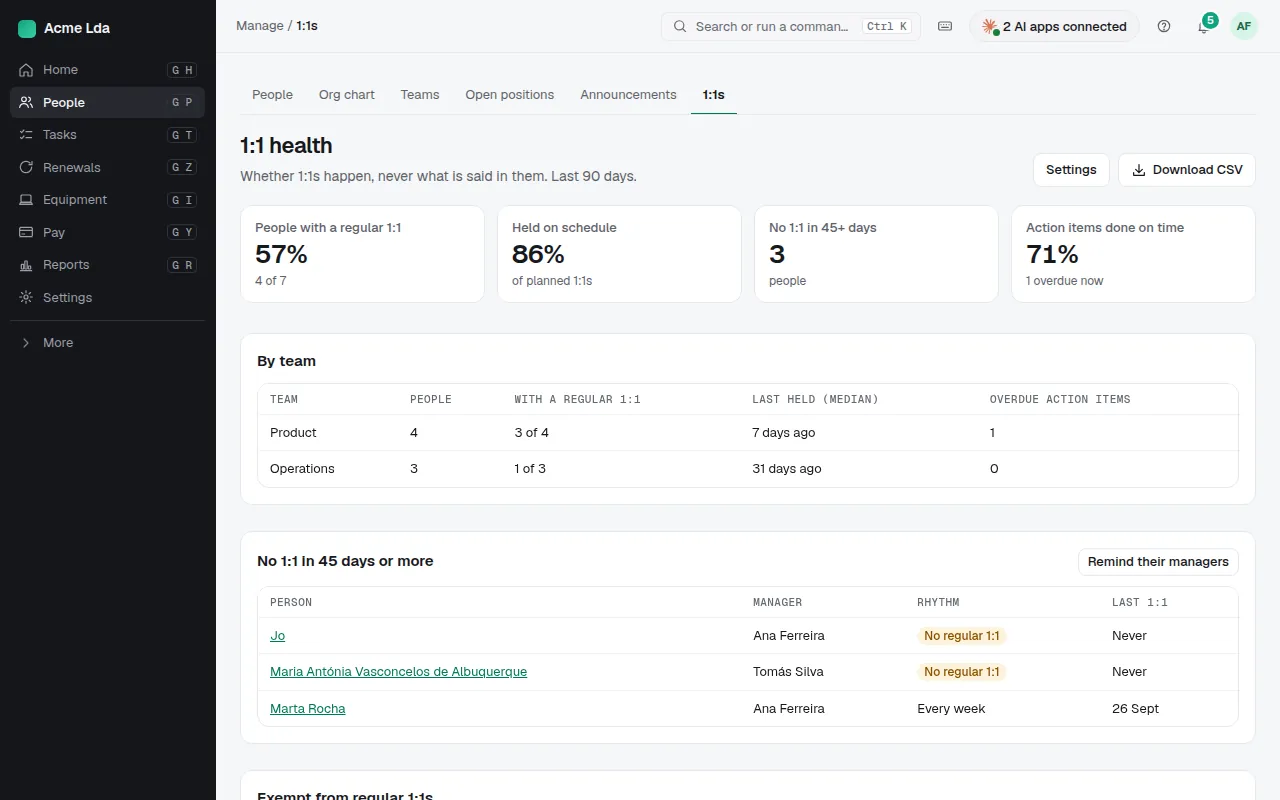
HR sees People → 1:1s: how often each manager meets their people, and who hasn't had one for a while. HR never sees what was said.
Tips
- Turn on quarterly check-ins in Settings → 1:1s and check-ins: each quarter people answer a few questions, then their manager adds theirs, and each sees the other's once submitted.
- Managers can set up skip-level 1:1s with their team's people.