How to post an announcement
· 1 min read
Post news to everyone, a team, a location or a saved group; ask people to confirm they've read it, see who did, and respect their time off work.

Announcements reach the right people without an all-staff email: everyone, a team, a location or a saved group. You can ask each person to confirm they've read it, and see who has.
1. Write it
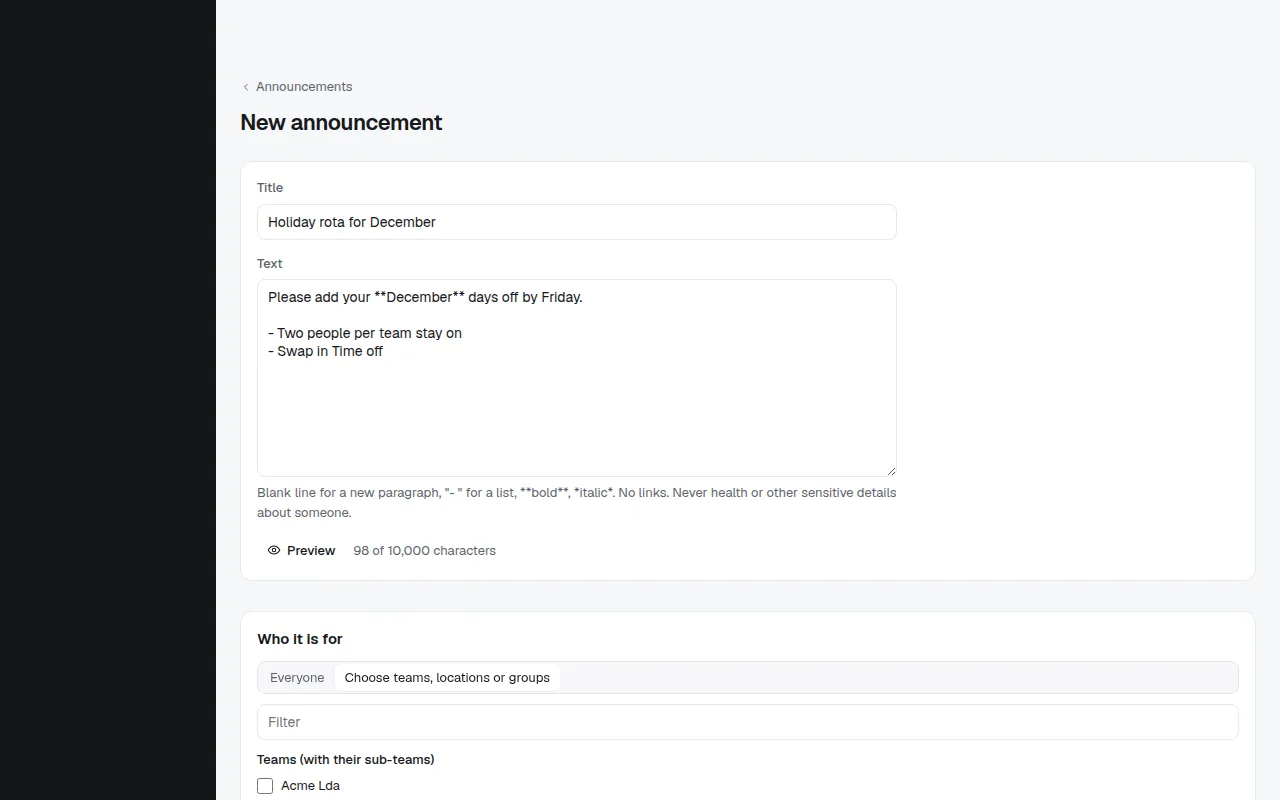
Open People → Announcements and choose New announcement. Write a title and the text (bold, lists and links work), choose who it reaches, and tick Ask each person to confirm they have read it if it matters. Reminders then go out 3 days before the due date, on the day, and weekly after. Bizisy shows how many people it reaches today.
2. Publish it
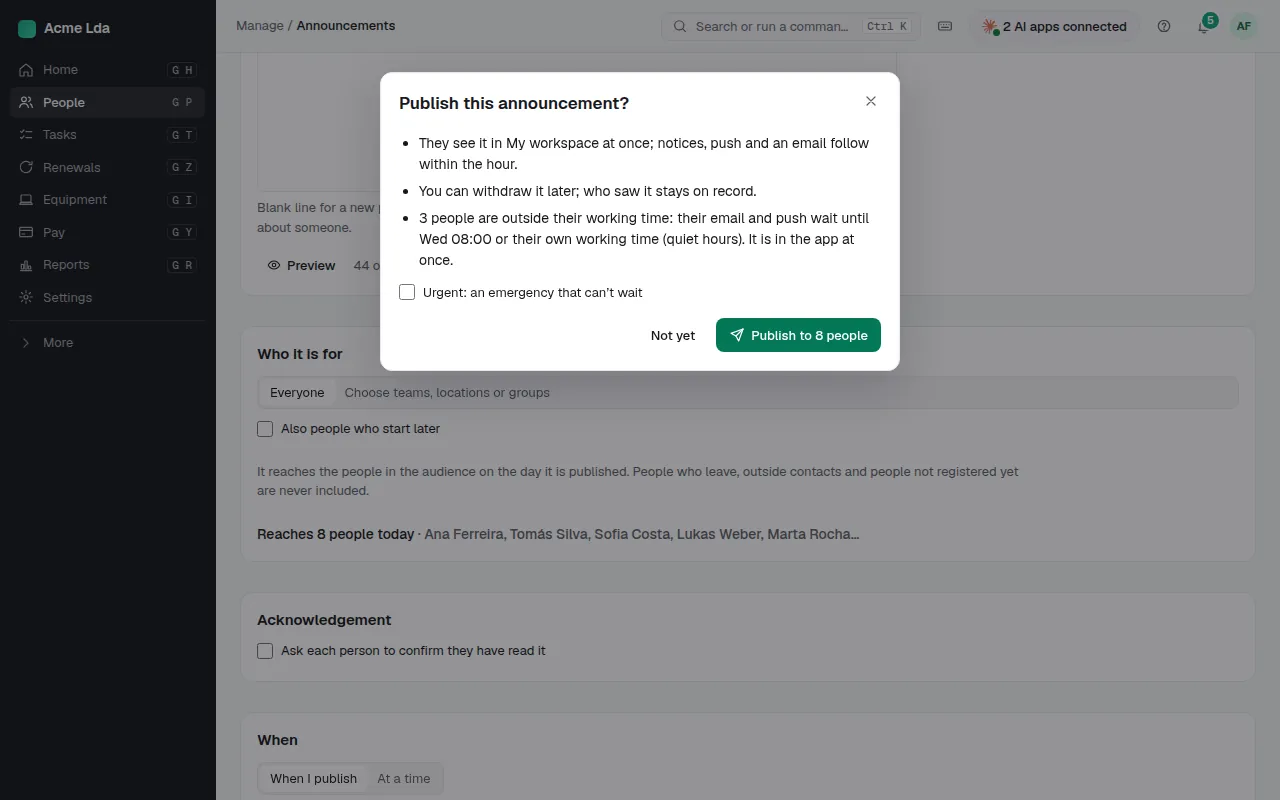
Publish shows who it reaches before it goes. Where quiet hours apply, people outside their working time get the email and push when their working time starts; it's in the app at once. For a real emergency, HR can mark it urgent and say why it can't wait.
3. See who confirmed
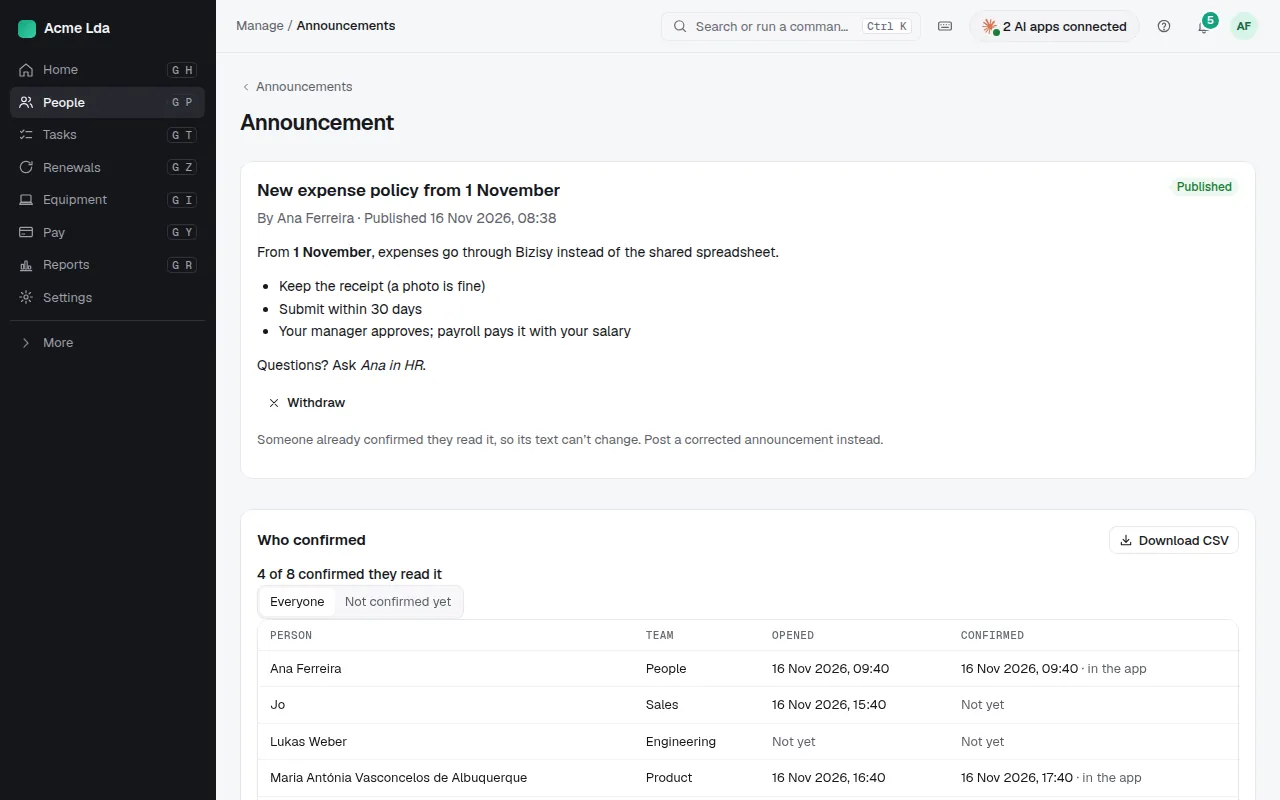
Each announcement shows who has confirmed and who is still waiting; download the list as CSV. Once published, its text can't change: withdraw it and post a new one instead.
Tips
- People read announcements in My workspace → Announcements, and on a time clock kiosk.
- Managers can post to their own team from My workspace when your company allows it, in Settings → Announcements.