How to fix a missed clock-out
· 1 min read
Forgot to clock out? Fix the day from My workspace and your manager or HR approves it; HR can correct a record too, and every correction keeps its reason.

Everyone forgets to clock out now and then. In Bizisy the person fixes the day themselves, with the reason, and their manager or HR approves it. HR can also correct a record directly; the person then confirms it. Either way, the correction and its reason stay with the record.
1. The person fixes the day
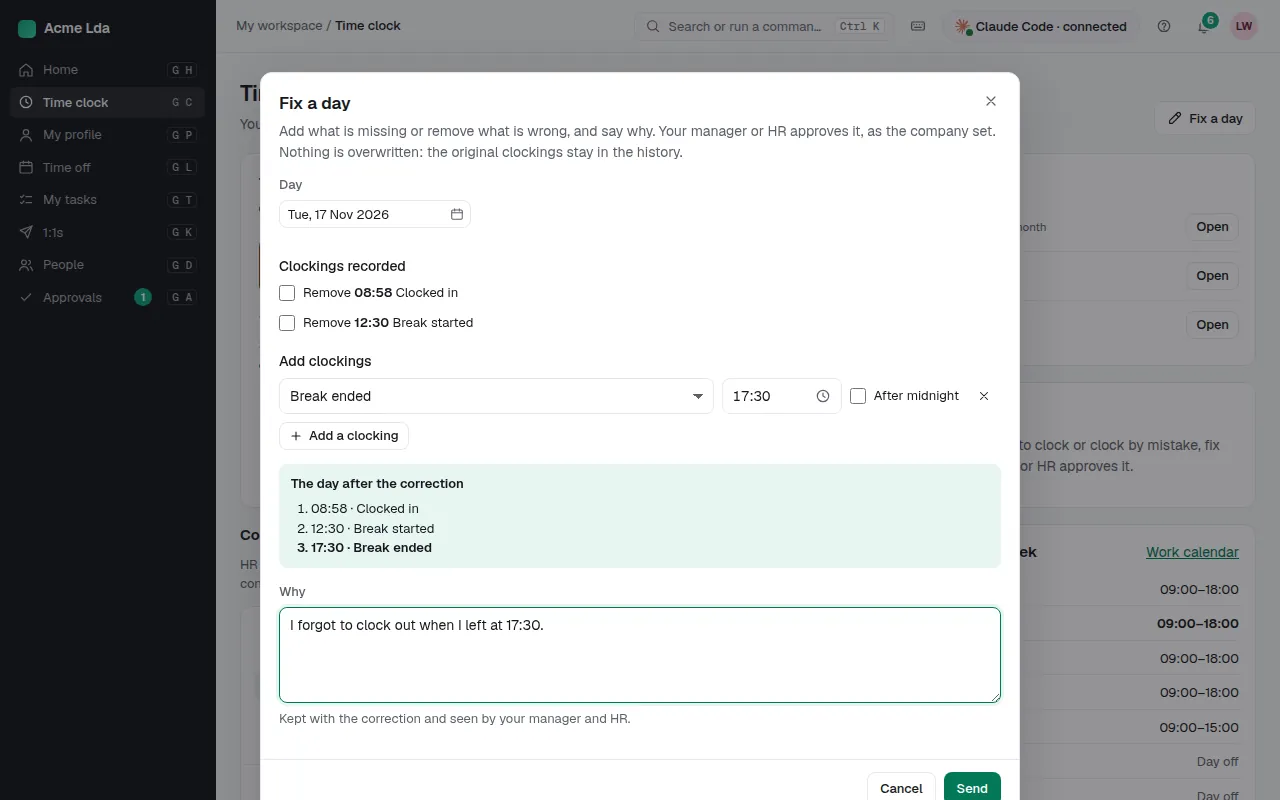
In My workspace → Time clock, choose Fix a day, pick the day and add the missing clocking (or change a wrong one). Write why, such as "I forgot to clock out when I left at 17:30". Bizisy shows the day as it will be after the correction, then sends it for approval.
2. The manager or HR approves
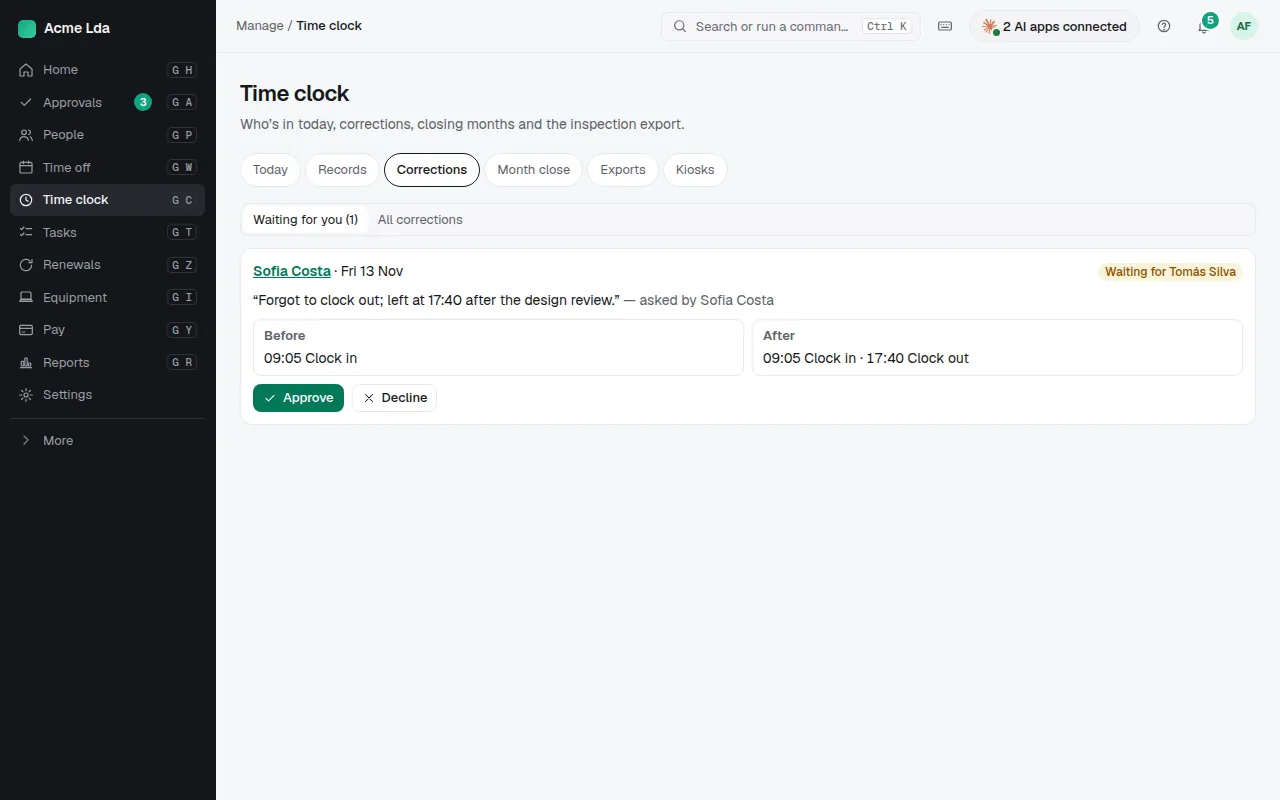
Managers find their team's corrections in My workspace → Approvals; HR finds every one in Manage → Time clock → Corrections. Approve it, and the day is corrected.
3. HR corrects a record
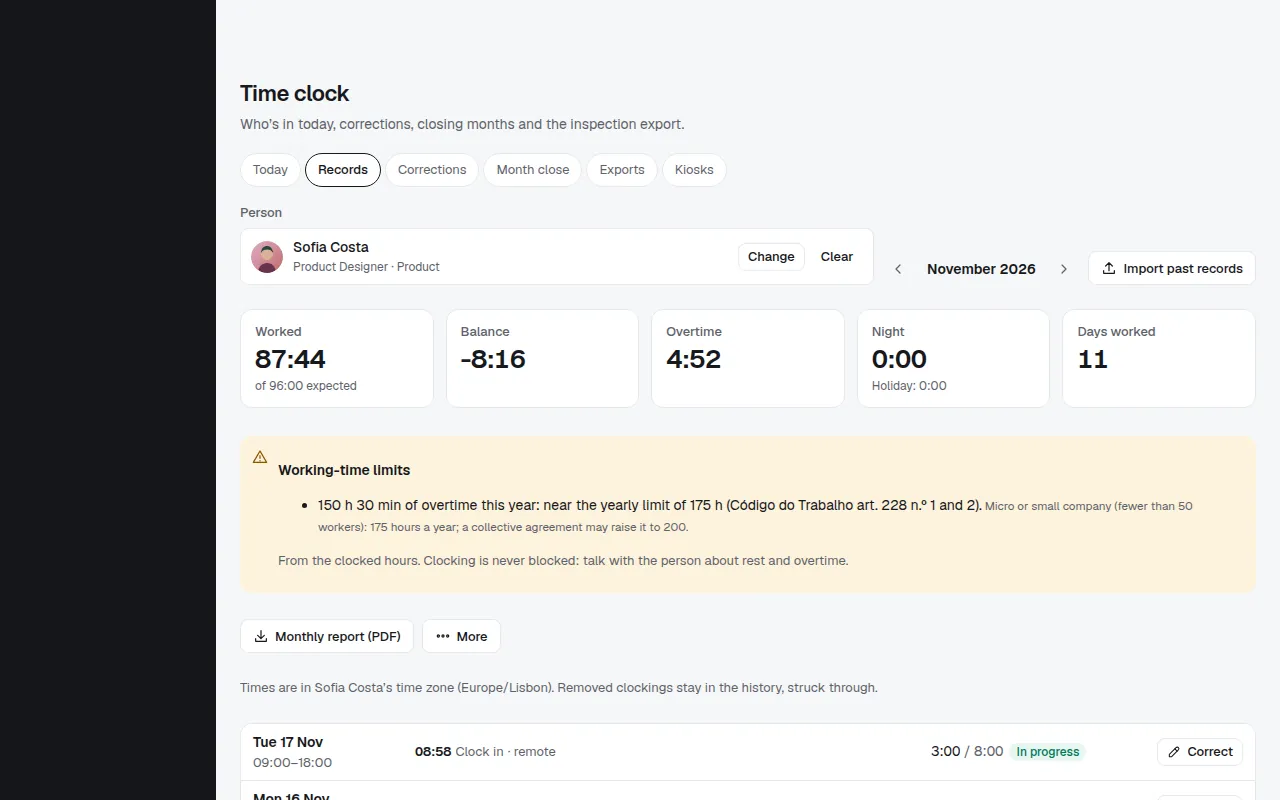
In Time clock → Records, open the person and choose Correct on a day, such as one marked "No clock-out". Enter the time and the reason, which is kept with the record. The person confirms or disagrees in My workspace; HR can apply a disputed correction anyway.
Tips
- Today lists everyone missing a clock-out, so you can remind them the same day.
- A closed month can't change: reopen it first, or correct it before you close it.