How to give your accountant access
· 1 min read
Your accountant, HR consultant or implementation partner asks for access from the Bizisy partner console; an owner approves what they see, and can change or revoke it at any time.

Many companies work with an accounting firm for payroll, or a consultant who sets things up. In Bizisy they work from their own partner console, and an owner of your company decides what they see. Nothing is shared until you approve, and partners with access aren't charged as people.
1. Approve the request
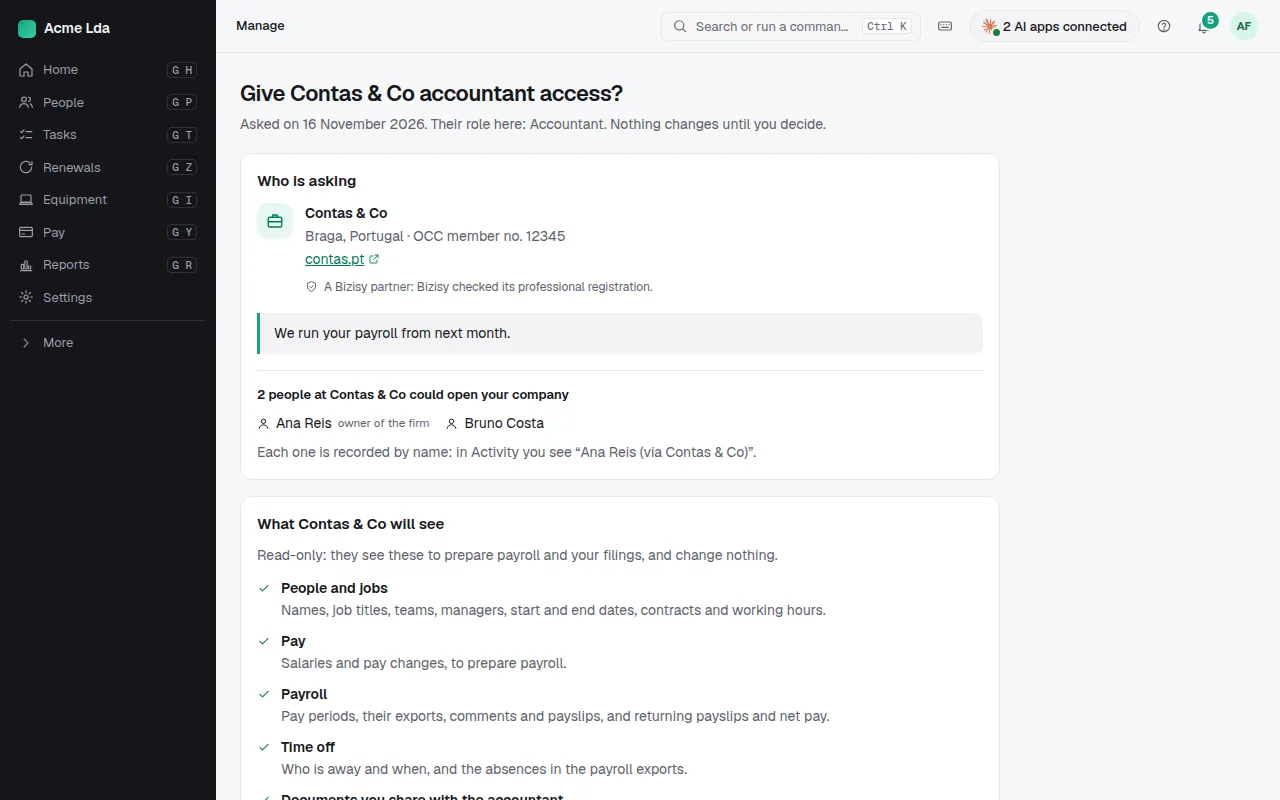
When your partner asks for access from the Bizisy partner console, the request appears on Home and in Settings → Roles and access → Partner access. Open it to see exactly what they'll see and do, change it if you like, then approve or decline. Only owners can.
2. Change or revoke it
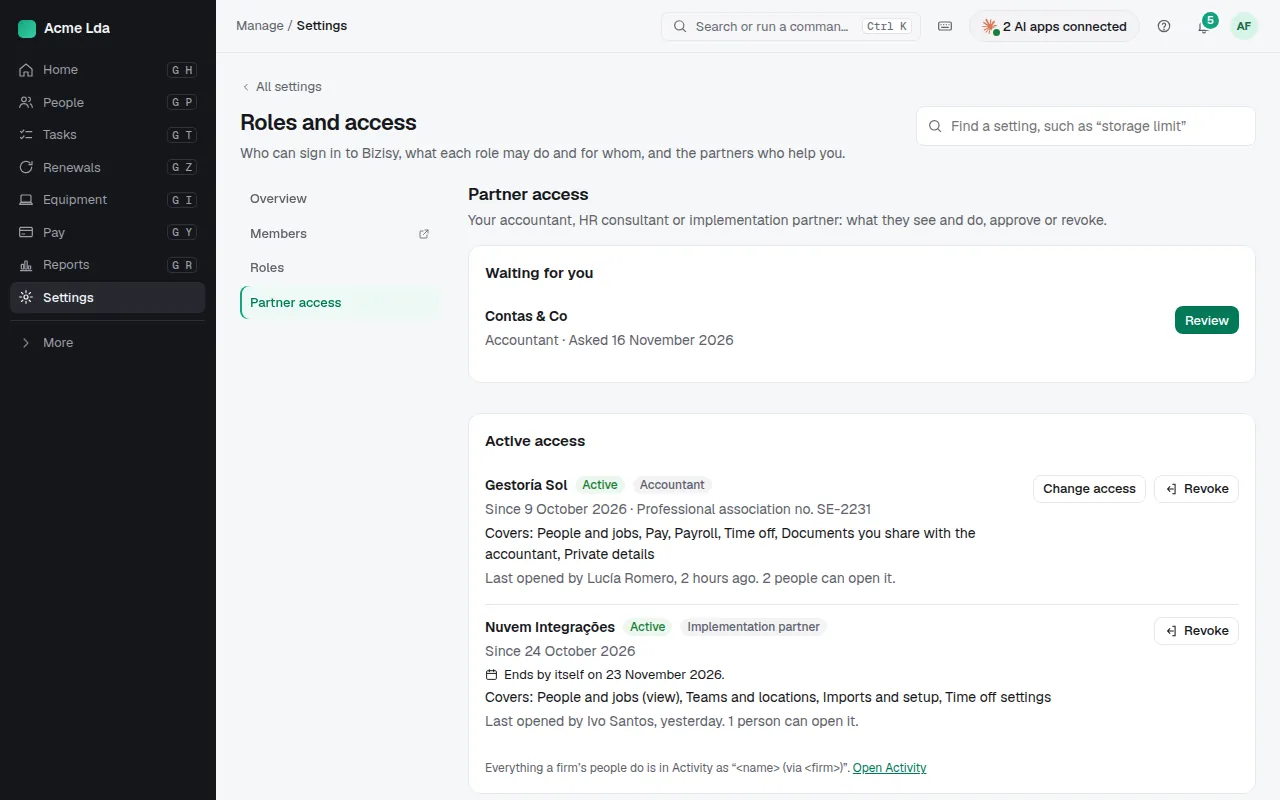
Partner access lists every request and active access: what each firm sees, who opened it and when it ends. Change what they see, or revoke the access at any time: revoking signs them out at once.
Tips
- Changes they make show in Activity with their name and their firm.
- Looking for an accountant who works with Bizisy? See the partner directory at bizisy.com/accountants.