How to set up webhooks
· 1 min read
Tell your payroll provider, automation tool or own system when something changes: new hires, job changes, leavers, teams and logins, as signed HTTPS requests within a minute.

Webhooks push changes to other systems as they happen, so nobody has to export and re-enter data. Bizisy sends a signed HTTPS request to your endpoint when something changes, usually within a minute.
1. Add an endpoint
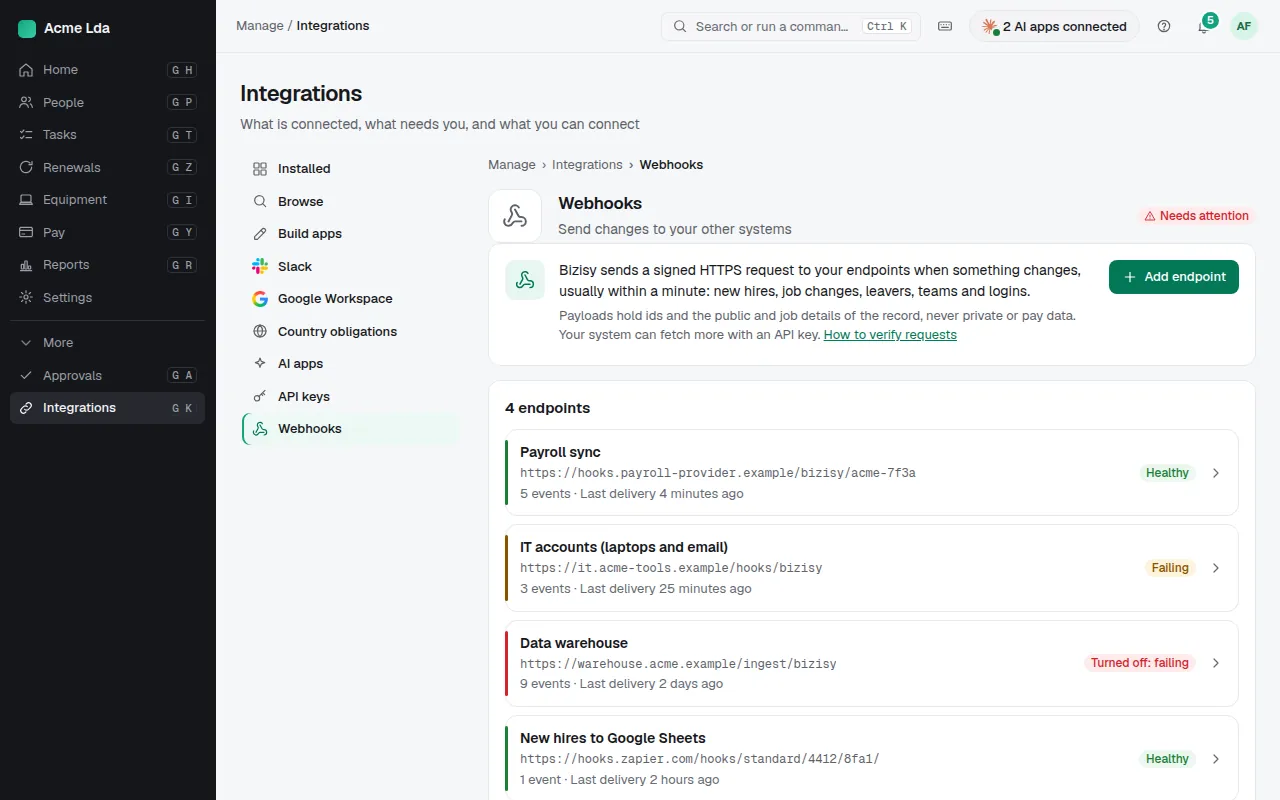
Open Integrations → Webhooks and choose Add endpoint. Enter the https:// URL of the system that should hear about changes, such as your payroll provider or an automation tool, a description, and the events it needs: new hires, job changes, leavers, teams, logins and more.
You get the signing secret once, when you save: copy it into your receiver to verify each request; How to verify requests shows how.
2. Watch the deliveries
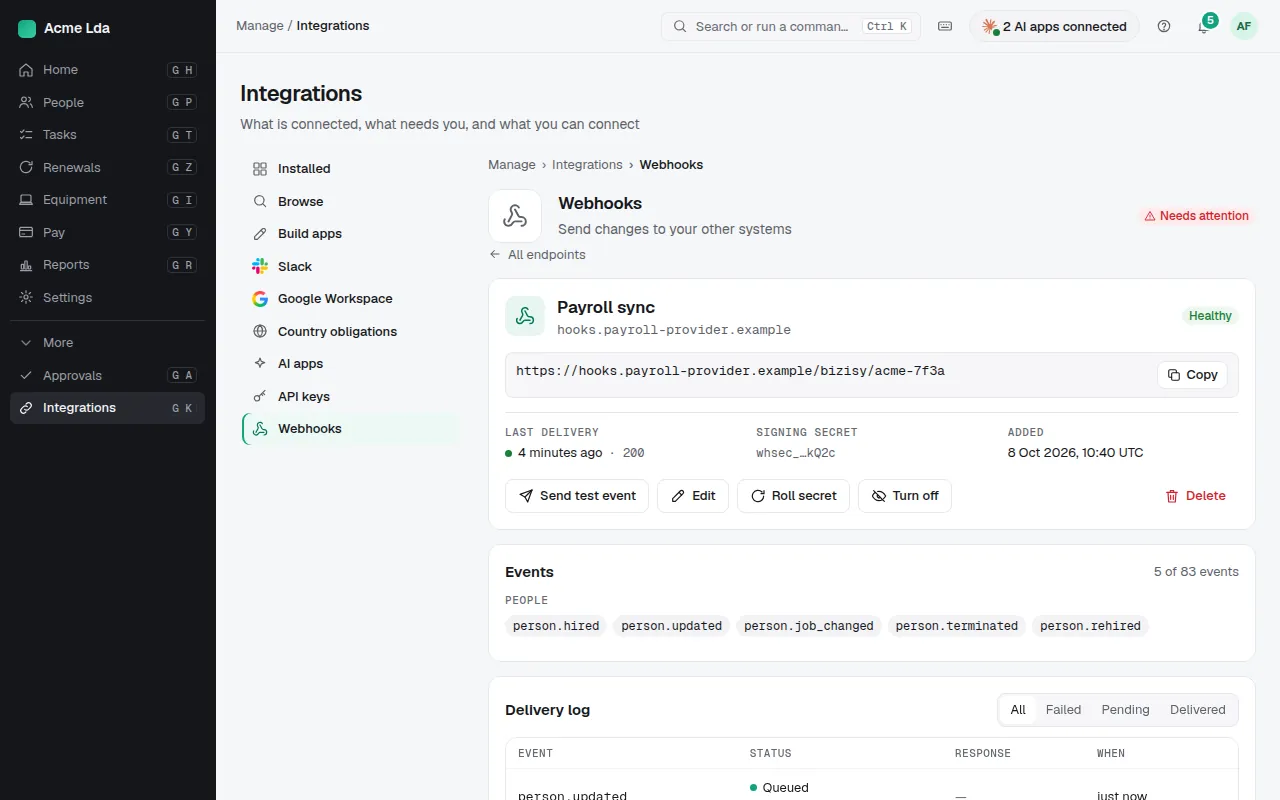
Each endpoint has a delivery log. Failed deliveries are retried for about a day, and you can send a test event.
Tips
- Payloads hold ids and the public and job details of the record, never private or pay data; your system can fetch more with an API key.