How to set up sick leave and other leave types
· 1 min read
Choose the kinds of leave people can book, such as sick leave, parental leave or volunteering, which ones are health-related and private, and record leave for someone.

Not all time off is holiday. Leave types say what kind of absence it is, whether it uses the allowance, and who may see it. Health-related absences such as sick leave stay private: managers and colleagues only see that the person is away.
1. Check the leave types
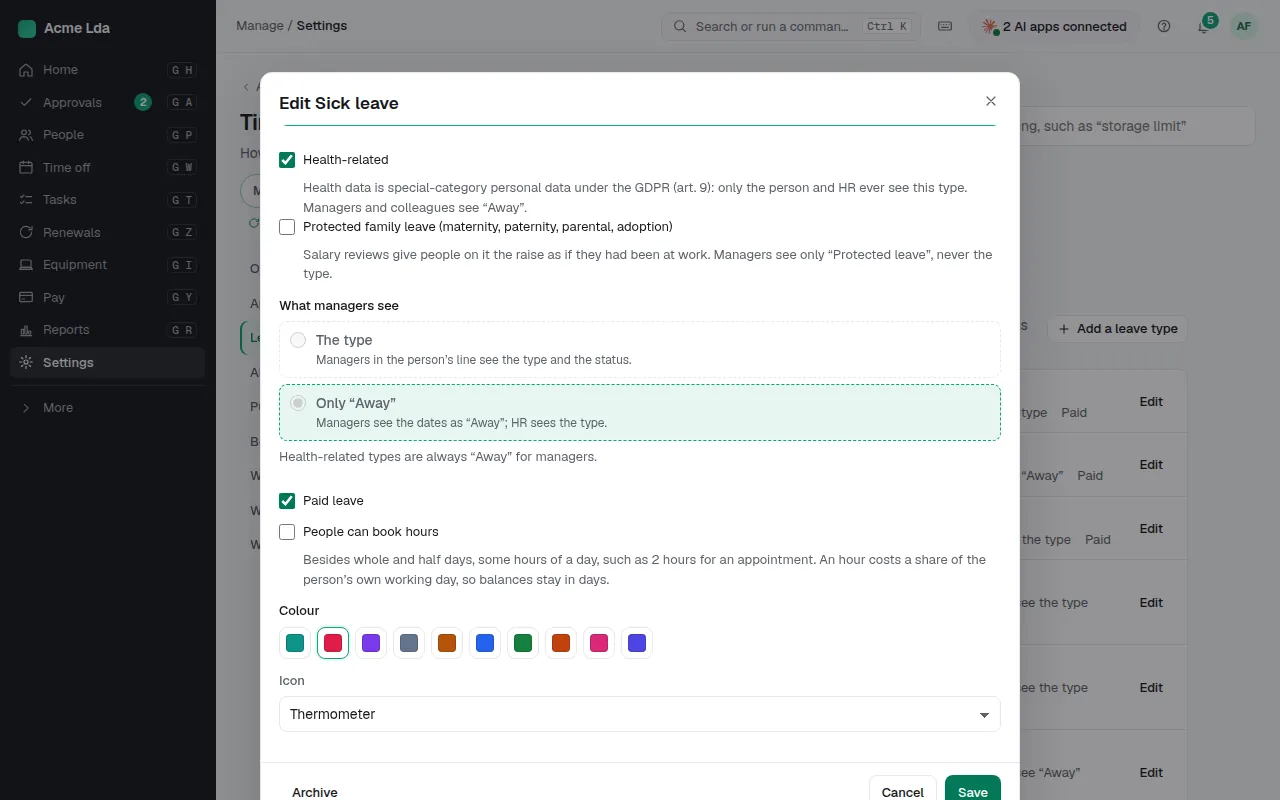
Settings → Time off → Leave types starts with the common ones: vacation, sick leave, parental, unpaid, training and other. Open one to choose who books it (people themselves in My workspace, or only HR), whether it uses the yearly allowance, whether hours can be booked, its colour, and whether it's health-related. Health data is special-category data under the GDPR: only the person and HR ever see a health-related type, and managers and colleagues see "Away".
2. Add your own
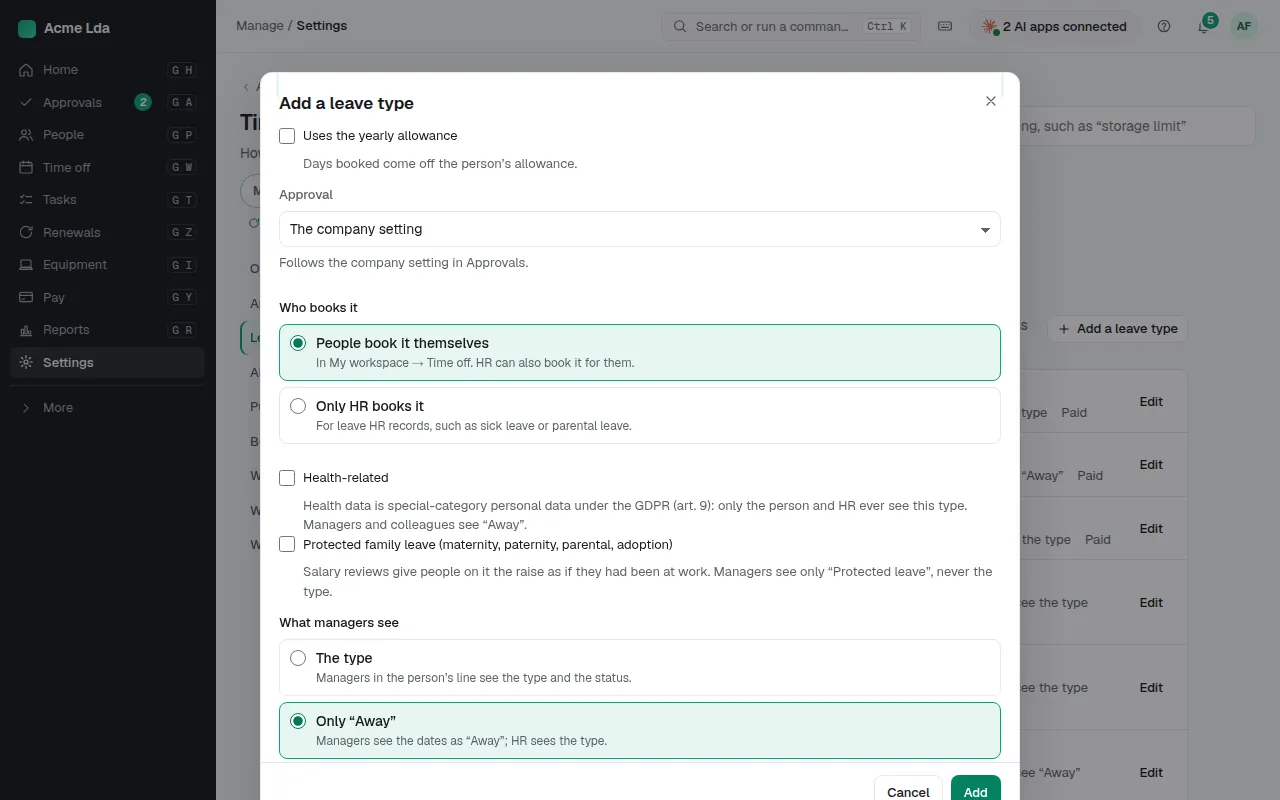
Choose Add a leave type for anything else your company gives, such as volunteering or a moving day, and choose the same things for it. Vacation always uses the allowance; leave that doesn't needs a type of its own.
3. Record leave for someone
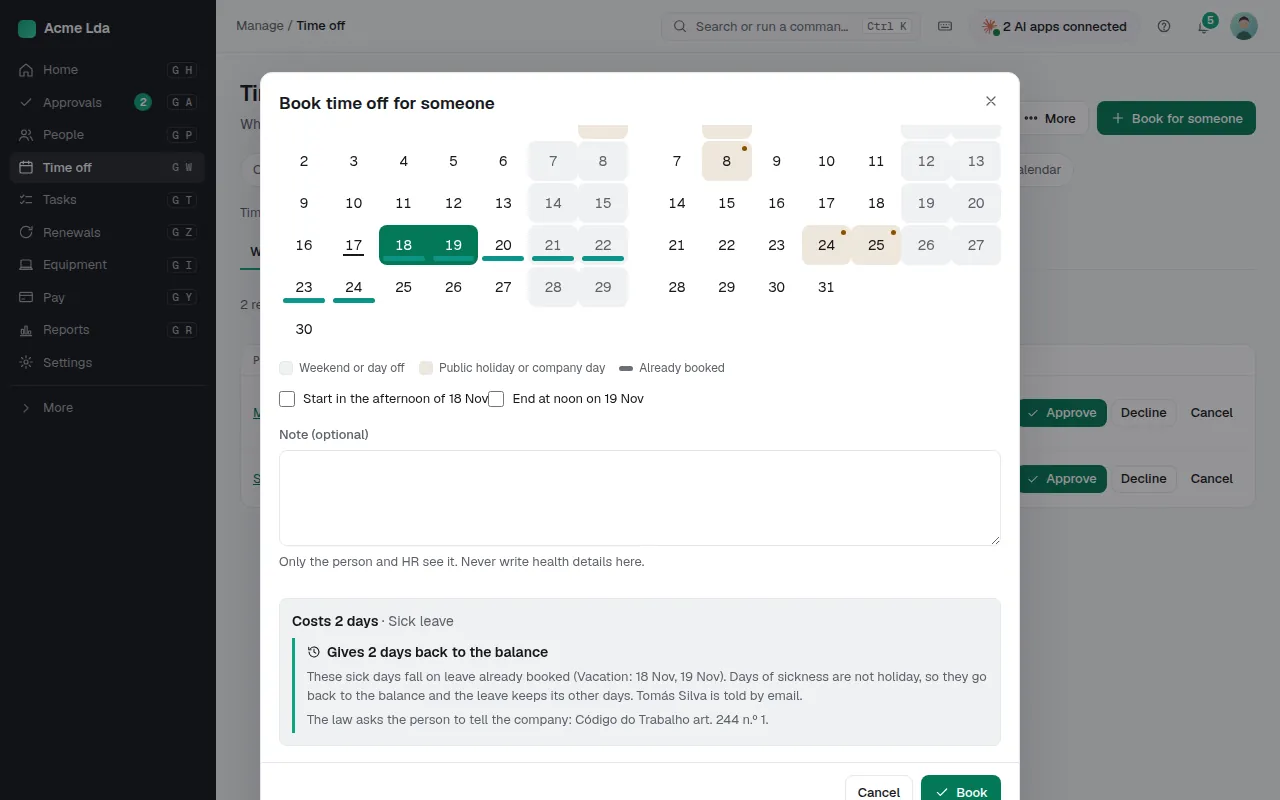
When someone calls in sick, HR records it from Time off → Requests → Book time off for someone: the person, the leave type and the days.
Tips
- Who sees which type is set in Settings → Time off → Who sees what.
- Reports → Absence can show health-related absence on its own, for HR only.