How to approve new positions before hiring
· 2 min read
Ask for approval before a position opens for hiring: always, only over the team's headcount plan, or only above the pay band, decided by the people you choose, with the numbers in front of them.

Hiring starts with a decision to add someone to the team. In Bizisy you can make that decision a step of its own: before a position opens for hiring, the people you choose approve it, seeing its pay range against the band and the team's headcount plan. Until then no job post and no hire can use it.
1. Choose when a position needs approval
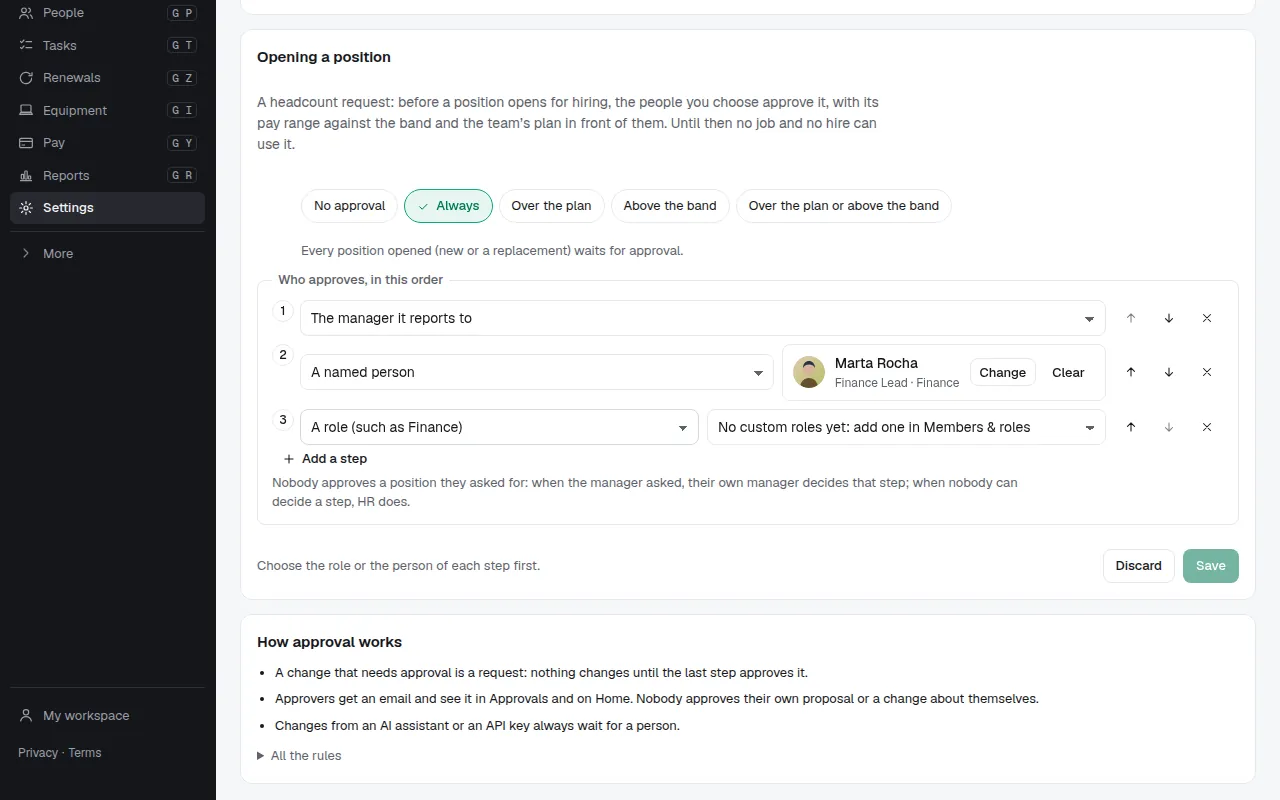
Under Settings → Approval rules → Opening a position, choose when approval is needed: always, only for new headcount over the team's plan (replacements never count), only for a pay range above the band of its job title, or either. Then who approves, in order: the manager the position reports to, HR, everyone with a role (such as a Finance role), or a named person. It's off until you switch it on, so nothing changes for anyone before that.
2. Open a position as usual
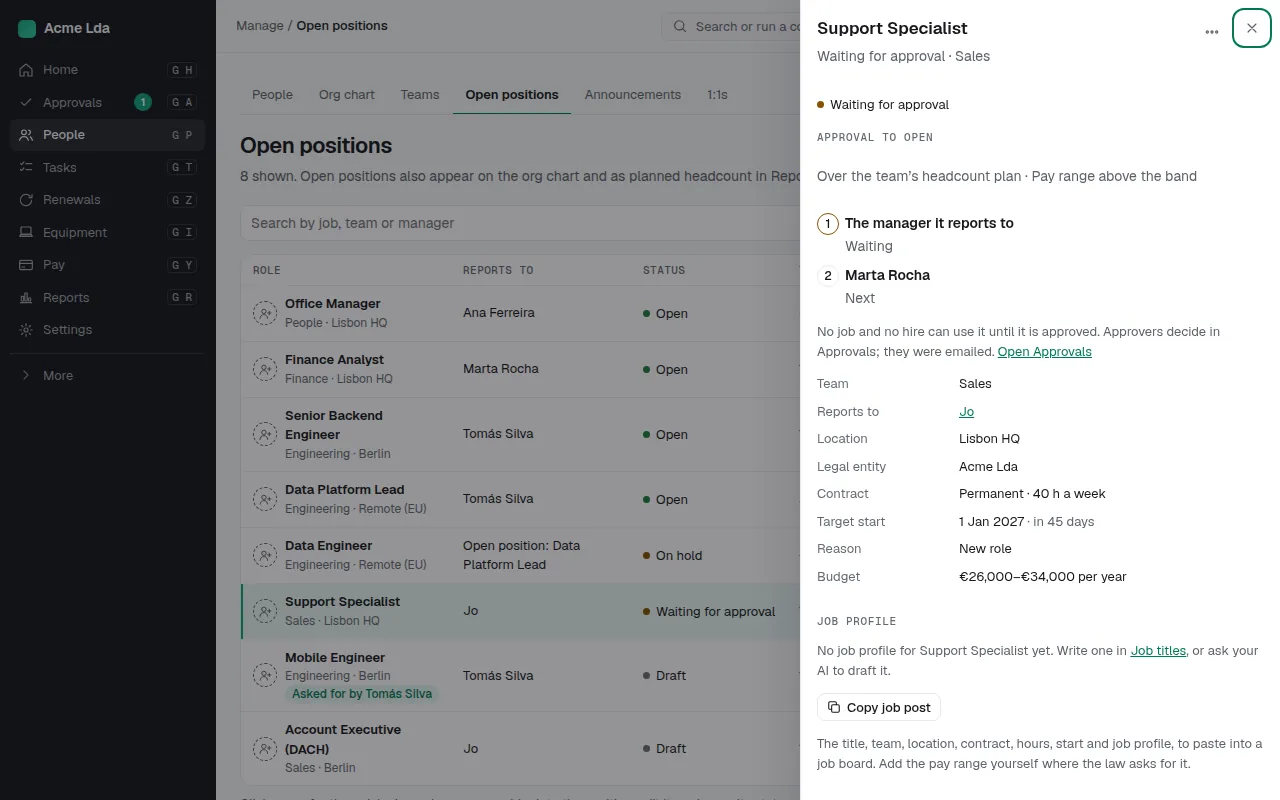
Create the position under Positions as you always do. Before you save, Bizisy tells you whether it needs approval and who decides first. It then shows as Waiting for approval, the first approver gets an email, and the position can't be hired into until everyone has approved. The same happens when you open a draft, reopen a cancelled position, or a leaver's replacement is opened. To change what you asked for, withdraw the request and open it again.
3. Approve with the numbers in front of you
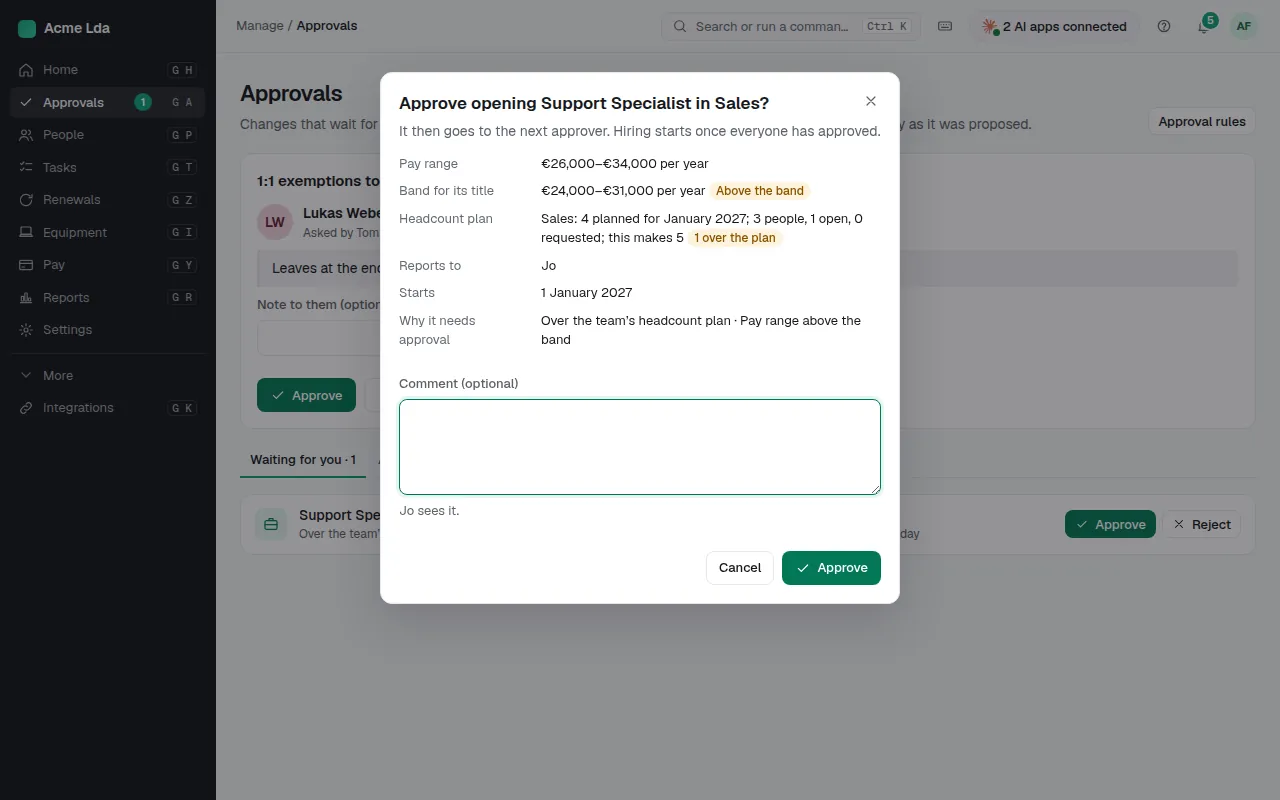
Approvers find the request in Approvals (managers in My workspace) and on Home. Each shows why it needs approval, the pay range against the band, and the team's plan: how many people are planned, how many work there, how many positions are open or requested, and what this one makes. Approve it, and it goes to the next approver or opens; reject it with a reason, and it's cancelled and keeps the reason. Whoever asked is told by email either way.
4. See requested headcount in planning
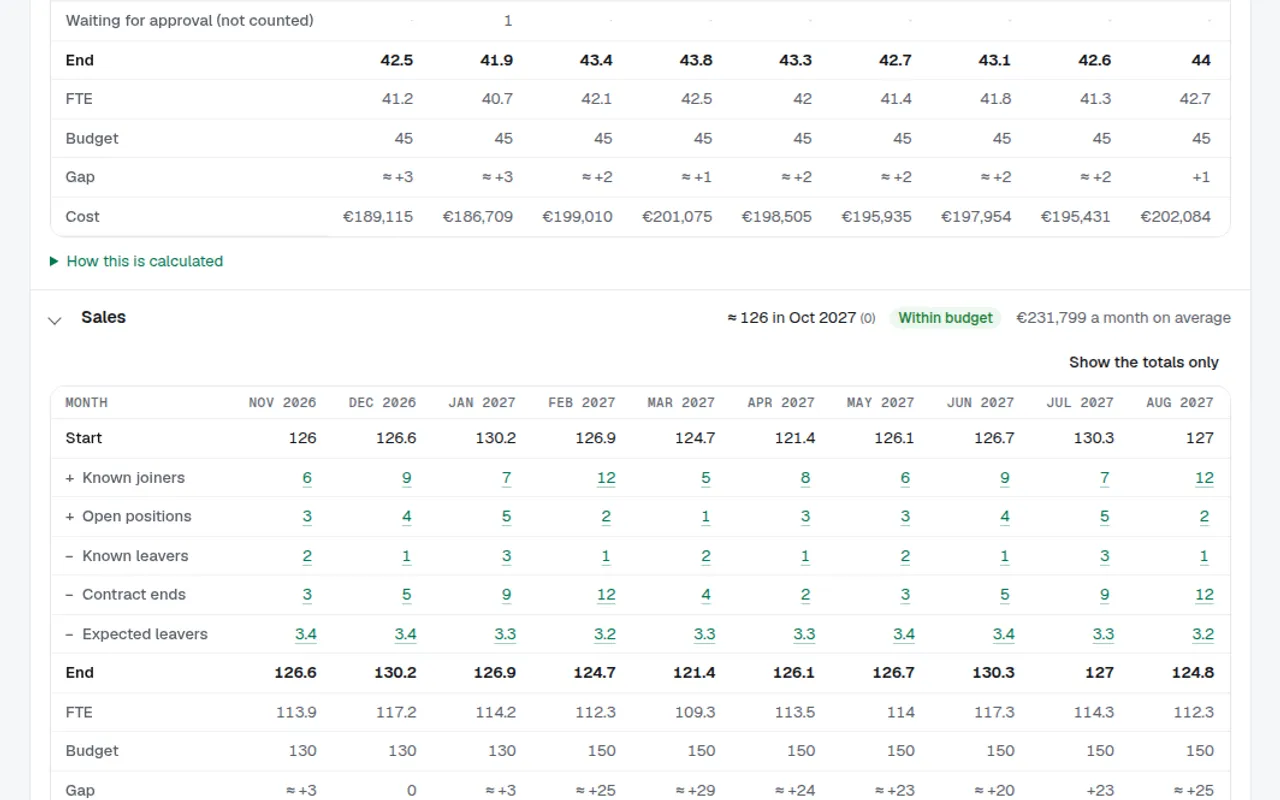
Workforce planning counts approved and requested headcount apart: positions waiting for approval show in their own row, in the month they would start, and never in the forecast's headcount or cost until they're approved.
Tips
- Nobody approves a position they asked for. When the manager asked, their own manager decides that step; when nobody can decide a step, HR does.
- Approving and rejecting is done by a person in Bizisy, never by an AI assistant or an API key.
- ⌘K has Positions waiting for approval and Approval to open positions.