How to work through cases
· 2 min read
One list of everything that needs HR, from every module: pick any case, see the evidence and the suggested fix beside the list, and handle groups of the same kind in one go.

With hundreds of people starting, leaving and moving every month, the work isn't the 295 cases that are fine: it's the five that aren't. Cases lists exactly those, from every part of Bizisy, so you never have to visit ten pages to find out what's late.
1. One list of what needs HR
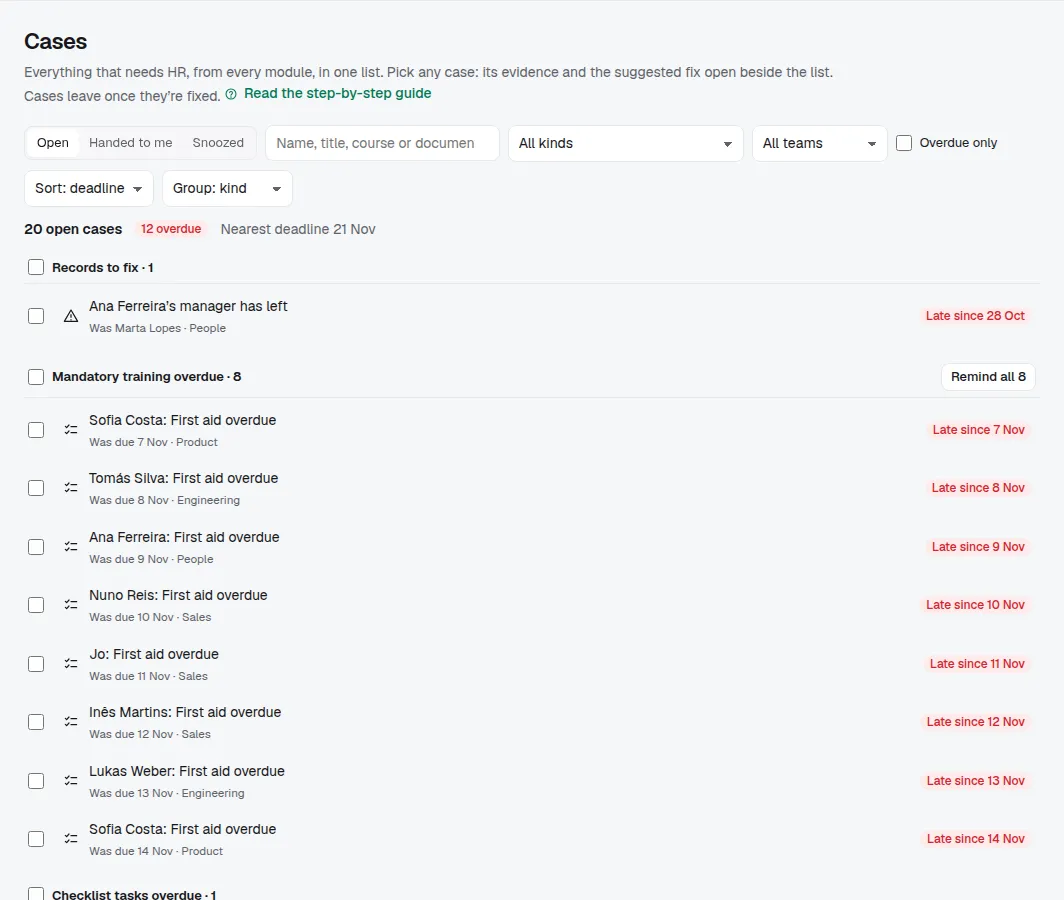
Open Cases in the sidebar (or ⌘K, Cases: what's overdue). Bizisy gathers, every time you open it:
- changes waiting for your decision, and requests from time off, the time clock, hiring and shifts;
- first days not prepared, and joiners missing their tax number, social security number, IBAN, address or emergency contact;
- fixed-term contracts ending, dated by the last day to give notice where the country's law sets one (Portugal: 15 days before the end);
- probations ending, leavers to tell, people leaving and open positions that report to them;
- overdue checklist tasks and records that contradict themselves (a manager who left, a contract that ended);
- with the modules on: overdue mandatory training, documents waiting for signature or not sent, documents not received, and notices to the authorities.
The header says how many are open, how many are overdue and the nearest deadline. Sort by deadline, kind, person or team, group by kind, team or person, and filter by kind, team or words. A case leaves the list as soon as it's fixed: there's nothing to tick.
2. Pick a case
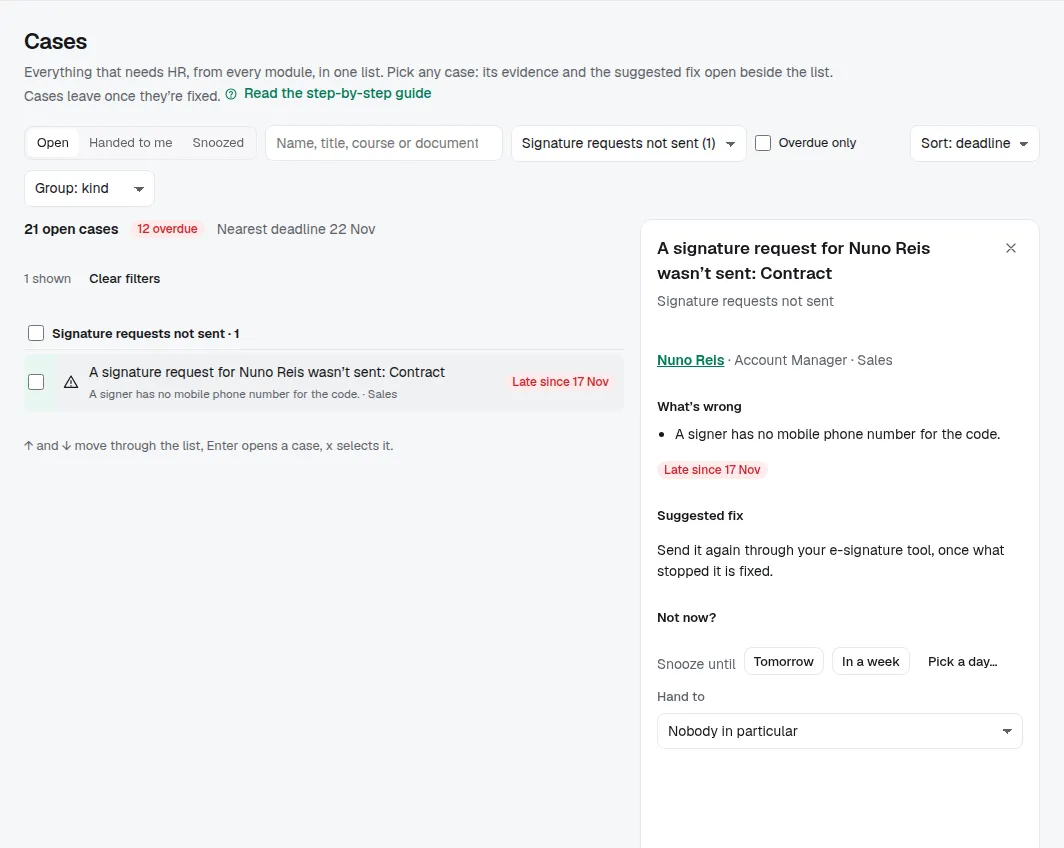
Click any case, in any order. It opens beside the list with the person, what's wrong and the suggested fix: Remind, Send again, Apply the fix or Mark done, or Open where it's fixed when it needs a screen of its own. Bizisy checks every rule again when you press it, exactly as if you did it from that screen. Then the case leaves the list and you pick the next one you want. On the keyboard, ↑ and ↓ move through the list, Enter opens a case and x selects it.
3. Handle many at once
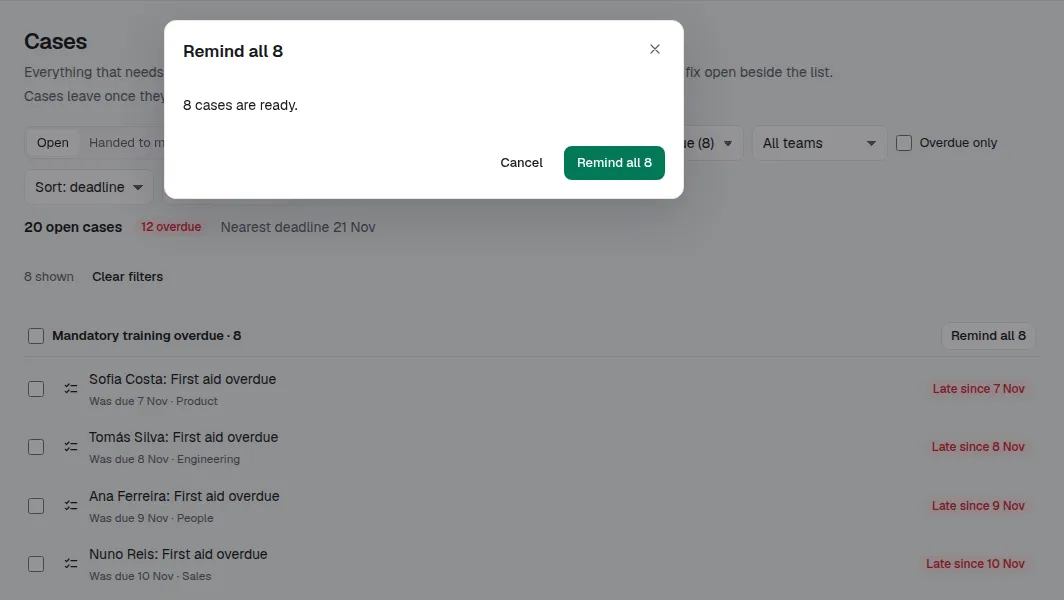
Cases of the same kind can be handled together: Remind all 8 on a group, or select cases and choose Fix. Bizisy checks each one first and shows the ones it can't do and why, before anything is sent. Reminders for the same course go out as one call; people get the same email as if you'd reminded them one by one.
4. Not now? Snooze it or hand it over
Snooze it until Tomorrow, In a week or a day you pick, and the case comes back that morning. Hand to gives it to another owner, admin or HR member: they find it under Handed to me. Both are recorded in Activity; nothing about the person changes and nobody is emailed.
Tips
- Your AI app can read the same list (org_cases_list) and prepare the fixes, but it never decides about a person: you confirm each one.
- Only owners, admins and HR see Cases. Missing payroll details show only in Bizisy, never through an API key or AI app.