How to see who starts, leaves and moves
· 1 min read
One page for the month, or the next three: a calendar strip of who starts, leaves and changes team each day, in and out per team, and the month's batches and start groups with their progress.

When dozens of people start, leave or change team every month, you want the month at a glance before it happens. People → Flow shows it.
1. The month at a glance
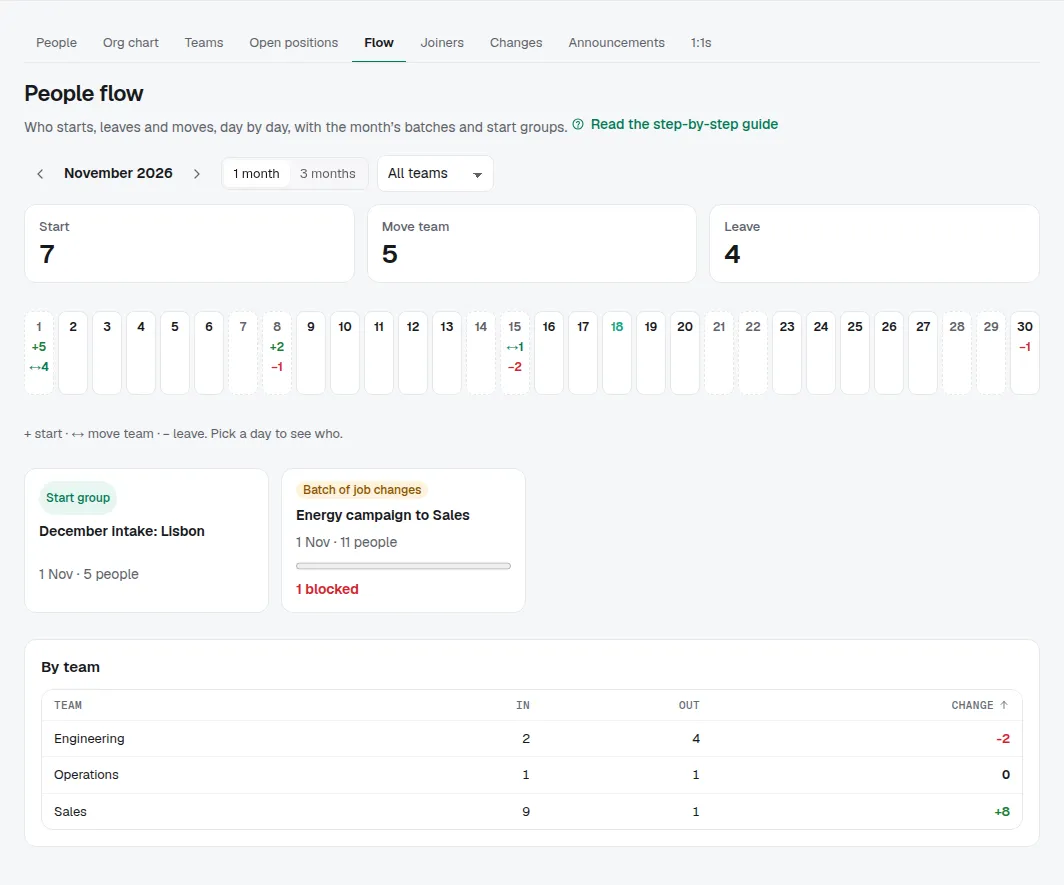
Each day of the month is a square: + how many start, ↔ how many change team, − whose last day it is. Weekends are shaded and today is marked. The totals sit on top. Switch to 3 months to plan ahead, pick a team to see only what touches it, and move between months with the arrows.
2. Who, on a day
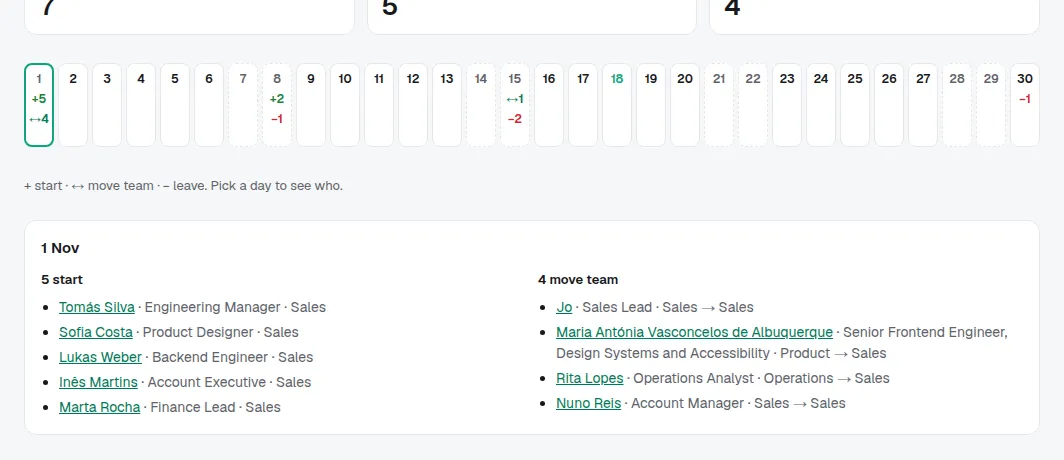
Pick a day to see the people: who starts and in which team, who moves and from where to where, and whose last day it is. Each name opens their profile.
3. Batches, start groups and teams
The month's batches of job changes and start groups show as cards with how far they are and what is blocked; open one to act on it. By team lists what comes in and goes out of each team, biggest change first.
Tips
- The flow shows changes that people haven't been told about yet: it is for owners, admins and HR only.
- It is worked out from the job history every time you open it, so it always matches the people records.