How to track company renewals
· 1 min read
Keep insurance, leases, licences and certifications in one list: when each renews, the notice deadline, what it costs, and reminders before you have to decide.

Insurance policies, office leases, software licences and certifications all renew on their own dates, and most have a notice deadline that is easy to miss. Renewals keeps them in one list, and Bizisy reminds the owner and HR before each deadline.
1. Add what renews
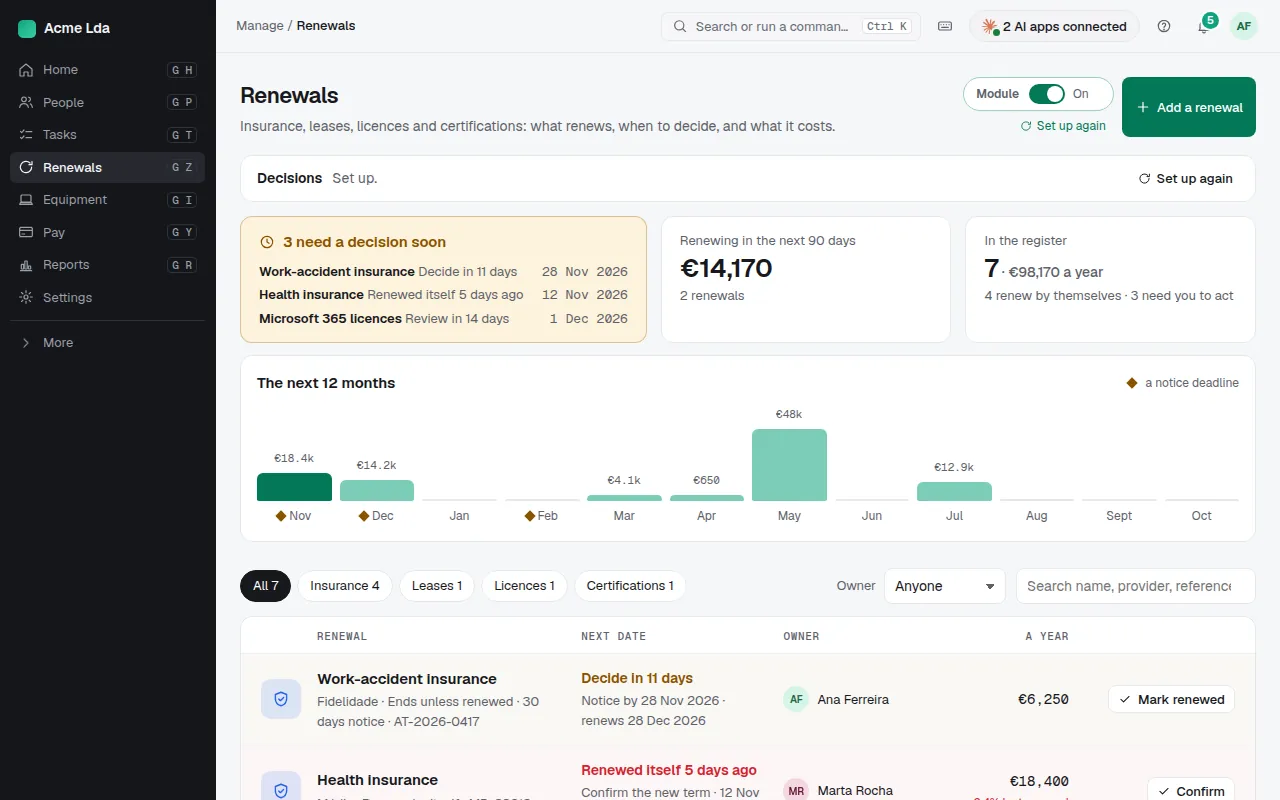
Open Renewals and choose Add a renewal: the type (insurance, lease, licence, certification or other), whether it renews by itself or ends unless renewed, the notice period, the cost and its owner. Add from a document reads the provider, dates, notice period and cost from a policy or lease you drop in; you check each one before it's saved.
2. Decide before the deadline
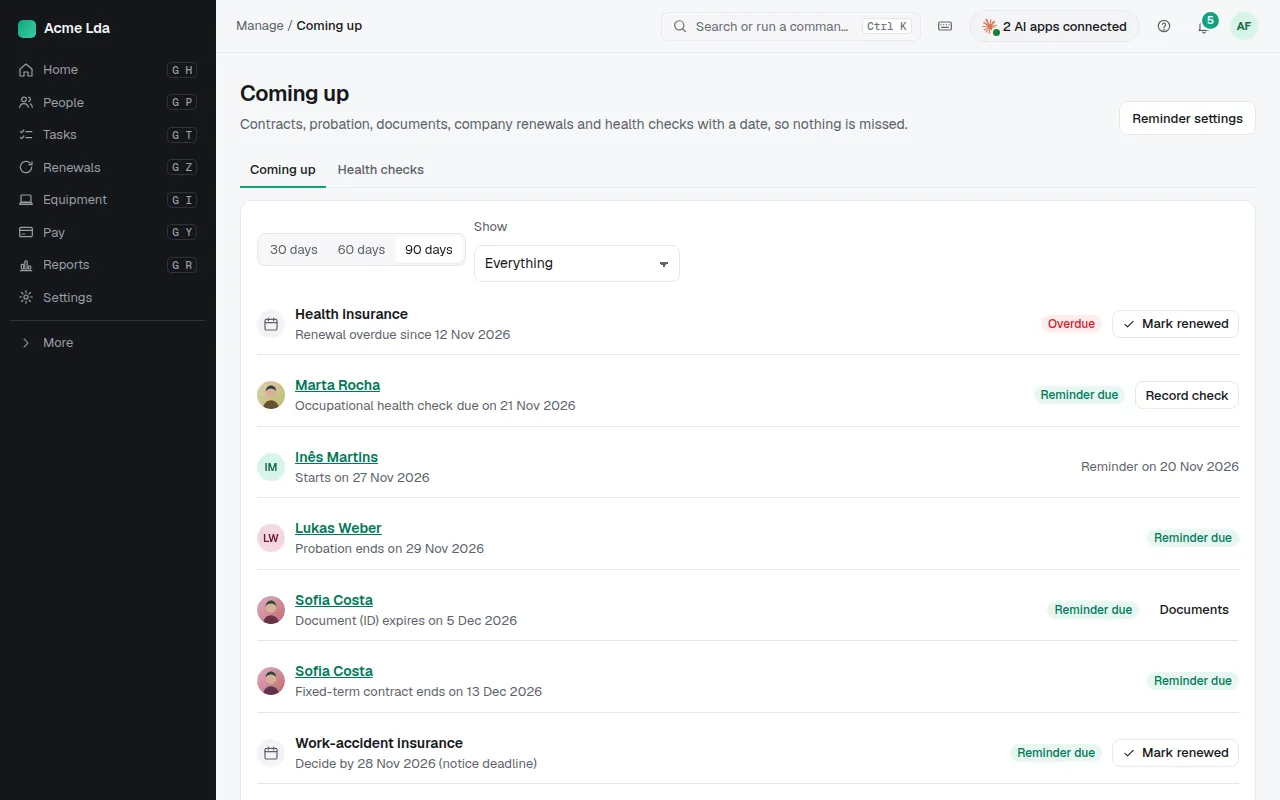
The list says what needs a decision soon. Bizisy reminds the owner and HR before each notice deadline. Coming up puts the company's renewals next to people's dates, such as contracts ending, probation, documents that expire and health checks.
3. Mark it renewed
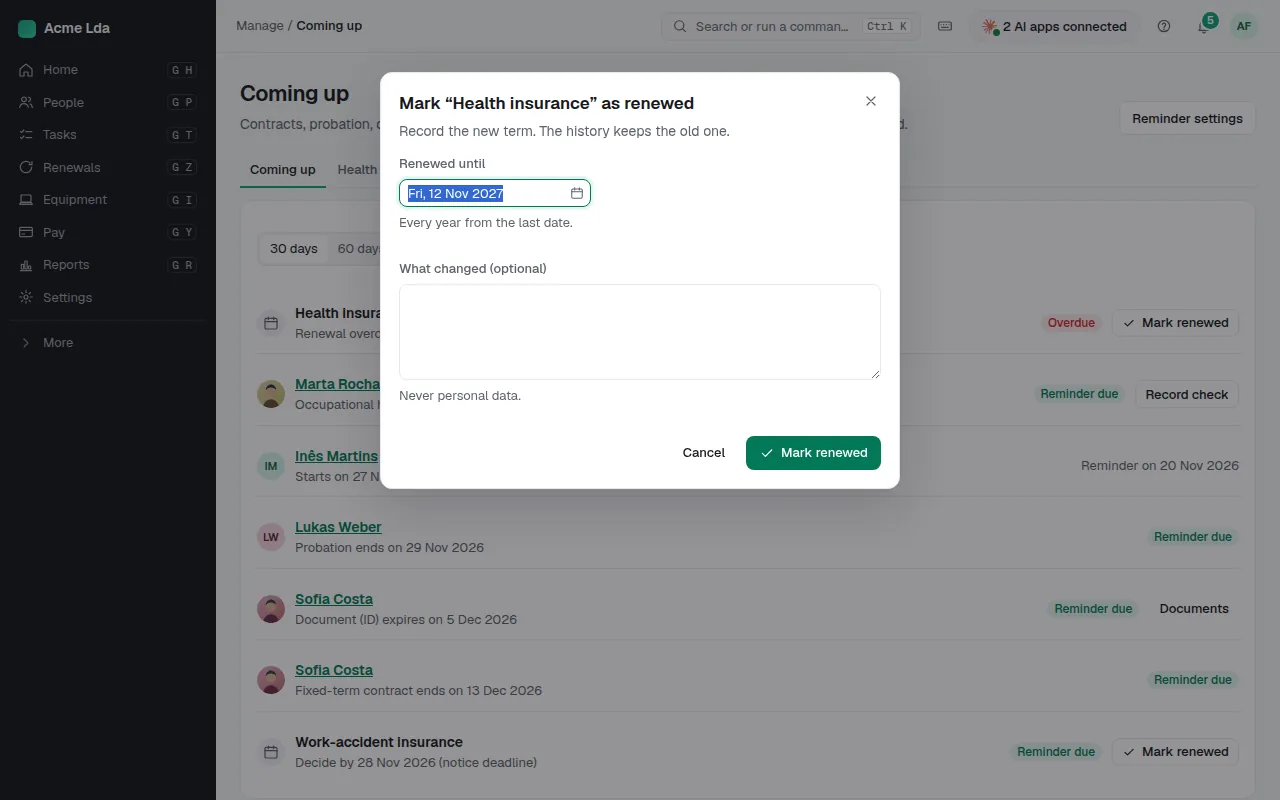
When something is renewed, mark it renewed and enter the new term. One that renews by itself asks you to confirm the new term after it rolls over.
Tips
- When reminders go out, and to whom, is set in Settings → Reminders.
- What renews each month shows the costs of the next 12 months at a glance.