How to set up Ask HR
· 2 min read
Set up Ask HR, the AI assistant that answers your people's HR questions from their own data and your policies, and hands anything sensitive to a person in HR.
Ask HR is an AI assistant for your people in My workspace. It answers their HR questions from their own data and your published policies, prepares requests they confirm, and hands anything it shouldn't answer to a person in HR. It helps your HR team with the everyday questions; it never decides anything about anyone. Ask HR is available on request: ask us to switch it on for your company, then the setup below takes a few minutes.
1. What it helps with, and what it may prepare
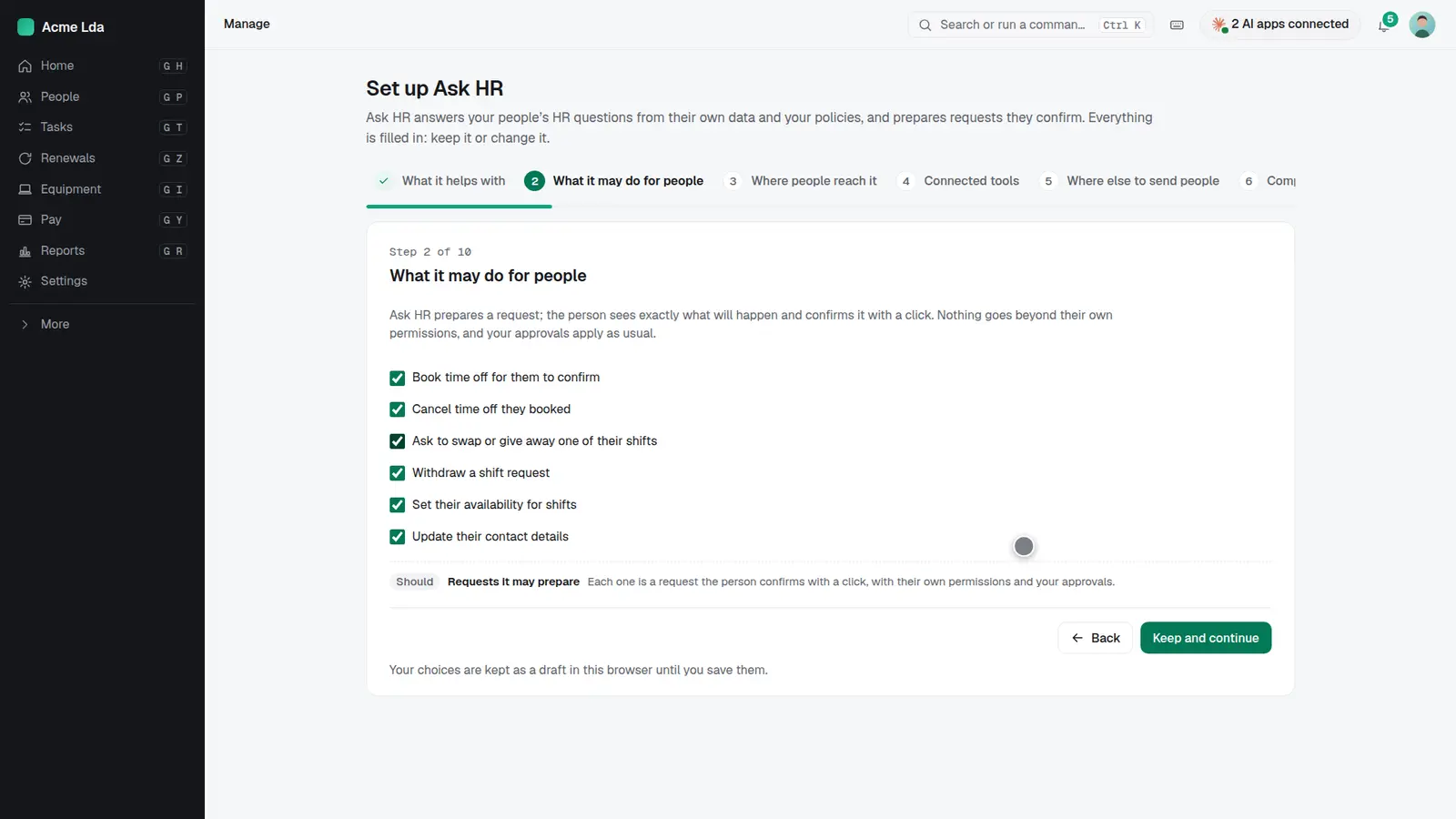
Open the Ask HR setup. Choose the areas it helps with, like time off, shifts and your policies, and the requests it may prepare, like booking time off or asking to swap a shift. People always see exactly what will happen and confirm it themselves, with their own permissions.
2. Where else to send people
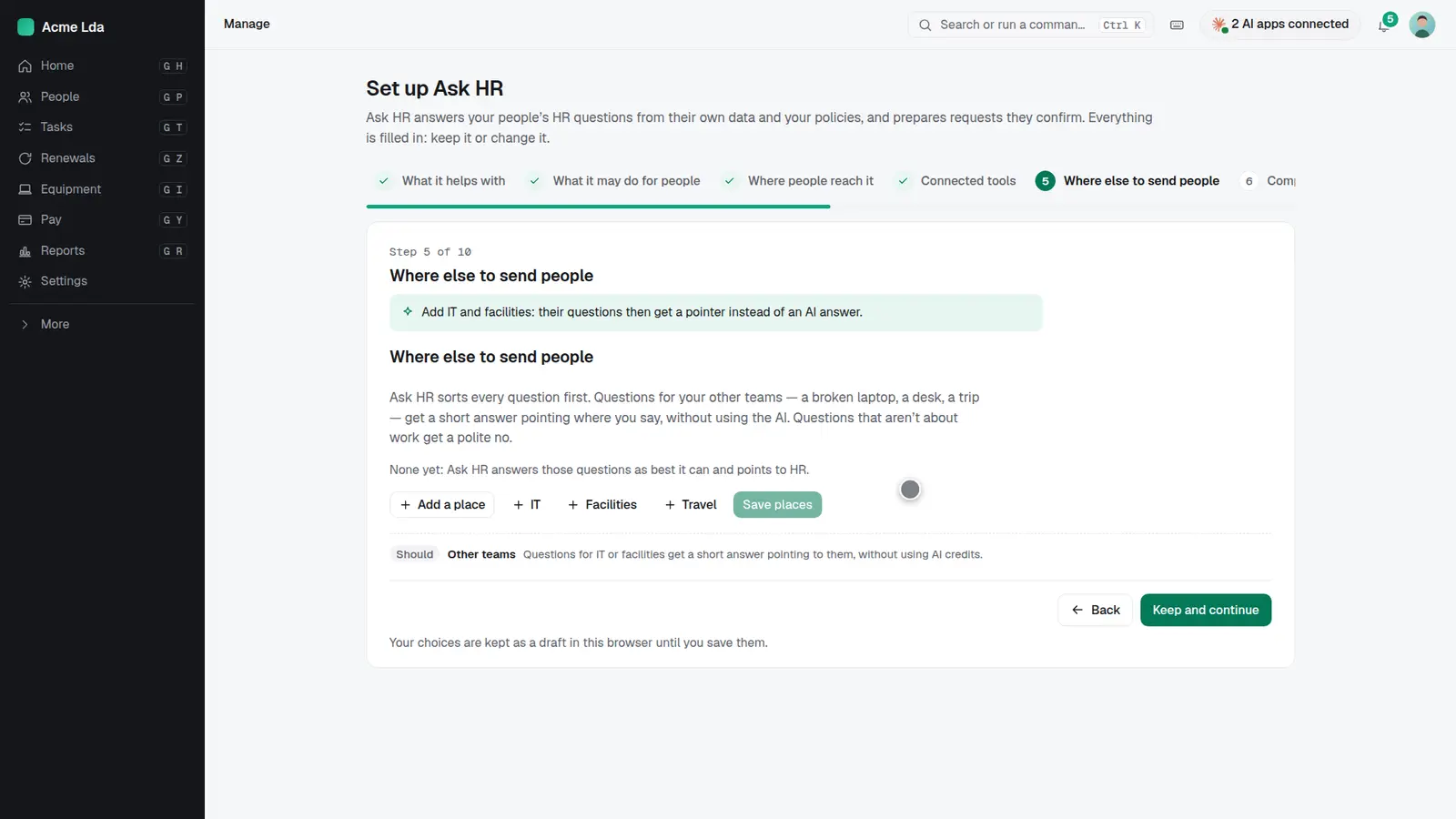
Add the places for questions that aren't for HR, like IT or facilities. Ask HR then answers those with a short pointer instead of using the AI.
3. Try it on your own data
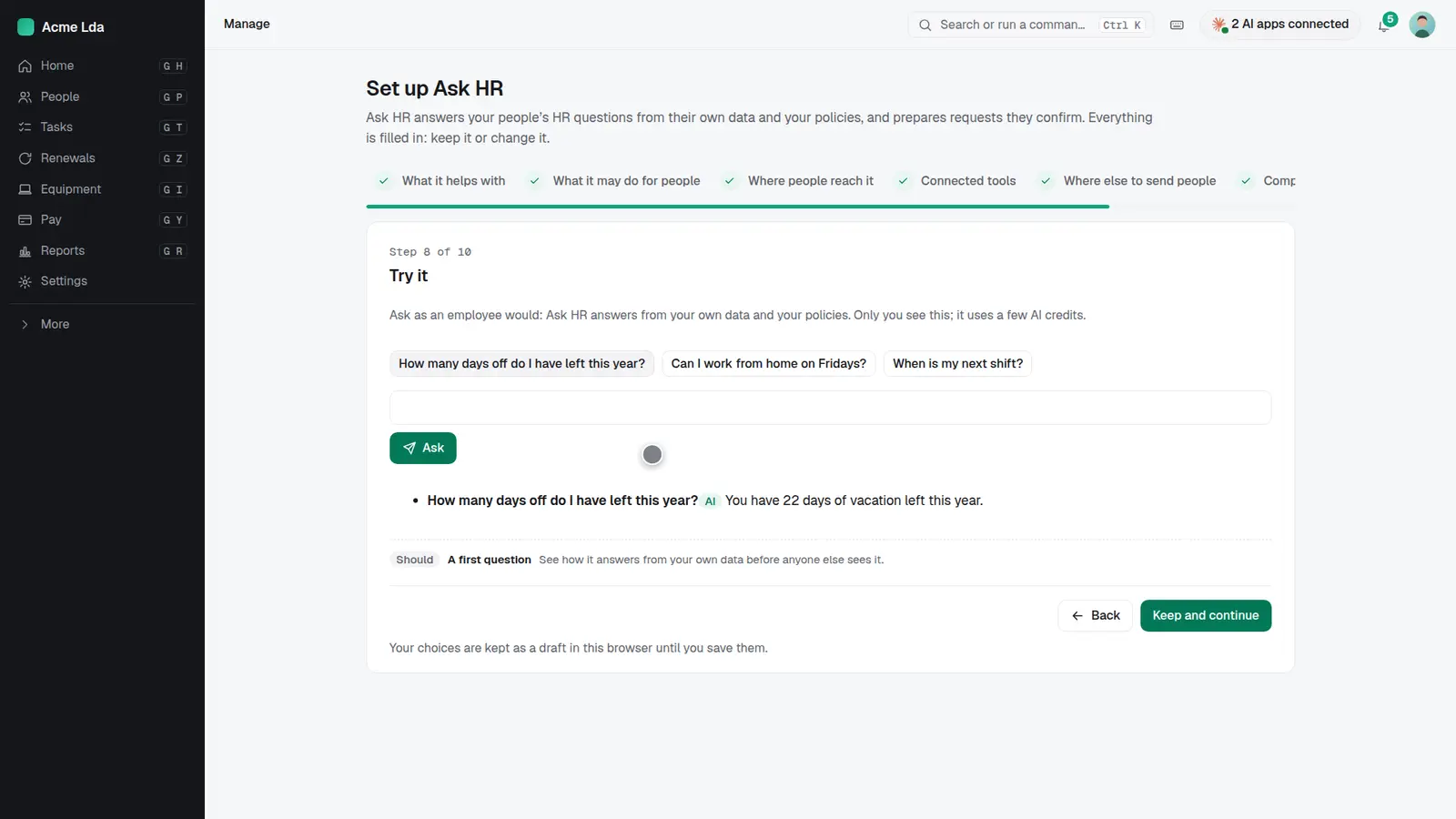
Ask a few questions as an employee would. Ask HR answers from your own data and policies, and only you see it. When you're happy, switch it on and tell your people.
4. People ask and confirm
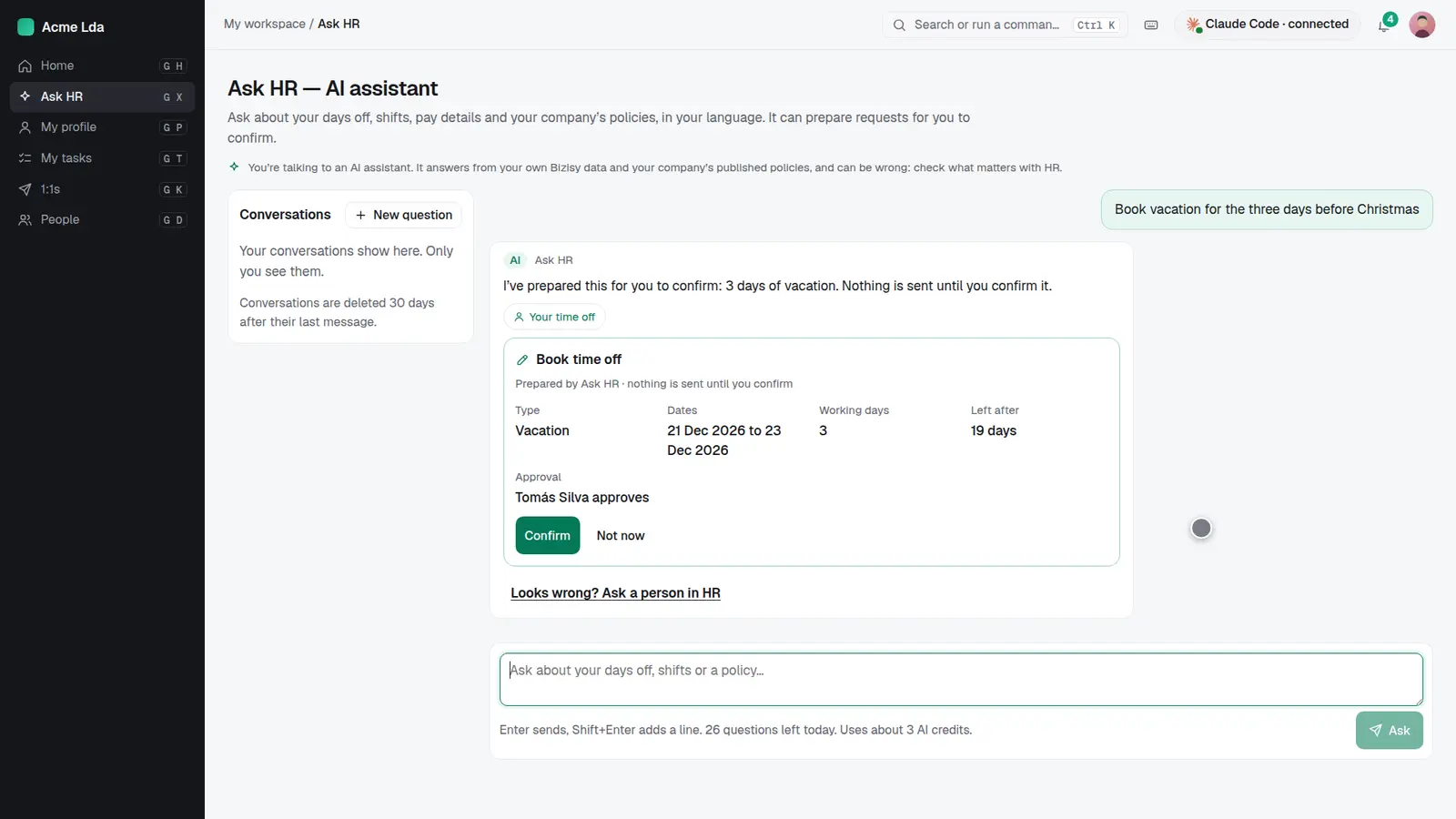
People ask in their own words, in their language. When they ask for something, like three days of vacation, Ask HR prepares it and nothing is sent until they press Confirm.
5. A person when it matters
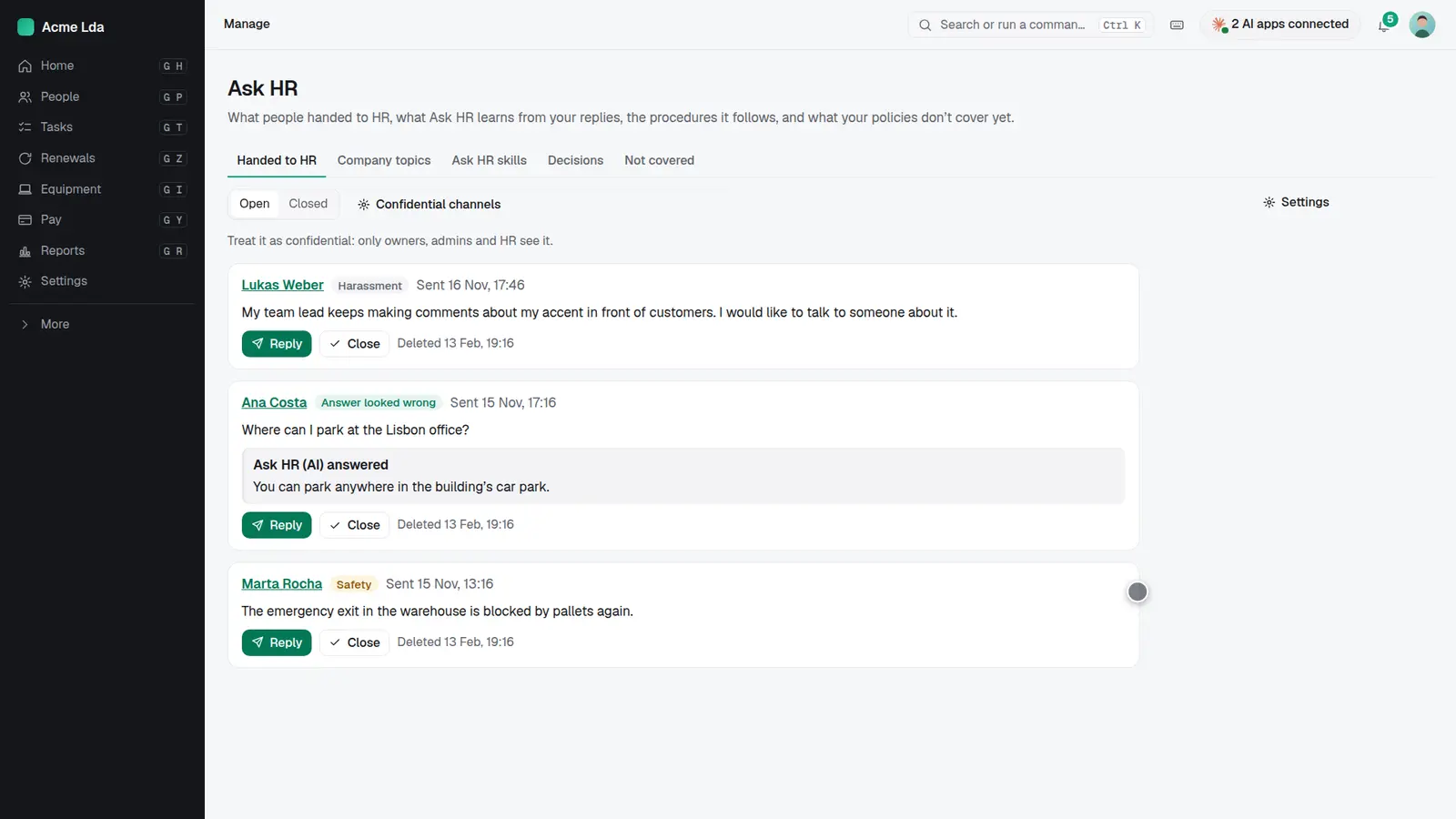
Sensitive questions, like harassment or safety, never go to the AI: people get your confidential channels and can hand their words to HR. They can also ask a person whenever an answer looks wrong. HR replies from the Ask HR page.
Tips
- Publish your policies in Bizisy first: Ask HR answers only from what you published.
- Add an HR contact so people always know who to ask when Ask HR can't help.
- Read the "not covered" list now and then: it shows the questions your policies don't answer yet.