How to set time off booking rules
· 1 min read
Add the rules your company already follows, such as notice, how many can be away at once or blackout periods: refuse, warn or ask for approval, and try a rule before it's on.

Without rules, people book any working day within their balance. Most companies have a few unwritten ones: two weeks' notice for long holidays, not everyone in a team away at once, no time off in the busiest weeks. Bizisy turns them into rules that people see as they book.
1. Start from a template
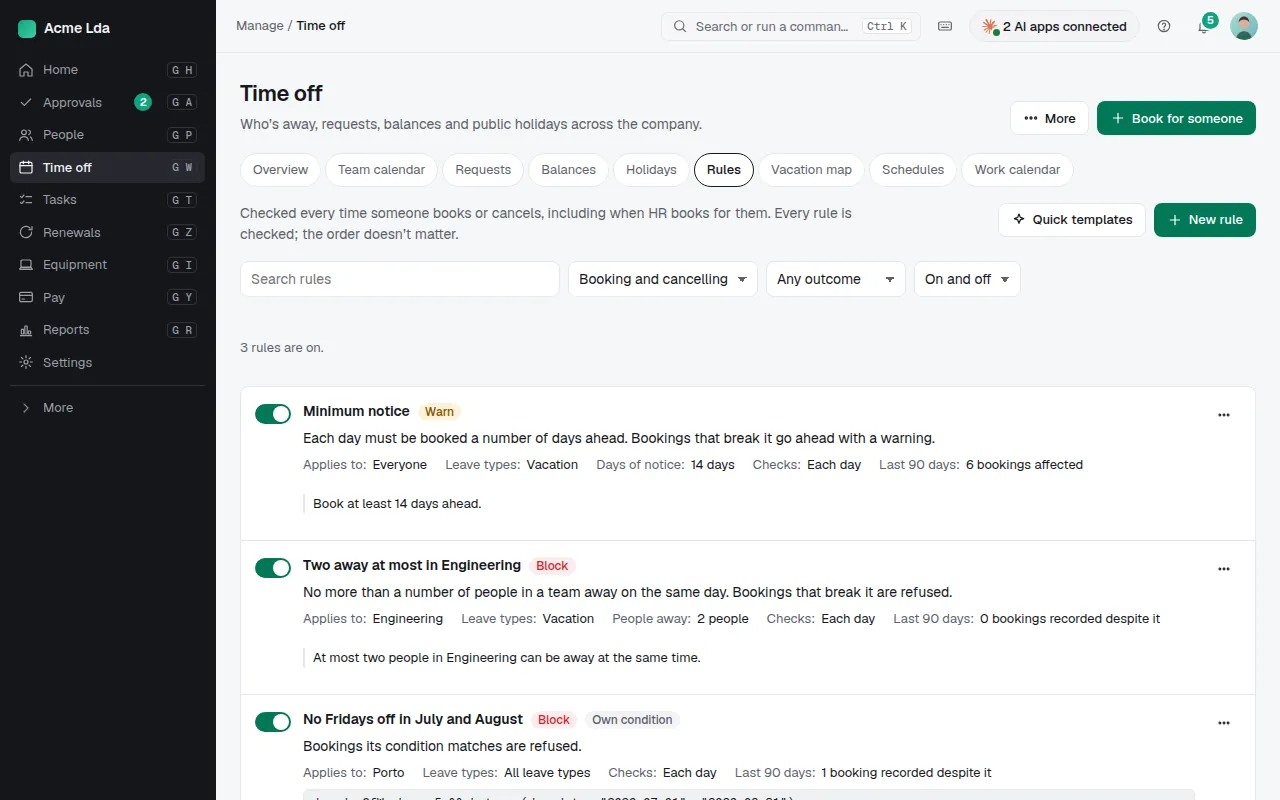
Open Time off → Rules and pick a template: minimum notice, the longest stretch, how many can be away at once, blackout periods, what a new joiner can book, and more. Each comes with settings to fill in. A company with special needs can write its own condition.
2. Who it applies to, and what happens
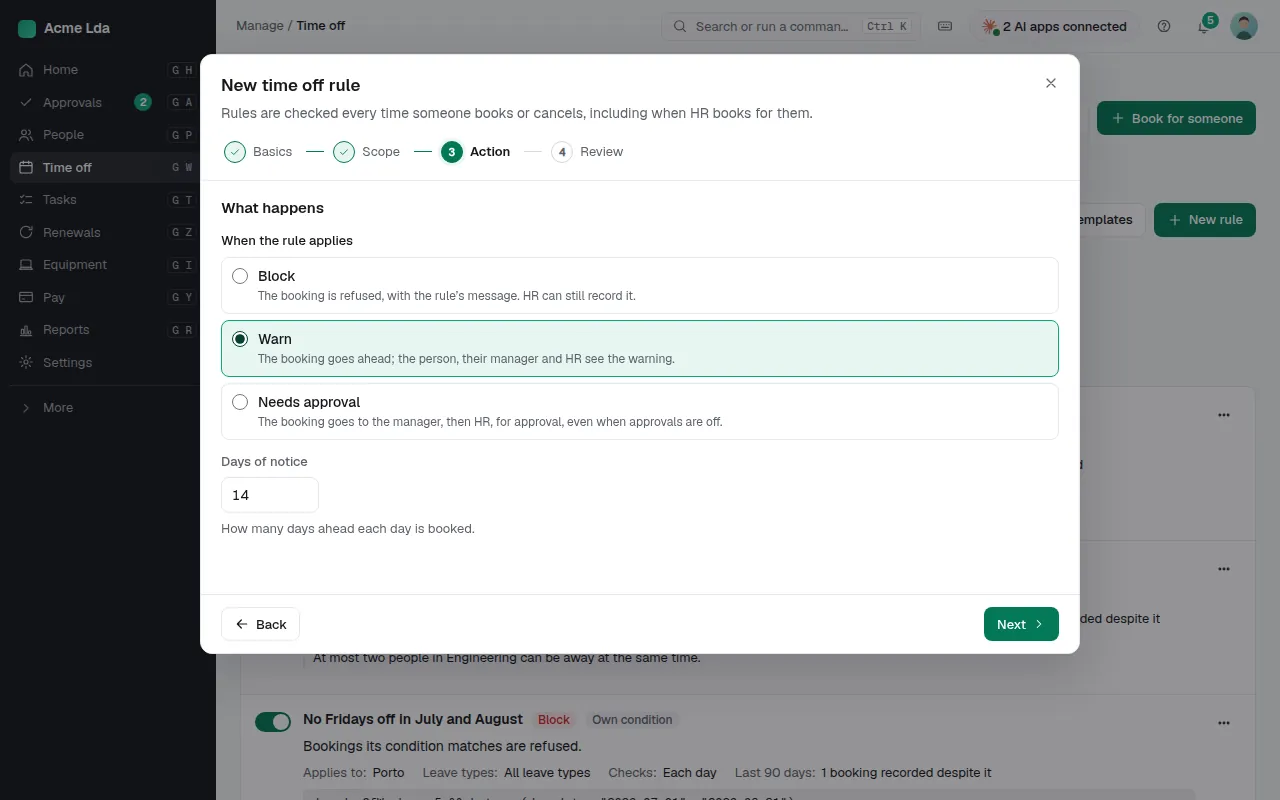
Choose who the rule applies to (everyone, or a team at one location, for example) and what happens when a booking matches it: it's refused, it goes ahead with a warning that the person, their manager and HR see, or it waits for approval by the manager and then HR, even when approvals are otherwise off. Write the message people read, without names or personal details.
3. Try it, then turn it on
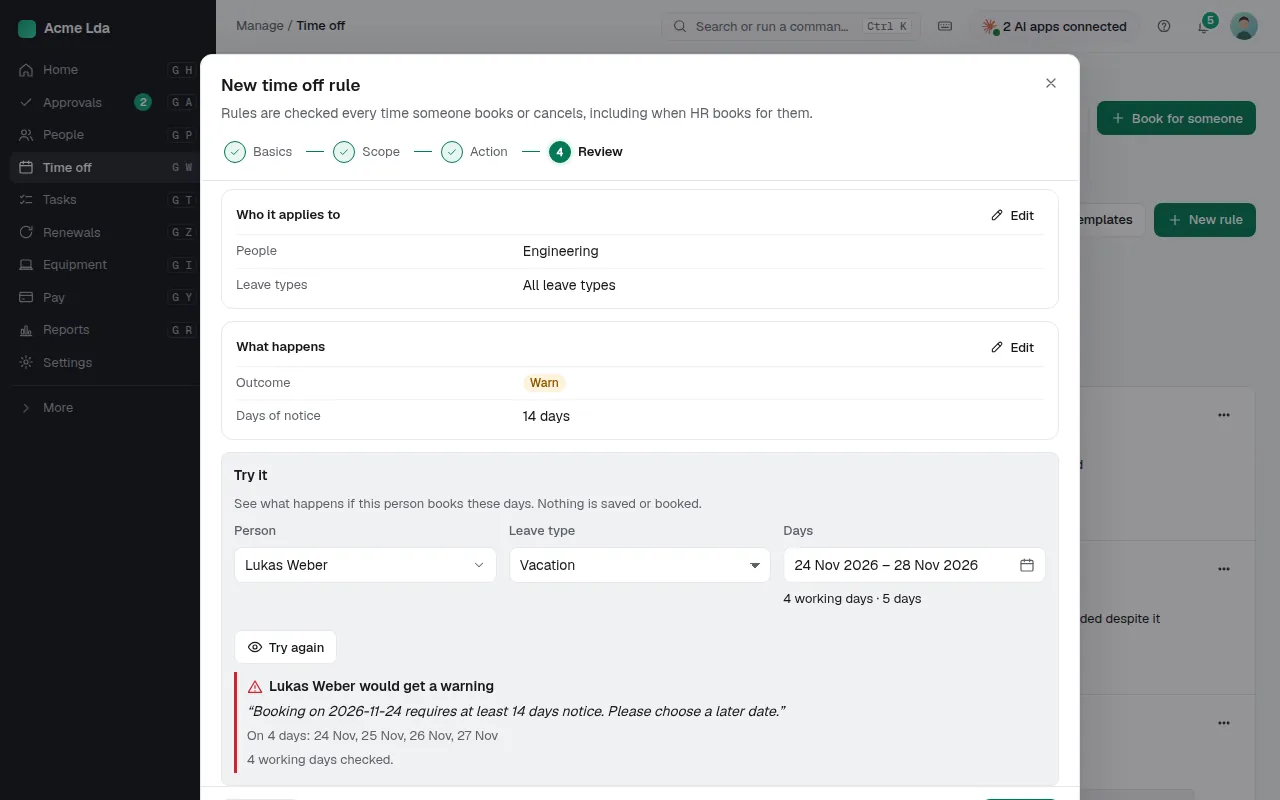
Try it shows what would happen if a person booked some days; nothing is saved or booked. When you turn the rule on, it applies from then on; bookings already made stay as they are and the rule says how many it would affect.
Tips
- HR can still record a booking a rule refuses; it's noted on the booking.
- Turn a rule off to pause it instead of deleting it.