How to set goals
· 1 min read
Company, team and personal goals linked together, with key results to measure them; people update their progress in My workspace and talk about it in their 1:1s.

Goals in Bizisy go from the company down to each person: a company goal, the team goals that serve it, and personal goals under those. Each can have key results that say how you'll know it's done, and people keep their progress up to date in My workspace.
1. See the goals
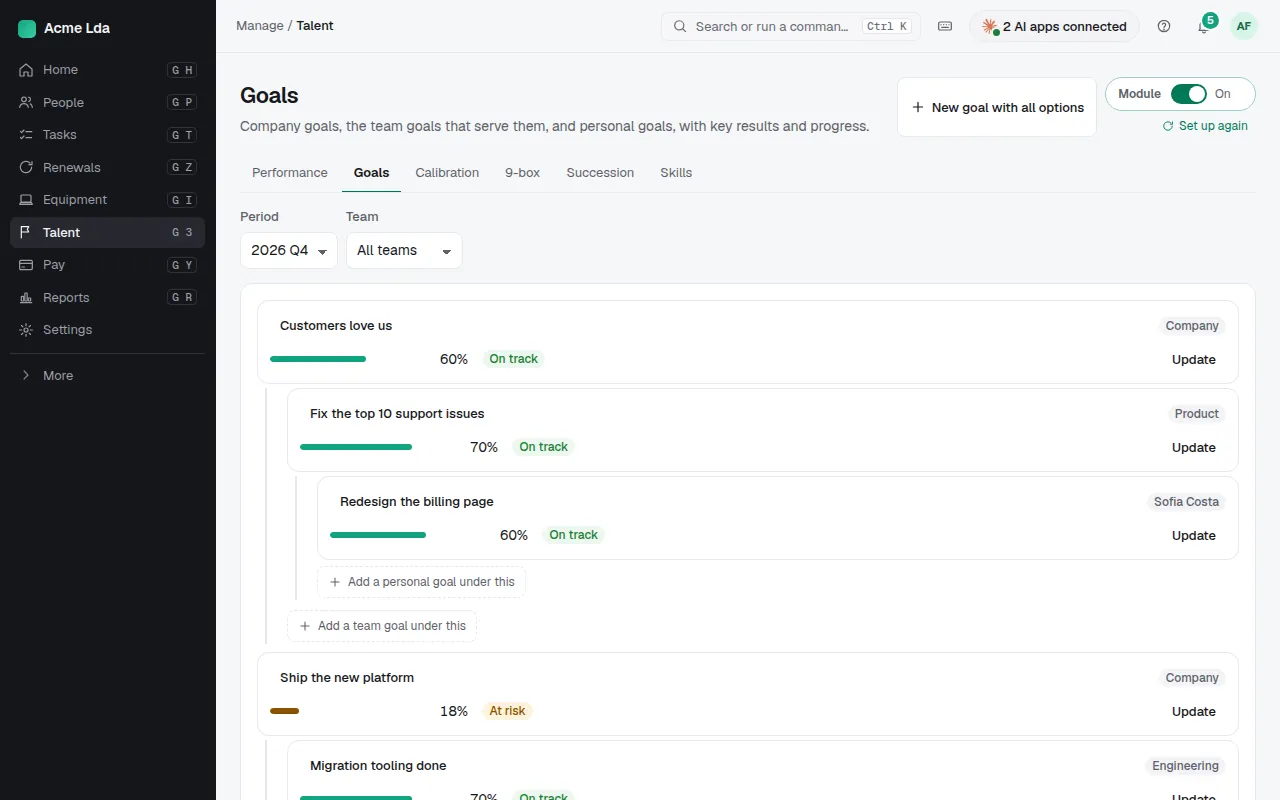
Talent → Goals shows the goals of the period as a tree: company goals with the team and personal goals under them. Add a team goal under a company goal right where it belongs.
2. Add a goal and its key results
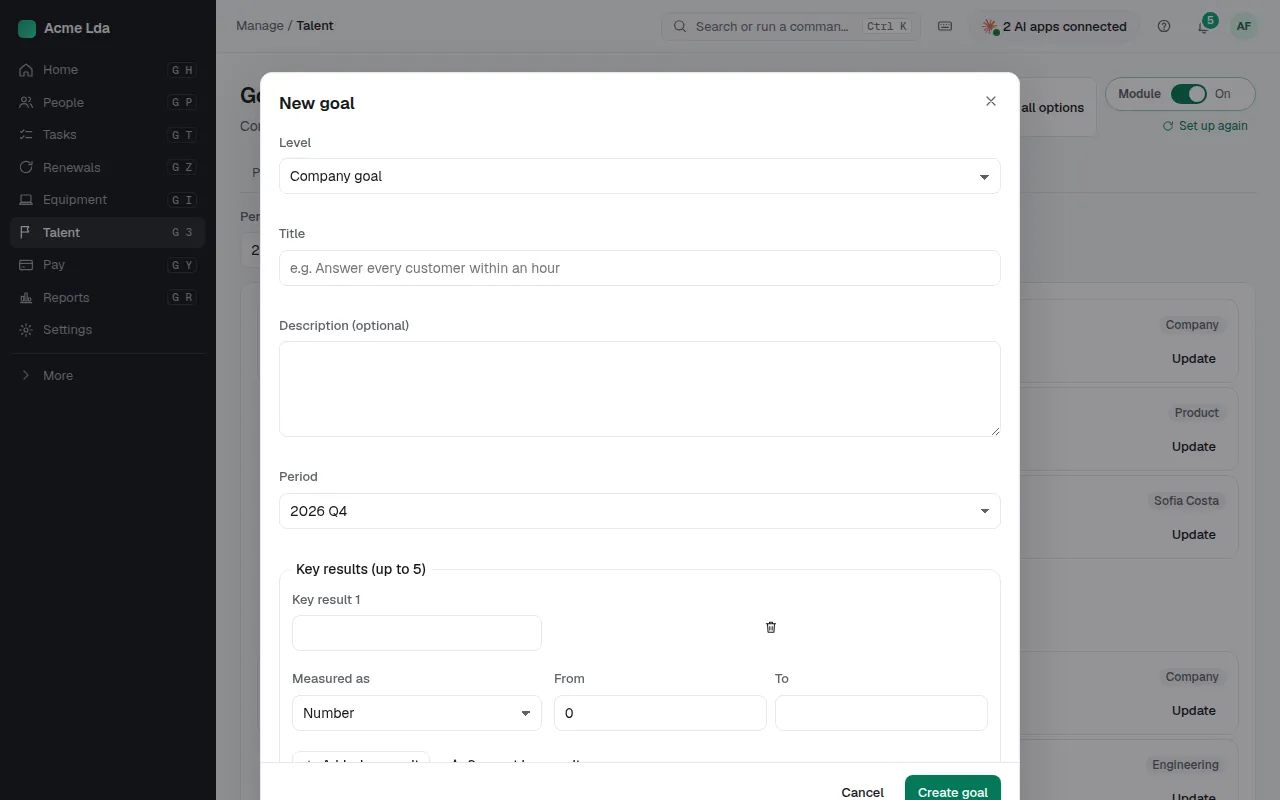
Choose New goal, give it a title, an owner and the period, and add key results with a target. Stuck on how to measure it? Suggest measures proposes some from the goal's title and description, written by AI for you to keep, change or leave out.
3. Follow progress
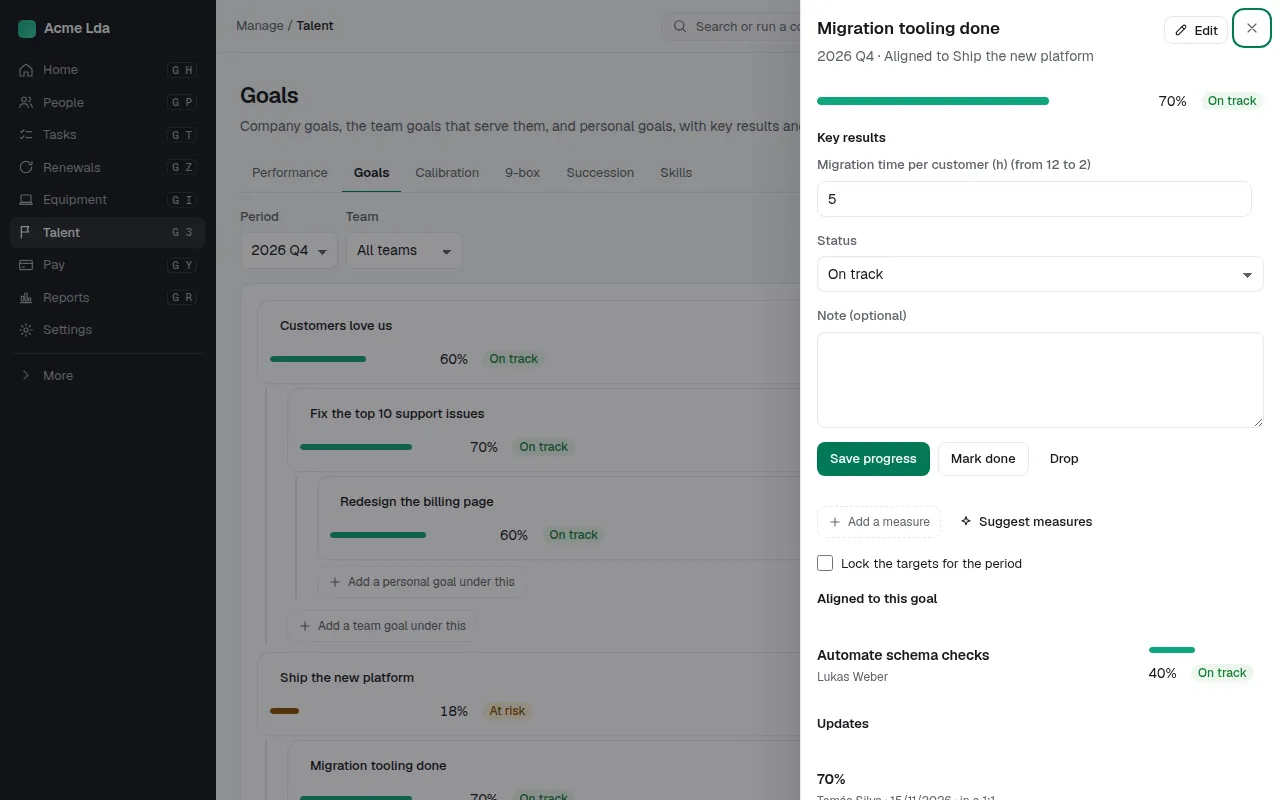
Open a goal to see its progress and updates. People update their own goals in My workspace → My goals, and goals can come up in their 1:1s.
Tips
- Managers see their team's goals in My workspace.
- Goals are part of Performance and talent: switch it on in Settings → Modules.