How to send documents for signature
· 2 min read
Create contracts and letters from templates written per country, filled in from each person's record, and send them for signature in the way the law accepts.

Contracts and letters take time when every one is written by hand. In Bizisy you write a template once, or start from a built-in one, and each document is filled in from the person's record and checked before it is sent. Then it goes out for signature in a way the law accepts for that kind of document in that country.
1. Start from a template
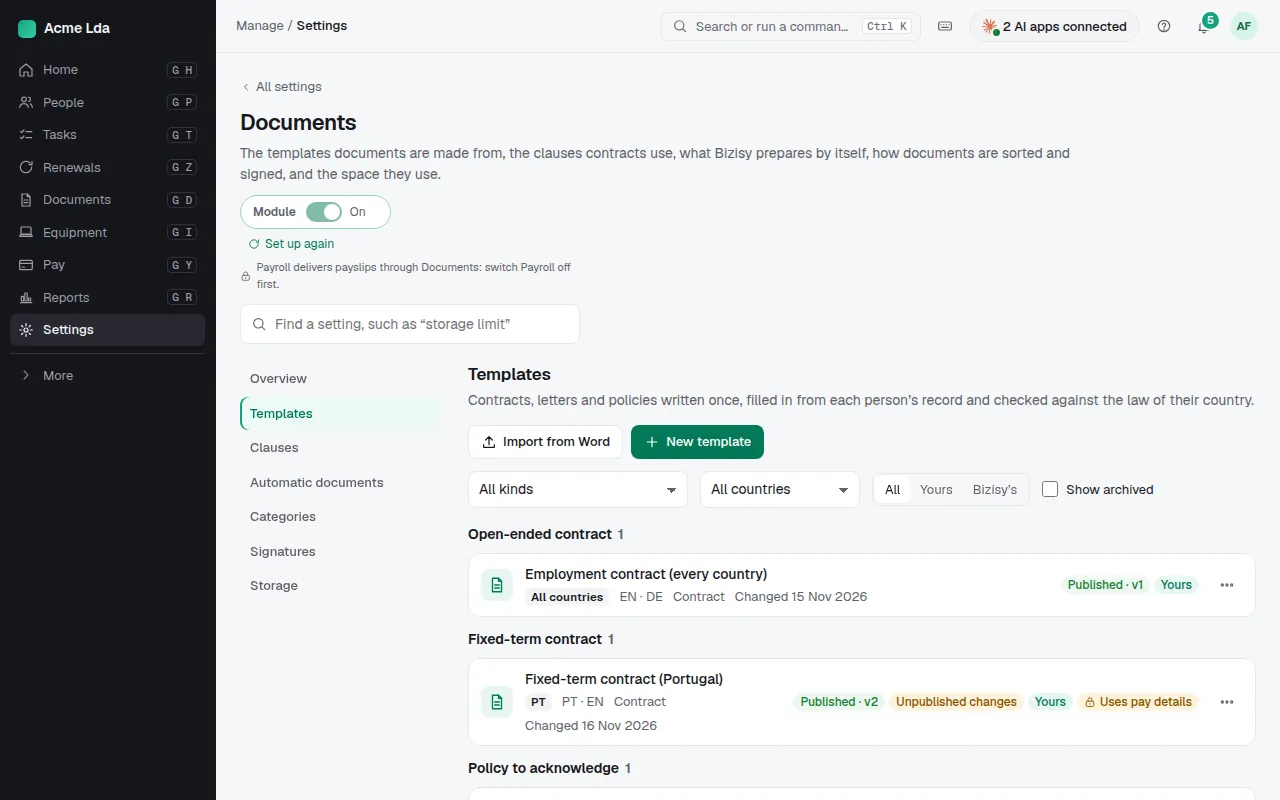
Under Settings → Documents → Templates you find Bizisy's templates, written per country and language (contracts and letters for Portugal, Spain, France, Italy, Germany and the Netherlands, and general ones for other EU countries), and your own. Copy one to change it, write a new one, or import your own from Word. Each template shows its kind, countries and languages, and whether Bizisy's text has been reviewed by a lawyer yet.
2. Create the document for a person
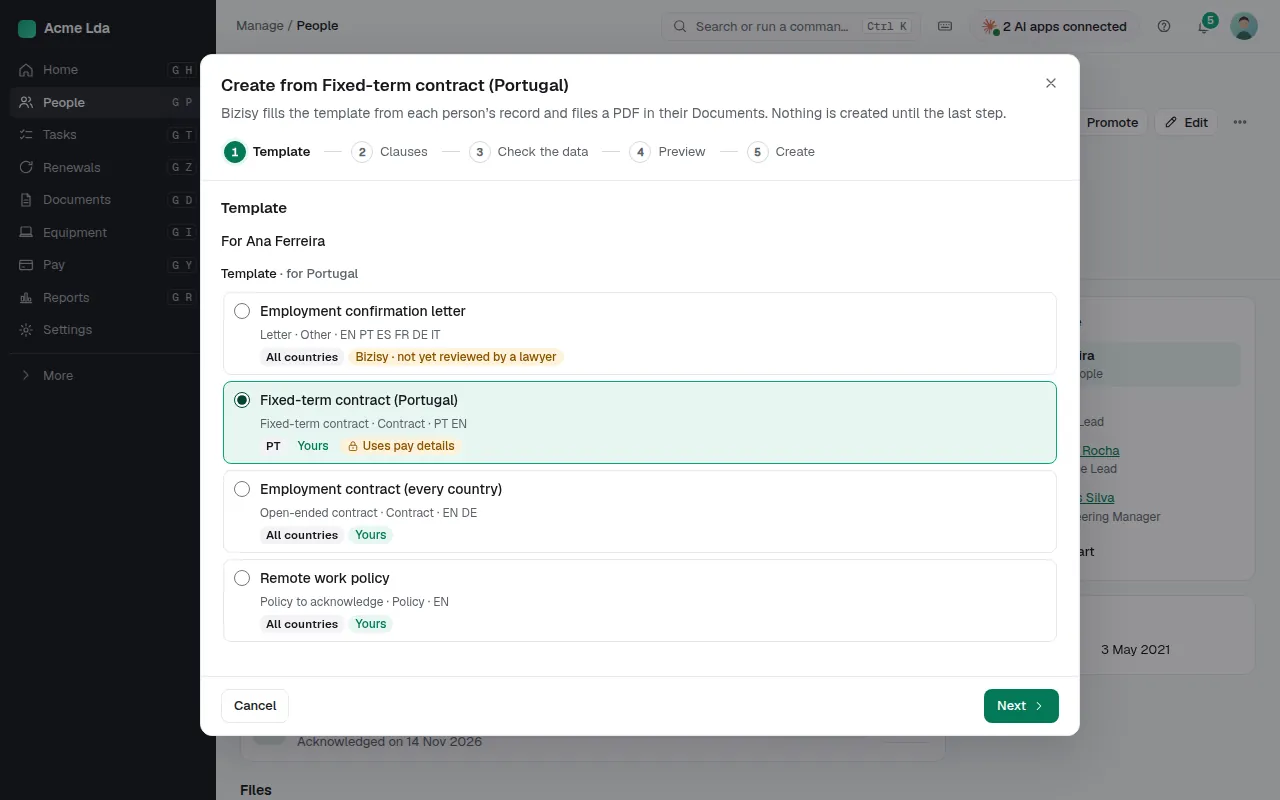
On a person's Documents tab, choose New document and pick a template. Bizisy fills it in from their record, shows any data that is missing, and lets you preview the PDF before anything is created. Choose clauses where the template offers them. The document is filed in the person's Documents.
3. Choose how it is signed
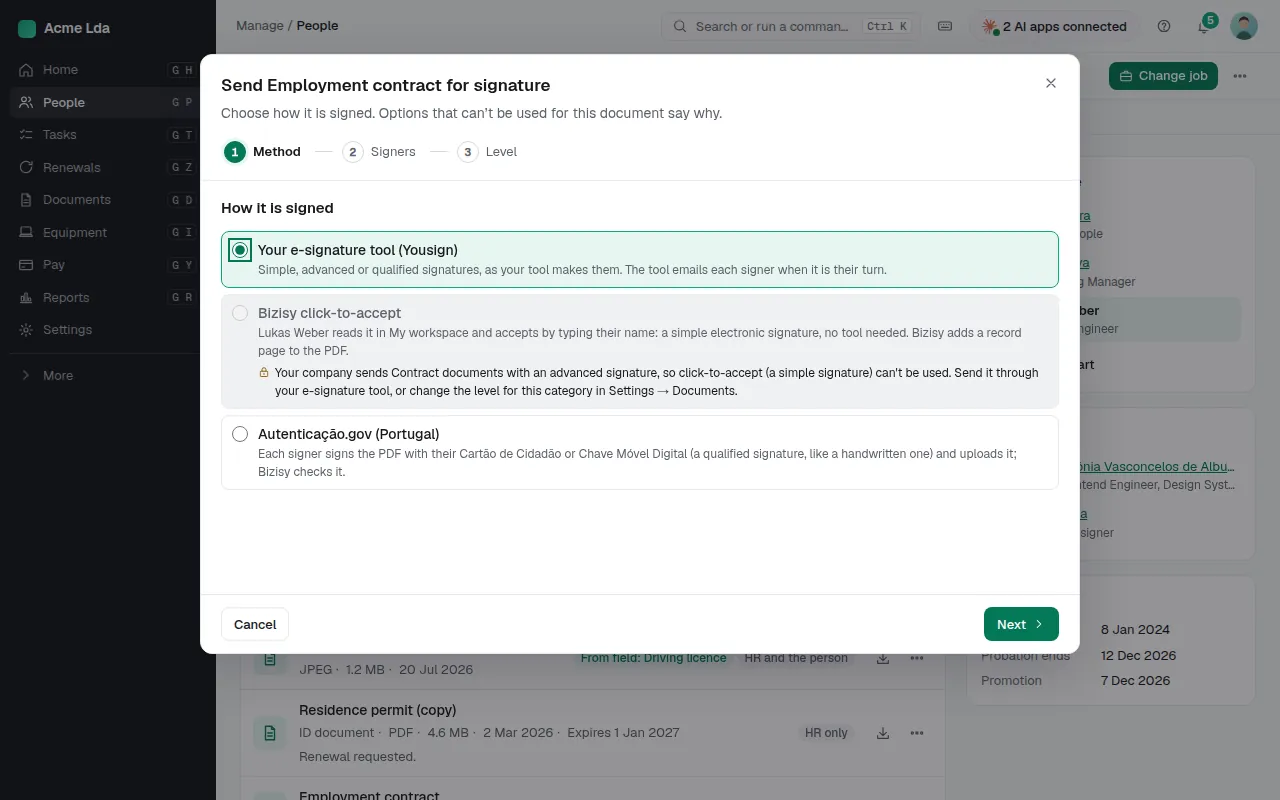
From the document's menu, choose Send for signature. Pick how it is signed: through your e-signature tool (Yousign, DocuSign, Dropbox Sign, Signaturit or Skribble, connected by an owner or admin in Integrations), with Bizisy click-to-accept for documents only the person signs, or, in Portugal, with Autenticação.gov. An option that can't be used for this document says why.
4. Choose who signs
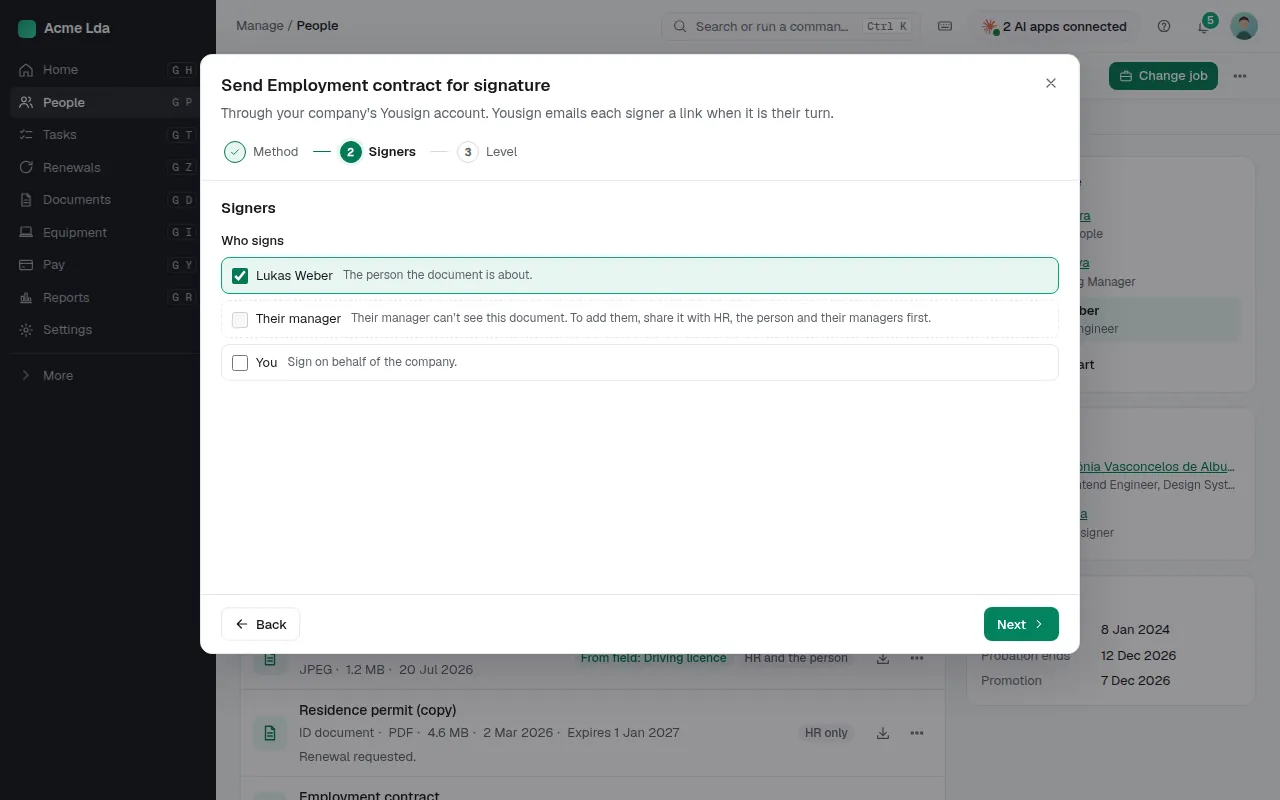
Pick the signers and their order: the person, their manager, or you on behalf of the company. Someone who can't see the document can't be picked, and the reason is right there. The last step sets the signature level, starting from the minimum the country's law asks for.
5. The person signs
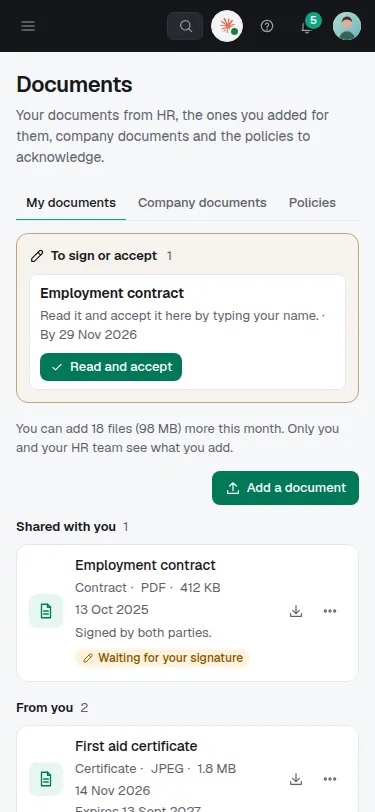
The person finds the document in My workspace → Documents. With click-to-accept they read it and accept by typing their name, and Bizisy adds a record page to the PDF. With an e-signature tool, each signer gets an email from the tool when it is their turn. The document shows where it stands until everyone has signed, and the signed copy is kept with it.
Tips
- In Settings → Documents, choose who approves a template before it is used: a second pair of eyes catches a wrong clause.
- From Documents, create the same document for up to 200 people at once, each filled in from their own record.
- Policies people only need to read and acknowledge go under Documents → Policies.