How to see who changed what (Activity)
· 1 min read
Every change in Bizisy is recorded: who made it, when, and whether it was in the web app, through the API or by an AI assistant, with AI previews and failed attempts too.

When someone asks "who changed this?", Activity has the answer. Every change in Bizisy is recorded: who made it, when, and through which channel, the web app, the API or an AI assistant. AI previews and failed attempts are listed too, so you can see what an assistant tried.
1. Open Activity
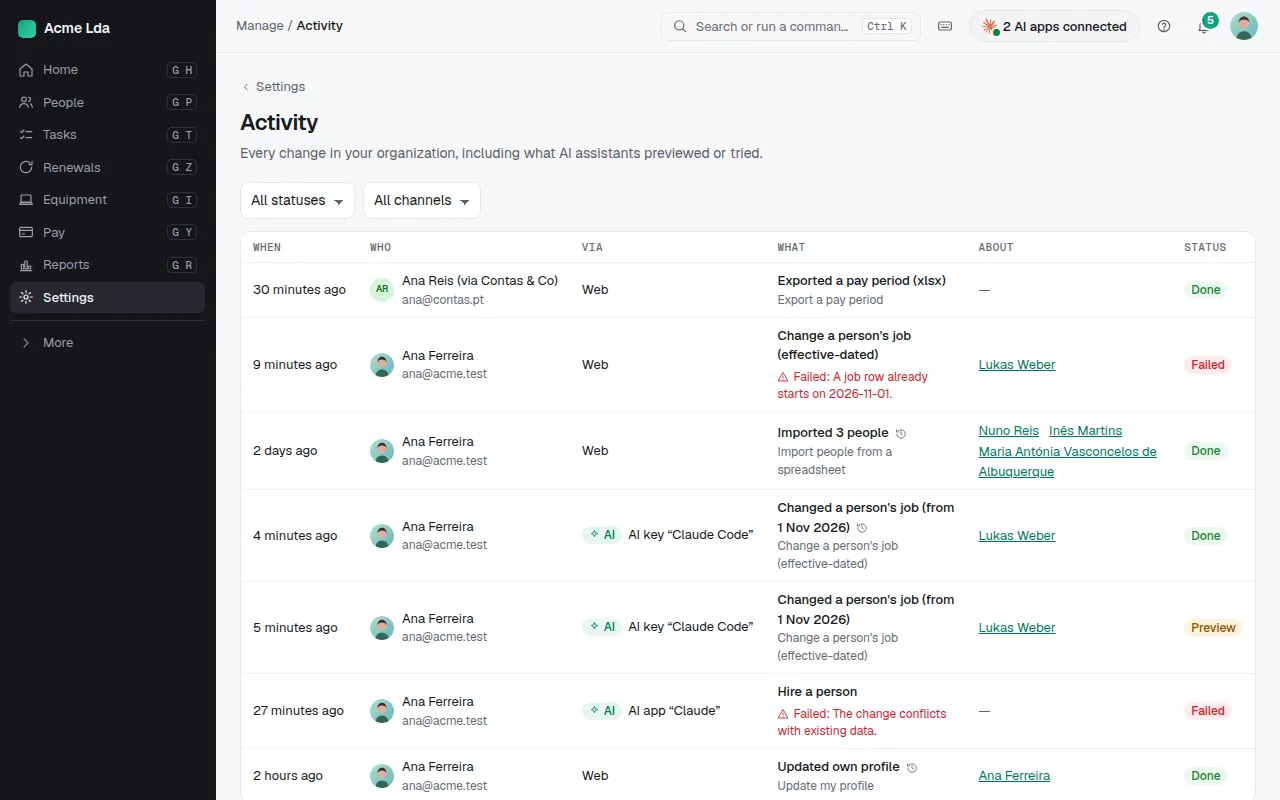
Find it in Settings → Activity. Each line is one change, with who made it (and the partner firm, if it came from your accountant) and when. Filter by status or channel, such as changes made by AI assistants.
2. Open a change
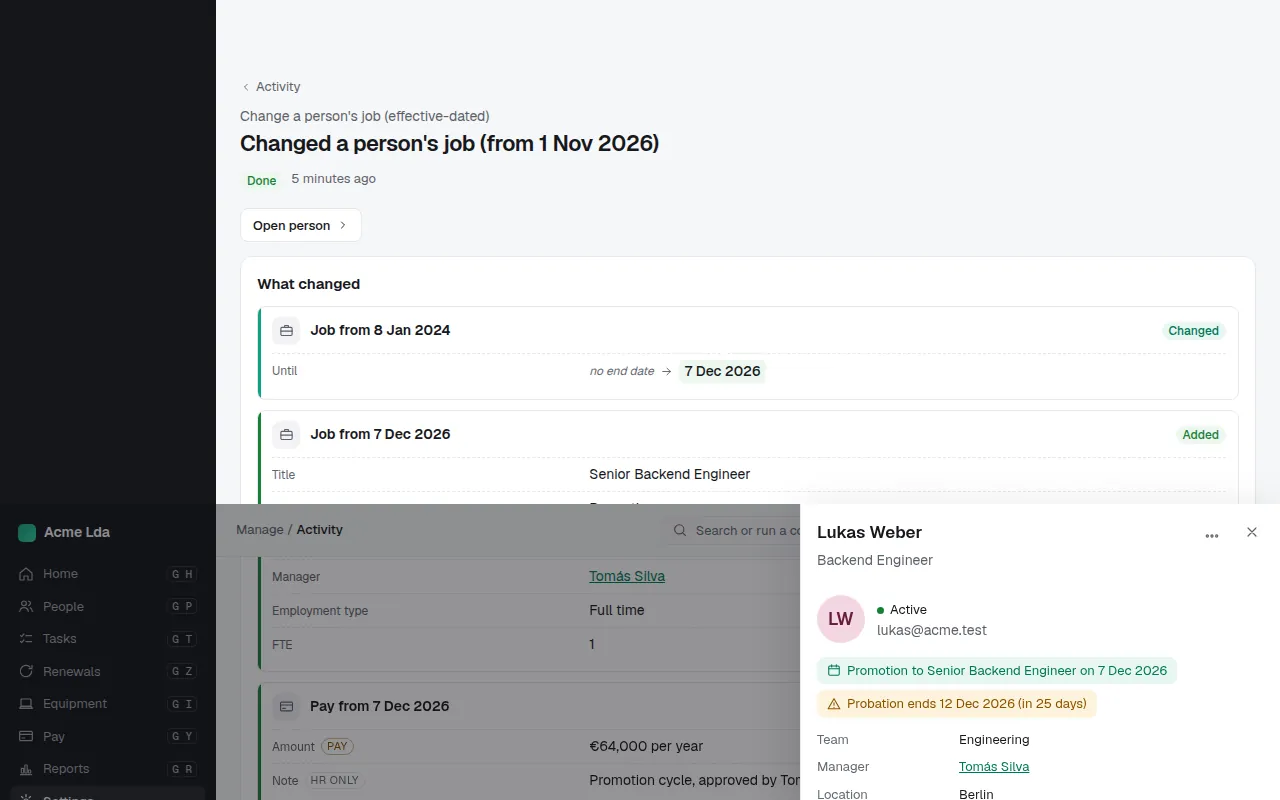
Open a line to see what the change did. For actions that handle personal data, only the names of the fields sent are kept, not their values. A preview says nothing was saved.
Tips
- Everyone sees their own changes, including what their AI assistant previewed or tried, in My workspace → Activity.
- Each person's page also has their own history of job, pay and contract changes.