How to run a survey
· 1 min read
Run an employee survey: start from a template or a sentence, edit it in place, choose who answers, and read the results by team with small groups hidden.
Surveys in Bizisy go from an idea to answers in a few minutes. You start from a template, edit the questions where people will see them, choose who answers, and read the results as they come in, without ever seeing one person's answers in a confidential survey.
1. Start a survey
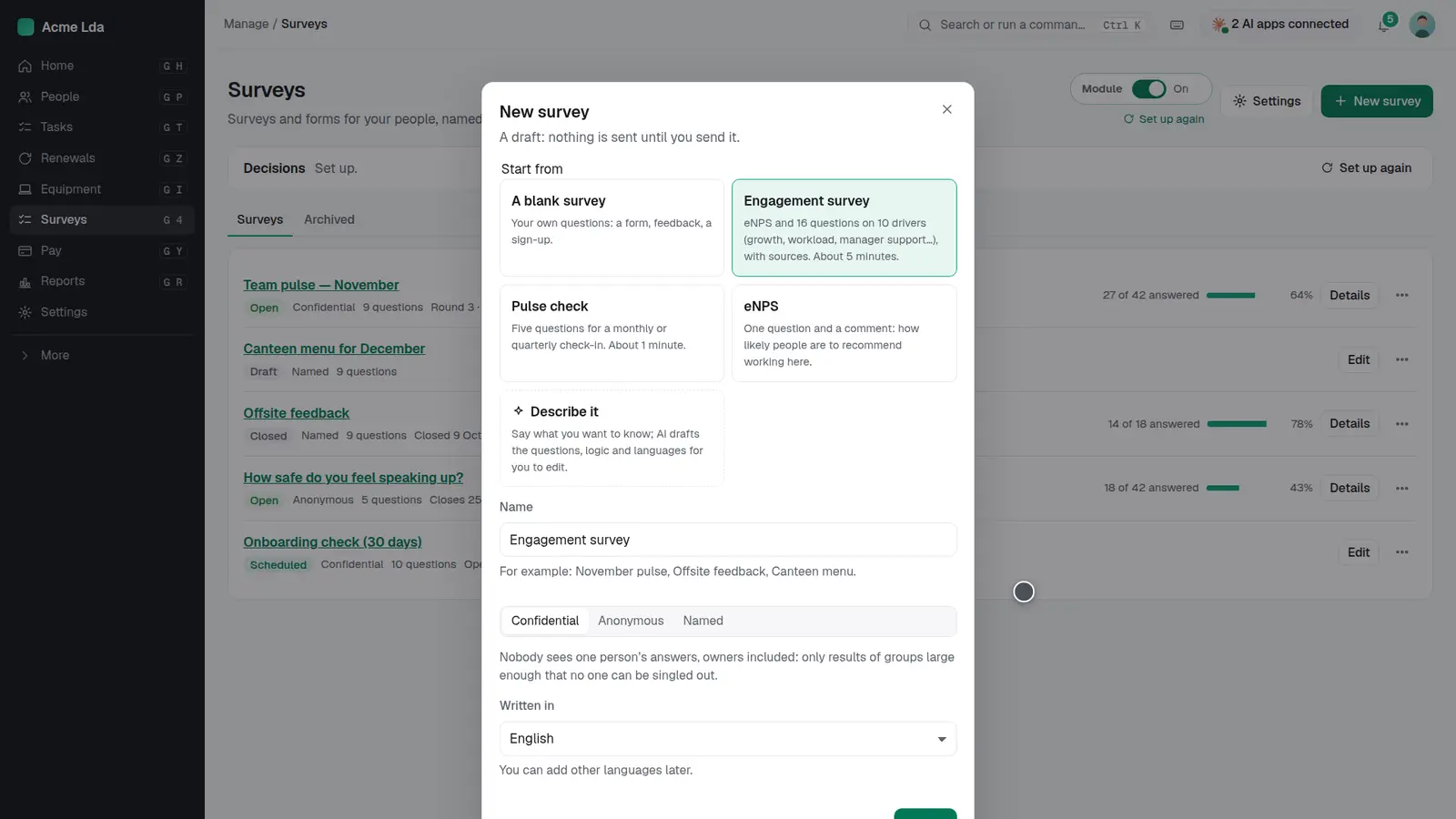
Open Surveys and press New survey. Start from a template (an engagement survey, a pulse check or eNPS), from a blank survey, or describe what you want to know in a sentence and the AI drafts the questions for you to edit. Choose whether answers are confidential, anonymous or named.
2. Edit in place
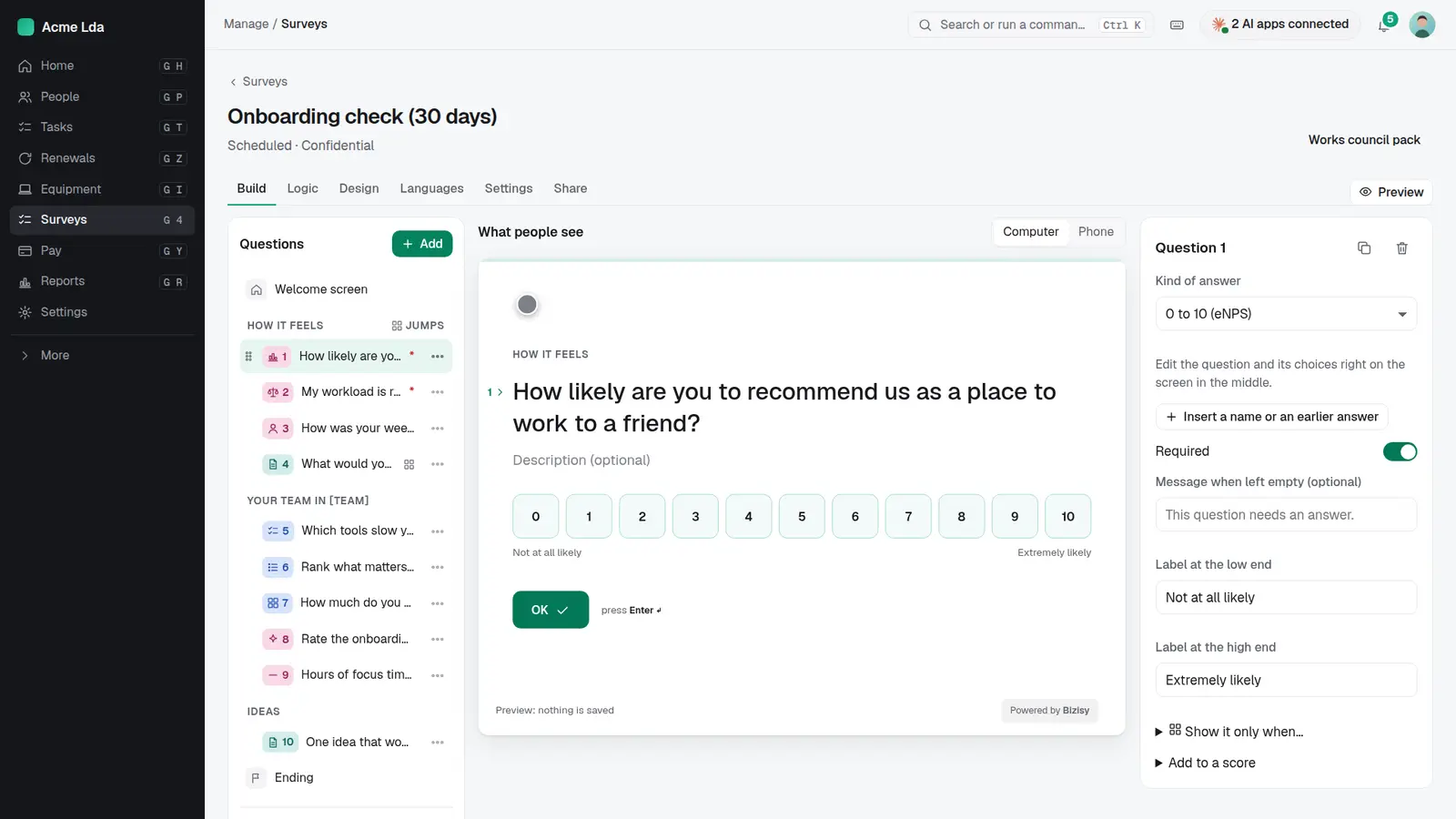
Edit each question right where people will see it. Add questions, change the kind of answer, add a person's name or an earlier answer, and preview it on a computer or a phone.
3. Choose who answers
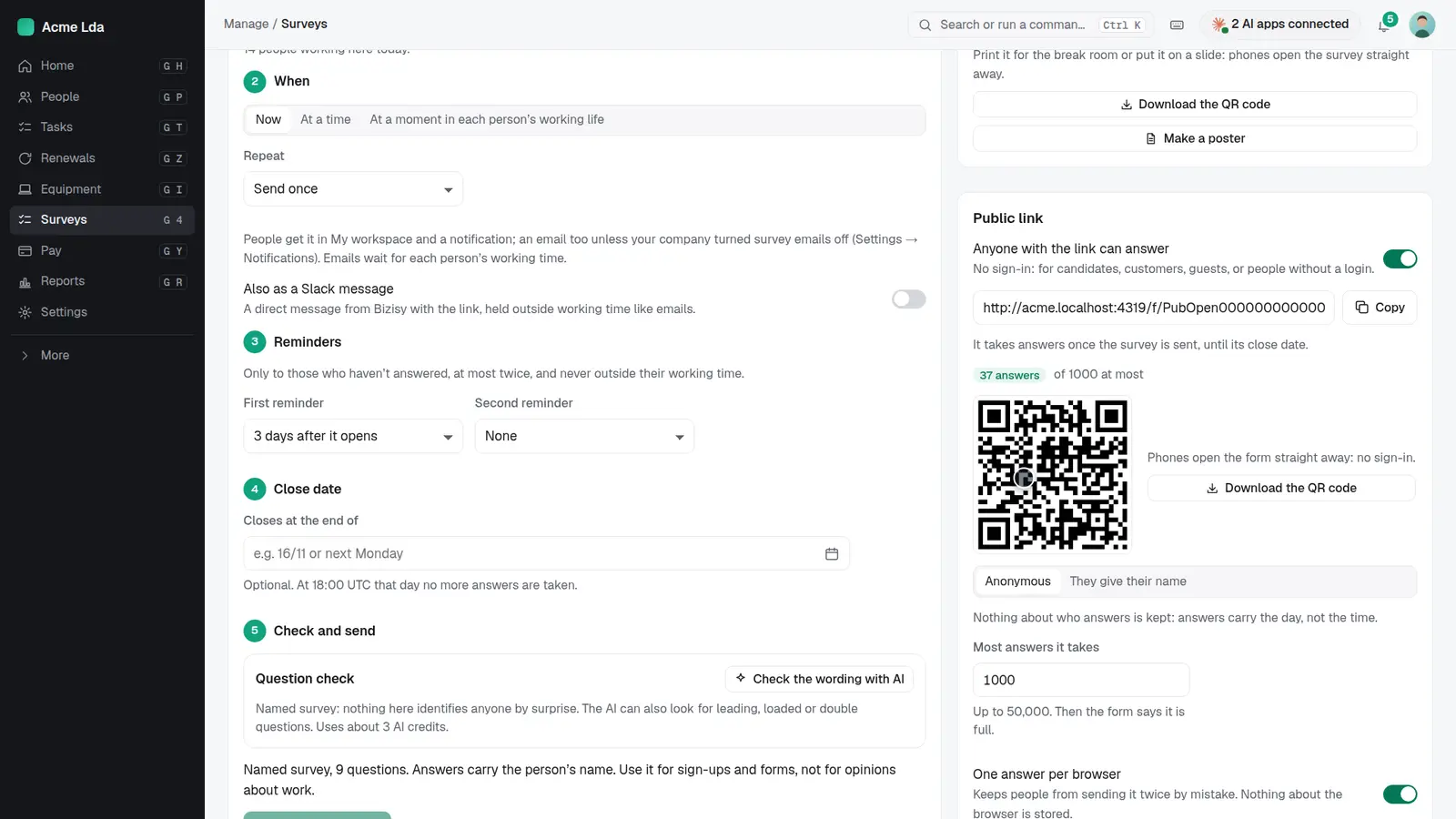
Choose who answers (everyone, teams or sites), when it goes out, and up to two reminders. For people without a login, turn on the public link and print the QR code for the break room.
4. People answer
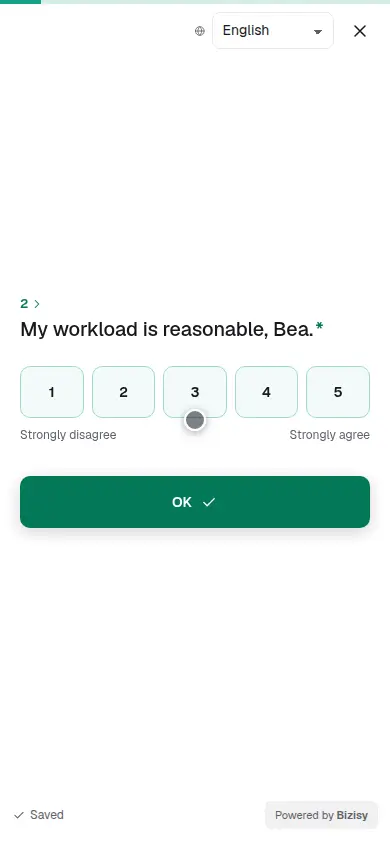
People answer in My workspace or from the link, one question at a time, in their language. Their answers are saved as they go.
5. Read the results
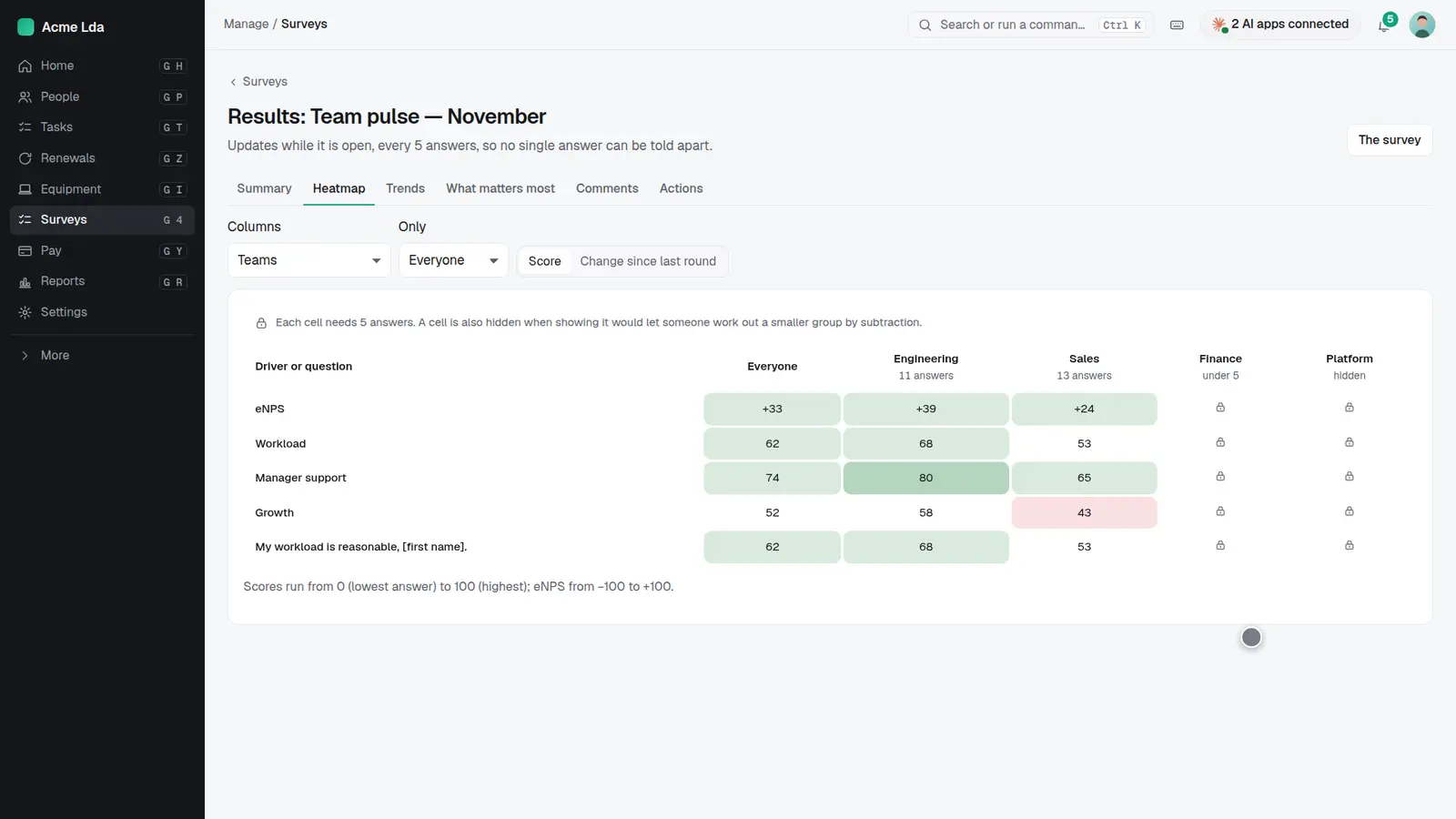
Results update while the survey is open. The heatmap shows each question by team; a group with fewer than five answers is hidden, and so is any group that would let someone work out a smaller group.
Tips
- Run a short pulse check every month or quarter to see trends, rather than one long survey a year.
- Use the comments and "what matters most" views to pick one or two things to act on.
- Tell people what changed after the last survey before you send the next one.