How to run a salary review
· 1 min read
Run a salary review: a merit guideline, worksheets for managers, HR's check and the final sign-off, then a letter for each person. Plus bonus plans.

A salary review in Bizisy is one round with a budget and dates. A guideline suggests a raise for each person, managers propose theirs in a worksheet, HR checks the round for fairness, and the final sign-off releases the new pay with a letter for each person.
1. Set the guideline
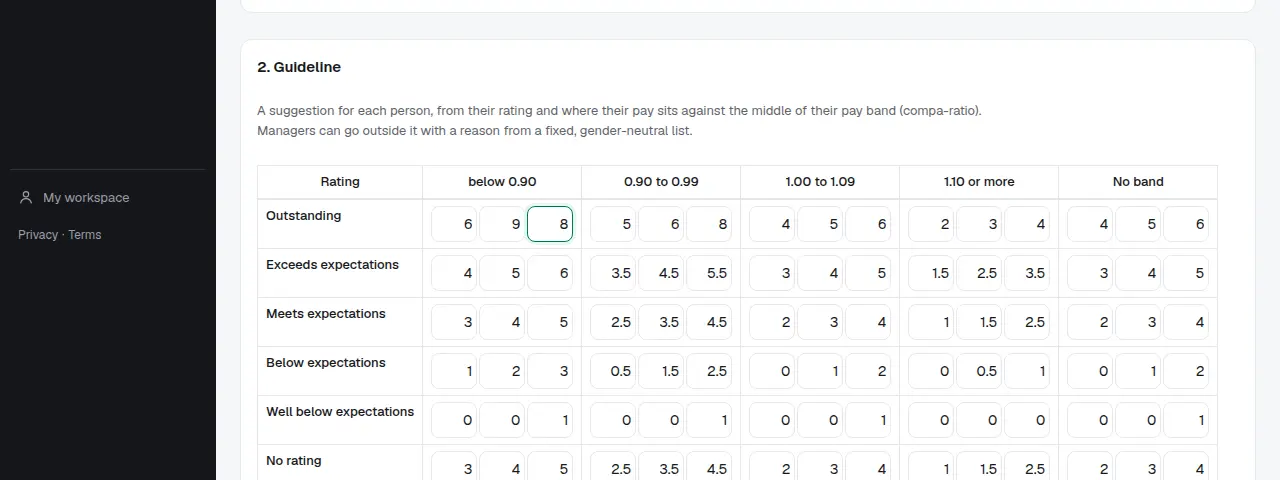
Start a salary review under Salary reviews, set who takes part, the budget and the dates. The guideline suggests a raise for each person from their rating and where their pay sits in its band. Publish the criteria to your people, as the EU Pay Transparency Directive asks.
2. Managers fill in their worksheet
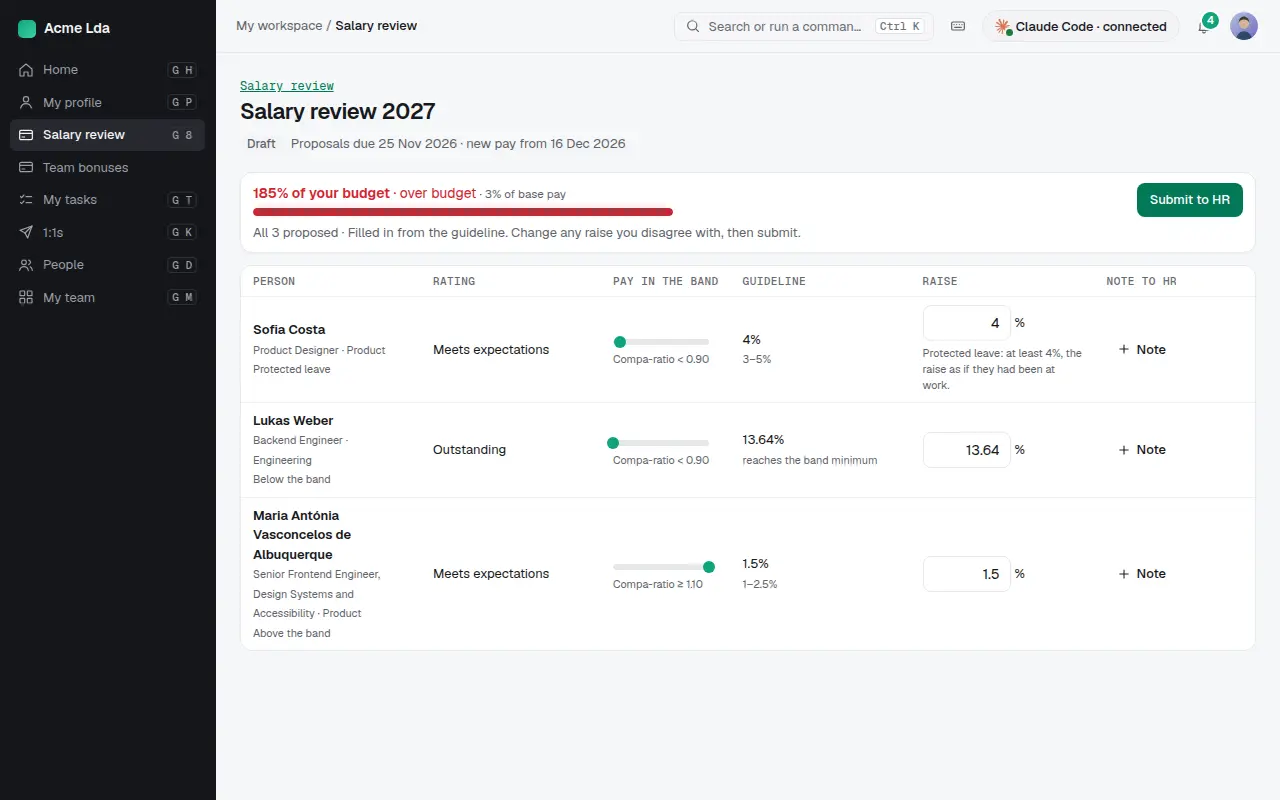
Each manager gets a worksheet for their team, filled in from the guideline, with the budget they're using. They change any raise they disagree with, add a note for HR, and submit it.
3. Check and sign off
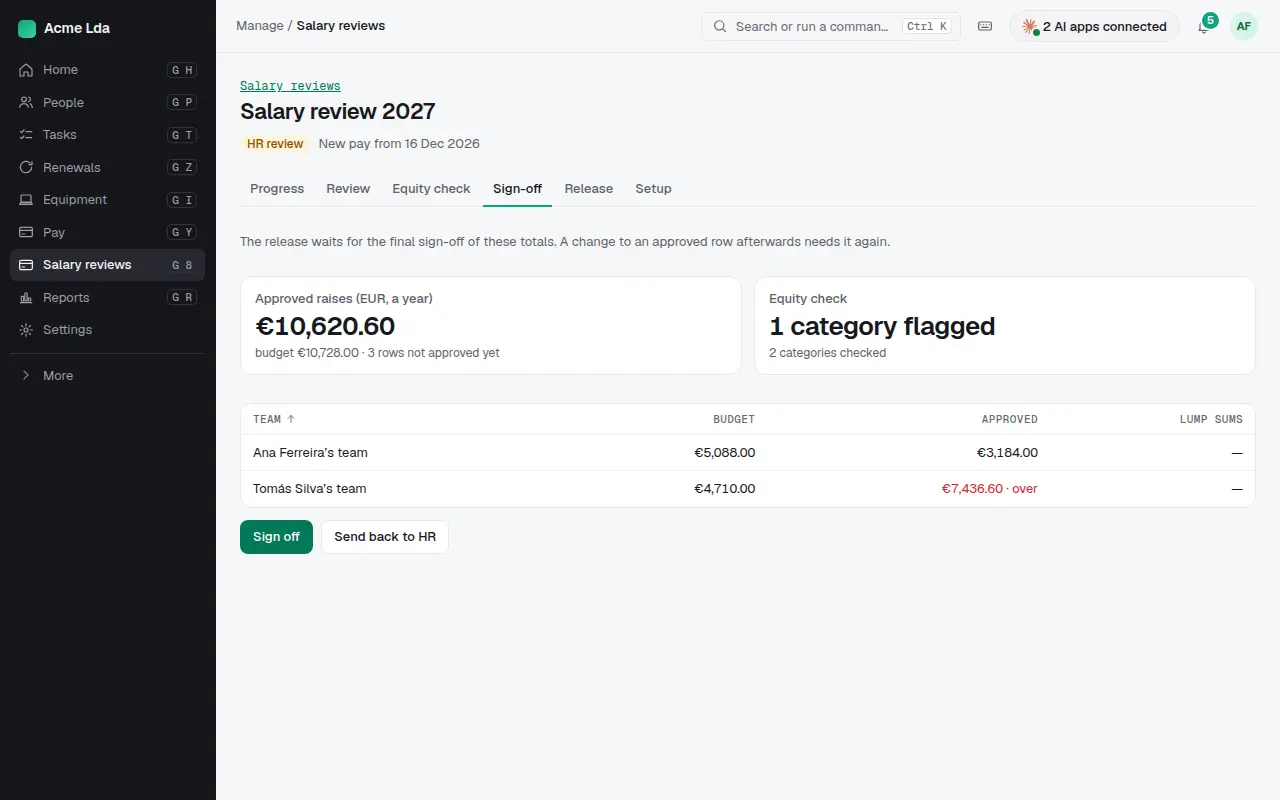
HR reviews every team and runs the equity check. The final sign-off approves the totals against the budget, or sends them back to HR; nothing changes for anyone until then.
4. Letters
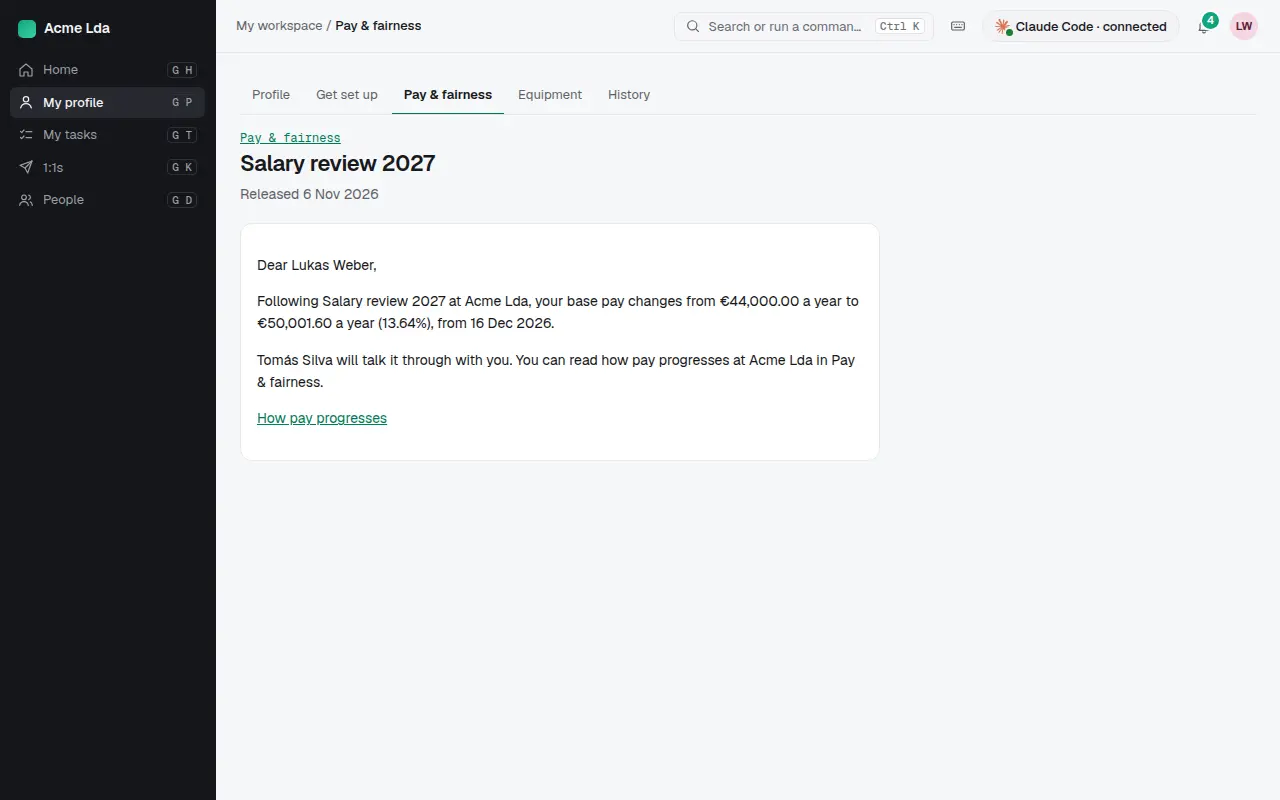
On release, each person gets a letter in My workspace with their new pay and the date it starts, and the change goes to their pay record for payroll.
5. Bonus plans
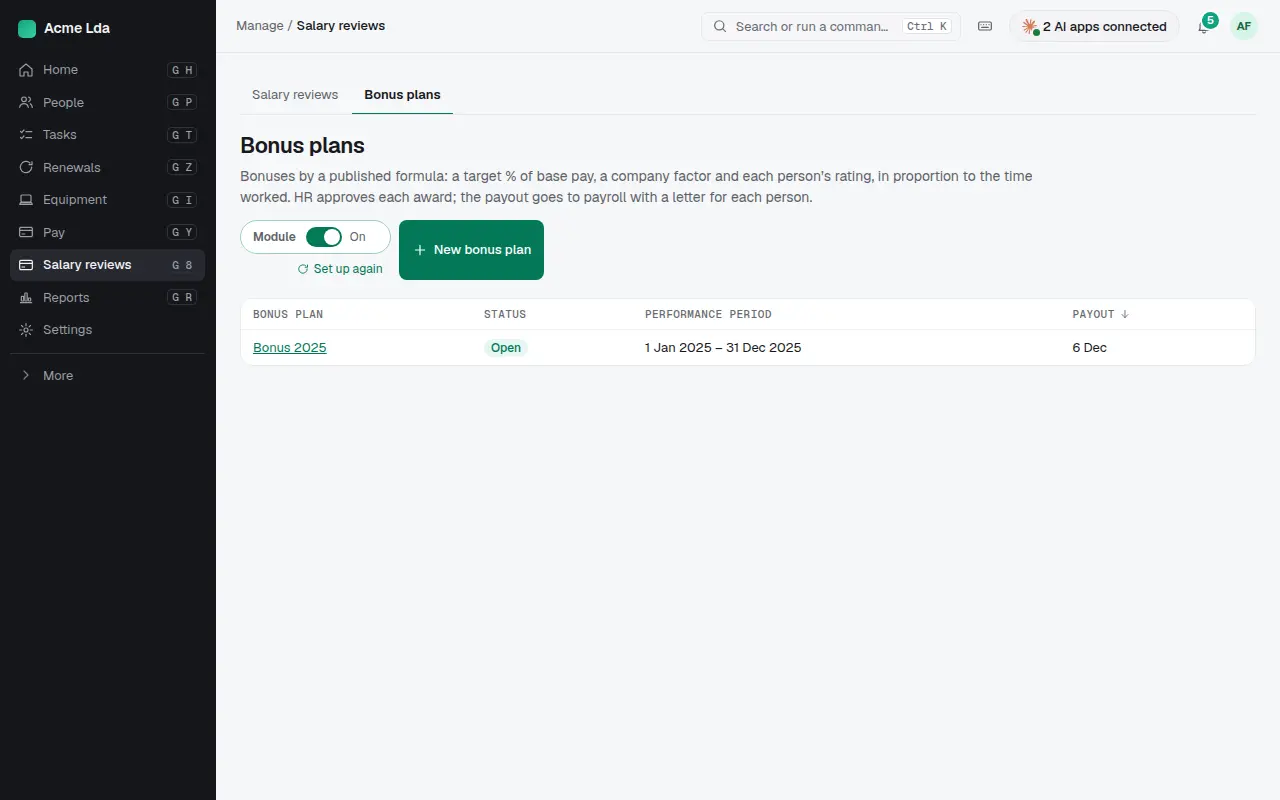
For bonuses, set up a bonus plan with a published formula: a target percentage of base pay, a company factor and each person's rating. HR approves each award, and each person gets a letter.
Tips
- Agree the budget before you launch; the worksheets show each manager how much of it they're using.
- Let managers see positions in the pay band rather than salaries, unless they need more.
- Give everyone a letter, also those without a change, so no one is left wondering.