How to run a performance review
· 1 min read
Run a review cycle: self-reviews and peer feedback, manager reviews, a calibration session, and the 9-box that fills in from it.

A performance review in Bizisy is a cycle with dates: people review themselves and ask colleagues for feedback, managers write their reviews, HR and managers calibrate the ratings together, and everyone sees their review on the day you choose. The 9-box fills in from it.
1. Launch a cycle
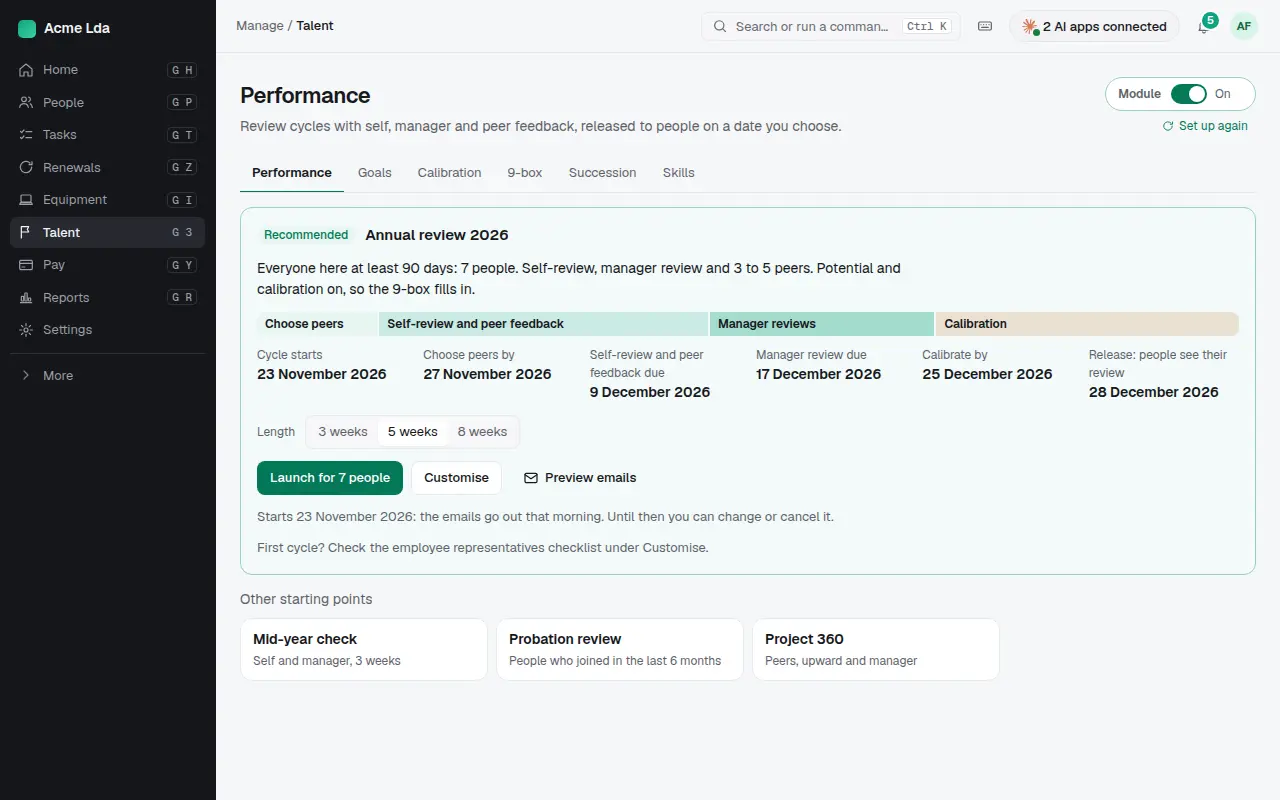
Open Talent → Performance. Bizisy recommends a cycle with its dates filled in: who takes part, when peers are chosen, when reviews are due, when calibration happens and when people see their review. Change the length or customise it, preview the emails, then launch.
2. Self-reviews and peer feedback
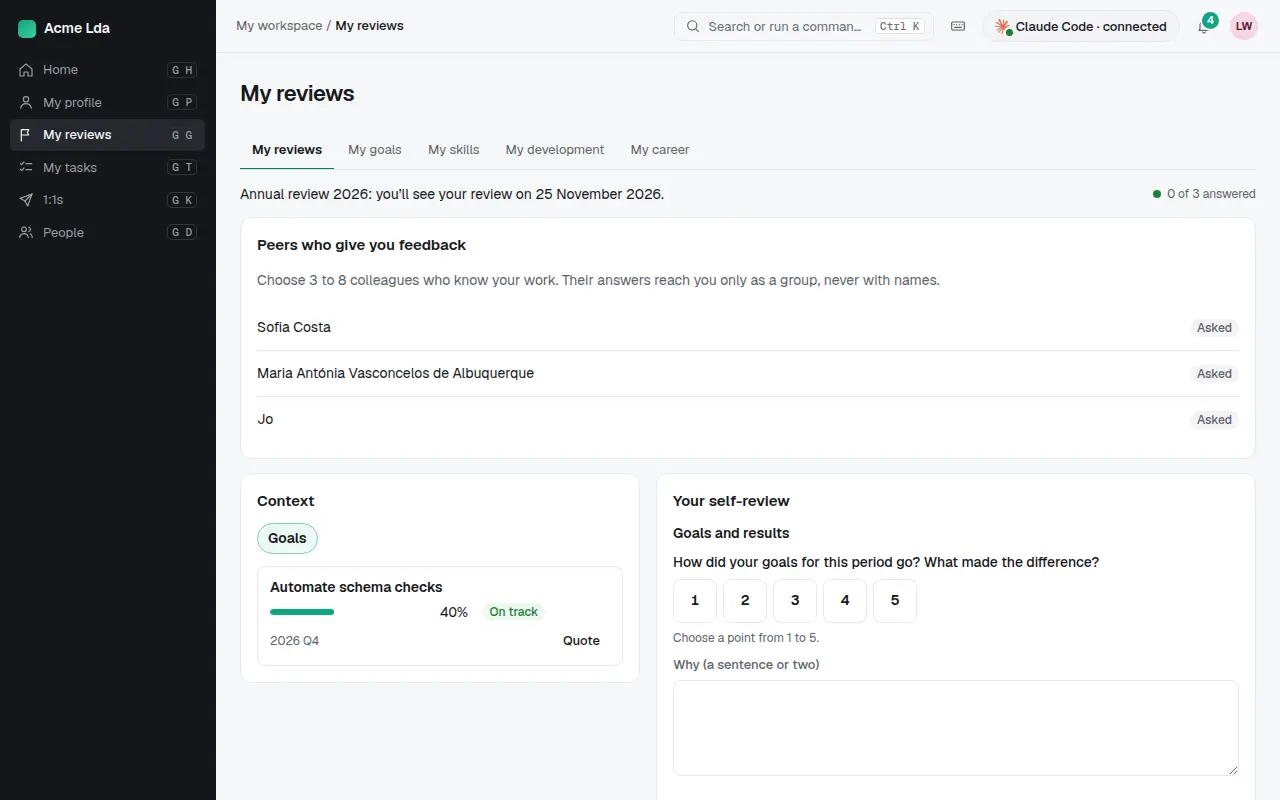
Each person chooses a few colleagues who know their work and writes a short self-review in My workspace. Peer feedback reaches them only as a group, never with names.
3. Manager reviews
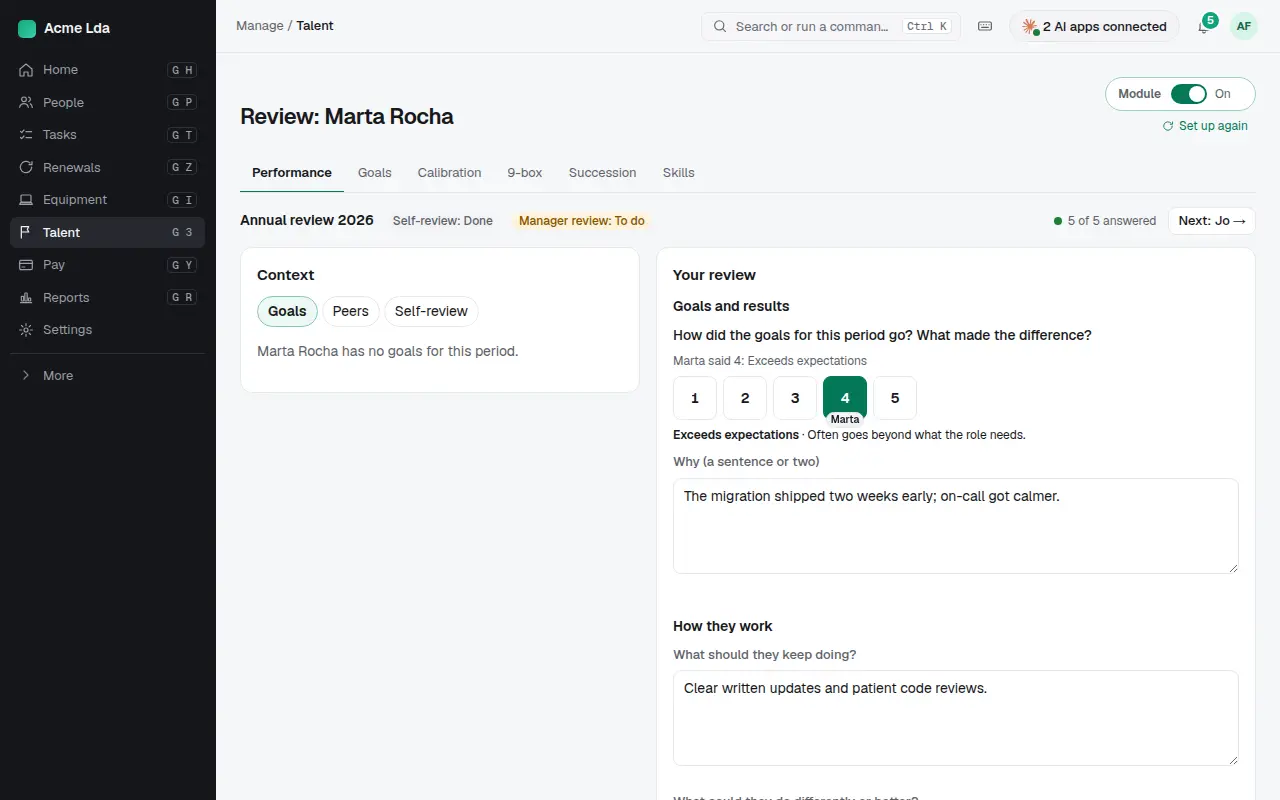
Managers write each review with the context beside it: the person's goals, their peers' feedback and their self-review. A rating comes with a sentence or two on why.
4. Calibrate
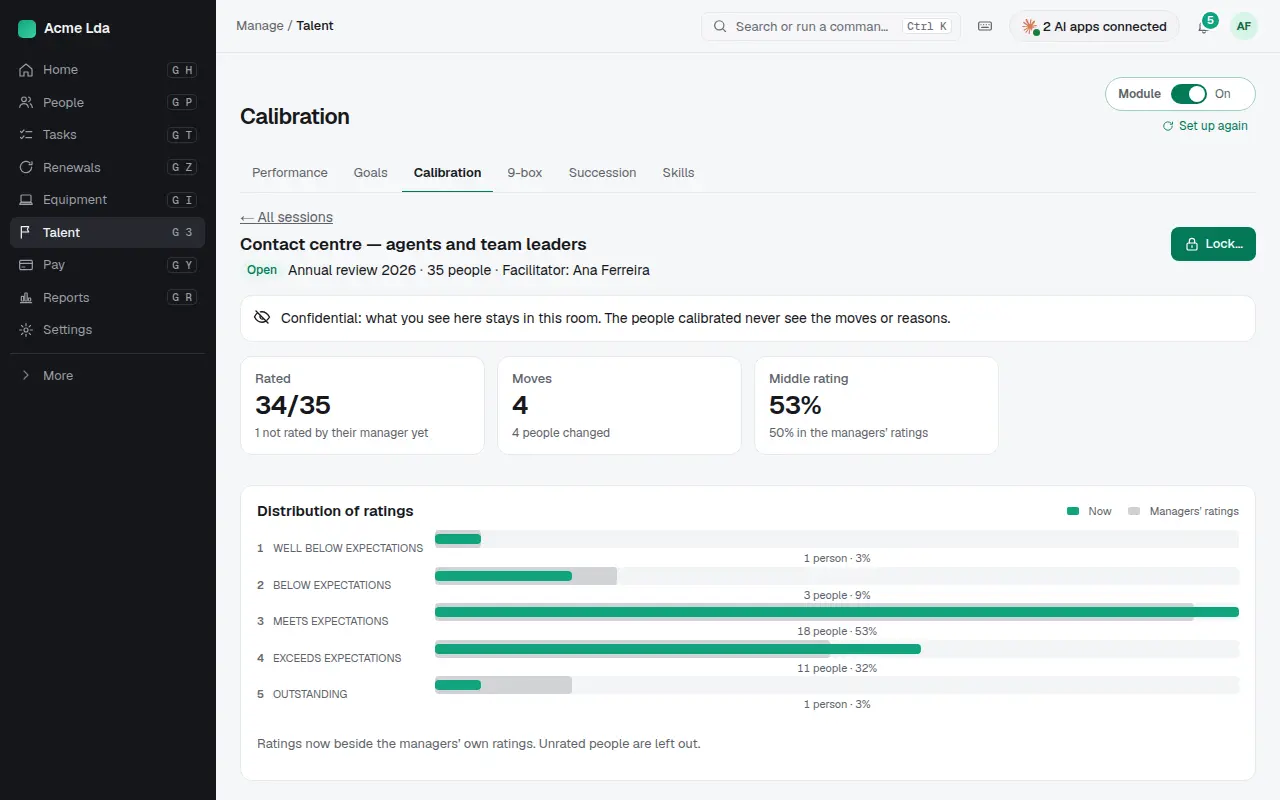
In a calibration session, HR and managers look at the ratings together, compare them with the distribution, and move them where needed. What's said in the room stays there; the people calibrated never see the moves or the reasons.
5. The 9-box
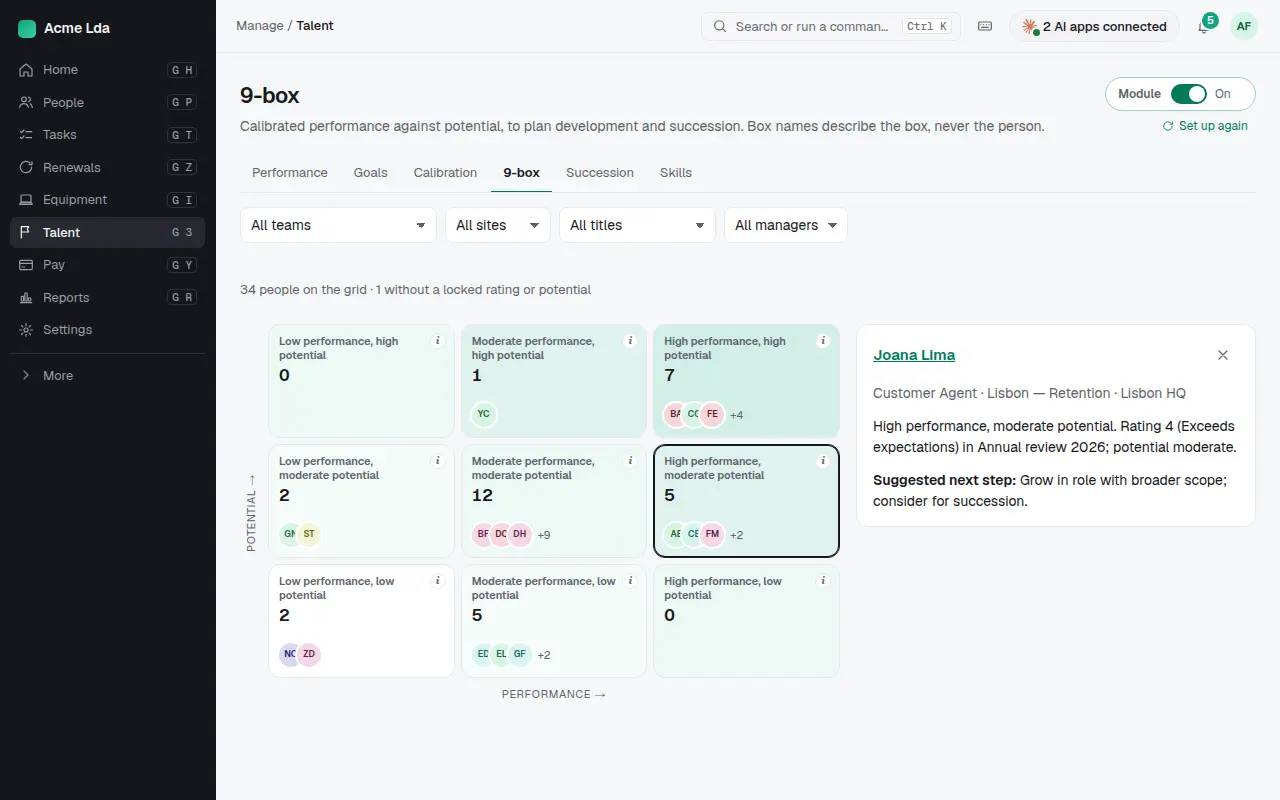
Once ratings and potential are calibrated, the 9-box fills in. Click a person to see why they're in their box and a suggested next step, like a broader role or a place in your succession plans.
Tips
- Release reviews to everyone on the same day, so no one hears about theirs second-hand.
- Ask for one or two concrete examples in each review rather than long texts.
- Use the mid-year check or a probation review for smaller moments between annual cycles.