How to plan succession and skills
· 1 min read
Mark the roles you can't afford to lose, name their successors and who is ready when, keep a skill catalog per job, and let people see where their career can go.

Succession planning asks a simple question: if this person left tomorrow, who could step in? Skills answer the next one: what does each job need, and who is growing towards it. Bizisy keeps both, and shows people their own career paths.
1. Mark your key positions
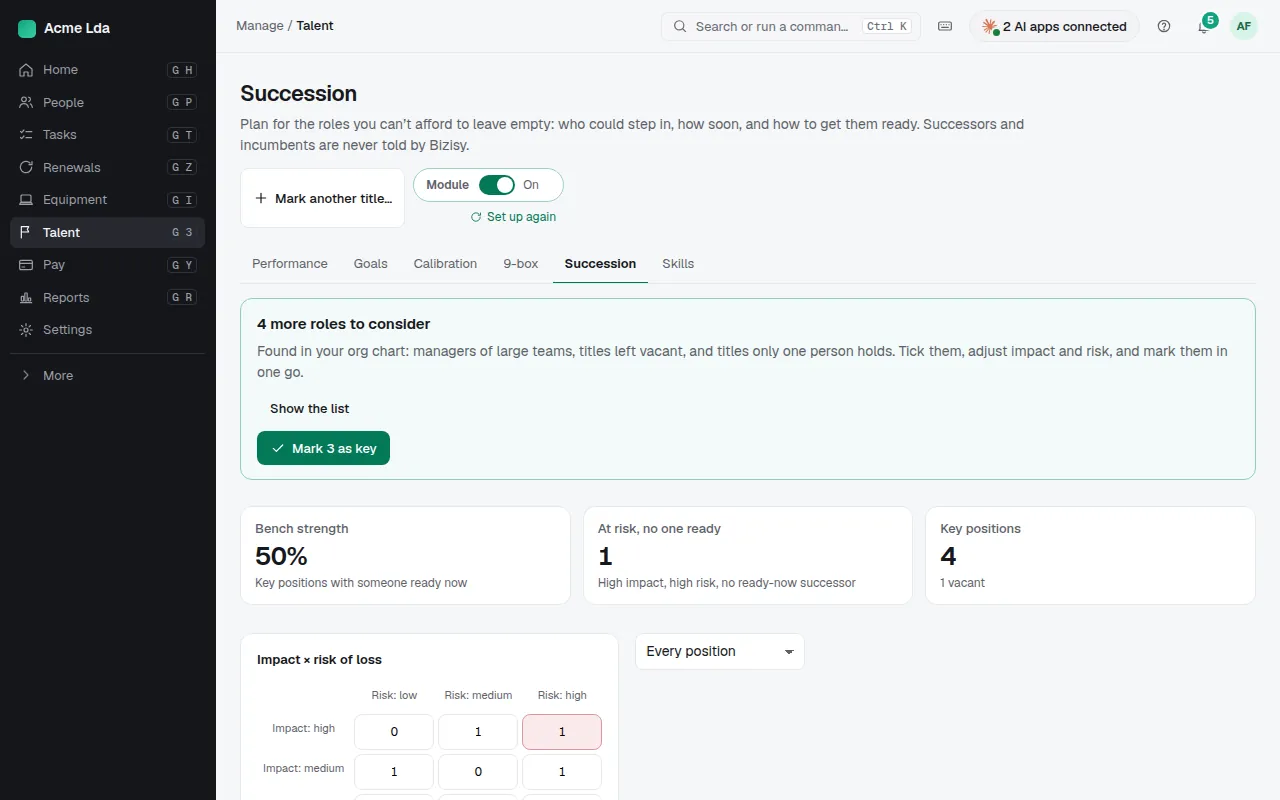
Talent → Succession starts by suggesting the roles you can't afford to lose, such as large teams and roles with nobody behind them. Mark them as key, and set each one's impact and risk of loss in the table.
2. Name successors
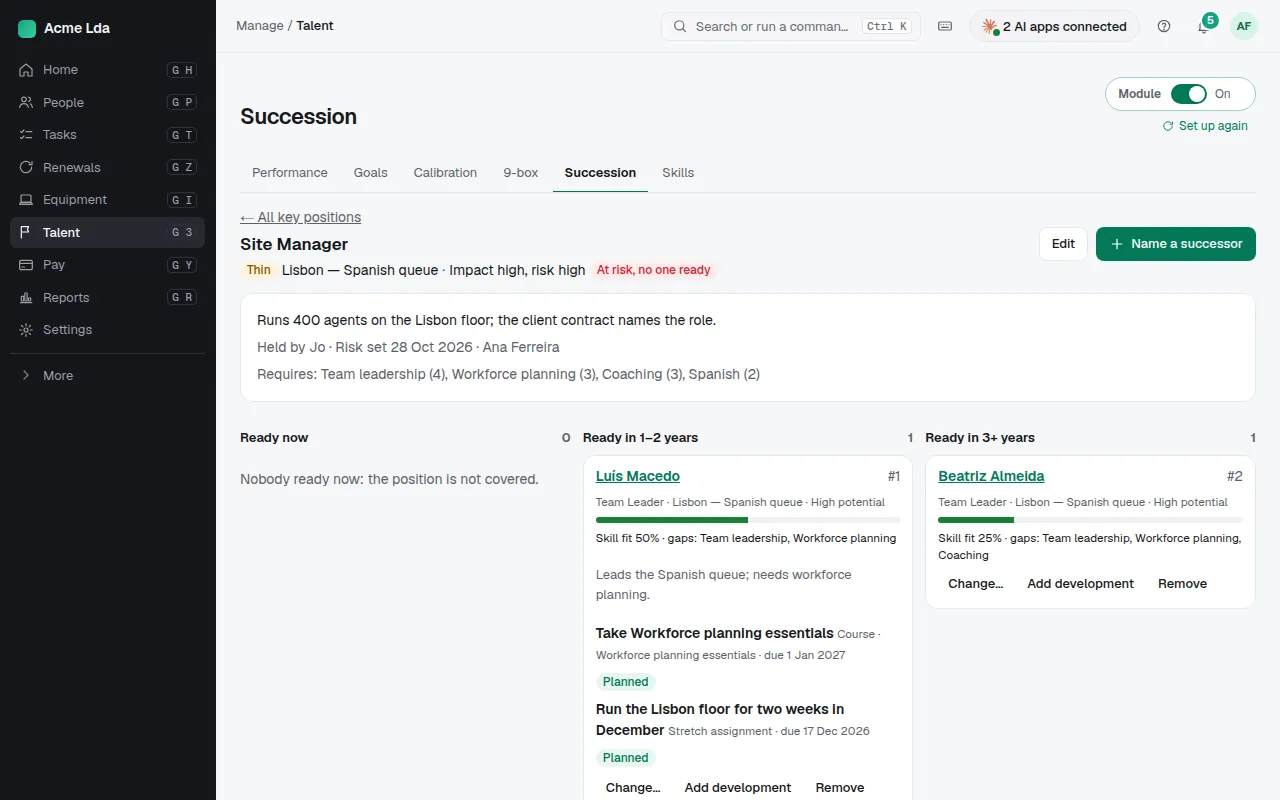
Open a key position to name successors and when each will be ready. It says plainly when nobody is ready now and the position isn't covered, and you can add a development step for a successor.
3. Keep a skill catalog
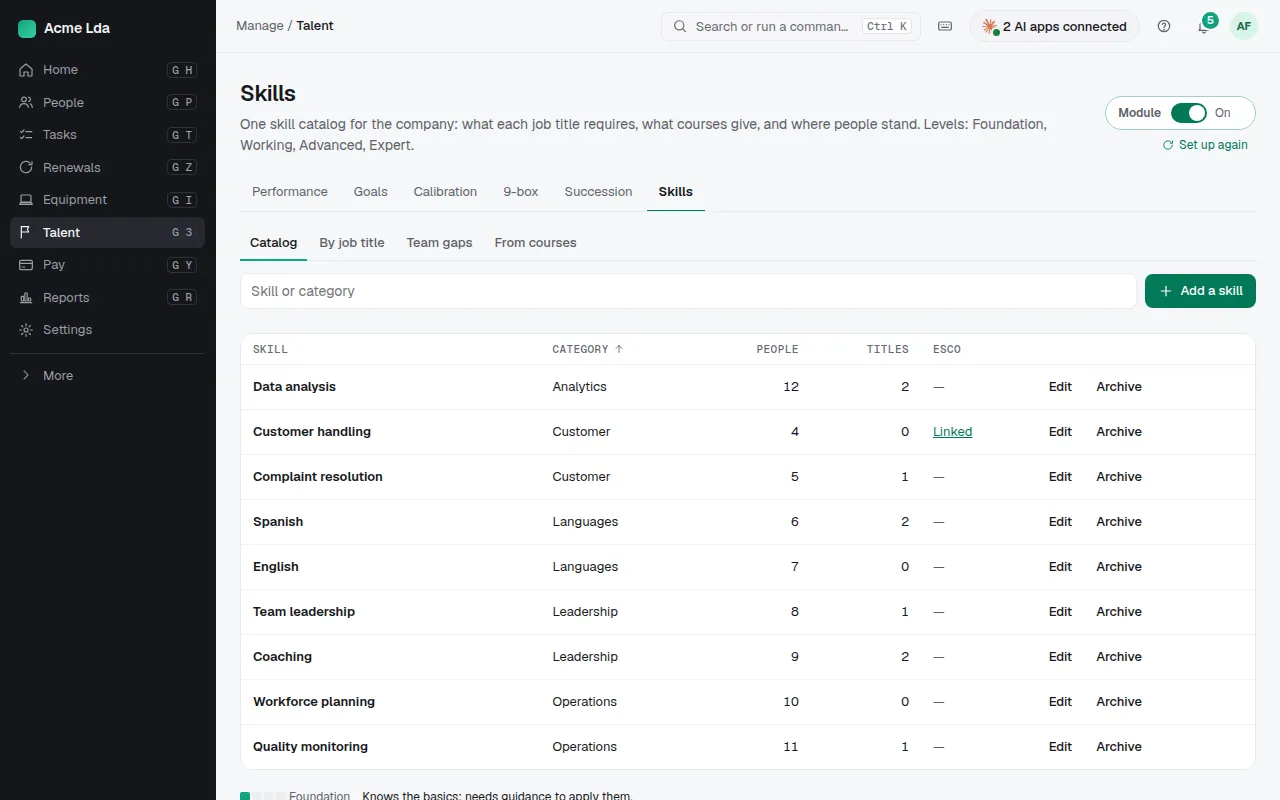
Talent → Skills starts from a ready set of skills to keep or leave out. Say which skills and levels each job title needs; Gaps compares that with the levels people have. People add their own skills in My workspace → My skills.
4. People see their career paths
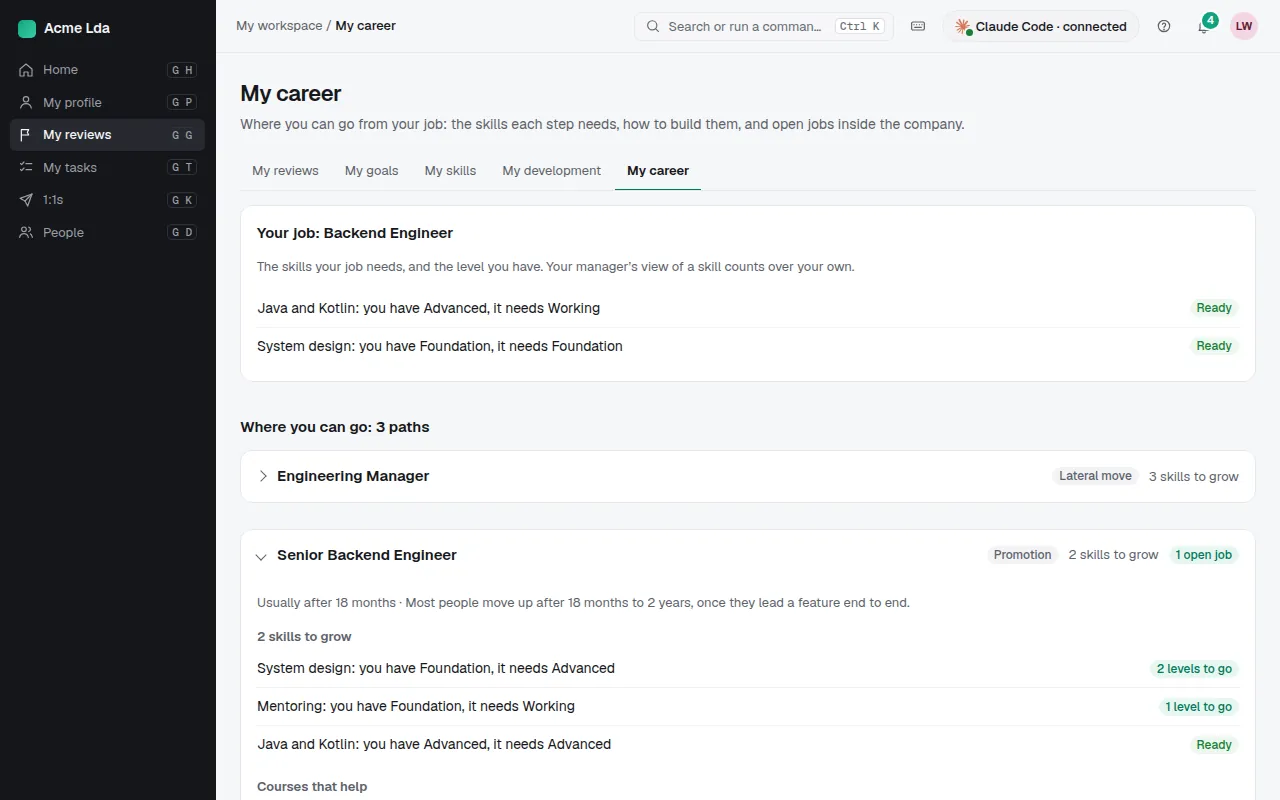
In My workspace → My career, each person sees their job and the paths from it, with the skills they have and those to grow for each next step, and can say they're interested.
Tips
- Owners, admins and HR run succession; other roles can't open it.
- Career paths are set in Settings → Career paths.