How to onboard a new hire
· 1 min read
Add a new person, start their onboarding checklist, send their contract for signature, and give them a welcome page for their first day.

A good first day starts weeks before it. In Bizisy you add the new person once, and their onboarding follows from there: a checklist with owners and due dates, documents to sign, and a welcome page in My workspace that tells them what to expect.
1. Add the person
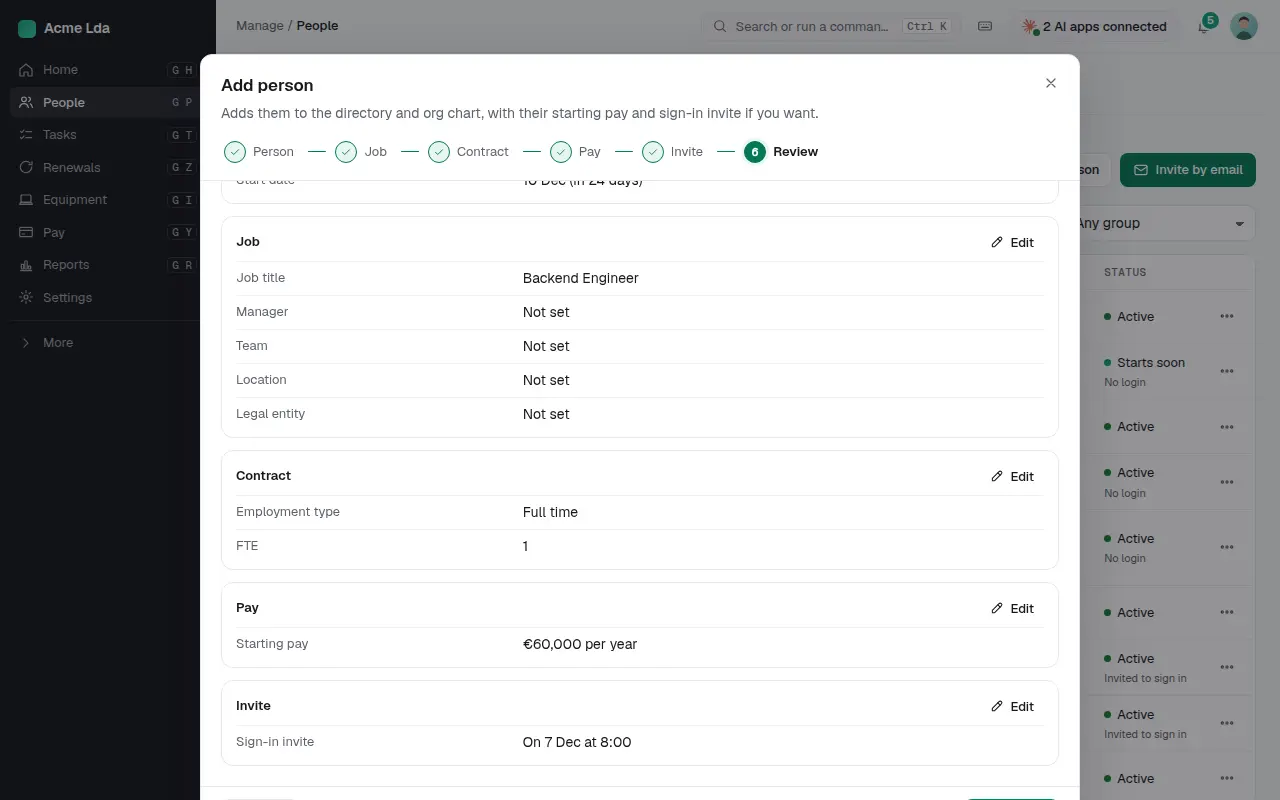
Go to People and add a person. Fill in who they are, their job, contract and starting pay, and when their sign-in invite goes out. The last step shows everything on one page before you save. If you hired them through Bizisy, all of this is filled in from their application and offer.
2. Follow their onboarding
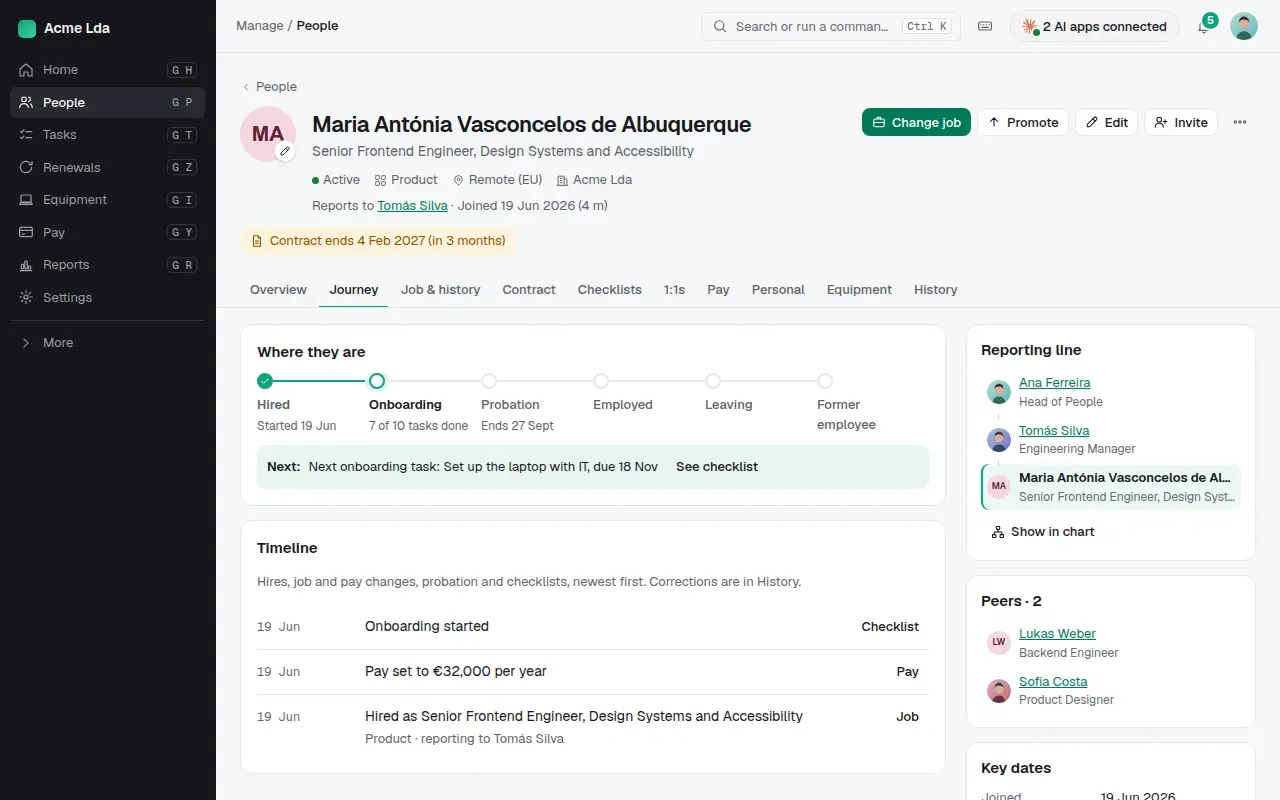
Their profile shows where they are: hired, onboarding, probation. The next onboarding task and its due date are right there, with the timeline of what happened so far.
3. Start a checklist
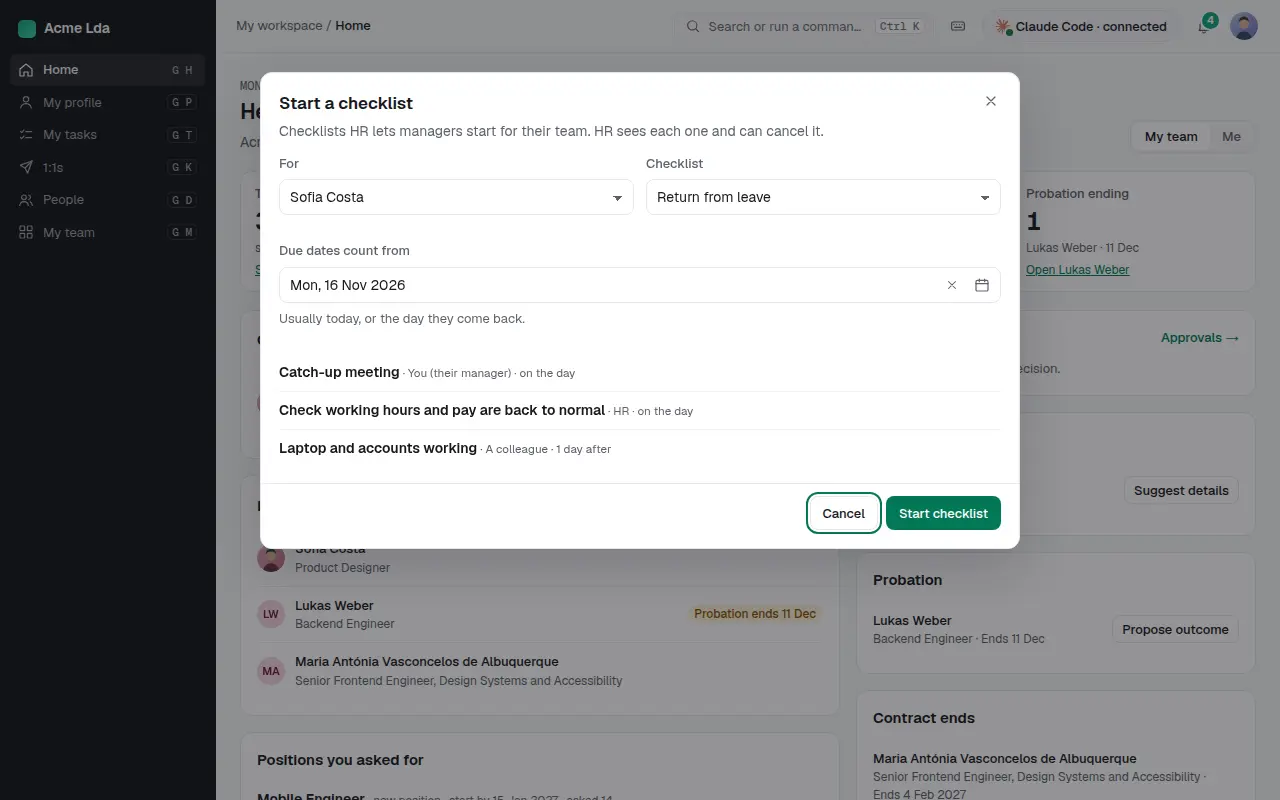
Start an onboarding checklist for them. Each task has an owner (their manager, HR or a colleague) and a due date counted from their first day, like getting the laptop and accounts ready the day before. Managers can start the checklists HR lets them start.
4. Send documents to sign
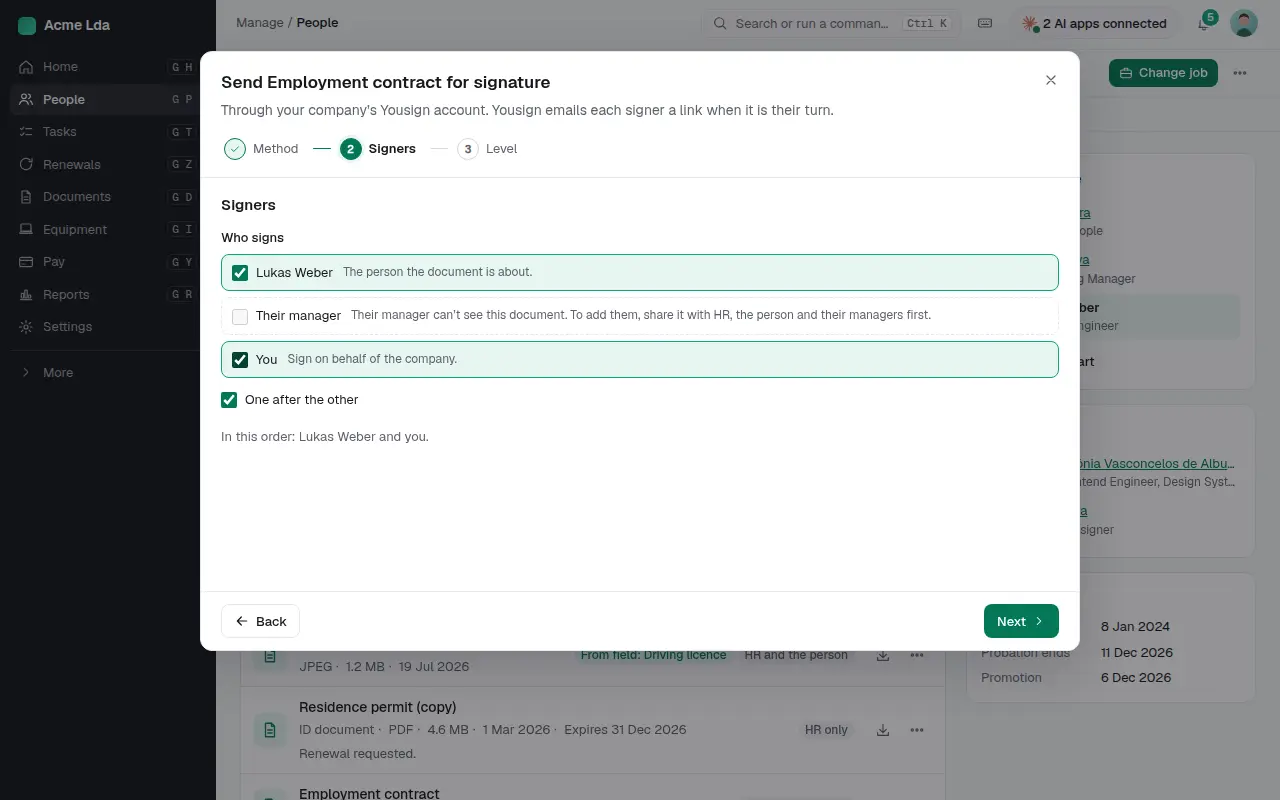
Add their contract under Documents and send it for signature. Choose who signs and in what order, for example the new person first and then you.
5. Their first day in My workspace
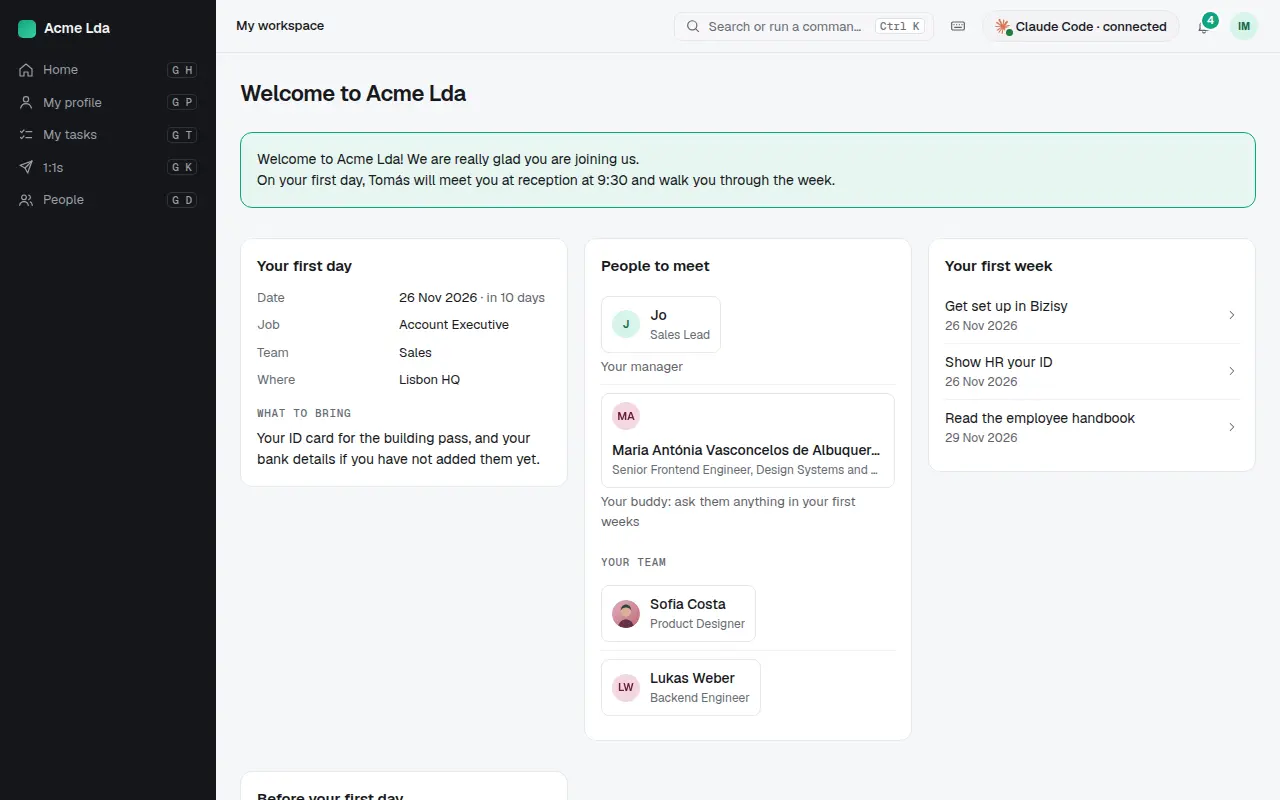
Before they start, the new person signs in to My workspace and finds a welcome page: when and where to go on their first day, what to bring, who their manager and buddy are, and the tasks for their first week.
Tips
- Set up your checklist templates once in Settings; every new hire then gets the same steps with fresh dates.
- Ask the new person to fill in their own details (address, bank and emergency contacts) in My workspace before day one.
- A future start date shows them as "starting soon" in People until their first day.