How to move many people at once
· 2 min read
Move a team, a campaign or a site to a new manager, team, place, title or hours from one date: Bizisy checks everyone first, asks for one approval and applies it, and people find out on the day you choose.

When a campaign moves to another site, a team gets a new manager or a whole department changes its hours, changing people one by one takes an afternoon and something always slips. A batch does it once, for everyone, from one date.
1. Say who moves and what changes
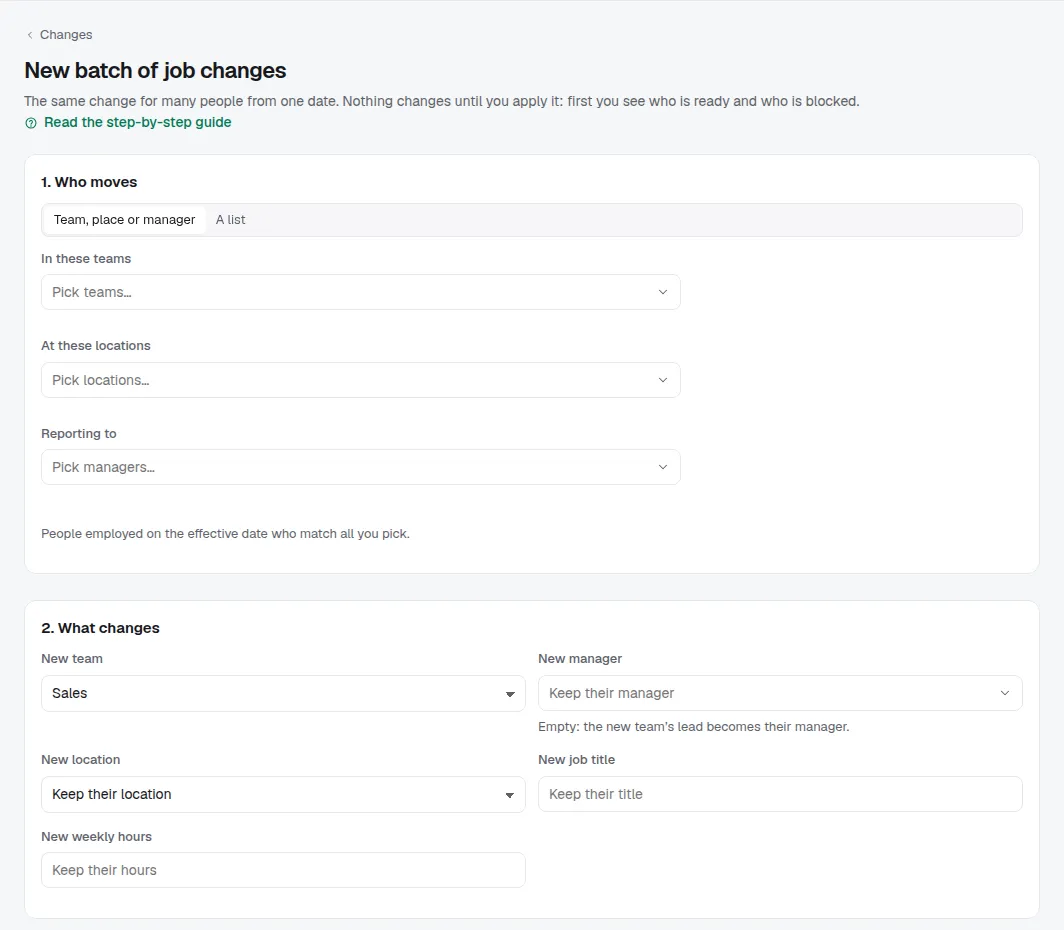
Go to People → Changes and choose New batch (or ⌘K, New batch of job changes). Pick who moves: everyone in some teams, at some locations or reporting to some managers, or paste a list of work emails or names from a spreadsheet. Then what changes: a new team, manager, location, job title or weekly hours. Moving people to a team without naming a manager makes that team's lead their manager. Last, the day it takes effect and the day people are told.
Or describe it in your own words in Describe it ("Move the 40 people of the energy campaign to Team Porto 3 from 1 Dec, Rui as manager") and choose Fill the form: Bizisy's AI fills in who, what and when for you to check, and lists any name it couldn't find. It never chooses who moves, and it uses a few AI credits.
2. Check everyone
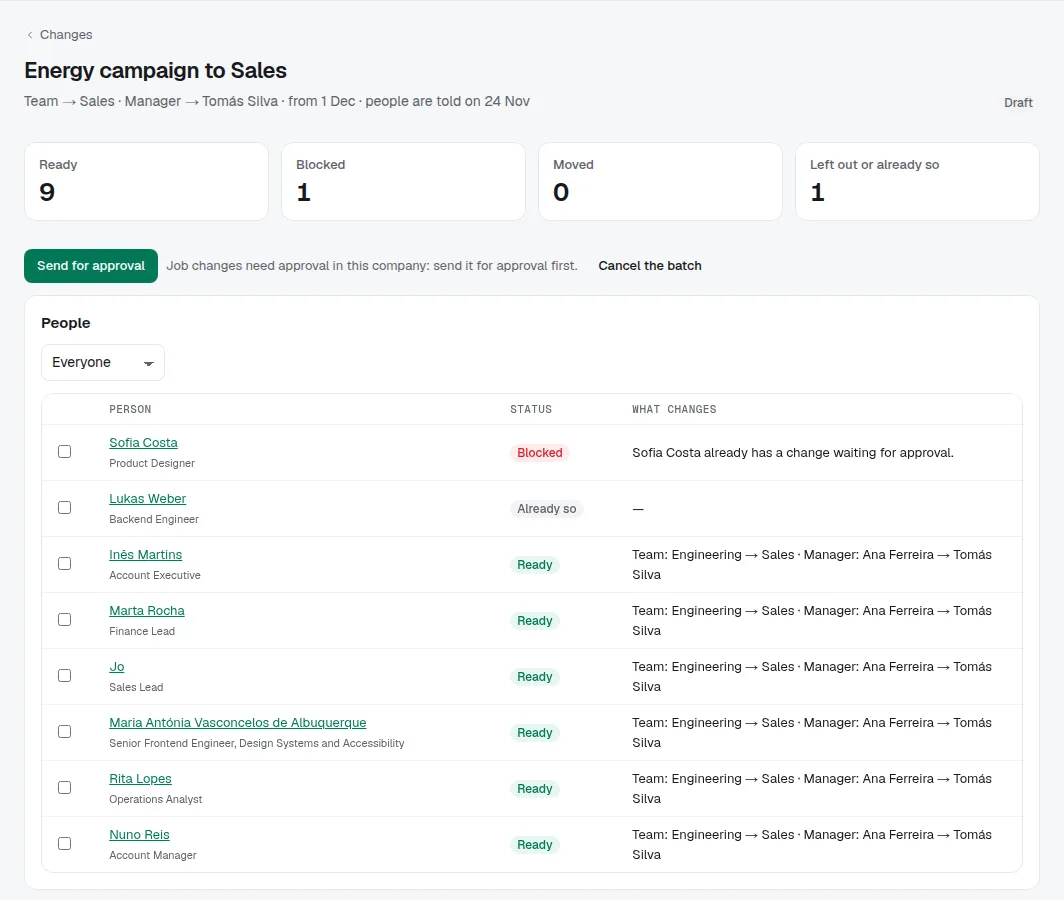
Check everyone prepares the batch without changing anything. Each person shows as ready, with what changes for them, or blocked, with why: a change already waiting for approval, not working there on that day, or a reporting loop. Leave anyone out with Leave out, fix what blocks the others, or change the date.
3. One approval
If your company asks for approval of job changes by HR (Settings → Approval rules), send the batch for approval: another owner, admin or HR member approves it in one go from Cases, leaving out anyone they choose. Nobody approves a batch they prepared or that moves themselves. When job changes need each person's manager to approve them, applying the batch sends each change to its own approvers instead.
4. Apply, and people find out on the day
Apply writes each change from the effective date, with the same checks as changing one person's job. Big batches carry on in the background, a few dozen people at a time; you can leave the page. Anyone who can't be moved any more is set aside with the reason, and Check again and resume carries on once it's fixed. Until the day people are told, they see their job as it is; HR sees the change.
Tips
- Your AI app can prepare a batch too, with the same filters. You check it and apply it: AI never chooses who moves.
- A few people at once? Move on the people list is quicker.