How to manage contracts and amendments
· 1 min read
See every person's contract in one list, who has none, which are out for signature, and fixed-term contracts ending soon; review the amendments Bizisy prepares when something changes.

Every person needs a contract, and contracts change: a promotion means an amendment, a fixed-term contract has to be renewed, made open-ended or allowed to end. Documents keeps track of all of it, and prepares what the law asks for so it waits for you to check and send.
1. See every contract
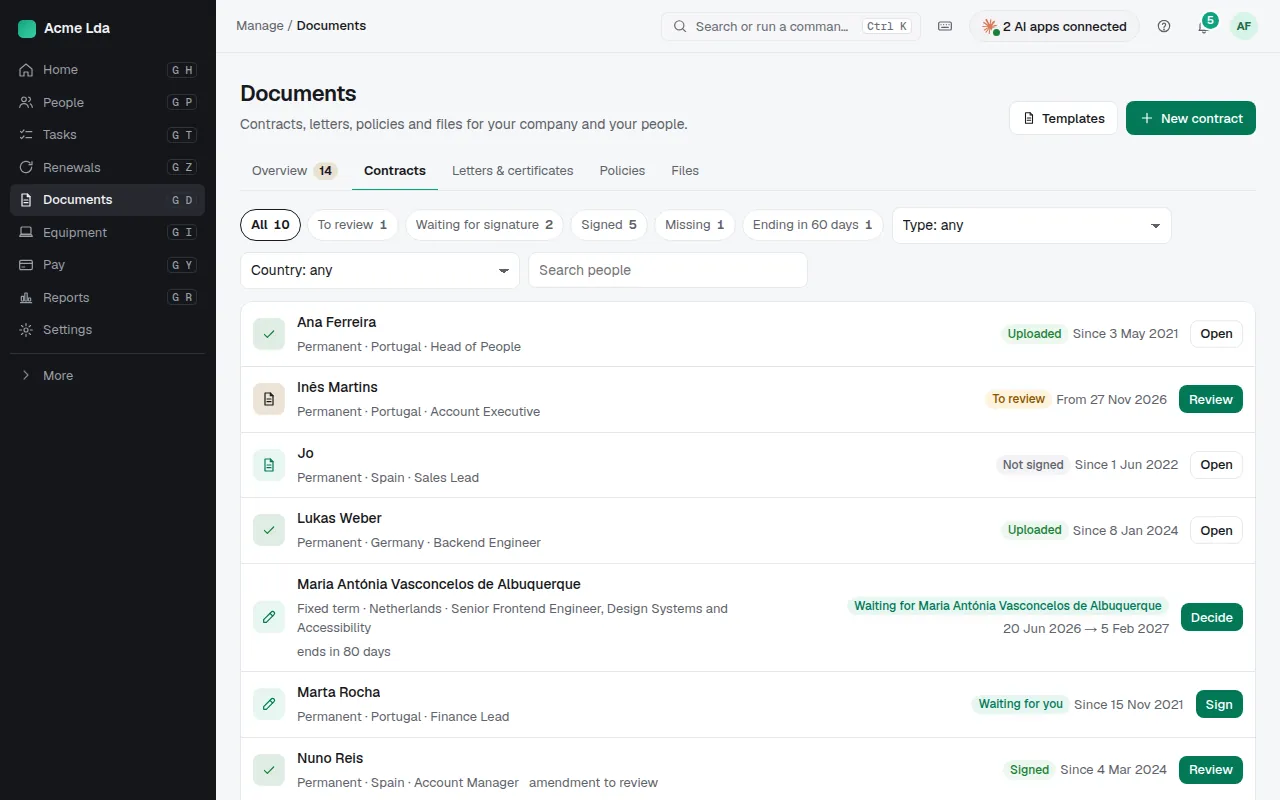
Documents → Contracts lists everyone employed with their contract: to review, waiting for signature, signed, or missing. People without a contract are listed too, so nobody is forgotten: create one from a template or upload the signed paper copy. Filter by type and country.
2. Fixed-term contracts ending soon
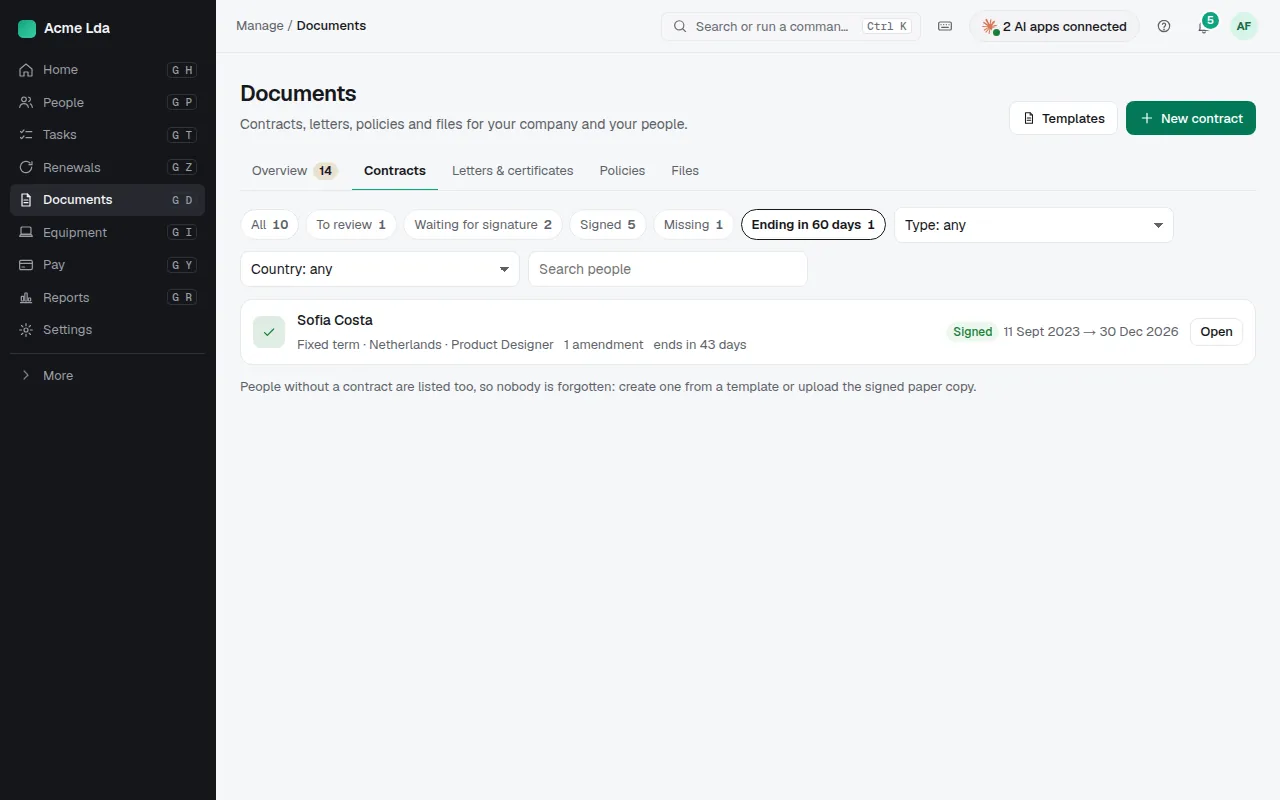
Ending in 60 days shows the fixed-term contracts that end soon. For each, decide: renew it, make it open-ended, or let it end. In Portugal, letting one end means telling the person in writing at least 15 days before (Código do Trabalho, art. 344), otherwise it renews: Bizisy says so when you mark them as leaving.
3. Review what Bizisy prepared
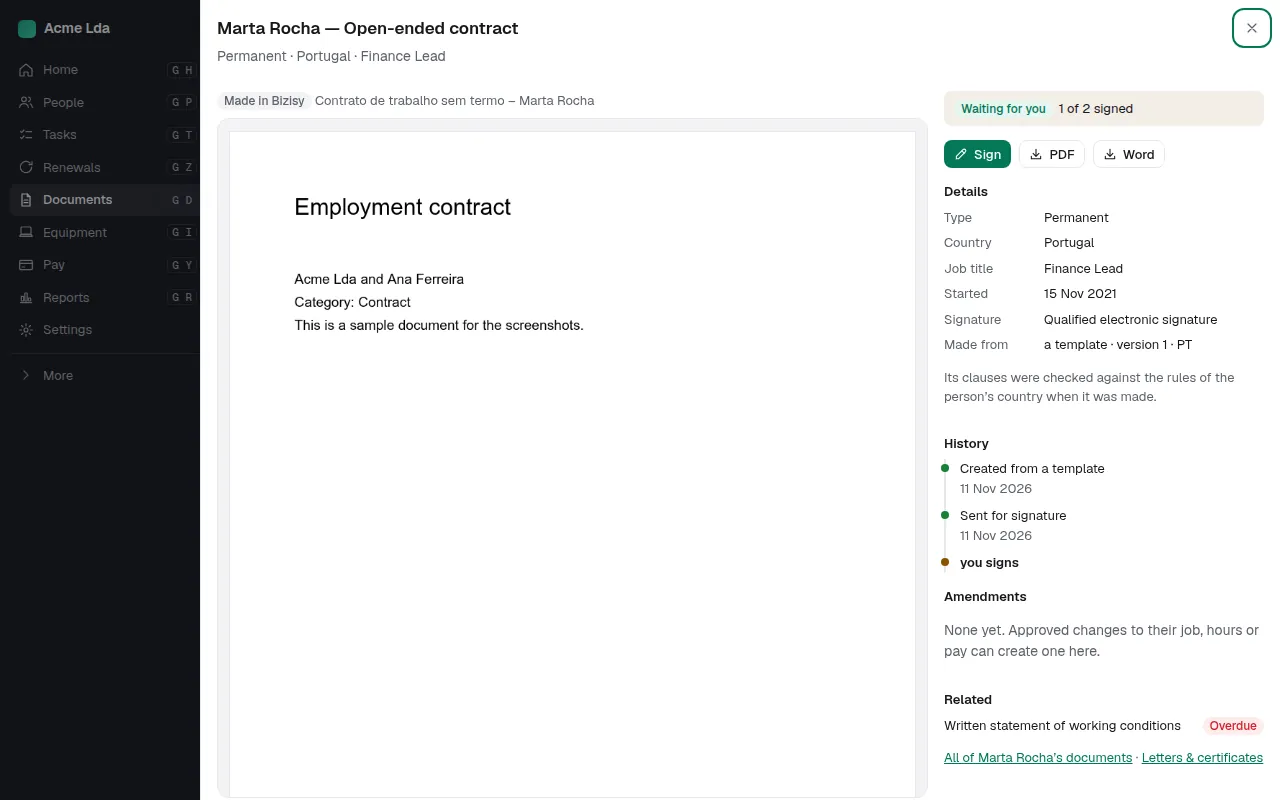
When you hire someone, a change takes effect or a fixed-term contract nears its end, Bizisy prepares the document the law asks for, such as an amendment. It waits under Documents → Overview for you to check and send; nothing goes out by itself. Each contract keeps its history: versions, amendments and signatures.
Tips
- Contracts ending soon also show on Coming up and on the org chart cards.
- Send a contract for signature from its menu: see the guide to sending documents for signature.