How to manage billing, storage and credits
· 1 min read
See what your plan costs and who counts, pay by invoice or card, follow the emails, storage and AI credits included each month, and buy more when you need them.

Bizisy is free up to 9 active people, then one price per active person per month, with every module included. Each month also includes some emails, storage and AI credits; you buy more only if you need them. Everything about it is in Settings → Plan and billing, for owners and admins.
1. See what you pay, and who counts
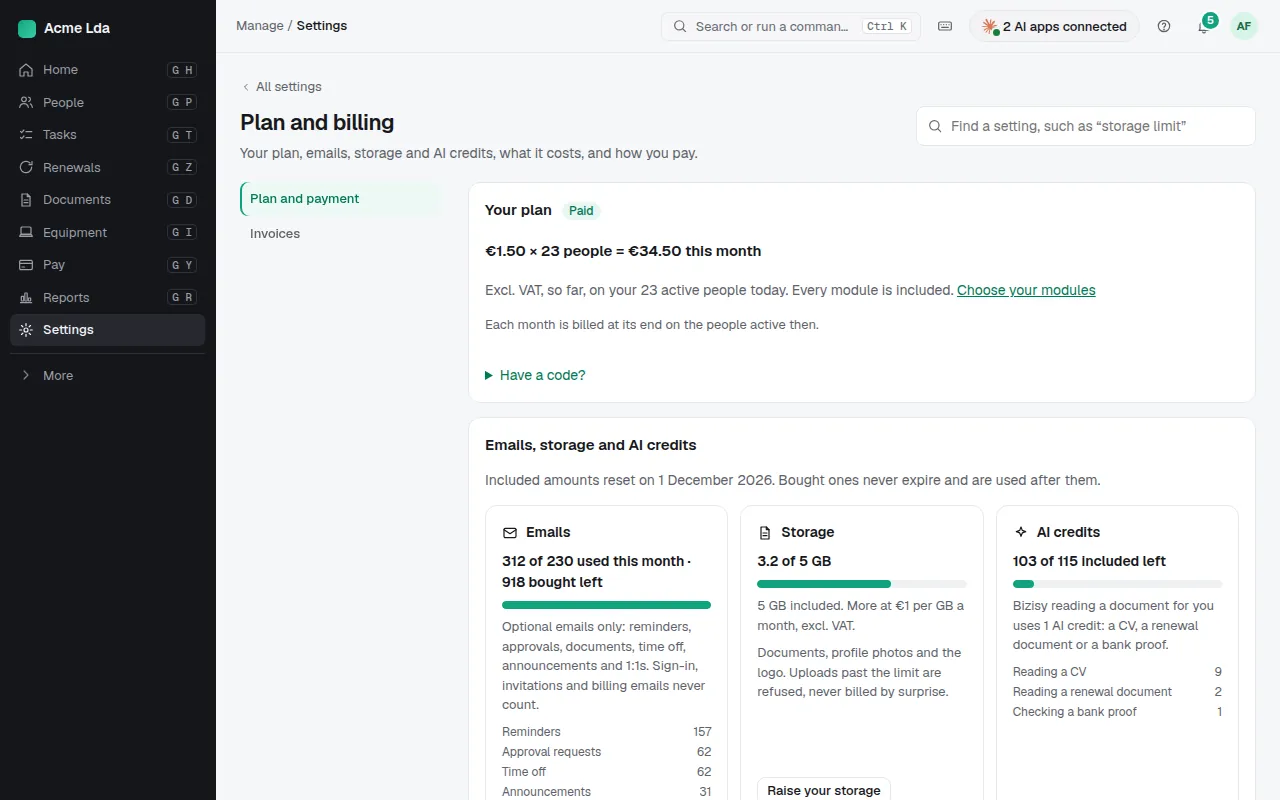
The page shows this month's estimate, such as "€1.50 × 23 people", and the next invoice date. You pay only for people who are working: each month is billed on the people active at its end. People who haven't started yet and leavers aren't counted.
2. Choose how you pay
Add your billing details (they go on every invoice), then pay by invoice (each month-end invoice is emailed to owners and admins, with 14 days to pay by card, SEPA Direct Debit or bank transfer) or by card, automatically at month end. Stripe keeps the card; Bizisy only sees its brand and last 4 digits. Every invoice and its receipt are under Invoices.
3. Emails, storage and AI credits
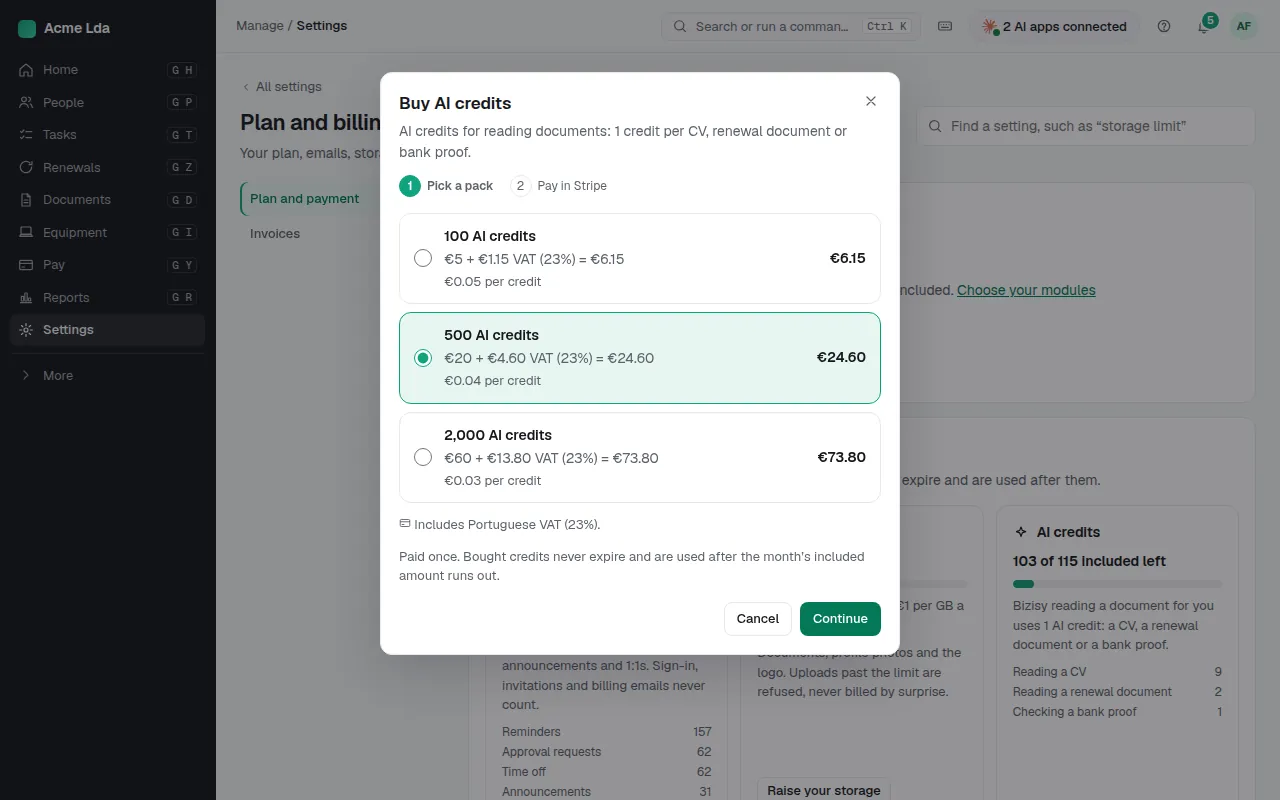
Usage (on the same page) shows the emails, storage and AI credits included this month and what's used. AI credits pay for work such as reading a CV, a renewal document or a bank proof. Buy more emails or AI credits when you run low: they're paid once, carry over, never expire and are used only once the month's included amount runs out. Included emails and AI credits start again on the 1st of each month. Raise your storage for a monthly price per extra GB.
Tips
- The free plan has nothing to set up or pay while you have up to 9 active people and no extra storage.
- To stop using Bizisy, an owner closes the company in Settings → Data and privacy → Close account.