How to make training mandatory
· 2 min read
Say which courses people must complete, by when and how often, and see at once who is overdue: remind them in one click, or exempt someone with a reason.

Some training isn't optional: safety for people on the floor, first aid for a few in every office, data protection for everyone. In Bizisy you make a course mandatory once, and Bizisy works out who must do it, by when, and who is late. Nothing runs in the background to keep up: the list is right whenever you open it.
1. Make a course mandatory
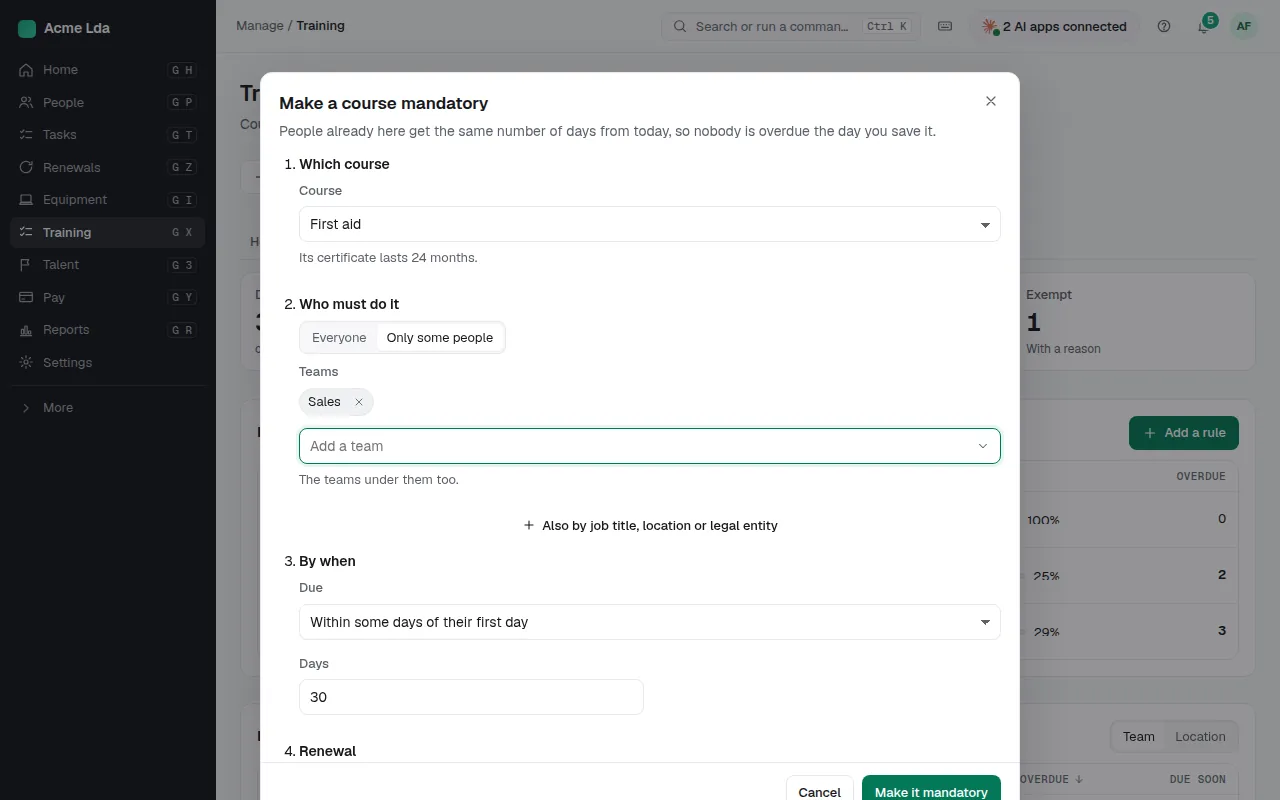
Under Training → Mandatory, choose Add a rule. Pick the course, then who must do it: everyone, or some teams (the teams under them too), job titles, work locations or legal entities. Say by when: within some days of their first day, within some days of joining the group (useful when someone moves to a role that needs it), or by a fixed date. Then the renewal: once is enough, again when the certificate expires, or every few months. Before you save, Bizisy tells you how many people it applies to today and how many would be due soon. People already working there get the same number of days from the day you save it, so nobody is overdue on day one.
2. See who is overdue
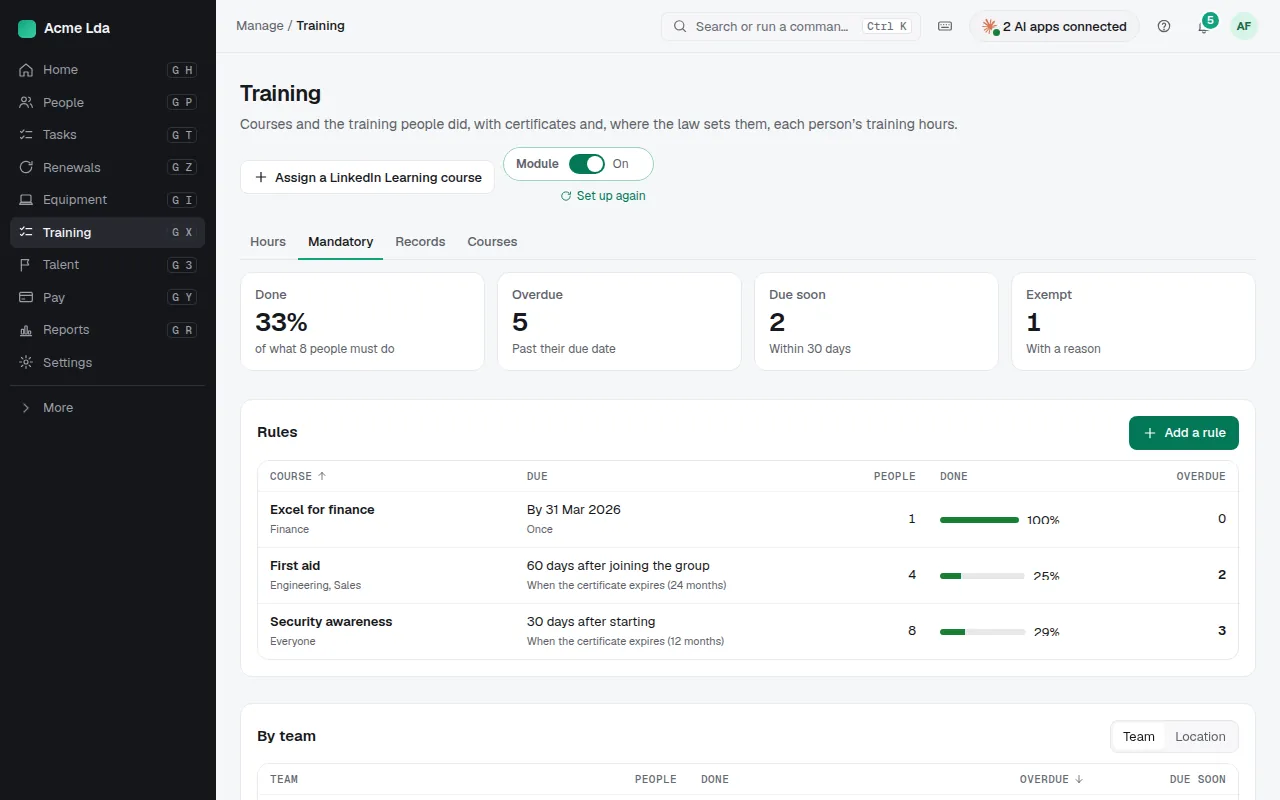
The page shows the share done, how many are overdue, due in the next 30 days and exempt; each rule with its share done; the same by team or by location; and the people, most urgent first. Filter by course, team, location or status, and Export CSV for an audit. A completion someone reported themselves shows as waiting for you: confirm it in Records and it counts at once.
3. Remind or exempt
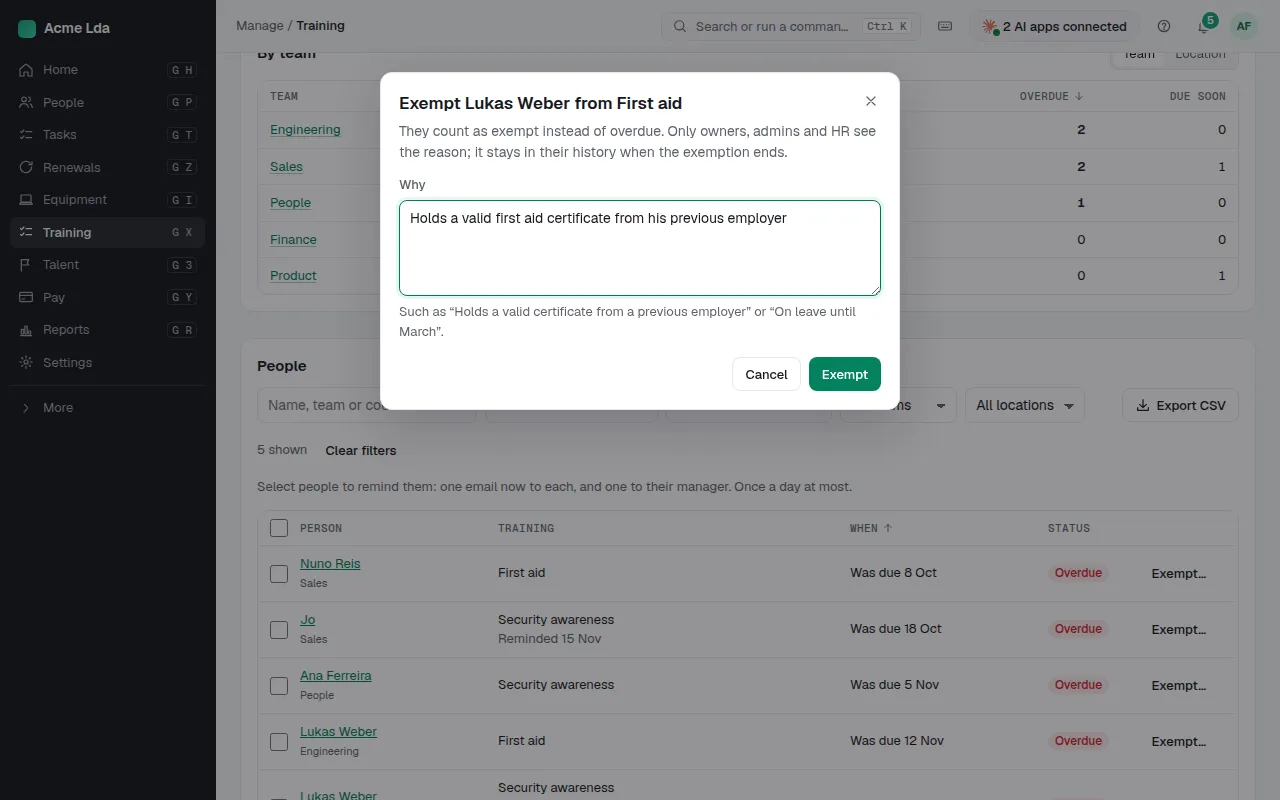
Select people and choose Remind: each gets one email now with the course and its date, and their manager a copy. Bizisy sends at most one a day per person and course. When someone doesn't need it (they hold a valid certificate from a previous employer, or they are on long leave), choose Exempt… and give the reason. Only owners, admins and HR see the reason; it stays in the person's history when the exemption ends.
4. What people and managers see
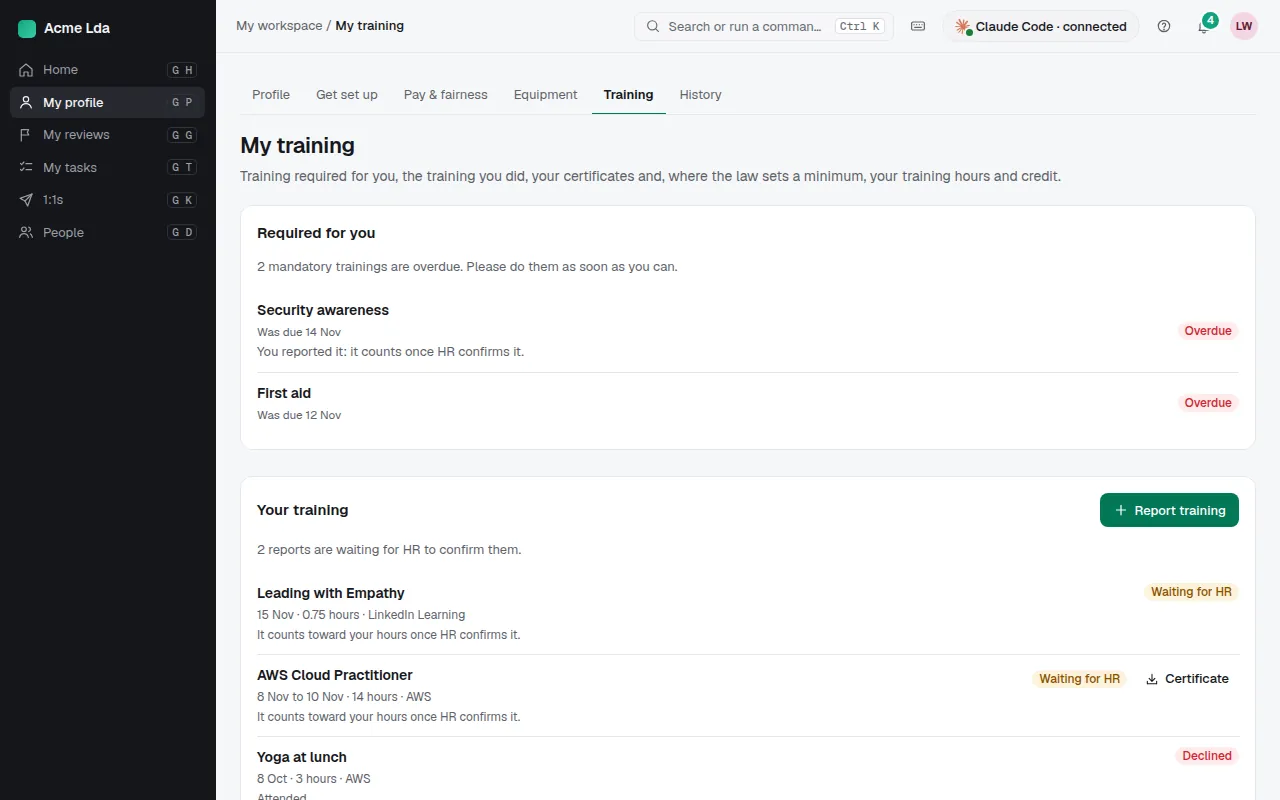
People see what is required of them in My workspace → My profile → Training, with the date to do it by. Managers see their team's mandatory training on each person's page and can remind them too. Home tells HR how many people are overdue and in which teams.
Tips
- Record a completion in Records (or let a connected learning tool do it): the person counts as done at once, and the renewal date follows from the course's certificate.
- A course you archive can't be recorded; the people under its rule show why until you restore it.
- ⌘K has Make a course mandatory and Mandatory training: who is overdue.