How to improve Ask HR's answers
· 1 min read
Reply to what people hand to HR, approve the company topics Ask HR drafts from your replies, fill the gaps your policies don't cover, and teach it your procedures as skills.

Ask HR answers people's questions from your policies and their own records, and hands to HR what it can't or shouldn't answer. Manage → Ask HR is where HR stays in charge: you reply to what was handed over, and Ask HR learns from your replies, only after you approve.
1. Reply to what was handed to HR
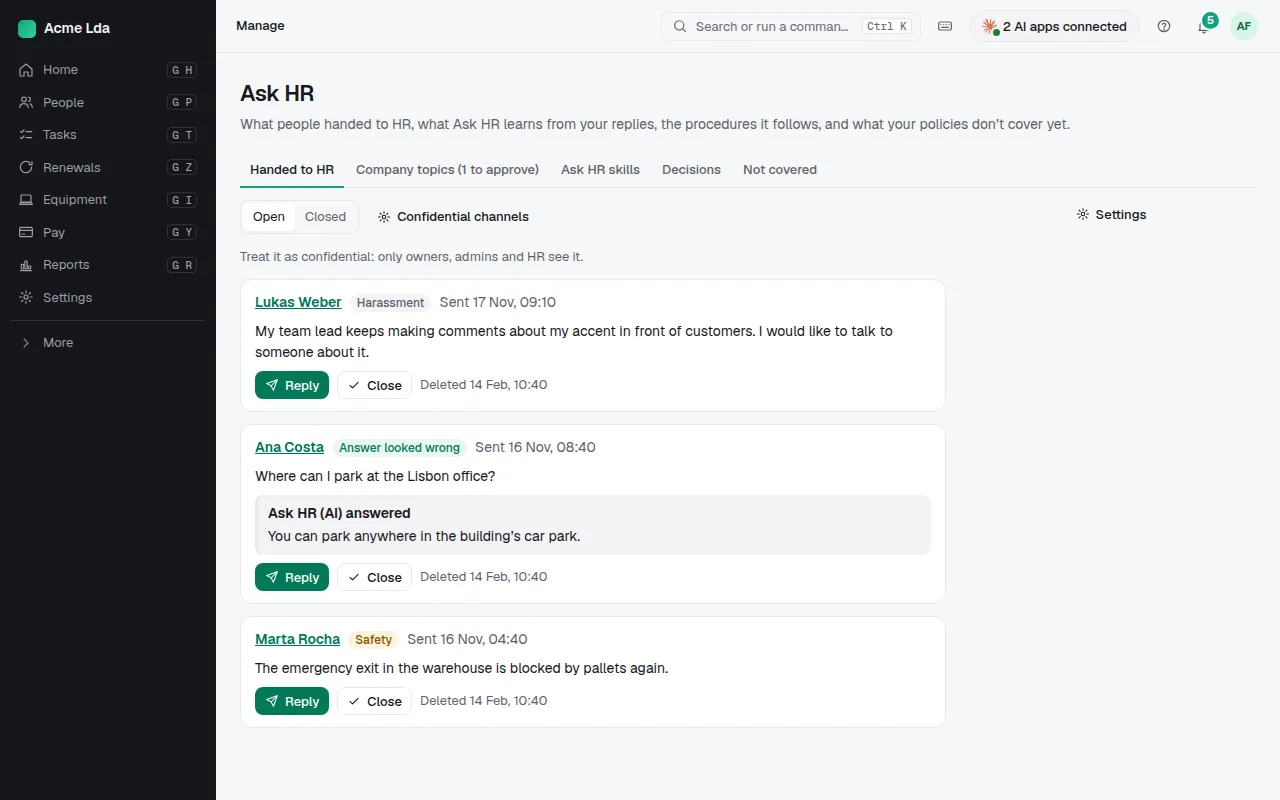
Handed to HR lists questions people passed to HR, such as an answer that looked wrong or a sensitive topic like harassment or wellbeing. Reply, then close it.
2. Approve company topics
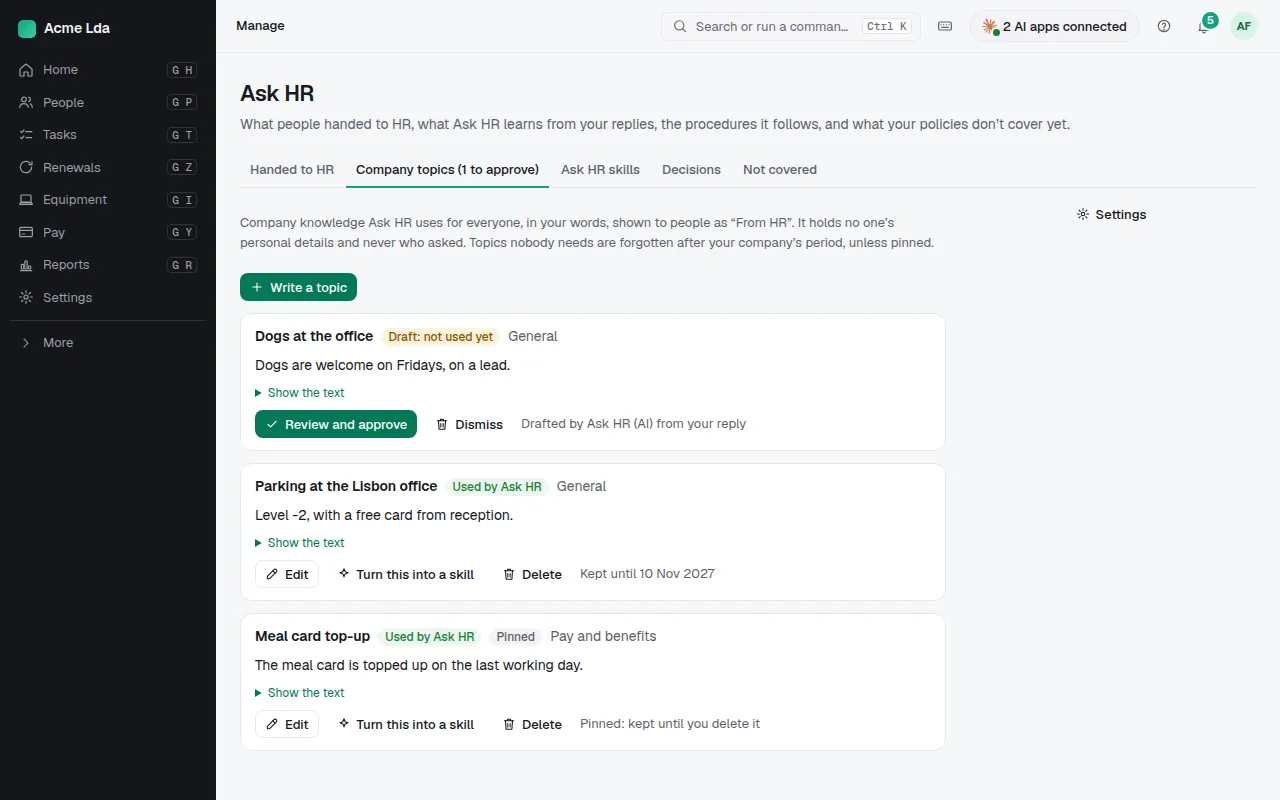
When you reply, Ask HR can draft a company topic from your words only, never the person's name or question. Nobody sees it until you approve it. Approved topics are company knowledge Ask HR uses for everyone, shown to people as "From HR"; pin one to keep it until you delete it.
3. Fill the gaps
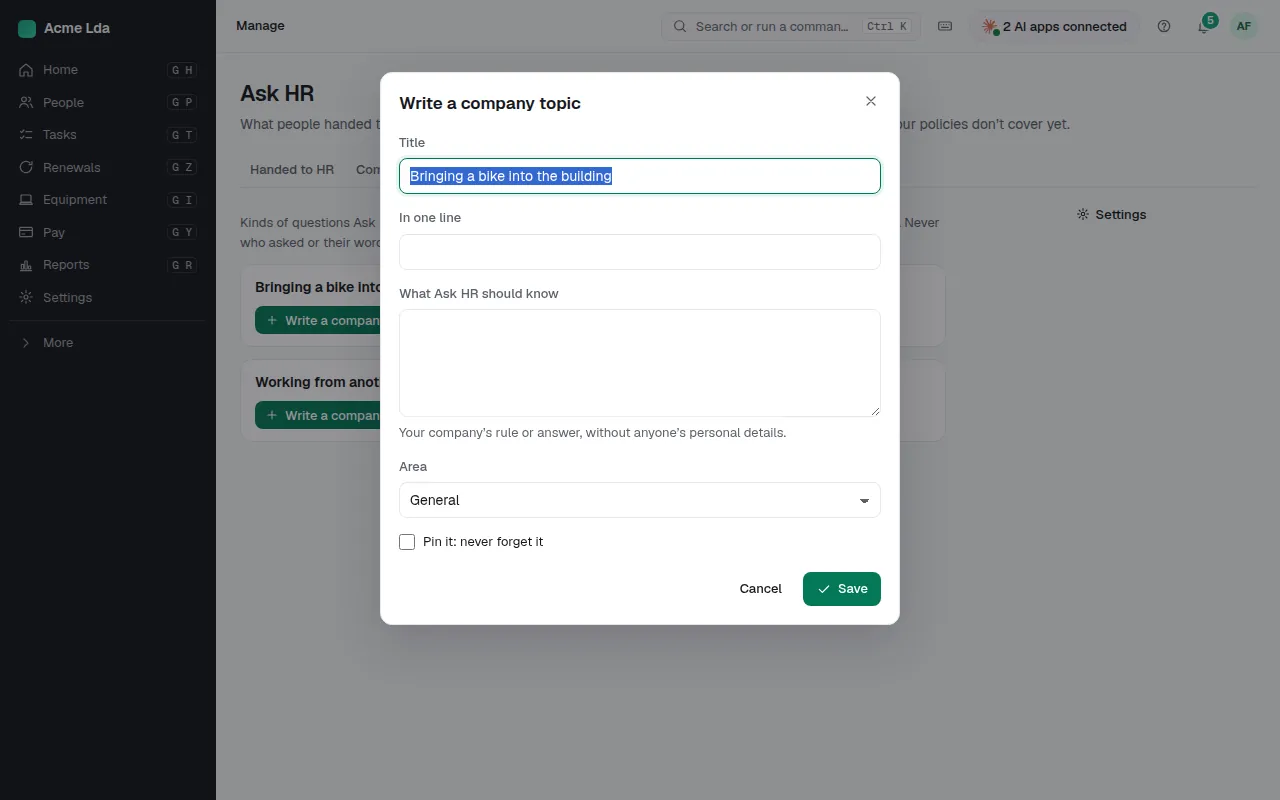
Gaps lists what people ask that your policies don't cover yet, such as bringing a bike into the building, with how often it's asked. Write a company topic to answer it once for everyone.
4. Teach it your procedures
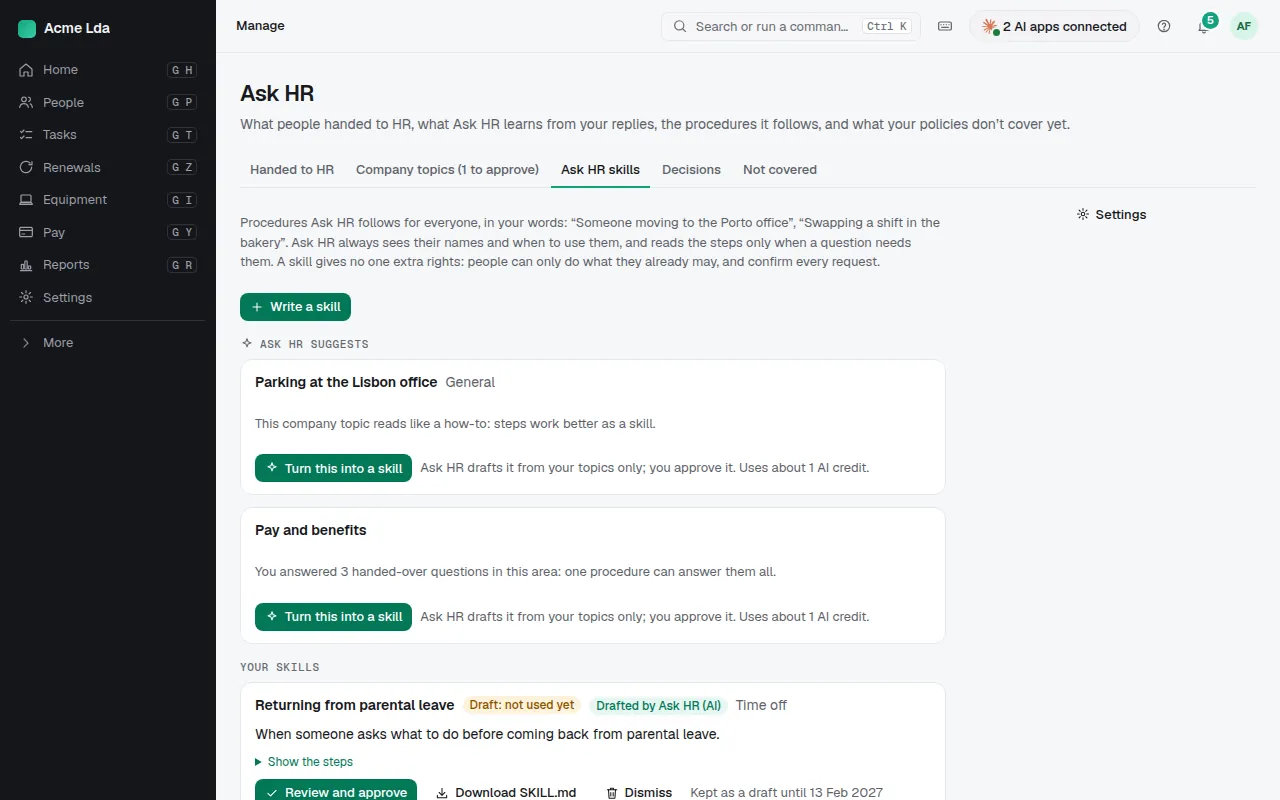
Ask HR skills are your company's way of doing things, step by step, such as swapping shifts in one location, and the actions Ask HR may help with. Ask HR suggests some from your topics; review and approve each one, or copy one of Bizisy's guides and make it yours.
Tips
- People see what Ask HR remembers about them in My workspace → Ask HR → Memory, and in Decisions what was decided on their requests, who or what decided it, and why.
- Drafting a topic uses about 1 AI credit.