How to create an API key
· 1 min read
Create a key to use Bizisy's REST API or MCP server from your own scripts and tools; it can do what your role allows, and you can revoke it at any time.

Everything you do in Bizisy is also available over the REST API and MCP, with the same permissions. An API key lets your own scripts and tools use them as you. Connecting an AI app such as Claude or ChatGPT doesn't need a key: it signs in with your account instead.
1. Create a key
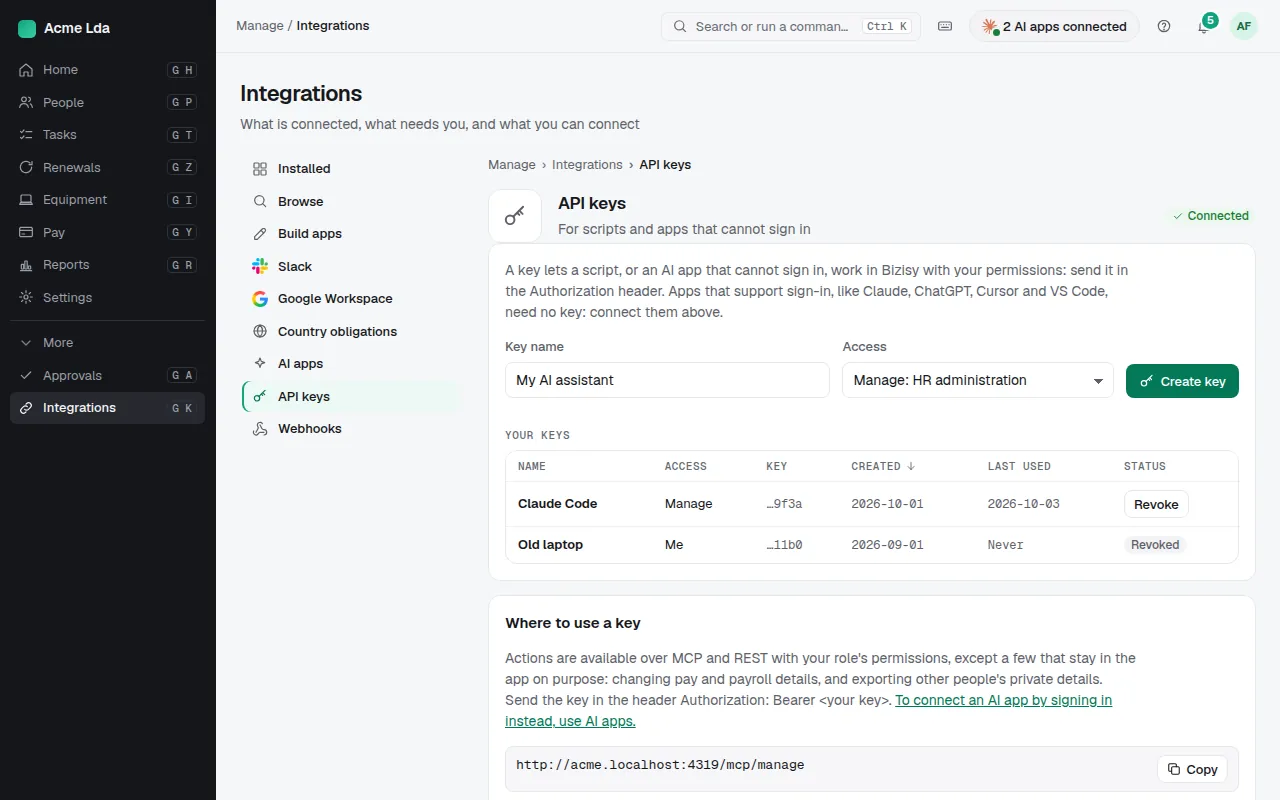
Open Integrations → API keys and choose Create key. A Manage key can do what your role allows in Manage; a few actions stay in the app on purpose, such as changing pay or payroll details and exporting other people's private details.
2. Copy it once
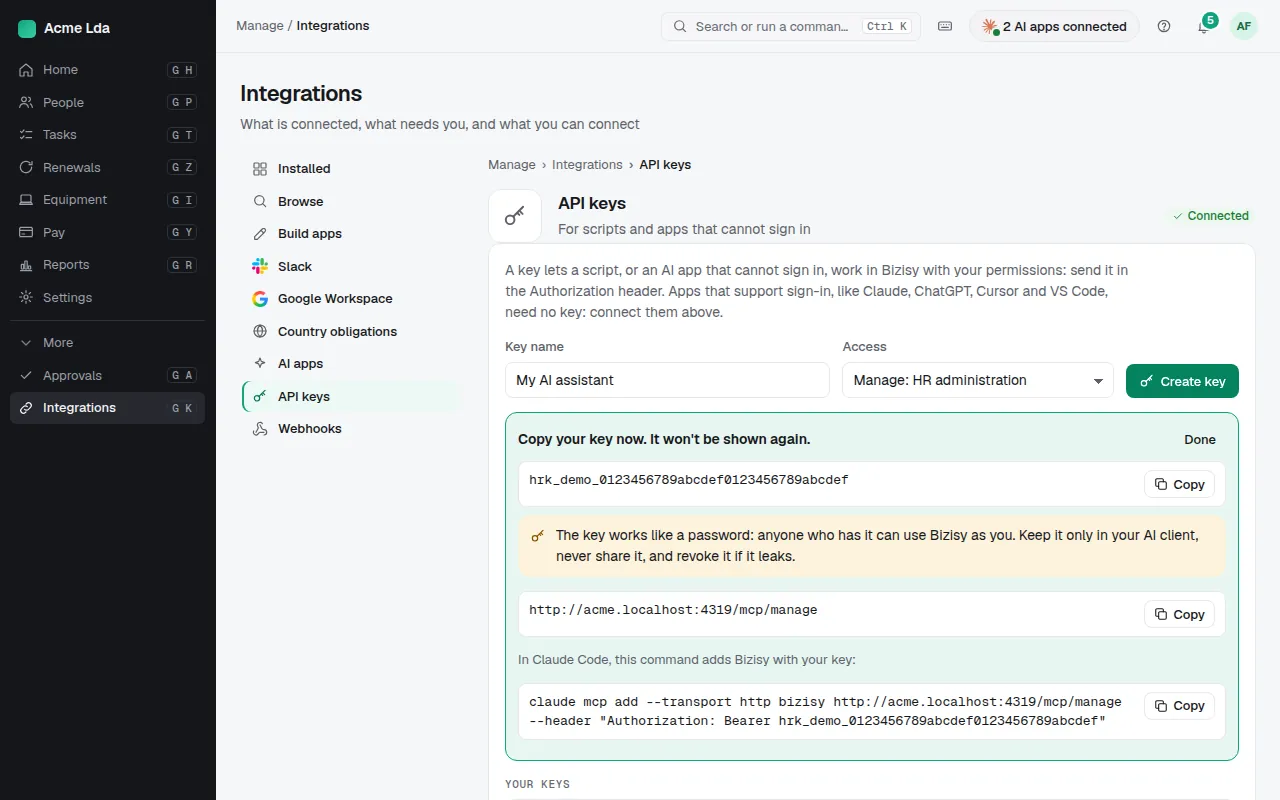
The key is shown once: copy it now and keep it where your tool reads it. It works like a password: anyone who has it can use Bizisy as you. Send it in the header Authorization: Bearer <your key>.
Tips
When a script is retired or a key may have leaked, Revoke it from the list.
The API reference and its machine-readable spec are on the developer site, linked from the page.
API keys never see other people's private or pay details unless your role is set to allow it.
Every change a key makes is recorded in Activity under your name.