How to connect a door terminal
· 3 min read
Let the badge or fingerprint terminal at your door send each punch to the time clock: connect a ZKTeco terminal in a few steps, or another brand through the API, map badge numbers to people and match the punches Bizisy didn't know yet.

Many workplaces already have a terminal by the door where people clock with a card, a fingerprint or their face. Bizisy can take each punch from it as it happens, so the time clock fills in by itself. The punches go through the same rules as the phone and the kiosk, and fingerprints and faces never leave the terminal: Bizisy only receives the badge number and the time.
1. Add the terminal
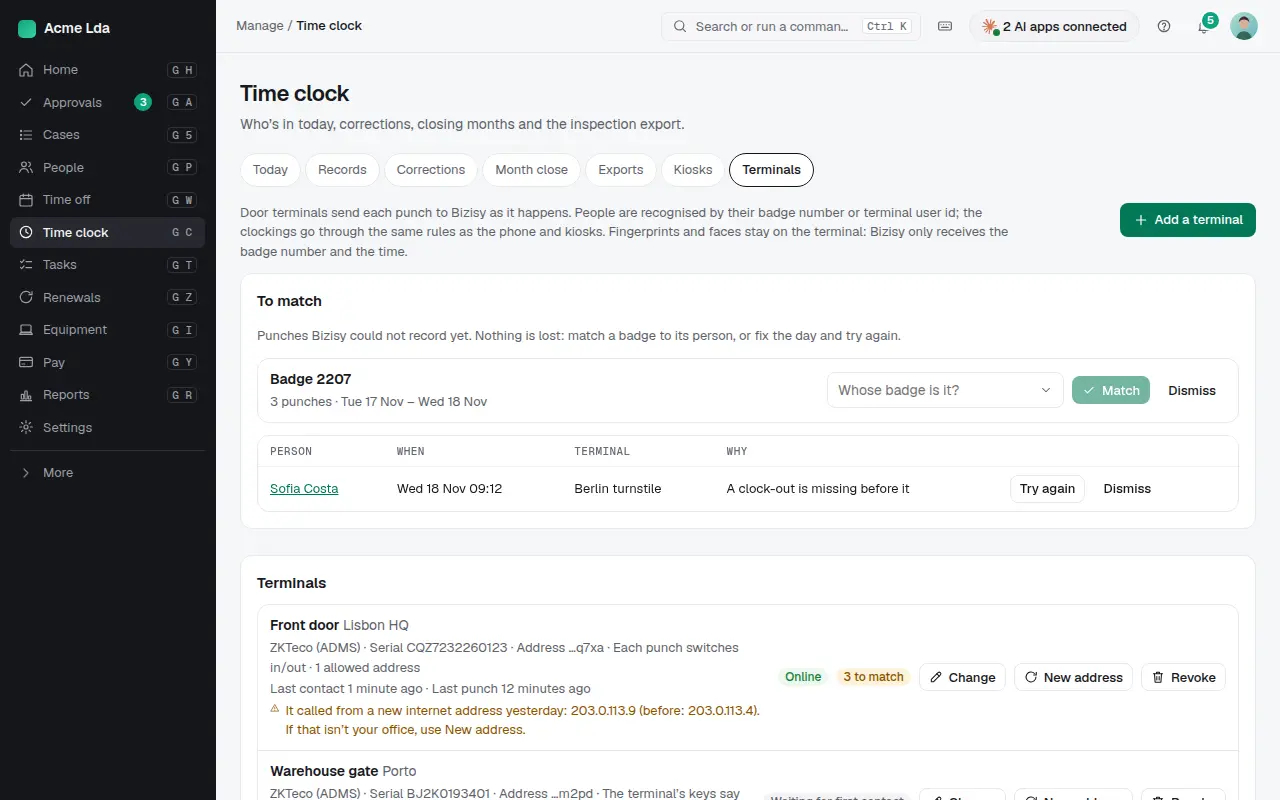
Open Time clock → Terminals and choose Add a terminal. Give it a name and the place where it stands (its time zone is used for the punches). For a ZKTeco terminal, type its serial number, which you'll find under Menu → System Info → Device Info or on the label on the back. In or out decides how a punch counts. By default each punch switches between in and out (and ends a break), which suits terminals without in/out keys. If people press the terminal's check-in, check-out and break keys, choose Use the terminal's keys.
2. Put its address in the terminal
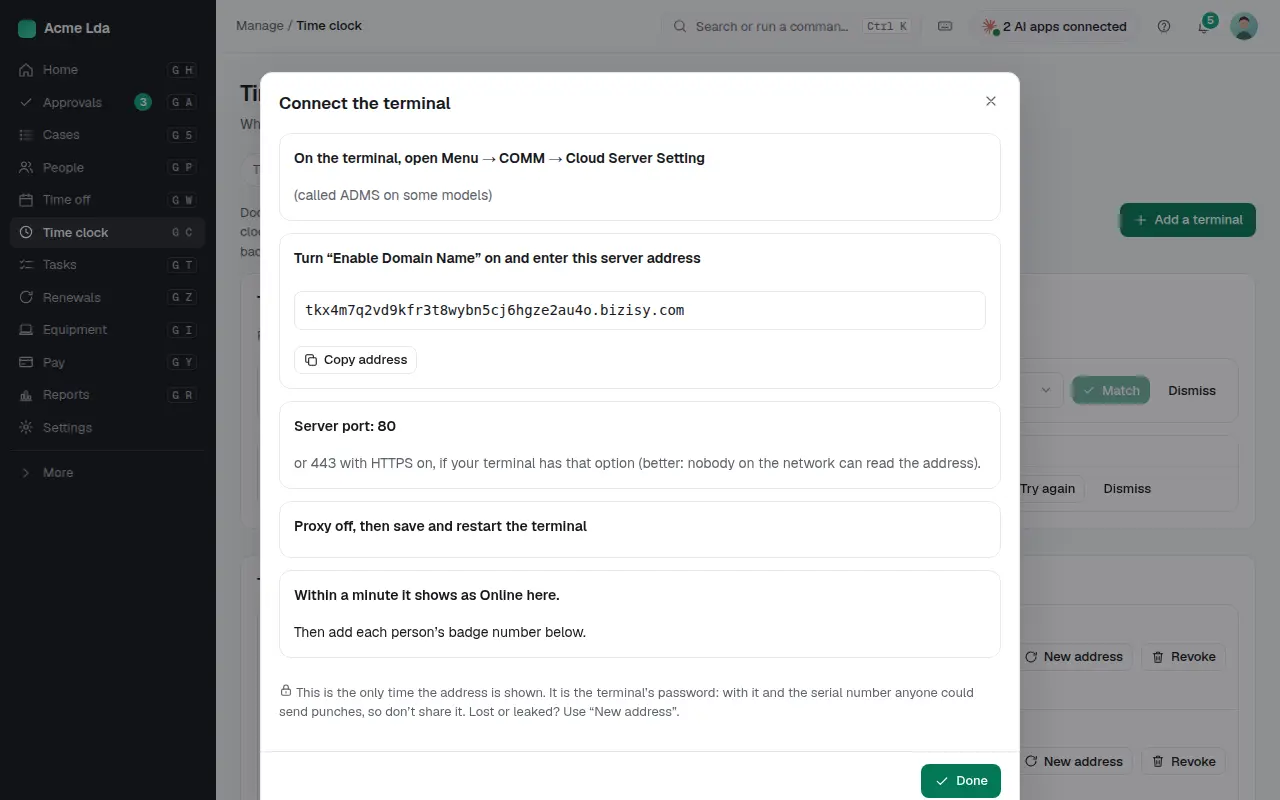
Bizisy shows the terminal's own server address, only once. On the terminal, open Menu → COMM → Cloud Server Setting (called ADMS on some models). Turn on Enable Domain Name, paste the address, set the port to 80 (or 443 with HTTPS on, if your terminal has the option), switch the proxy off, then save and restart. Within a minute the terminal shows as Online in Bizisy.
The address works like the terminal's password. Many terminals send it without encryption, so anyone on the network between the terminal and the internet could read it. With it and the serial number, they could send punches. To keep it safe:
- Use HTTPS (port 443) if your terminal offers it.
- Under Security: allowed addresses, enter your office's public IP address: calls from anywhere else are refused.
- If you think the address leaked, choose New address. The old one stops working at once, and the terminal keeps its punches until you enter the new one.
Terminals that only accept an IP address, not a domain name, can't connect: update their firmware or connect them through the API.
3. Map people's badges
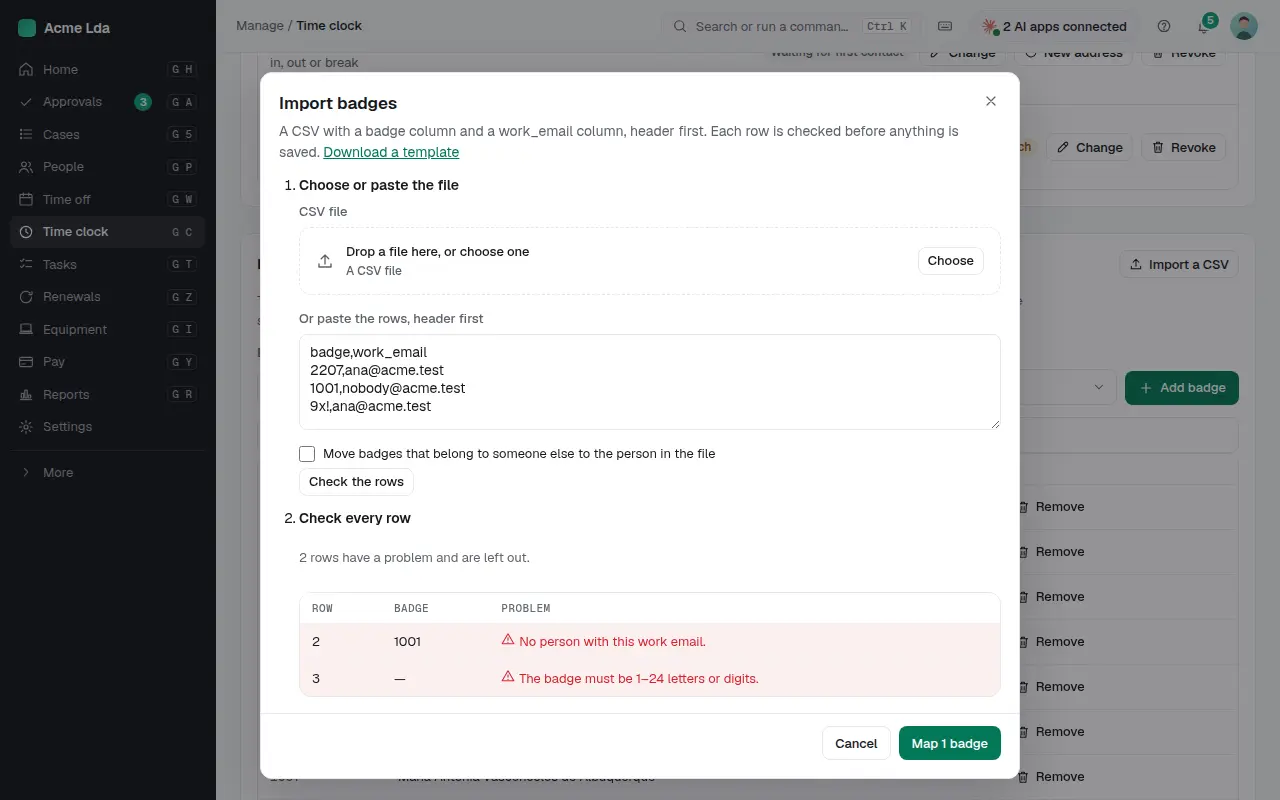
Each person is known by the number they use at the terminal: their card number or their user id on the terminal (Menu → User management). Add badges one at a time under Badges, or choose Import a CSV with a badge and a work_email column. Every row is checked before anything is saved, and big files go in parts, so a company of thousands imports in one go. The same number works on every terminal.
4. Match what Bizisy didn't know yet
Punches are never lost. A punch with a badge nobody has yet waits under To match: pick whose badge it is and choose Match, and its punches are recorded. Punches older than 15 minutes count as HR's change to that person's record: where your company has people confirm HR's changes, they wait for the person to confirm them in My workspace. A punch a rule held back also waits there with the reason, such as a missing clock-out the day before or a month already closed. Correct the day in Records, then choose Try again. Dismiss removes a punch that wasn't real, such as a test card.
Tips
- The terminal list shows when each terminal last called and warns when one has been offline for hours. The terminal keeps its punches while it's offline and sends them when it's back.
- The same punch sent twice counts once, and a second tap within a minute too. A terminal clock running up to 15 minutes fast is tolerated.
- Another brand, or software that collects the punches for you? Add it as Another brand, through the API and send the punches with
timeclock.punches.ingestusing an owner's, admin's or HR API key (see the developer reference, Door terminals). It sends badge numbers, never names. Punches sent more than 15 minutes after they happened count as a change to the person's record: where your company has people confirm HR's changes, each person confirms them in My workspace first. AI apps can't send punches. - People see their own taps that didn't count yet, and why, in My workspace → Time clock.
- The terminal list warns when a terminal calls over plain HTTP without allowed addresses, and when it starts calling from a new internet address.
- Nobody matches a badge to themselves: another owner, admin or HR member does it.