How to share company policies
· 1 min read
Publish a policy to everyone or a group: each person reads it in My workspace and confirms they've read it, Bizisy reminds them, and you see who is missing.

A policy only helps if people read it. In Bizisy you publish a policy to everyone employed, or to a saved group; each person reads it in My workspace and confirms they've read it, and you can see who hasn't.
1. Publish a policy
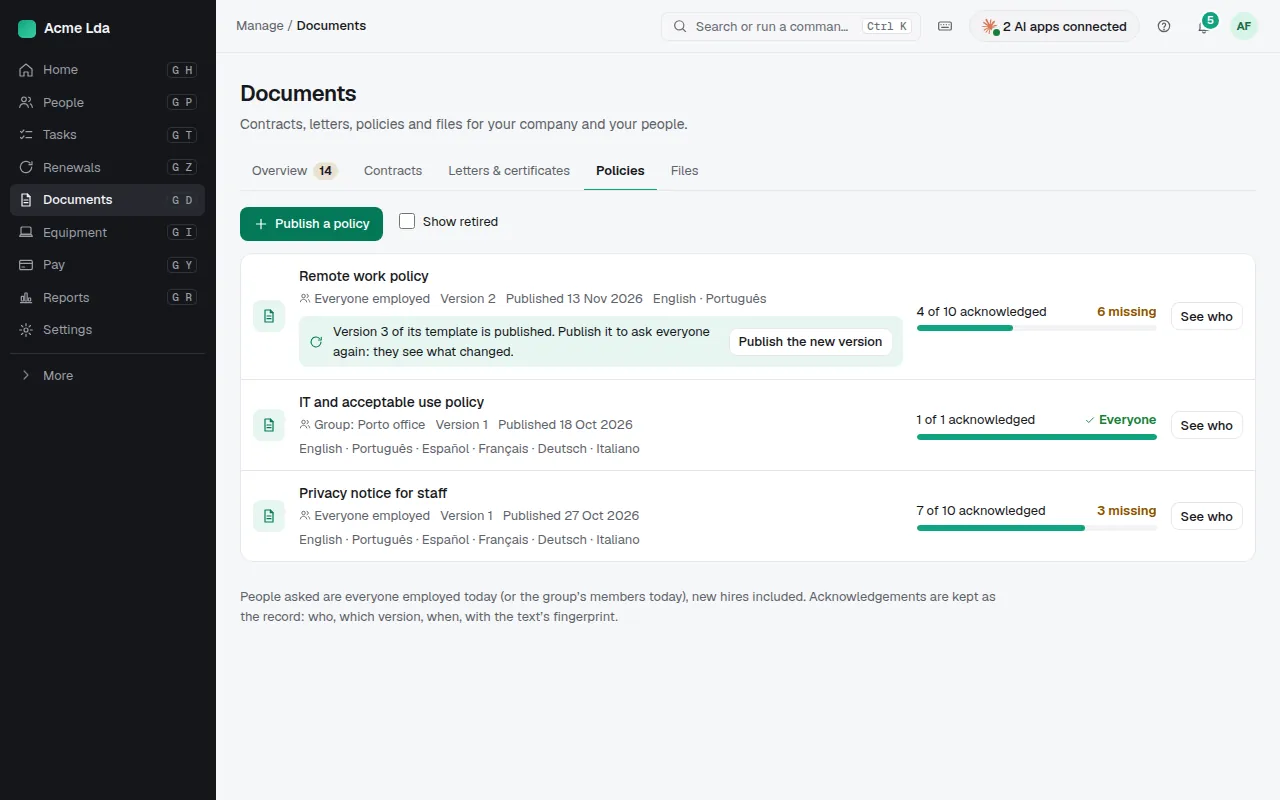
Open Documents → Policies and choose Publish a policy. Start from one of your templates or from Bizisy's, such as the employee handbook or the IT and acceptable use policy, and choose who is asked: everyone employed today, new hires included, or a saved group.
2. People read and confirm
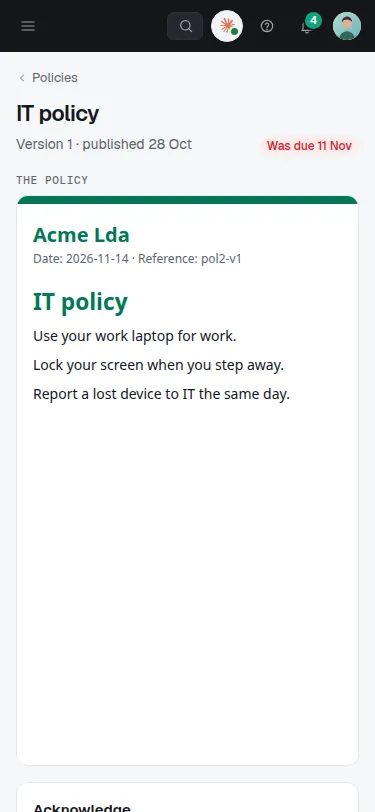
Each person finds the policy in My workspace → Documents and confirms "I have read this". Bizisy reminds those who haven't. Acknowledgements are kept as the record: who, which version and when.
Tips
When a policy changes, publish the new version to ask everyone again: they see what changed.
For news that doesn't need a confirmation, post an announcement instead.
Ask HR can answer people's questions from your published policies.