How to set public holidays per location
· 1 min read
Public holidays follow each location's country and region; add the days your company closes, or mark a holiday as a working day at one location.

Public holidays in Bizisy come from where people work: each location's country, and its region where the region has holidays of its own. They are never deducted from anyone's balance. You add the days your company closes on top.
1. Give each location its country and region
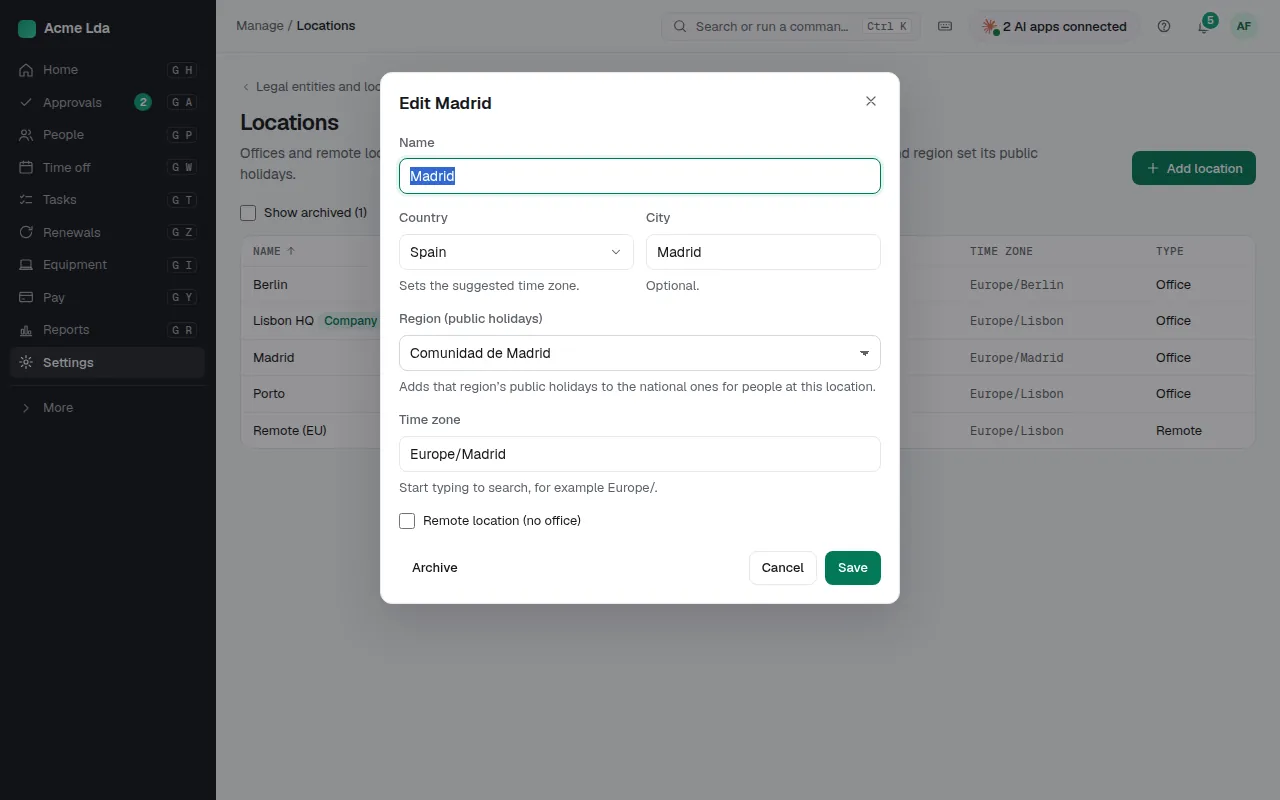
In Settings → Legal entities and locations → Locations, open a location and check its country and, where it matters, its region: Madrid adds its own holidays to Spain's national ones, for example. A country without regional holidays says so. The first location also sets your company's time zone.
2. Check the holidays
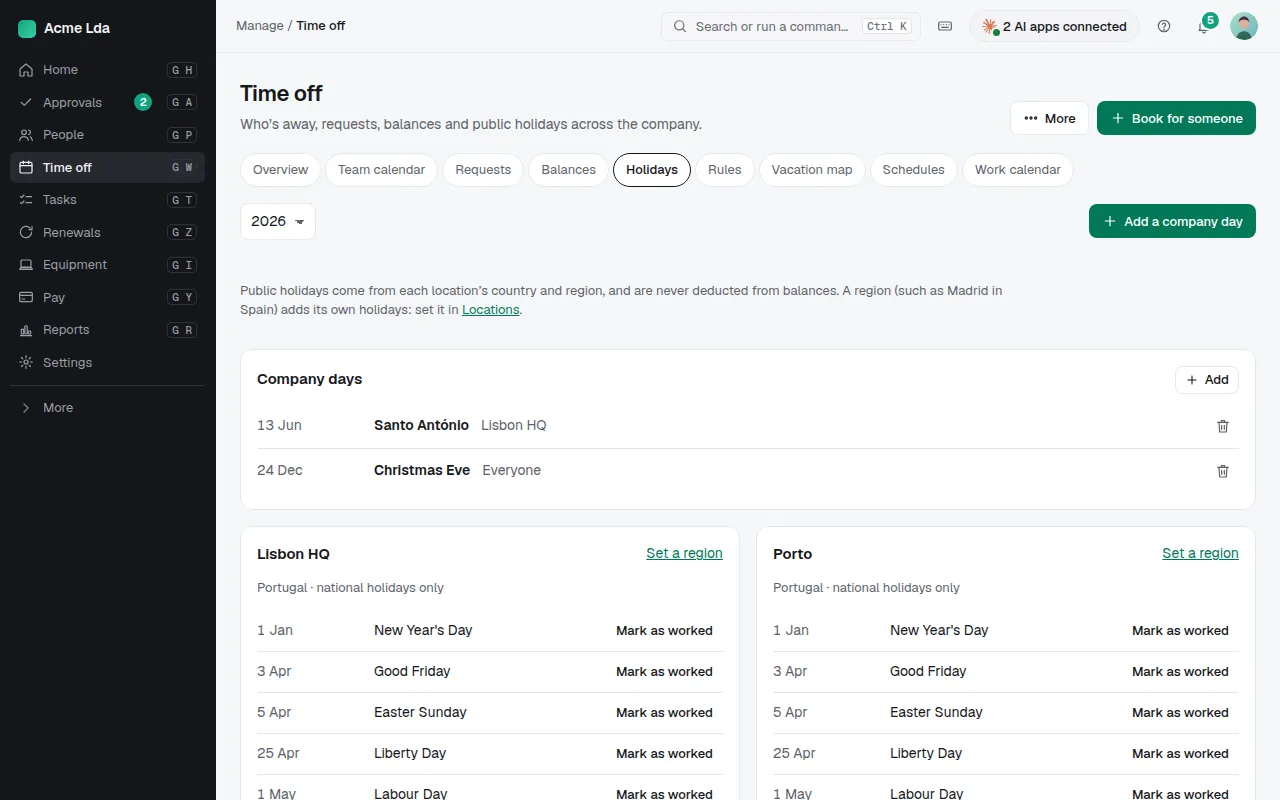
Time off → Holidays lists each location's public holidays for the year. If your company works on one of them at a location, choose Mark as worked for that place; you can make it a day off again later.
3. Add the days your company closes
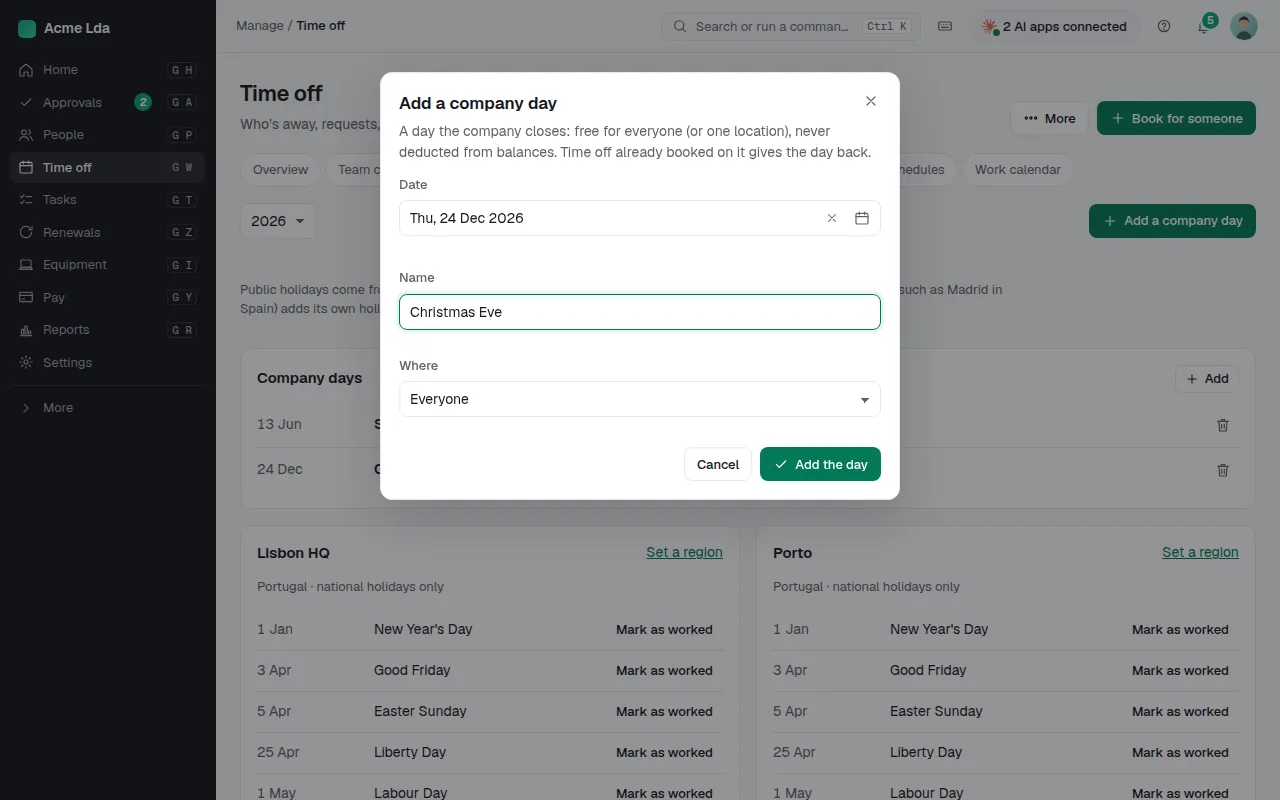
Choose Add a company day for days such as 24 December. A company day is free for everyone, or for one location, and never costs anyone a day; time off already booked on it is given back.
Tips
- Where Bizisy has no holiday data for a country yet, it says so: add the days off as company days for that location.
- People see their own location's holidays in My workspace → Time off → Work calendar.