How managers look after their team in My workspace
· 1 min read
Managers find their team in My workspace: who's away, approvals for time off and corrections, 1:1s, goals and reviews, without needing access to Manage.

Managers don't need Manage to look after their team. In My workspace they see their people, what's waiting for their decision, and who's away, with exactly what their role lets them see.
1. My team
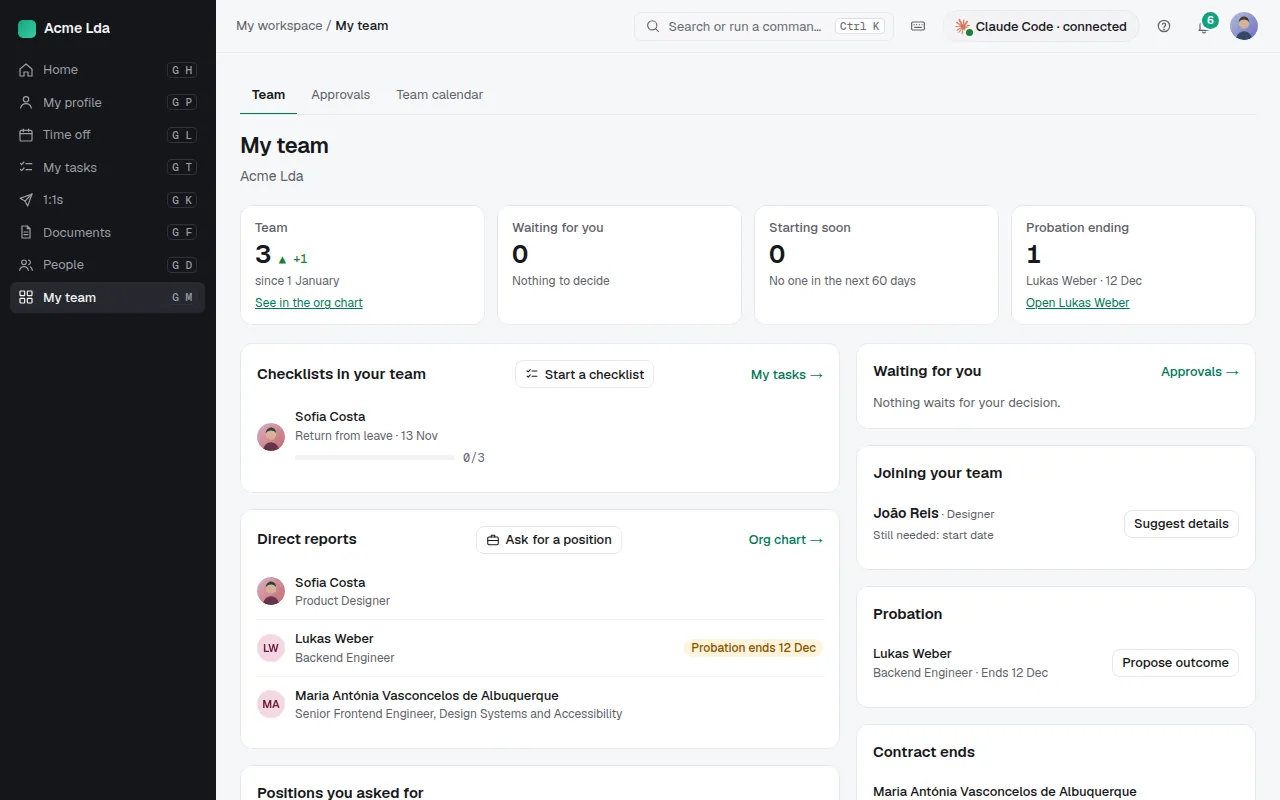
My workspace → My team shows what's waiting for the manager, who is starting soon, probations ending, and onboarding or offboarding checklists in the team, with the direct reports (and dotted-line reports) below. Open a person to see their profile, with the details a manager may see.
2. Approvals
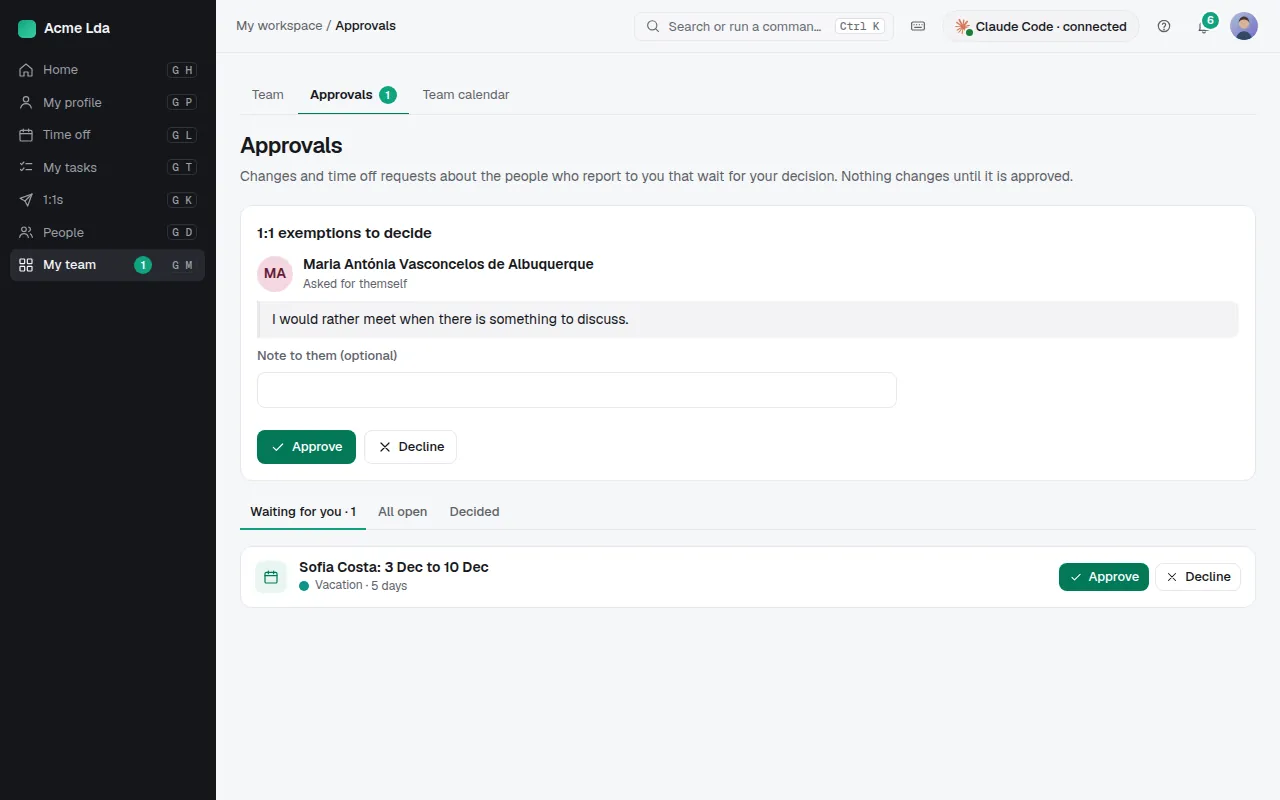
Approvals collects what waits for the manager's decision: time off, time clock corrections, shift swaps and job changes, depending on your company's approval rules. Approve, or decline with a reason the person sees.
3. Who's away
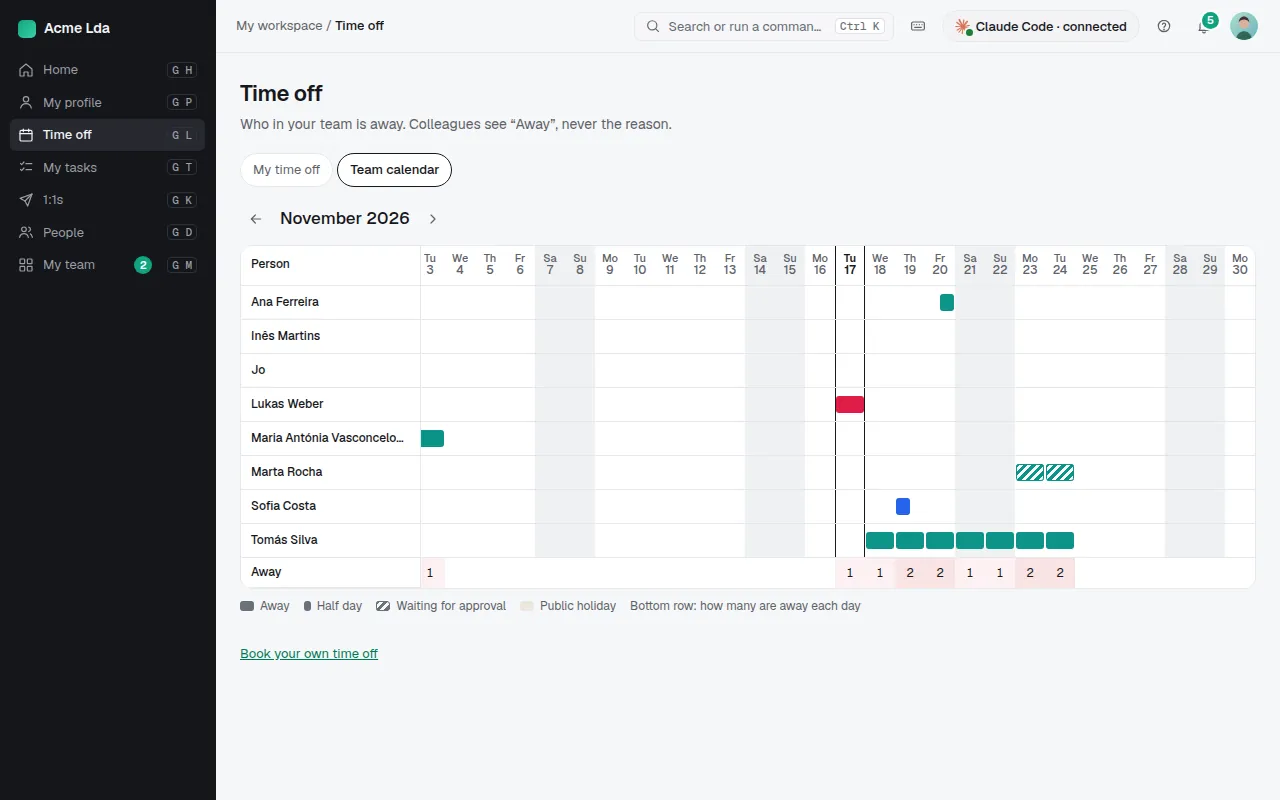
Time off → Team shows who's away on each day. Where the time clock is on, Time clock → Team shows who's in today.
Tips
- Managers run their 1:1s, set goals and write reviews for their team from My workspace too.
- A manager sees health-related absence as "Away", never the type.