How to install apps from the directory
· 1 min read
Browse Bizisy's integrations and the apps other developers built, see what access an app asks for before you install it, and uninstall it at any time.

Bizisy connects to the tools you already use: some integrations Bizisy builds itself, and apps that other developers build on its API, MCP and webhooks. They're all under Integrations, with what each one may see and do before you allow it.
1. Browse
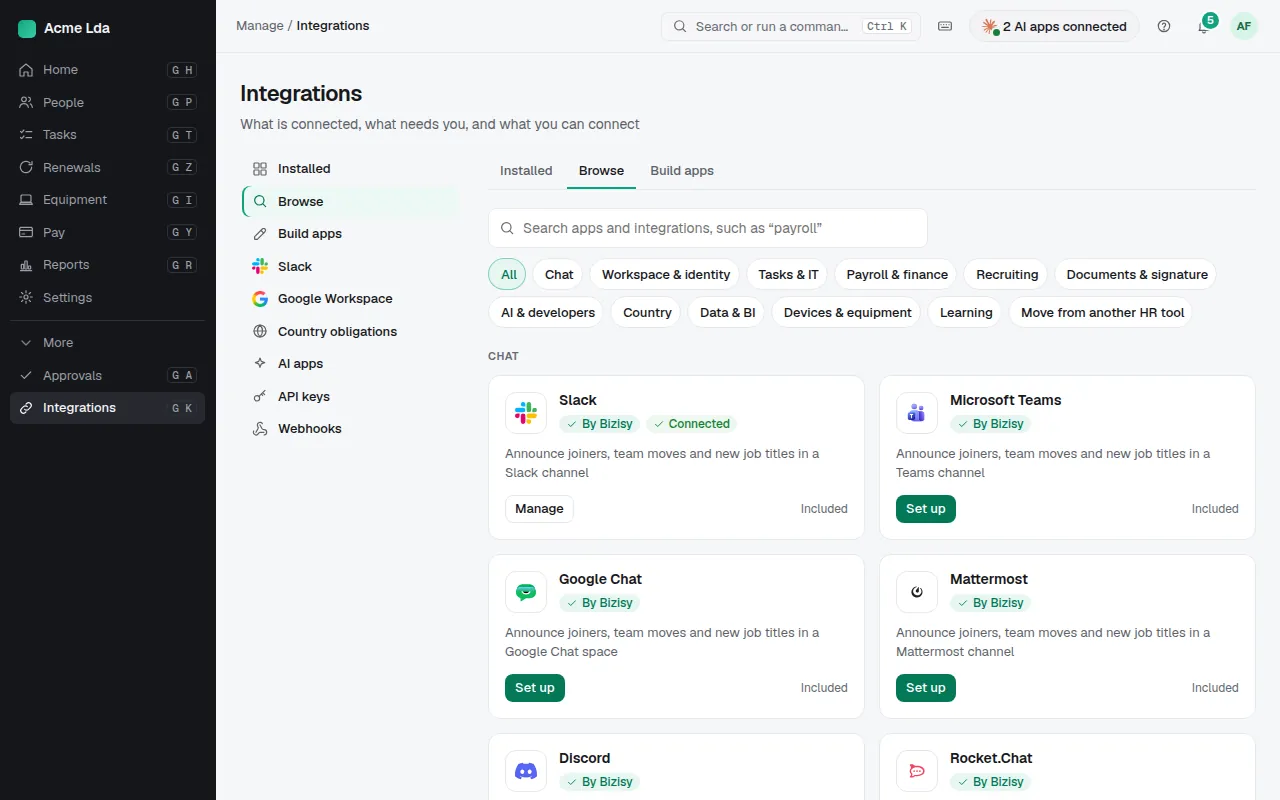
Open Integrations → Browse. Bizisy's own integrations show "By Bizisy"; apps by other developers appear once Bizisy has reviewed them, with "Verified" and the company behind them when it's confirmed. Search or filter by what you need.
2. Install an app
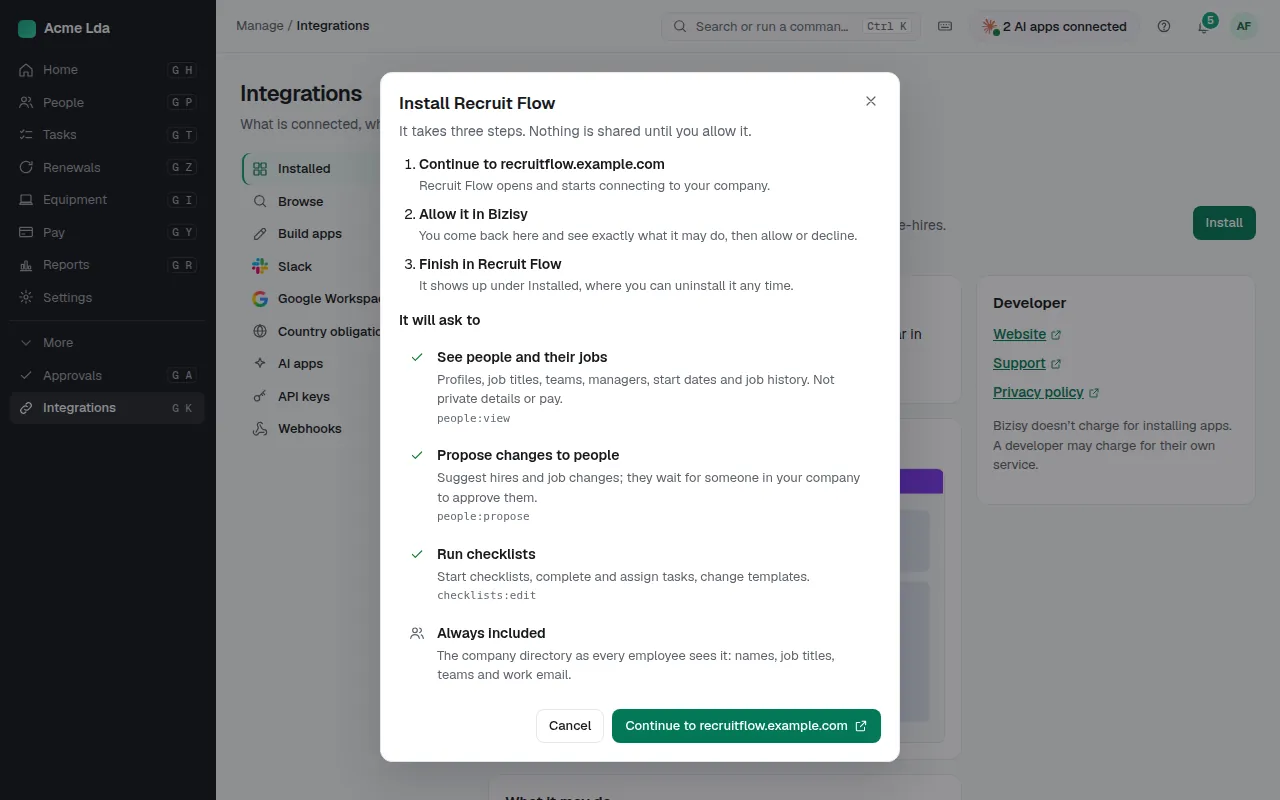
Open an app and choose Install. You see the access it asks for and continue to the app to finish. Owners and admins decide; an app never gets more than the company allows at install.
3. Keep an eye on installed apps
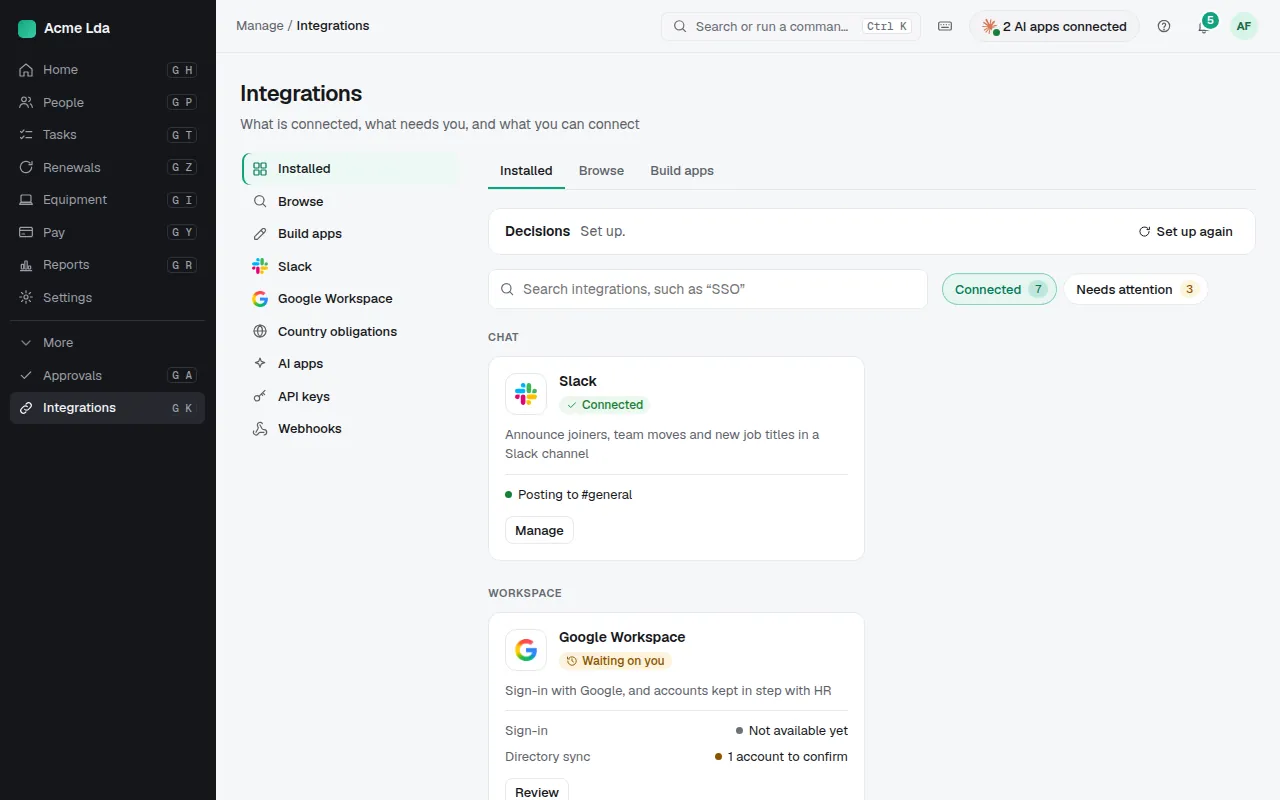
Integrations lists the installed apps. An app that wants more access says so, and nothing changes until you allow it. Uninstall an app from its page whenever you no longer use it.
Tips
- Building your own app? The developer site at developers.bizisy.com has the docs and a sandbox.
- A private app of your own company's developers can be installed here without a public listing.