How to correct time off balances and carry-over
· 1 min read
Set how unused days carry over and when they lapse, check everyone's balance, and adjust one with a reason the person sees, or import opening balances.

Each person's balance in Bizisy is worked out for them: their entitlement for the leave year, plus days carried over and adjustments, minus what they took and booked. You set the policy once; when something needs correcting, you adjust it with a reason the person can see.
1. Set the allowance and carry-over
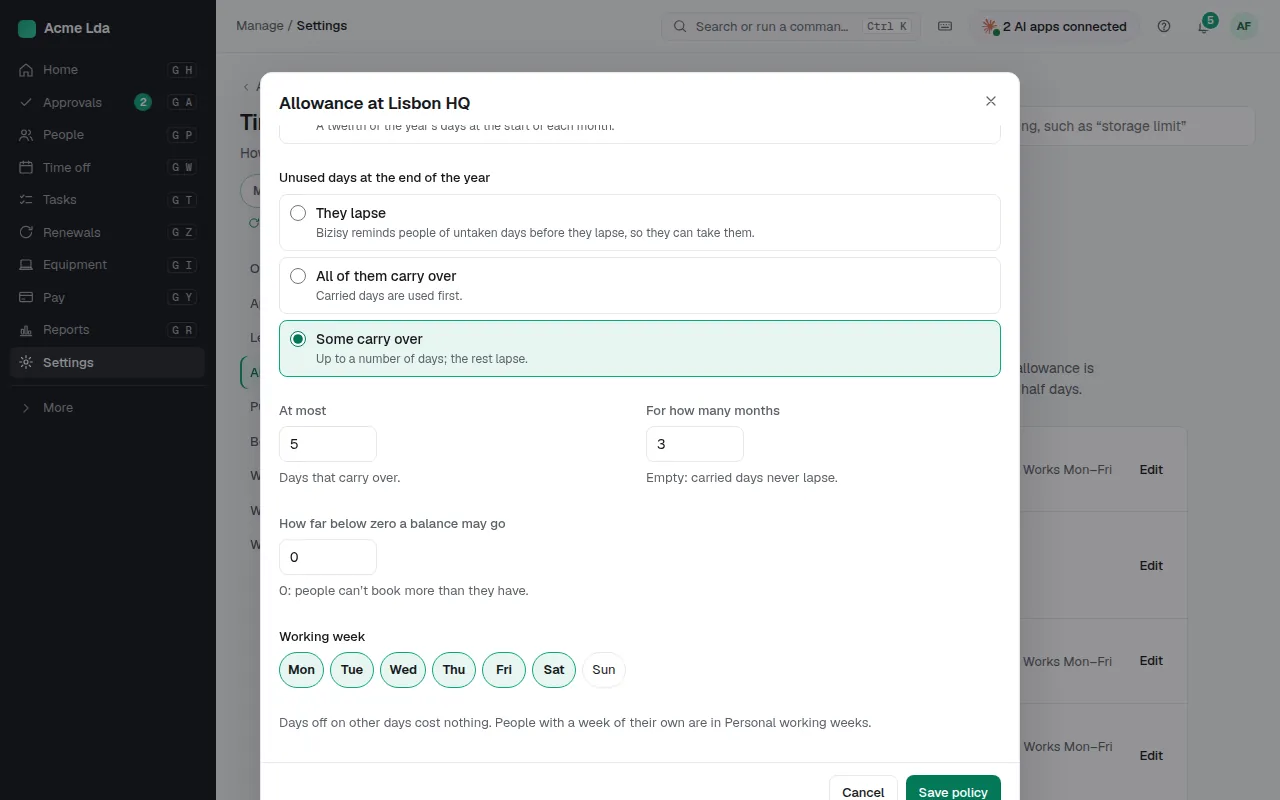
In Settings → Time off → Allowances, each location's policy sets the days a year (starting from its country's legal minimum, with the article it comes from), the working week, and what happens to days not taken: none carry over, some do, or all do, and whether carried days lapse on a date. Carried days are used first. People who work part time or join during the year get their share, worked out for them.
2. Check everyone's balance
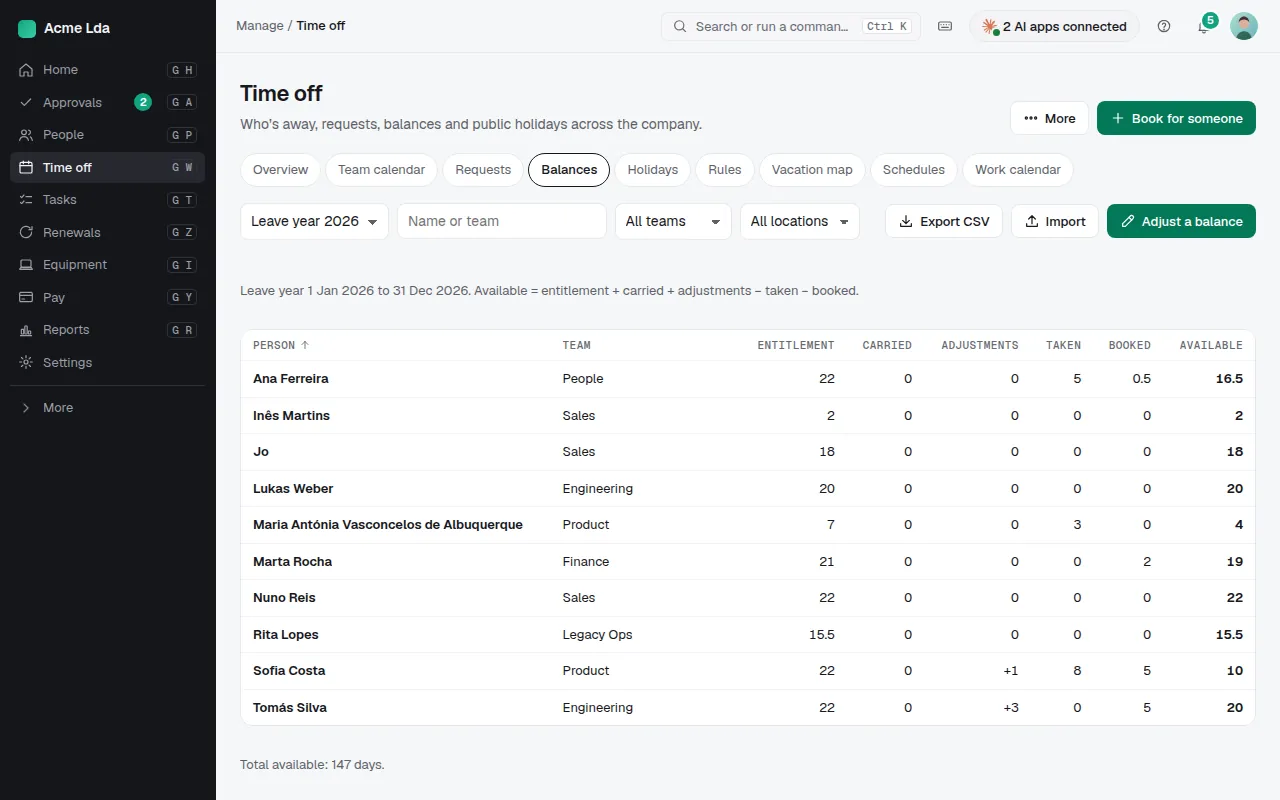
Time off → Balances shows each person's entitlement, carried days, adjustments, days taken and booked, and what's available, for the leave year. Filter for people with days about to lapse.
3. Adjust a balance
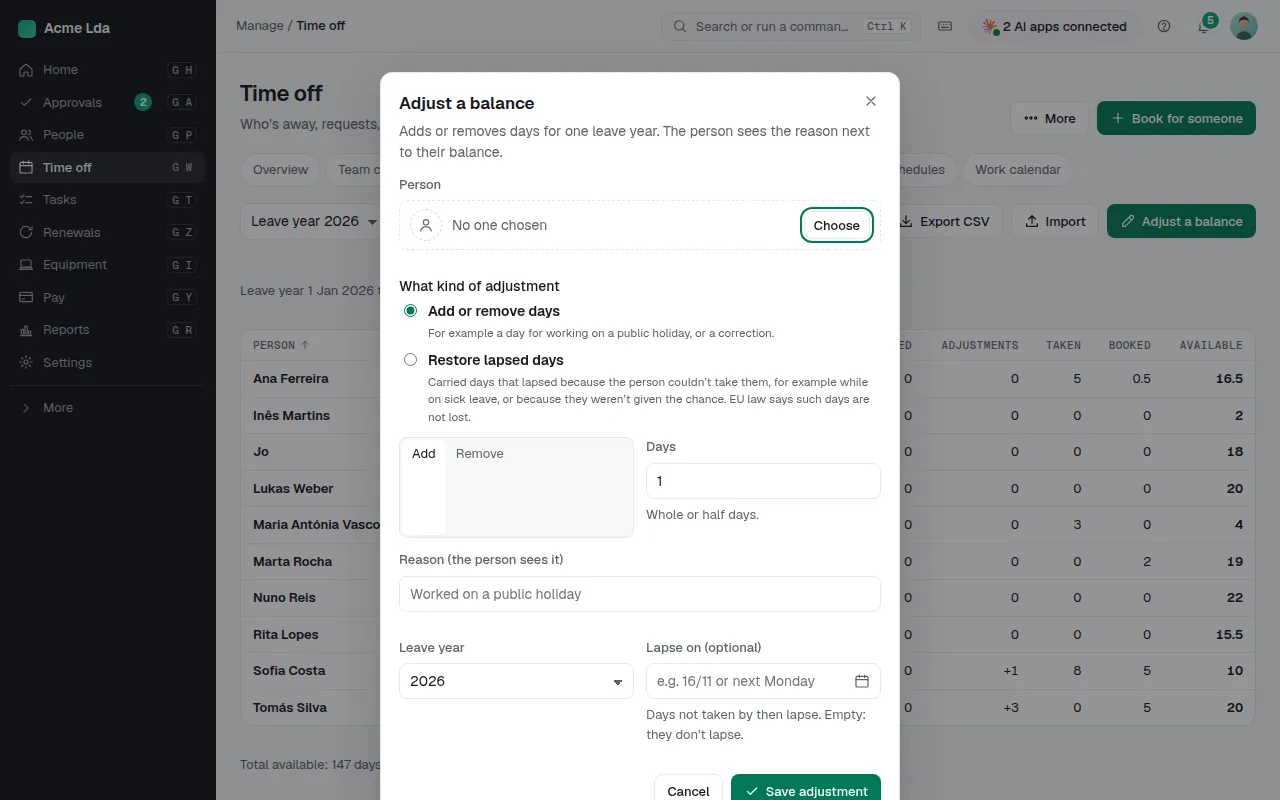
Choose Adjust a balance, pick the person and the kind of adjustment, the days (whole or half, more or fewer) and the reason. The person sees the reason with their balance. Restore lapsed days gives back carried days someone couldn't take, for example while on sick leave: EU law says such days aren't lost.
4. Import opening balances
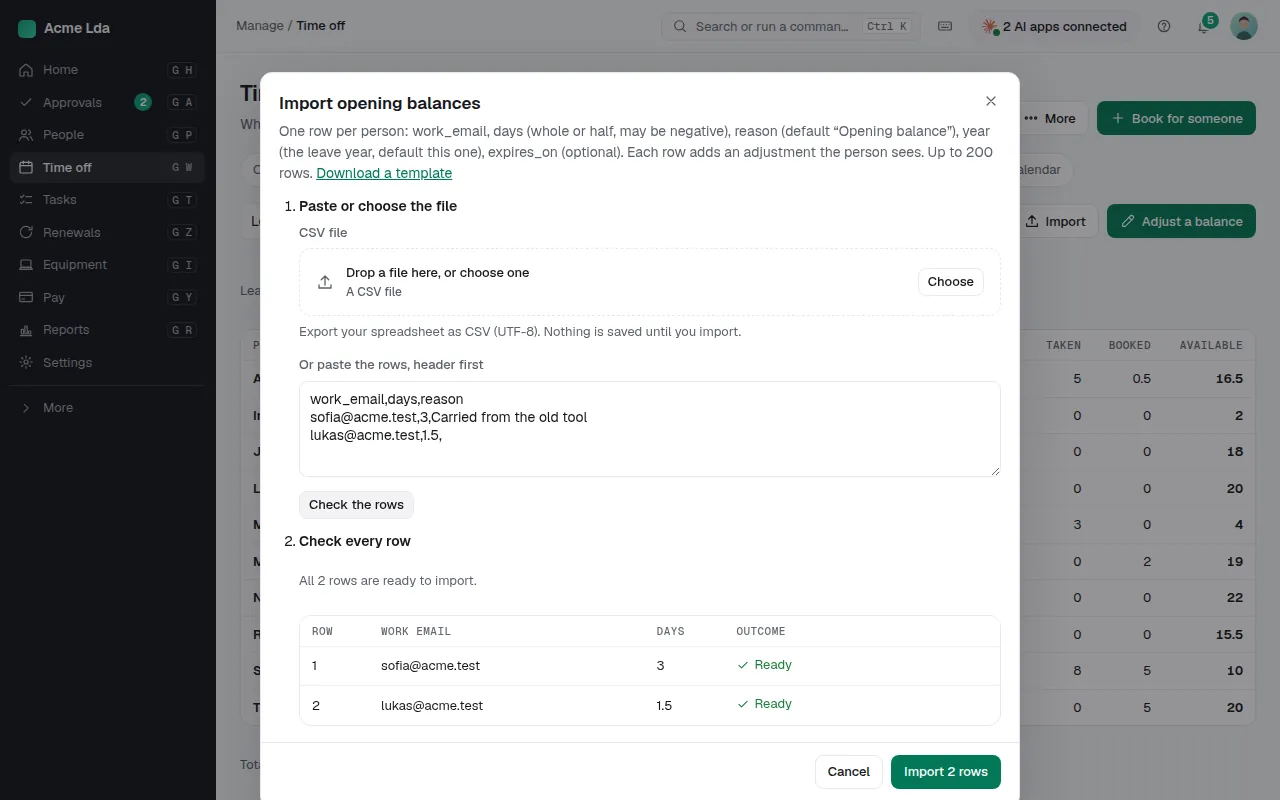
Moving from another tool? Import opening balances takes one row per person (work email, days, an optional reason, leave year and lapse date), checks the rows, and adds each as an adjustment the person sees.
Tips
- Change when the leave year starts in Settings → Time off → Allowances.
- Past time off can be imported from Balances too, so taken days add up from day one.