How to connect your AI app to Bizisy
· 2 min read
Connect Claude, ChatGPT, Cursor, VS Code, Gemini CLI or another MCP app to Bizisy in about two minutes, so your assistant can help with HR work, signed in as you.

Bizisy doesn't run an AI of its own for this: you use the assistant you already have, connected to Bizisy and signed in as you. It can look people up, prepare changes and answer questions about your company, and it can only do what your role allows. Every change shows you a preview first, and nothing is saved until you confirm.
1. Pick your assistant
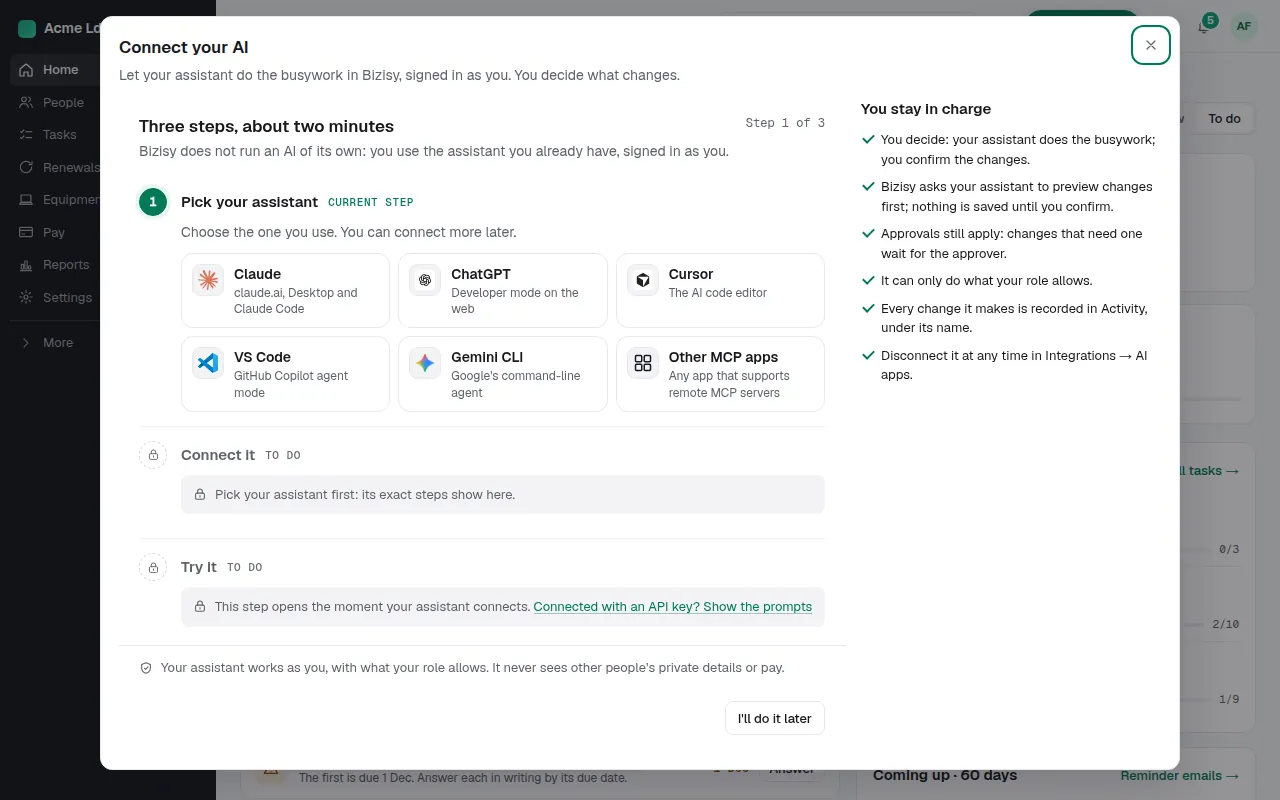
In Manage, choose Connect AI in the top bar (or Connect your AI in ⌘K). Pick the app you use: Claude, ChatGPT, Cursor, VS Code, Gemini CLI, or any other app that supports remote MCP servers. Its exact steps show next.
2. Connect it
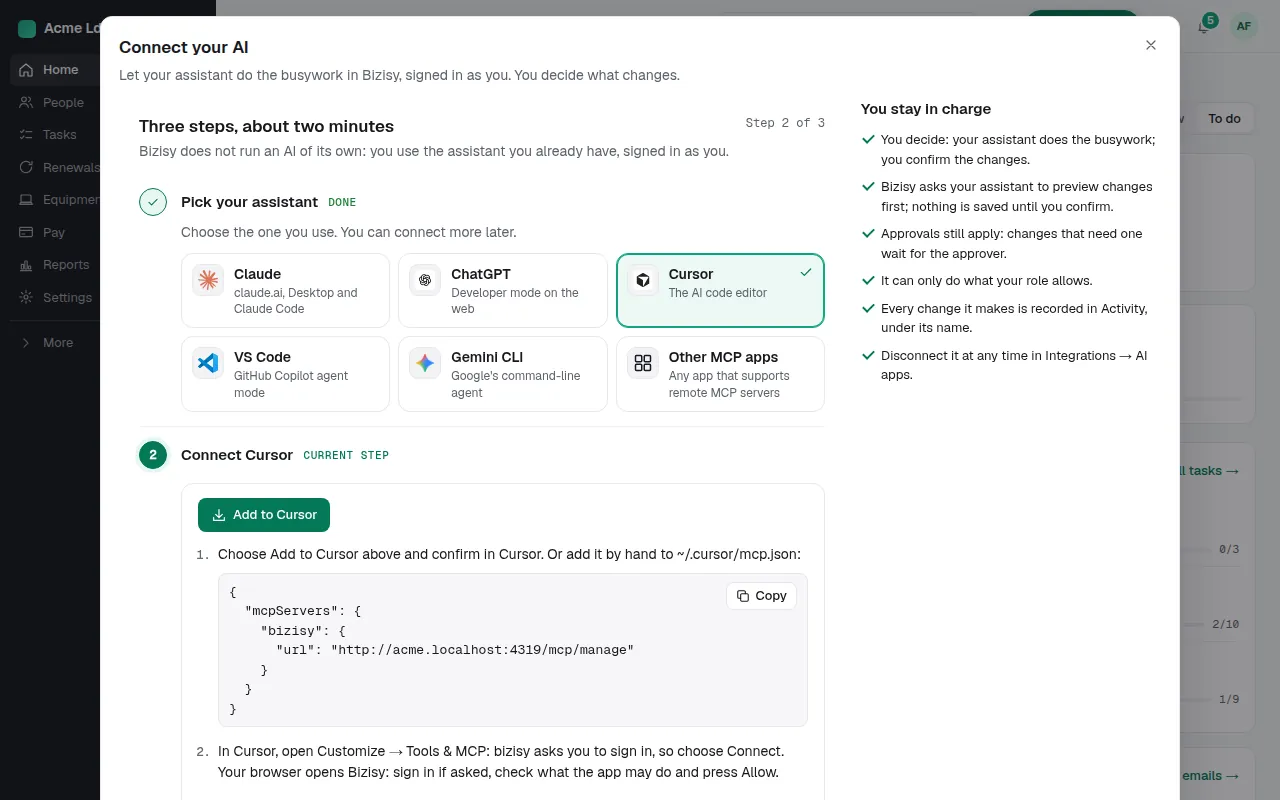
Follow the steps for your app: a button that adds Bizisy to it, or your company's Bizisy address to paste in. Your app opens Bizisy to sign in; check what the app may do and press Allow. No keys to copy. The page updates by itself the moment your assistant connects.
3. Try it
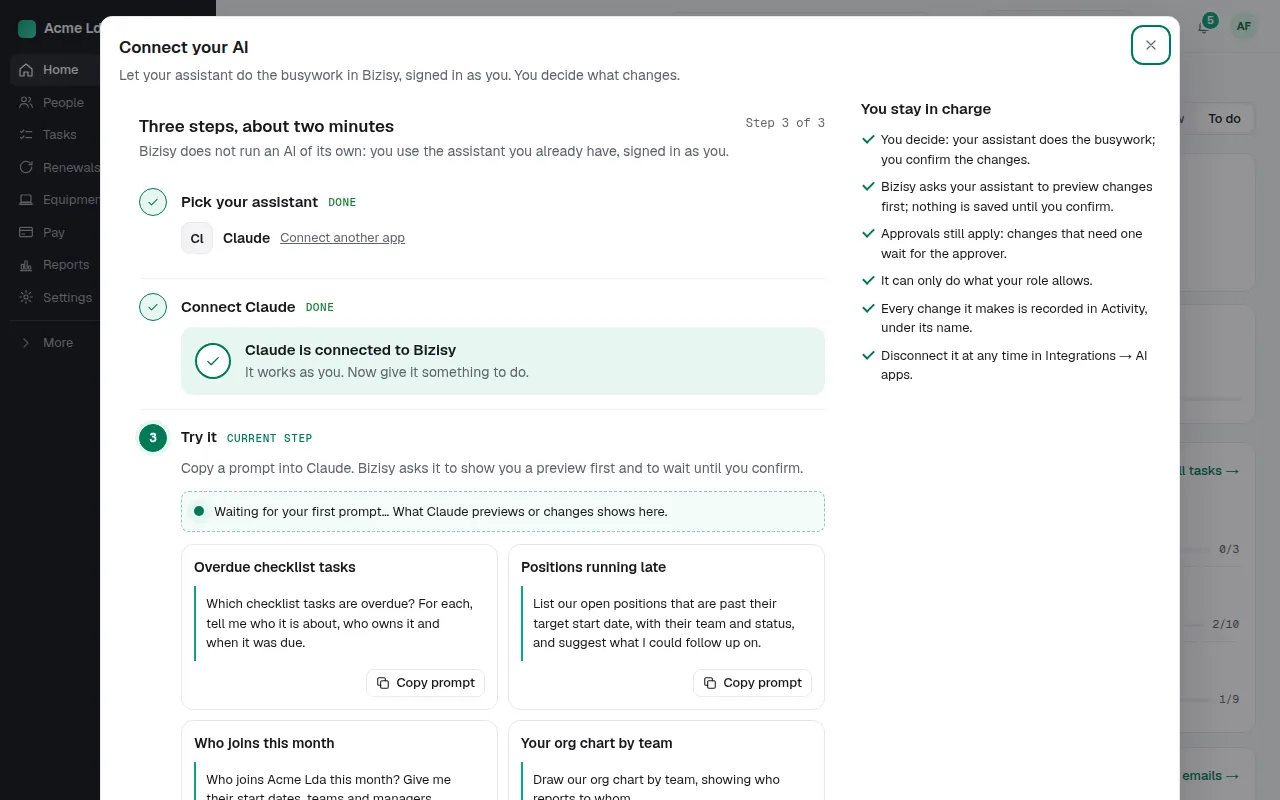
Copy one of the suggested prompts into your assistant, such as which checklist tasks are overdue or who joins this month. It answers from your company's data, as you.
4. Changes are previewed first
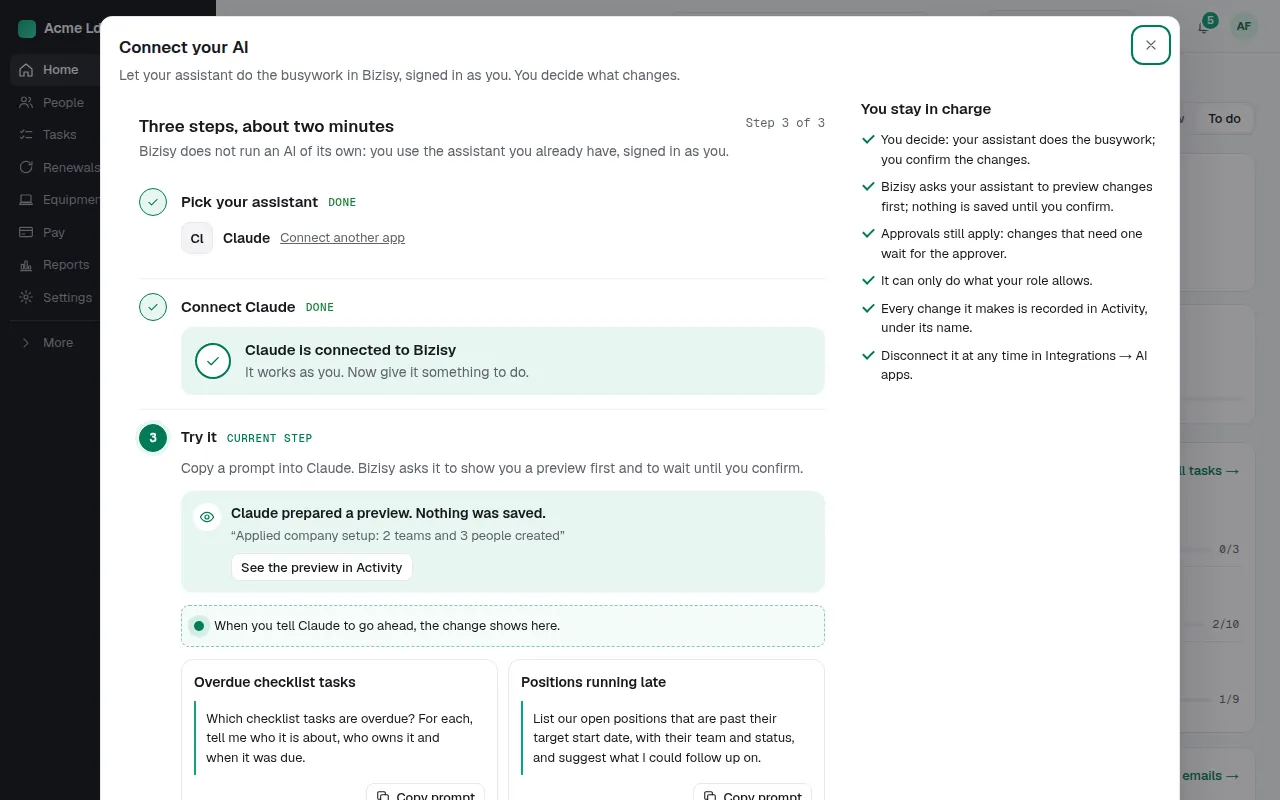
When you ask for a change, your assistant prepares a preview first, and you see exactly what would happen; nothing is saved until you confirm. Approval rules still apply: a change that needs approval waits for the approver. Every change it makes is recorded in Activity under your name.
5. Everyone can connect their own
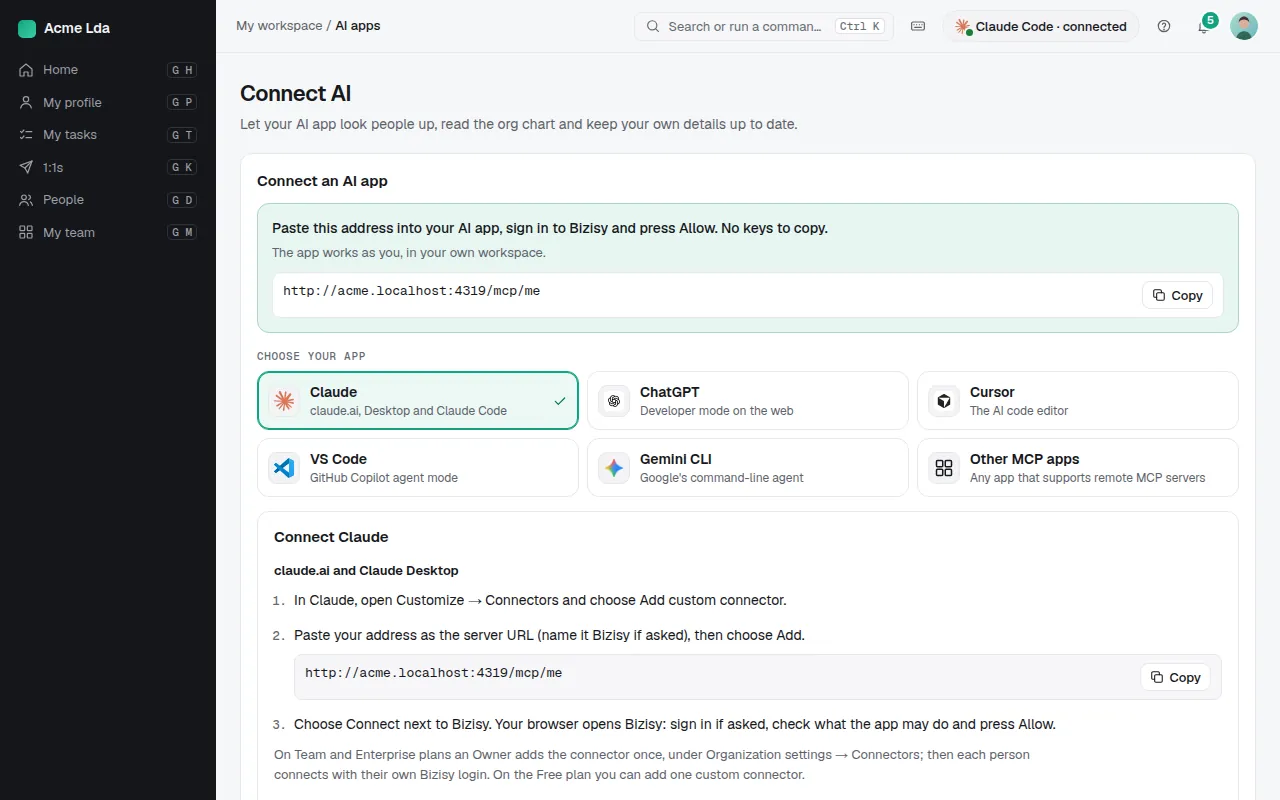
Your people can connect their own AI app to My workspace → Connect AI. It works as them, in their own workspace: their time off, their details, their team.
Tips
- See and disconnect connected apps at any time in Integrations → AI apps.
- Your assistant works as you, with what your role allows: it never sees other people's private details or pay unless your role is set to let AI apps read them.
- The full guide for each app is at bizisy.com/connect.