How to connect Slack and Google Calendar
· 2 min read
Announce joiners, team moves and new job titles in a Slack channel, and send new hires their first-day meetings from your Google Calendar, both set up in a few steps.

Two quick connections that save a lot of messages: Slack tells the company when someone joins, moves team or gets a new title, and your calendar sends a new hire's first-day meetings by itself. An owner or admin sets each one up under Integrations, in a few steps.
1. Connect Slack
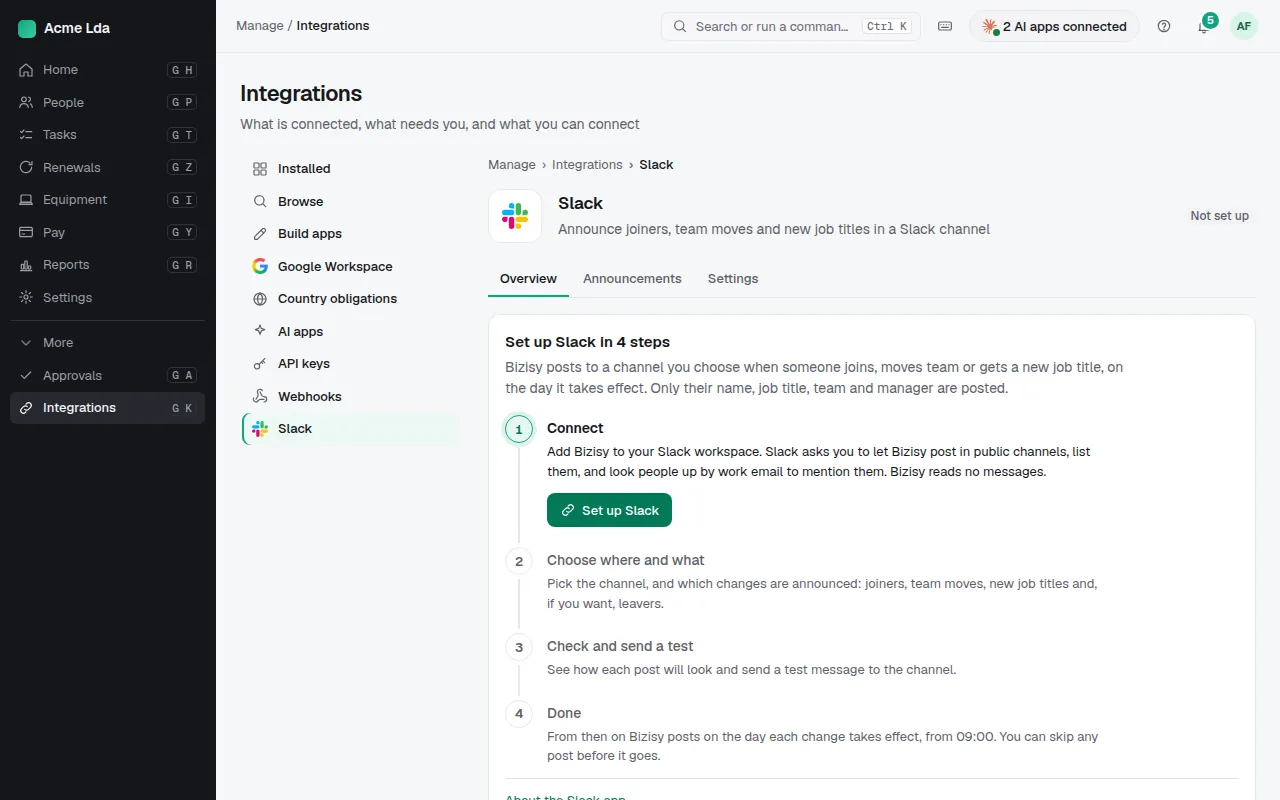
Open Integrations → Slack and choose Set up Slack. Slack asks you to let Bizisy post in public channels, list them, and look people up by work email so it can mention them. Bizisy reads no messages.
2. Choose what Slack announces
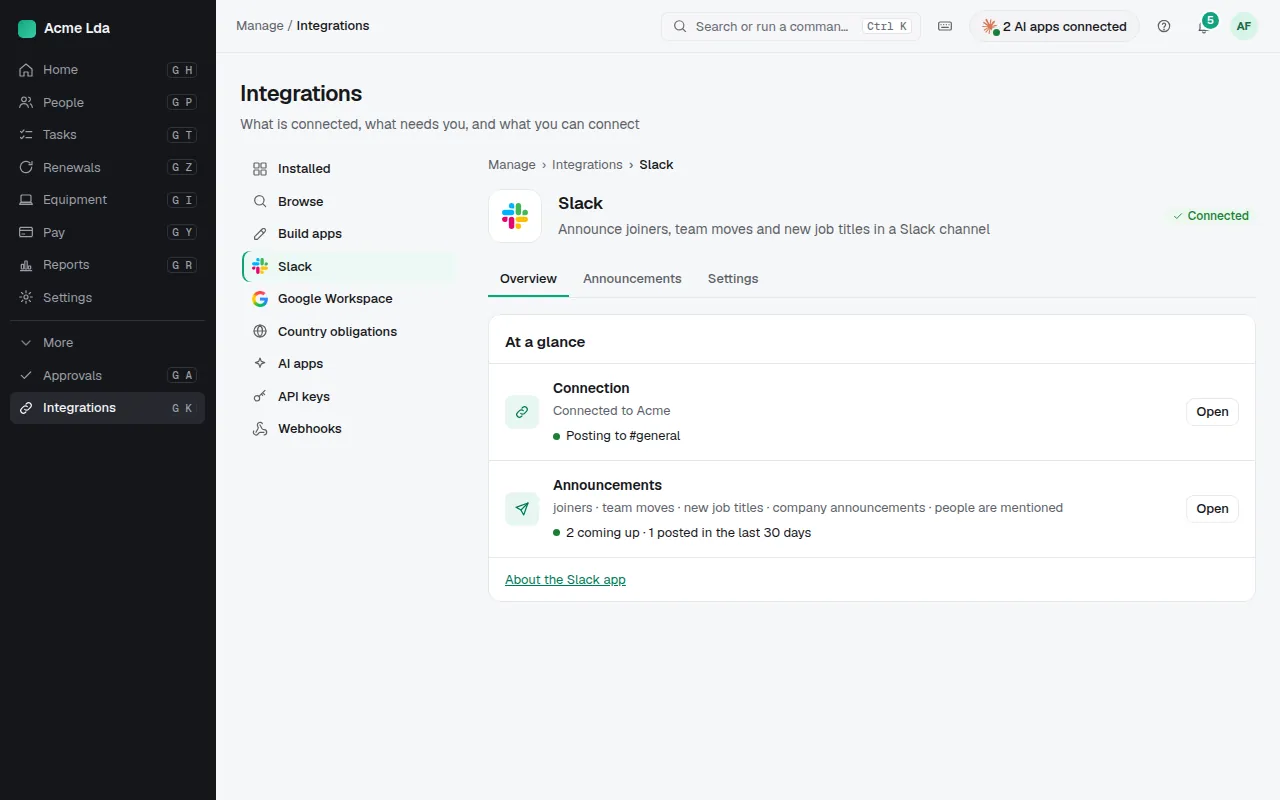
Pick the channel and which changes are announced: joiners, team moves, new job titles and, if you want, leavers. Check how each post will look and send a test message. From then on Bizisy posts on the day each change takes effect, from 09:00, and you can skip any post before it goes.
3. Connect your HR calendar
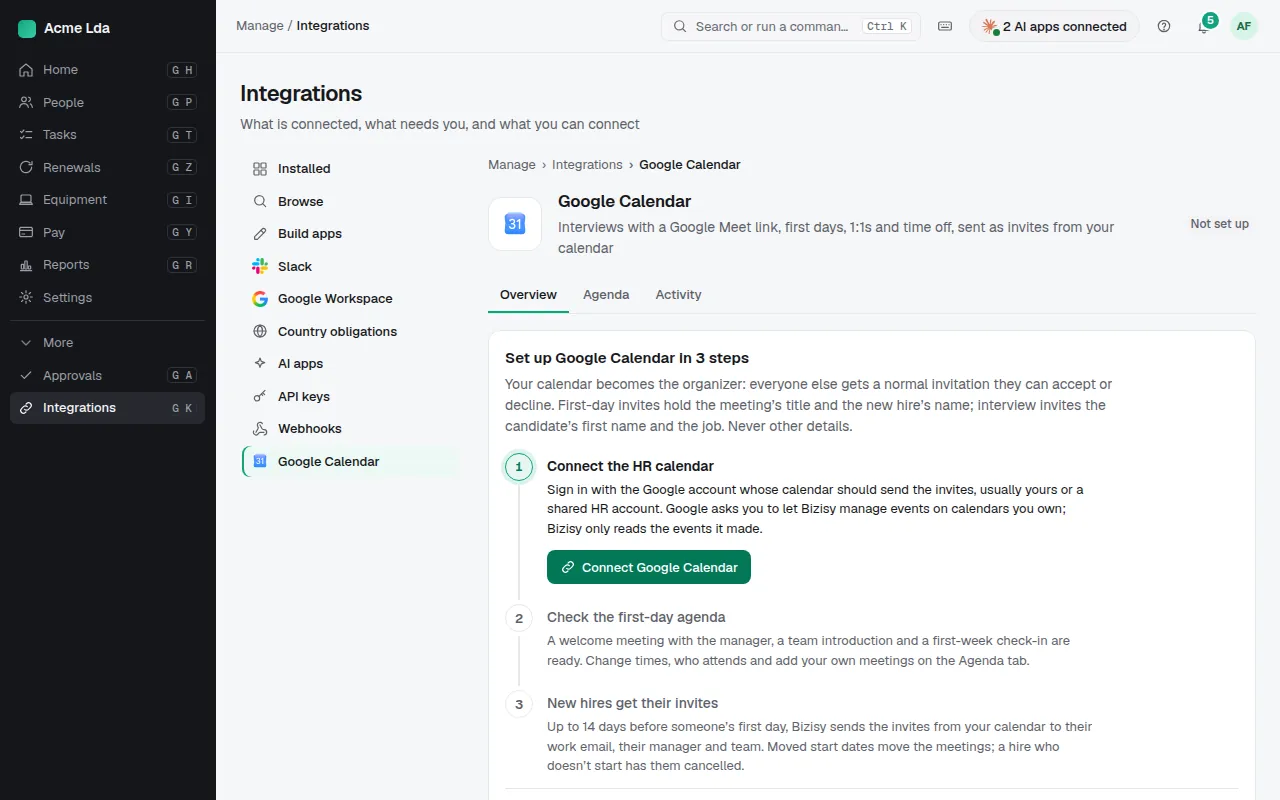
Open Integrations → Google Calendar and choose Connect Google Calendar. Sign in with the Google account whose calendar should send the invites, usually yours or a shared HR account. Google asks you to let Bizisy manage events on calendars you own; Bizisy only reads the events it made.
4. New hires get their invites
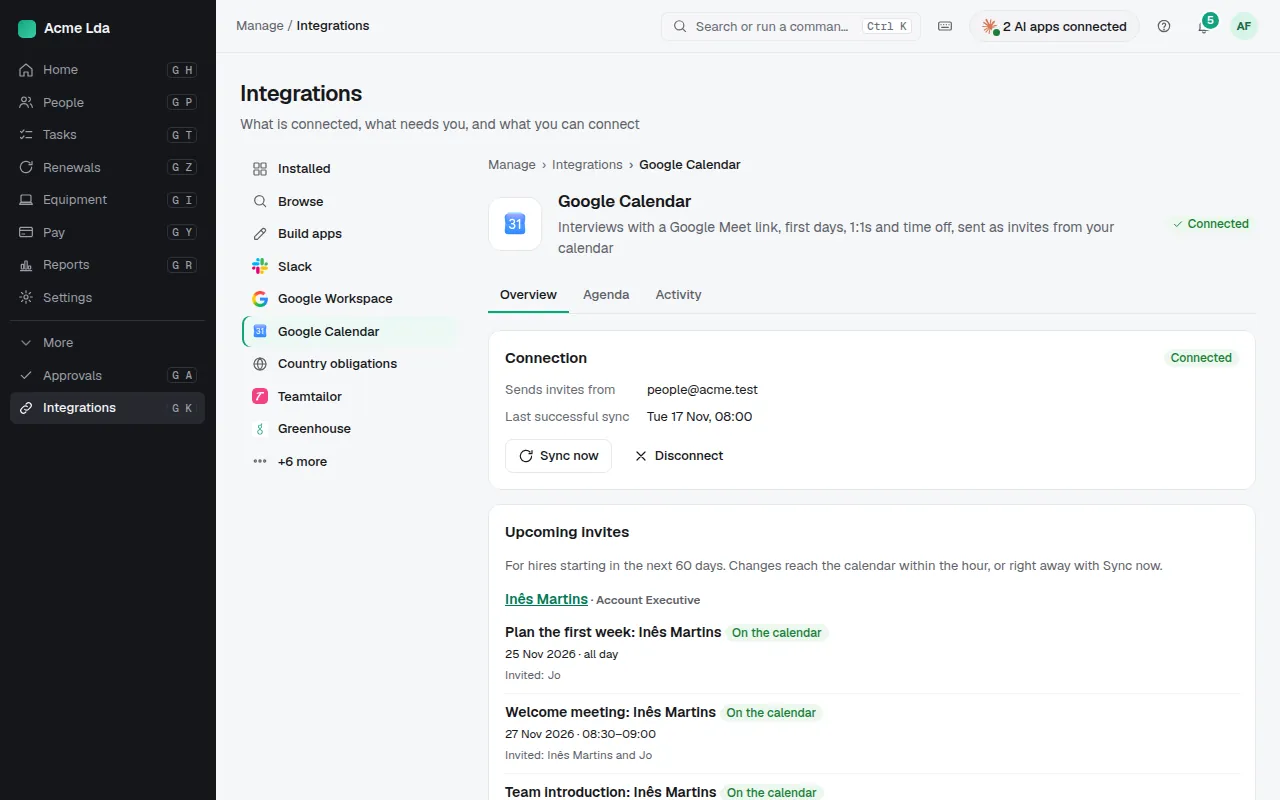
A welcome meeting with the manager, a team introduction and a first-week check-in are ready on the Agenda tab: change the times, who attends, or add your own meetings. Up to 14 days before someone's first day, Bizisy sends the invites from your calendar to their work email, their manager and team. If the start date moves, the meetings move; if the hire doesn't start, they are cancelled.
Tips
- Your calendar is the organizer, so everyone gets a normal invitation to accept or decline. Invites hold the meeting's title and the new hire's name, never other details.
- Using Microsoft 365 or Outlook.com? Outlook Calendar works the same way.
- If your Google Workspace or Microsoft 365 administrator blocks new apps, they allow Bizisy once and you connect again.