How to choose notifications, reminders and quiet hours
· 1 min read
Choose which notices are also emailed, which reminders go out and to whom, and the quiet hours that keep work emails out of people's free time where the law asks.

Bizisy tells people what needs them: an approval, a task, a document to sign. Every notice appears in the app; you choose which are also emailed, which reminders go out, and when emails wait until people are back at work.
1. Choose what is emailed
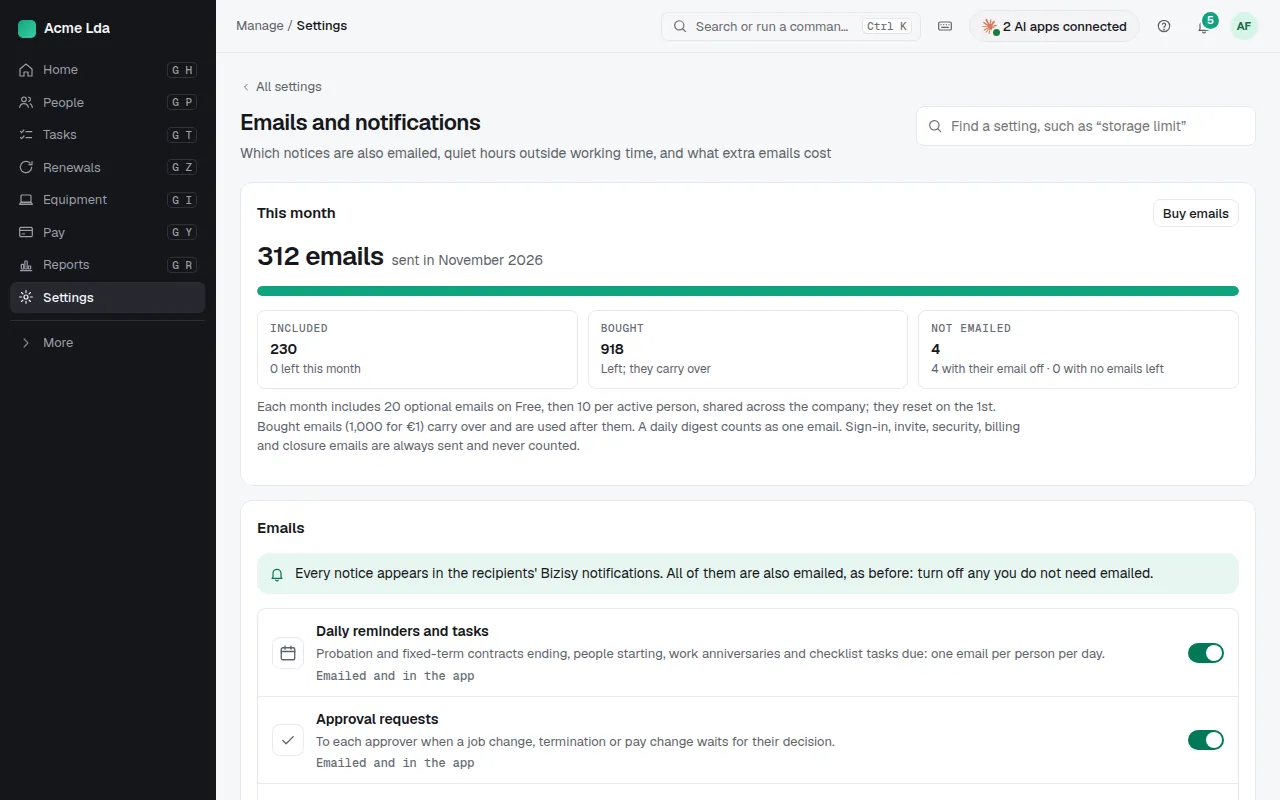
In Settings → Emails and notifications, each kind of notice says whether it is emailed as well as shown in the app; turn off any you don't need emailed. The page shows the optional emails included this month and used: each month includes some, shared across the company, and a daily digest counts as one. Sign-in, invite, security and billing emails are always sent.
2. Set reminders and who gets them
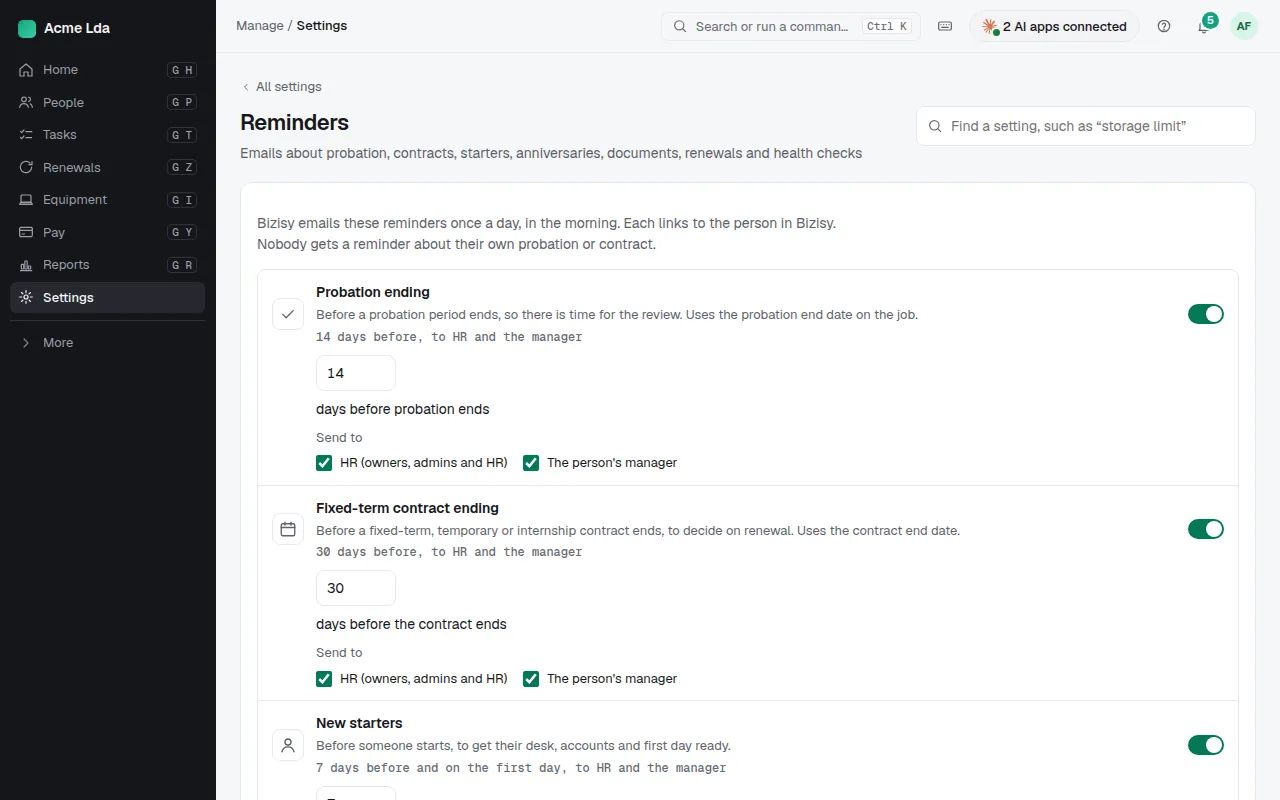
In Settings → Reminders, switch on reminders such as probation and fixed-term contracts ending, people starting, and work anniversaries, and choose when and to whom: HR, the person's manager, or the person. They arrive in one daily email per person.
3. Quiet hours
On the same page, Right to disconnect sets quiet hours where a country's law asks for them, for the people working there: emails and pushes wait until their working time starts, and everything is in the app at once.
Tips
- People install Bizisy on their phone to get push notifications.
- Out of emails this month? Notices still reach people in the app; owners and admins can buy more in Plan and billing.