How to check bank detail changes
· 1 min read
A new bank account applies only with a proof that Bizisy checks; HR reviews what the check can't confirm, and payroll keeps the current account until then.

Changing someone's bank account is the favourite trick of payroll fraud: a convincing email from "an employee" with a new IBAN. In Bizisy a new account only applies with a proof, Bizisy checks it, and everyone involved is told. Until a change is confirmed, payroll and the SEPA salary file use the current account.
1. The person asks for the change
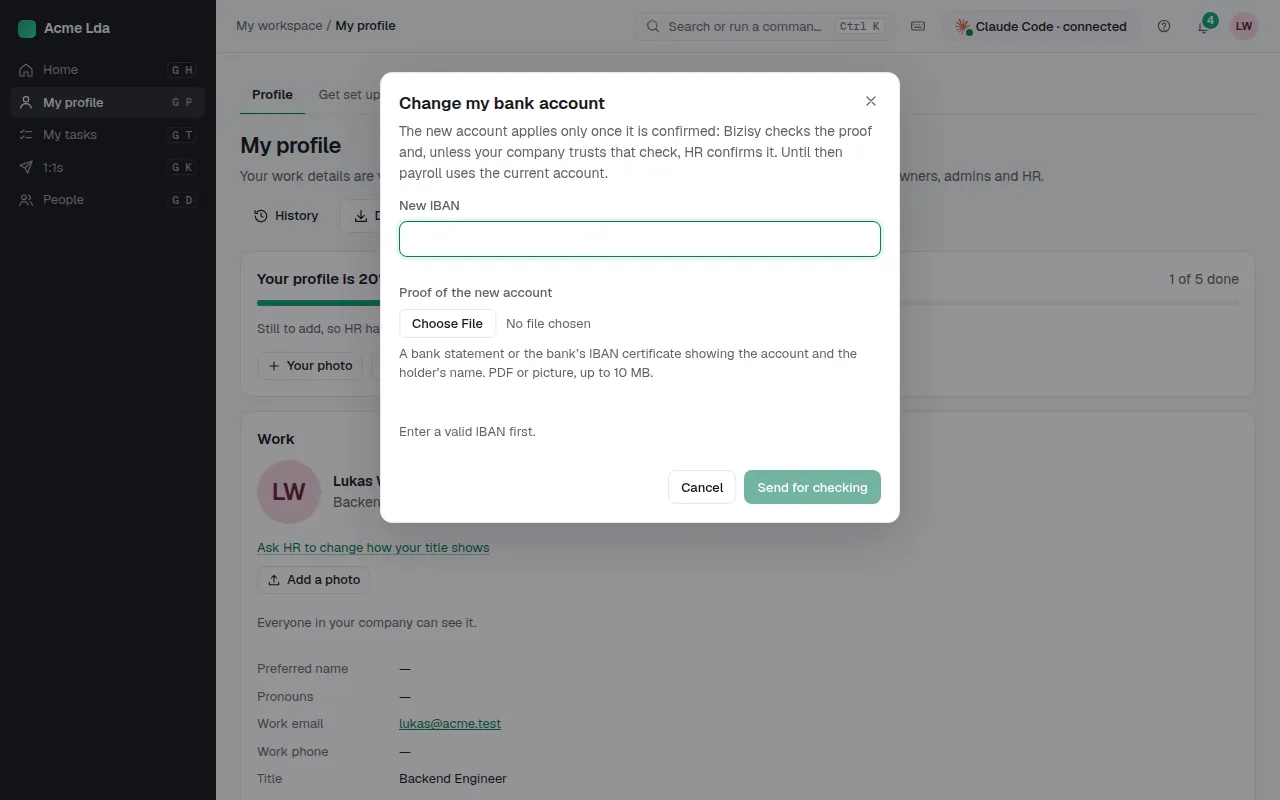
In My workspace → My profile, the person enters the new account and uploads a proof: a bank statement or the bank's IBAN certificate. Bizisy reads it (Google Cloud Document AI, in the EU) and checks the account and the holder's name.
2. Choose when HR reviews
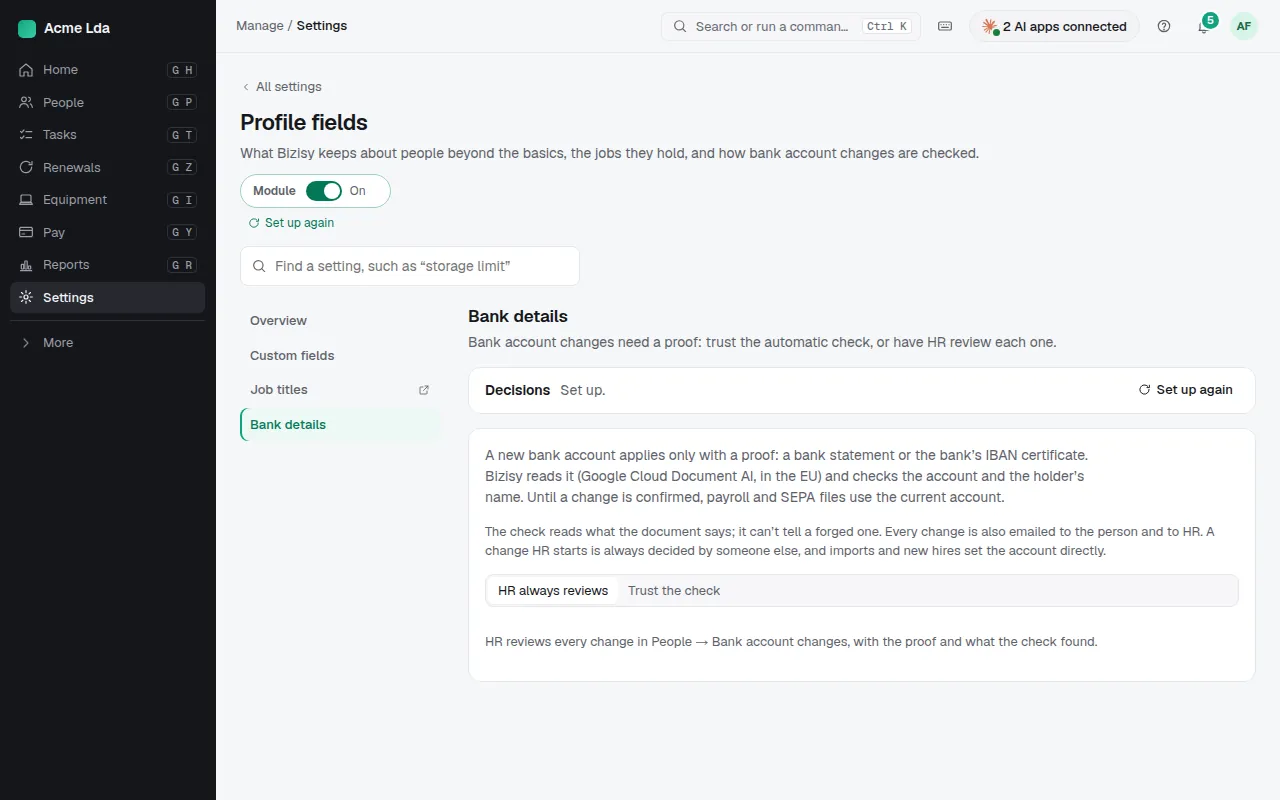
In Settings → Profile fields → Bank details, owners and admins choose: Trust the check, so a change applies at once when the check confirms it, or HR always reviews. With either, a name that only partly matches or a document that can't be read goes to HR, and a document for another account goes back to the person.
3. Review a change
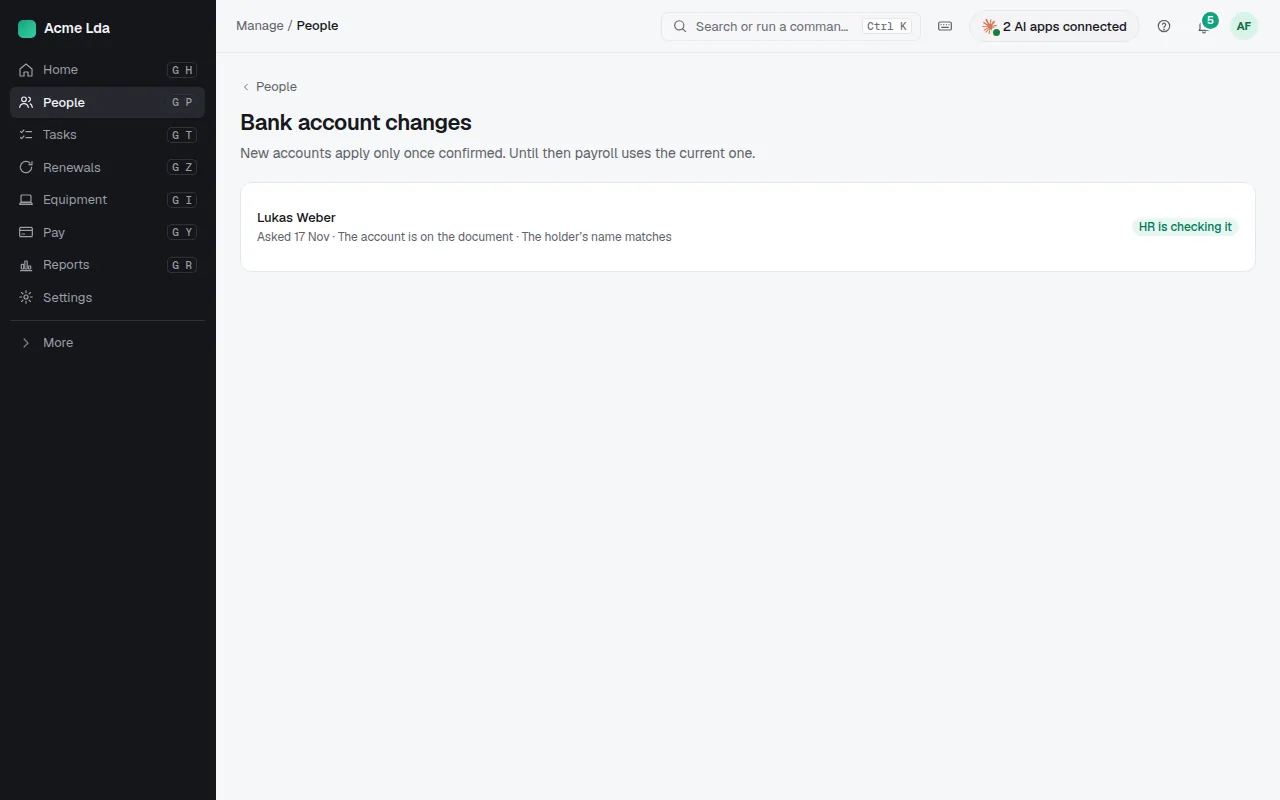
HR finds changes in People → Bank account changes, each with the proof and what the check found. Approve or reject it. Every change is also emailed to the person and to HR, and a change HR starts is always decided by someone else.
Tips
- The check reads what the document says; it can't tell a forged one. When something feels off, call the person.
- Imports and new hires set the account directly; only later changes need a proof.
- Checking a proof uses AI credits; without credits left, HR compares the proof by hand.