How to change someone's job or pay
· 2 min read
Change a job title, team or manager, promote someone or give a raise, on the date it takes effect, with the approval rules your company chooses.

People change jobs, teams and managers, and their pay changes too. In Bizisy each change has a date: a change for the future takes effect on that day by itself, and the person's history keeps every version. If your company wants someone to approve changes first, you set that once and every change follows it.
1. Change a job
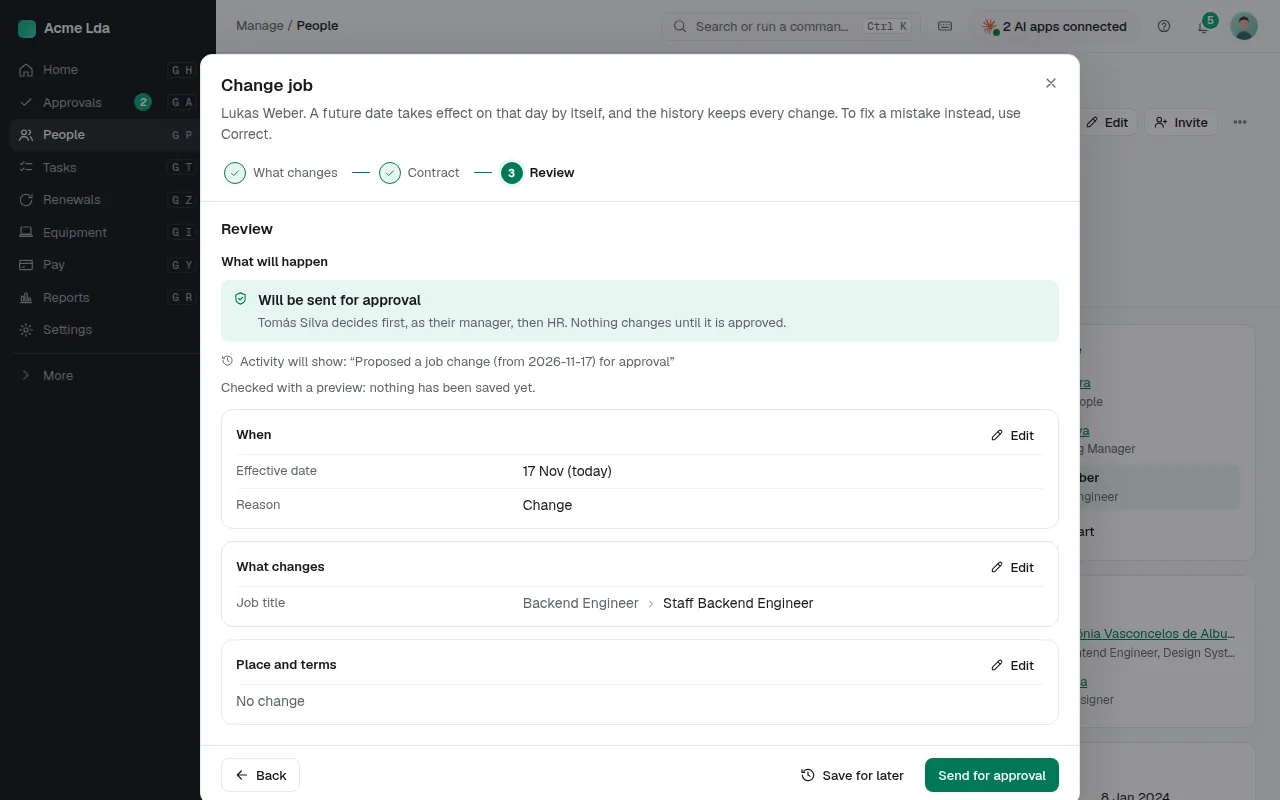
Open the person and choose Change job. Pick what changes (title, team, manager, location, legal entity, working time or contract terms) and the date it takes effect. The review step says exactly what will happen, including whether the change waits for an approval and who decides, before anything is saved.
2. Promote someone or give a raise
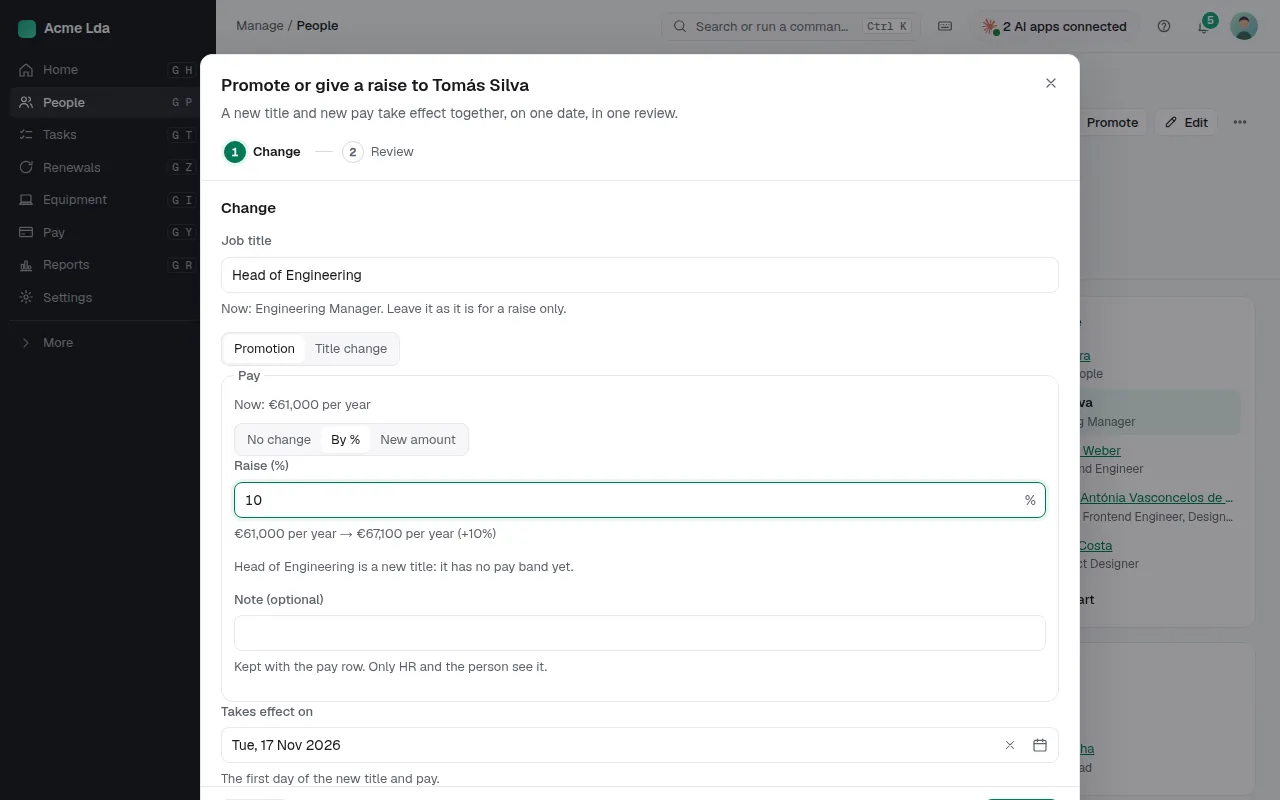
For a promotion, choose Promote: the new title and the new pay take effect together, on one date, in one review. Enter the raise as a percentage or a new amount and Bizisy shows the pay before and after. A raise on its own is on the person's Pay tab, with Give a raise or Record a pay change.
3. Choose who approves
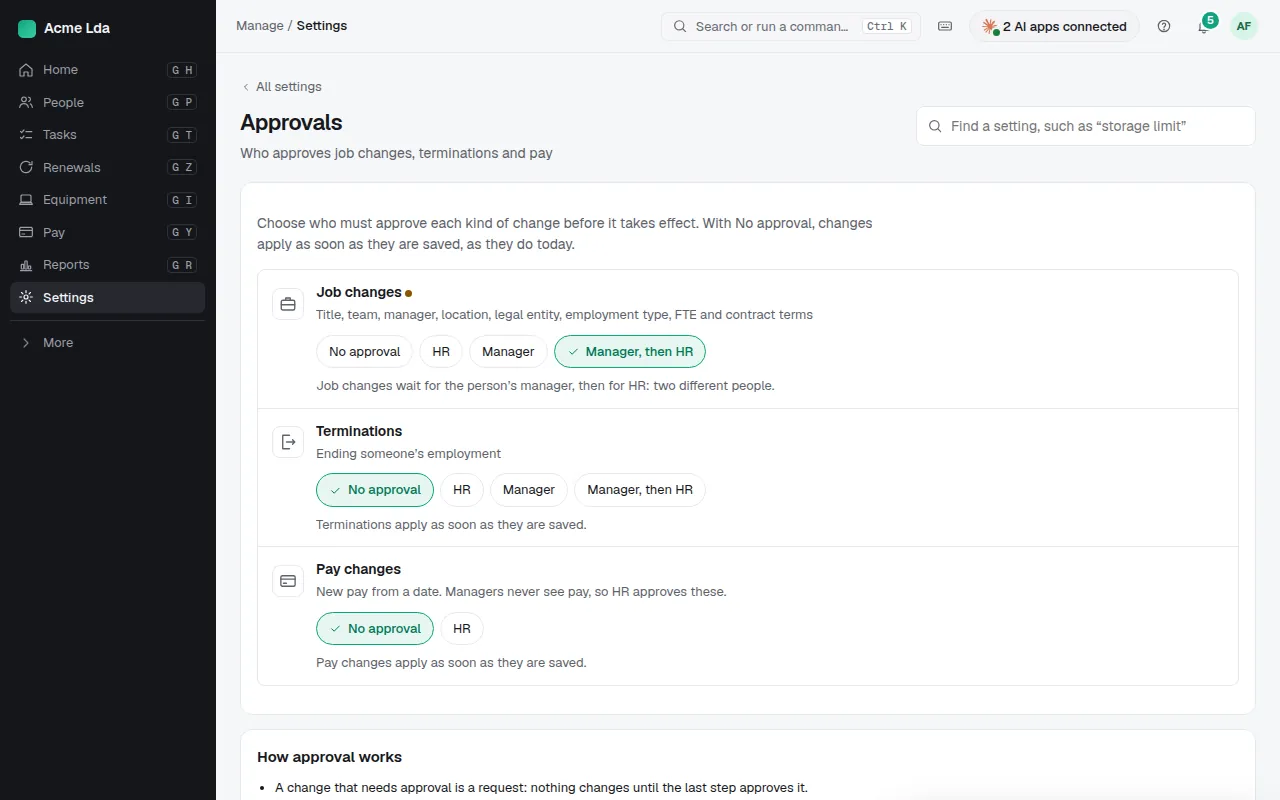
In Settings → Approvals, choose for each kind of change: job changes, terminations and pay changes. Changes can apply as soon as they are saved, or wait for HR, the person's manager, or the manager and then HR (two different people). Managers never see pay, so pay changes are approved by HR. Nobody approves their own proposal, and a change proposed by an AI assistant or an API key always waits for a person.
4. Approve or reject
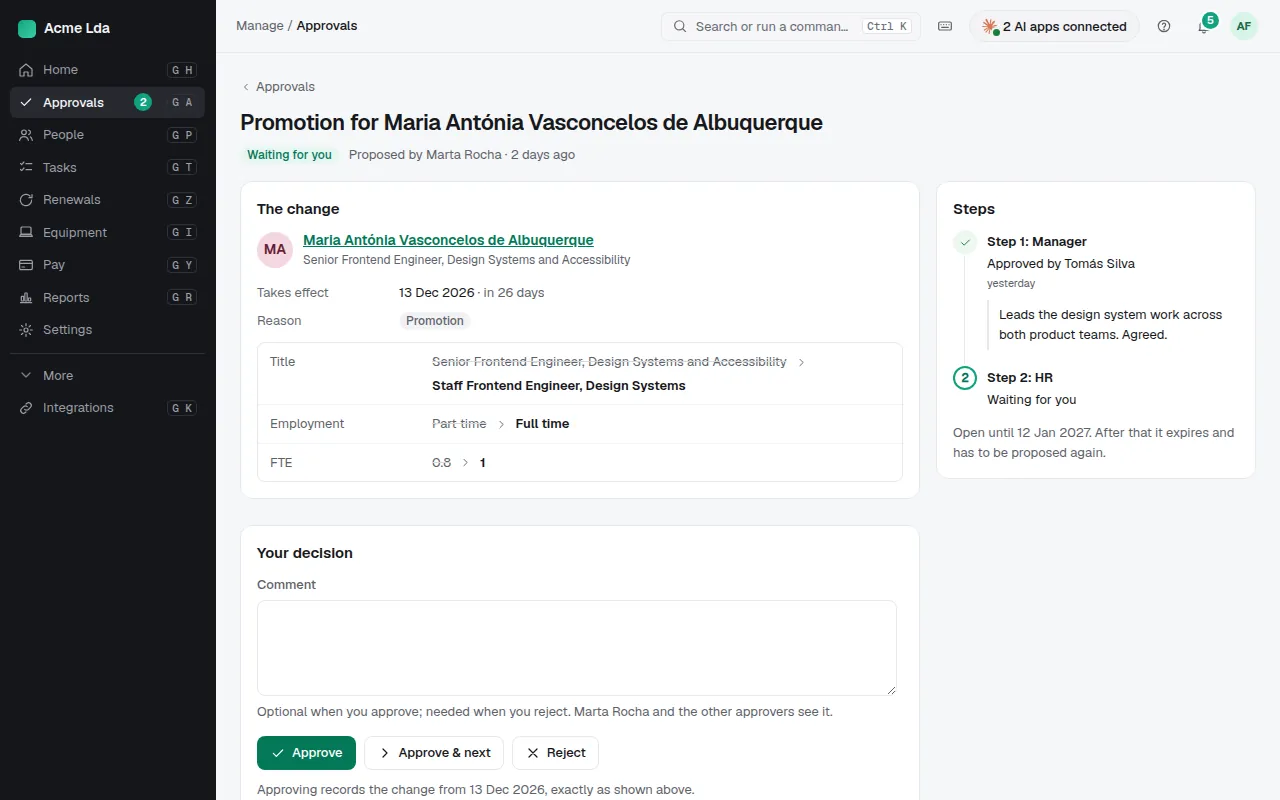
Approvers get an email and find requests under Approvals (managers in My workspace) and on Home. Each request shows the change side by side with today's values, who proposed it and the steps still to go. Approve, or reject with a comment. Nothing changes until the last step approves; if the date has passed by then, the change is recorded from that date.
Tips
- A request has an expiry date: after it, it has to be proposed again.
- While a change waits for approval, the person's page says so, and the same kind of change can't be started twice.
- To fix a mistake rather than record a real change, use Correct on the person's job history.