How to add your people
· 2 min read
Add people to Bizisy one by one, import them from a spreadsheet, or invite them by email so they fill in their own details.

Everything in Bizisy starts with your people: time off, documents, pay and the org chart all hang off each person's record. There are three ways to add them, and you can mix them: one at a time with every detail, a whole file at once, or an invite by email so each person fills in their own details.
1. Add someone with every detail
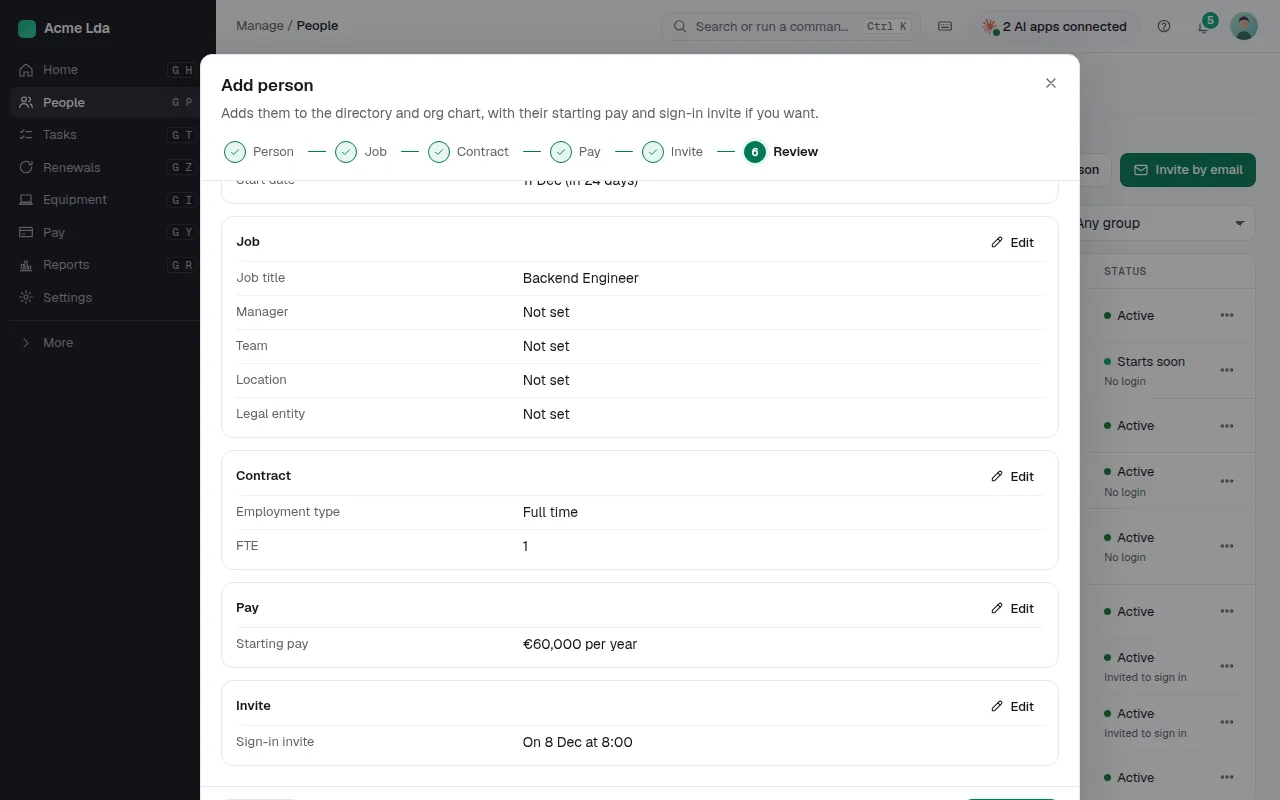
In People, choose Add person. A few short steps ask for who they are, their job (title, manager, team, location and legal entity), their contract and working time, their starting pay and when their sign-in invite goes out. The last step shows it all on one page, so you can check it before you save. A future start date is fine: they show as starting soon until their first day.
2. Import a spreadsheet or another HR tool
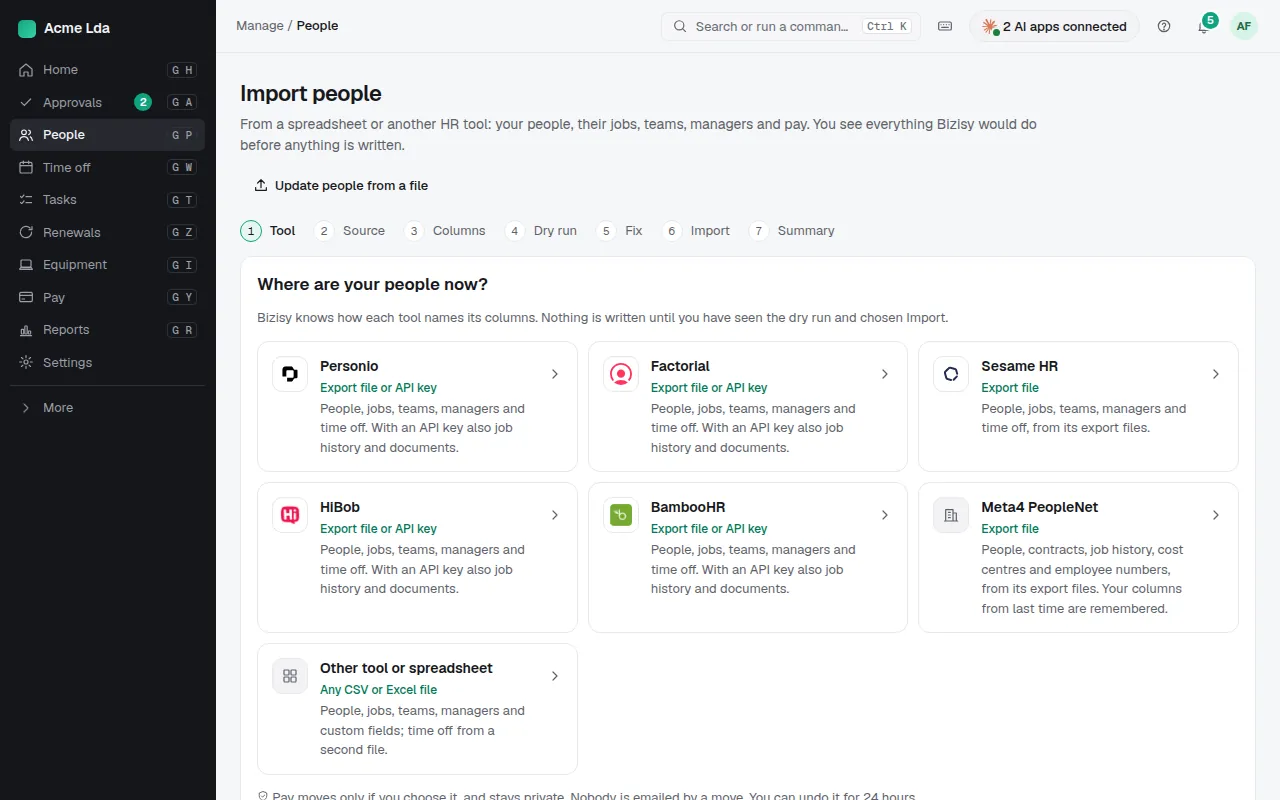
Moving everyone in at once? Search for Import people in ⌘K (or follow the link on Home while you set up). Choose where your people are now: any spreadsheet or CSV, or an export from Personio, Factorial, Sesame HR, HiBob or BambooHR. Bizisy knows how each tool names its columns, and you match the rest. People, jobs, teams, managers and time off come in together; pay moves only if you choose it.
3. Check the dry run, then import
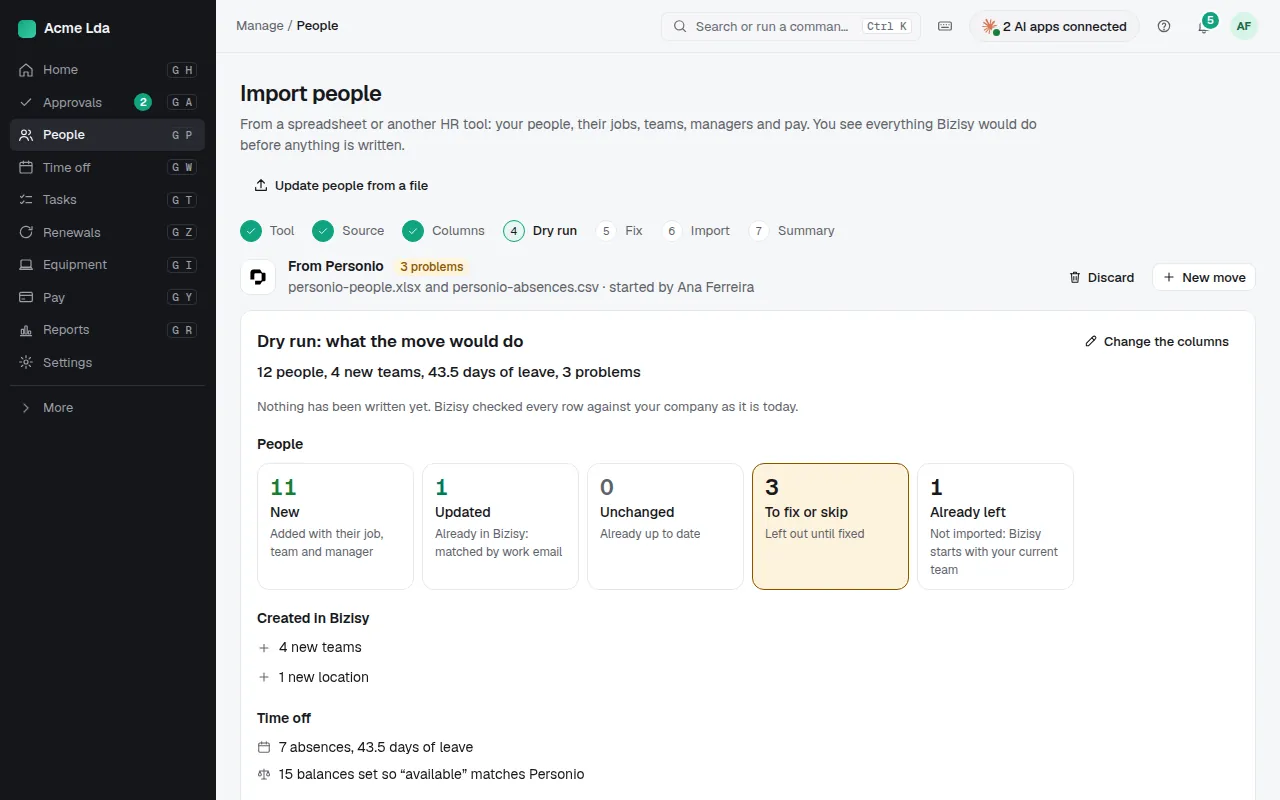
Before anything is written, a dry run shows what the import would do: who is new, who is updated (matched by work email), the teams and locations it would create, and the rows to fix or skip. Fix them in place, then import. If something looks wrong afterwards, you can undo the import for 24 hours.
4. Invite people by email
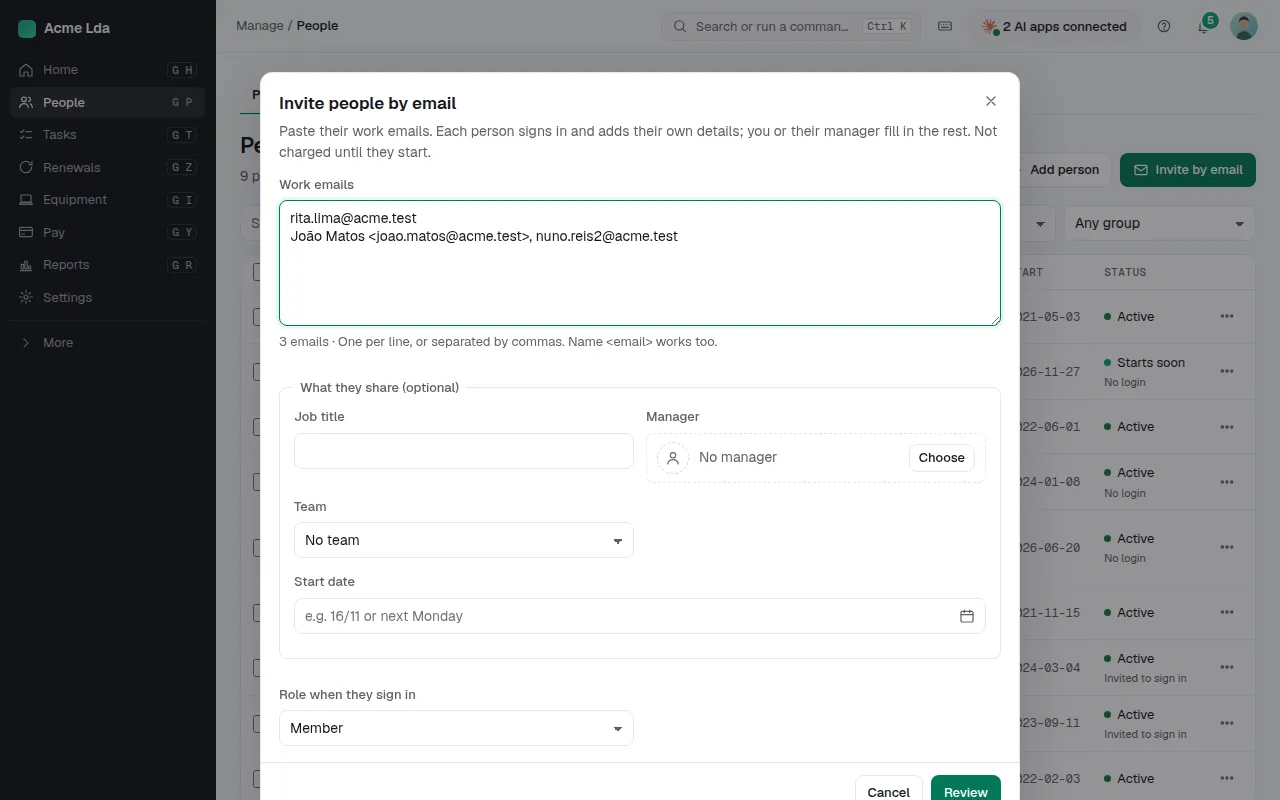
The quickest way: choose Invite by email and paste the work emails, one per line or separated by commas. You can add a job title, manager, team and start date for all of them. Each person gets a sign-in invite, adds their own details in My workspace, and you or their manager fill in the rest.
Tips
- To change many people who are already in Bizisy (new titles, teams or managers), use Update people from a file: it matches them by work email and changes nothing until you apply it.
- Nobody is emailed by an import. When you're ready, Settings → Members & roles → Invite everyone without a login sends the sign-in invites.
- Invited people who haven't started yet aren't charged until they start.