How to add custom fields
· 1 min read
Add your own fields on people, jobs, teams and open positions: text, numbers, dates, lists, files and tables, with who can see each one.

Every company keeps a few details Bizisy doesn't ask for out of the box: a cost centre, a T-shirt size, a work permit, a driving licence. Custom fields add them to profiles, jobs, teams or open positions, with who may see them.
1. Add a field
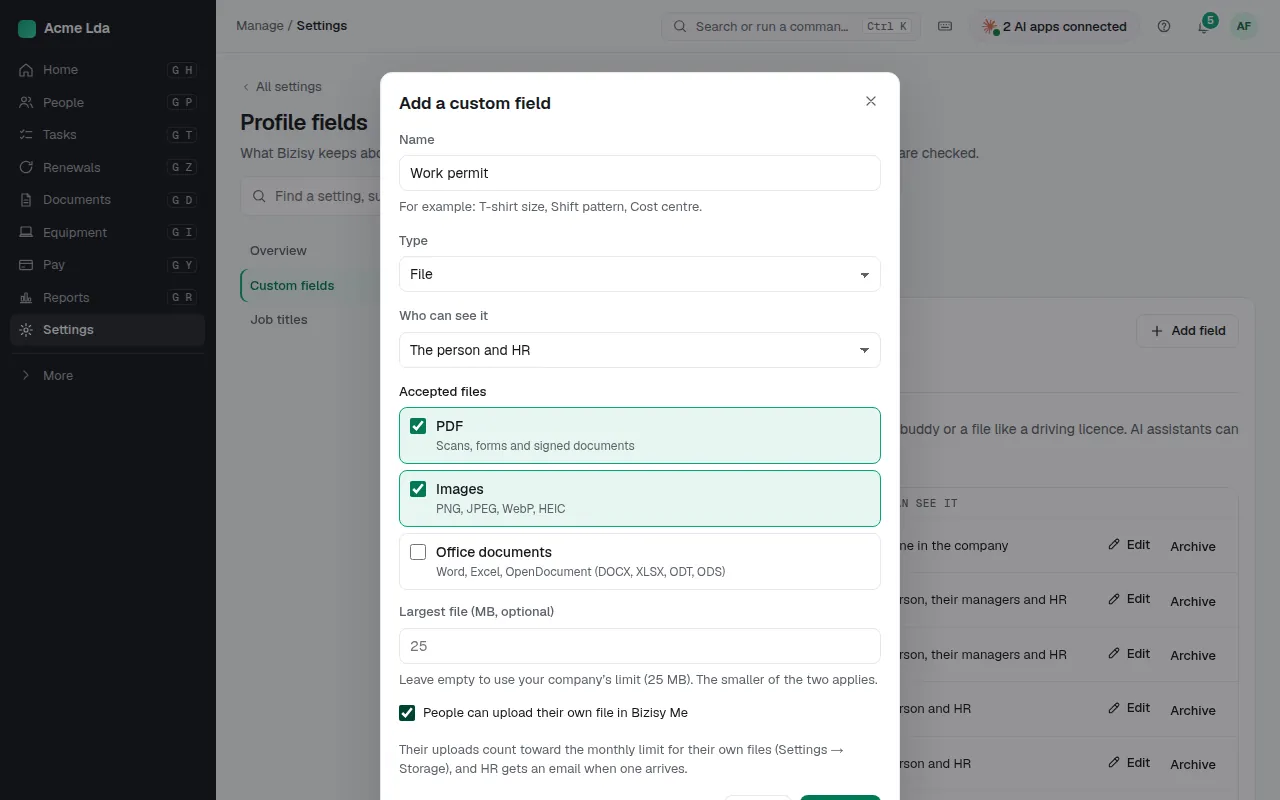
In Settings → Profile fields → Custom fields, choose Add field. Give it a name, choose where it's used (a person's profile, their job, a team or an open position) and the type: text, number, date, a list to pick from, a file, or a table of rows such as certificates with their expiry dates. The type and where it's used can't change once the field exists.
2. Choose who can see it
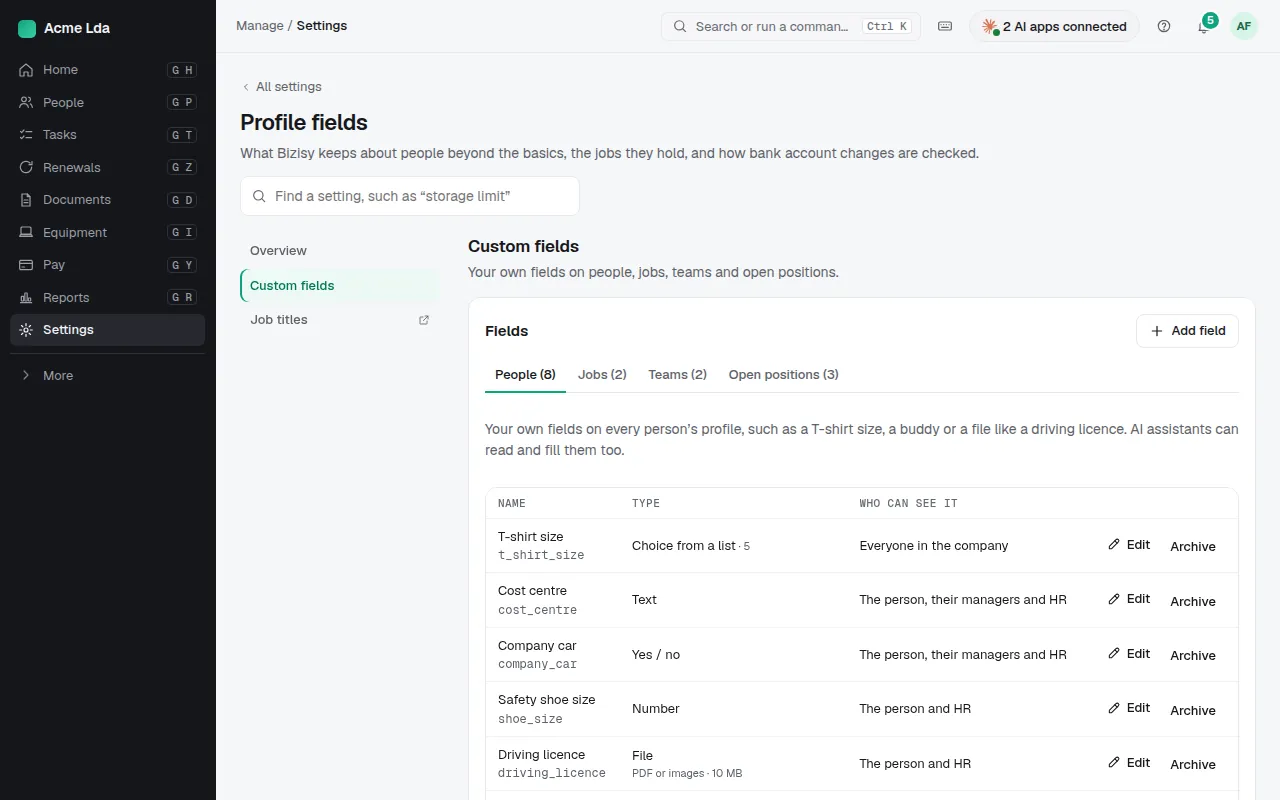
Each field says who can see it: everyone in the company, or only the person, their managers and HR. A file field can let people upload their own file in My workspace; the file also appears in their Documents. Don't create fields for special-category data such as health or religion: Bizisy isn't built to hold it.
3. Fill it in
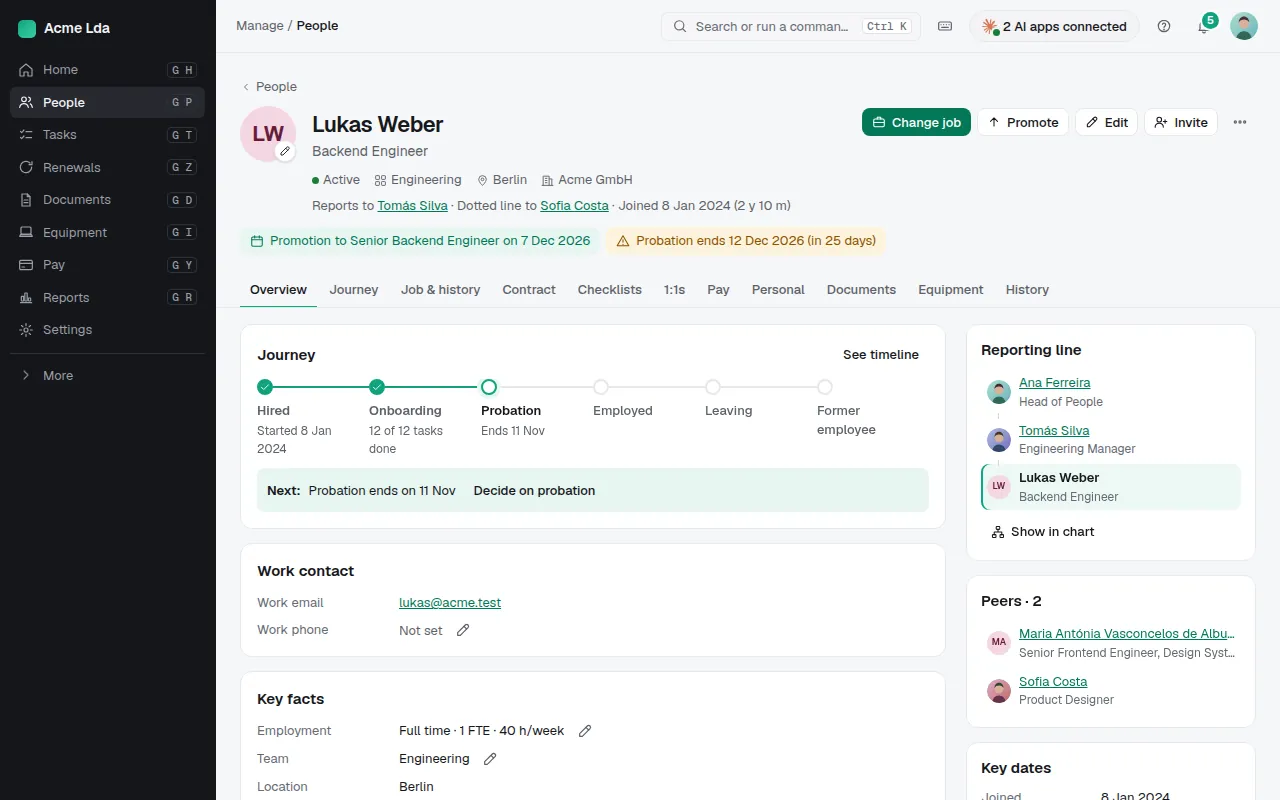
The field appears on each profile (or job, team or position), where HR fills it in, or the person does in My workspace when it's theirs to fill. Profile fields can also come in with Import people or Update people from a file.
Tips
- A list field can become a dimension in Reports, counted for groups, never listed per person.
- Colour the org chart by a custom field, such as cost centre.