How people use My workspace
· 2 min read
What your people see in My workspace, the employee app: their to-dos, their own details, time off from their phone, documents to sign and the equipment they hold.

My workspace is where everyone in your company, managers included, looks after their own side of HR. It works in the browser on a computer or a phone, and installs like an app. People keep their own details up to date, book time off, sign documents and confirm equipment, so HR doesn't have to chase them.
1. Home: what needs them
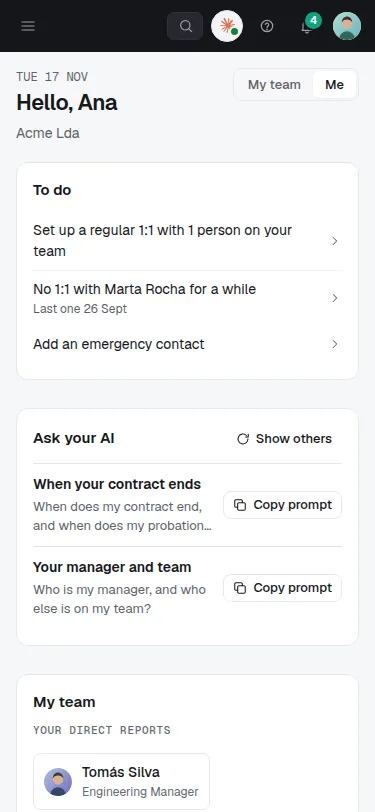
After signing in from their invite, each person lands on Home: what they need to do (an emergency contact to add, a document to sign, a 1:1 to set up), and, for managers, their team. Tasks, approvals and reminders also arrive as notifications.
2. Their own details
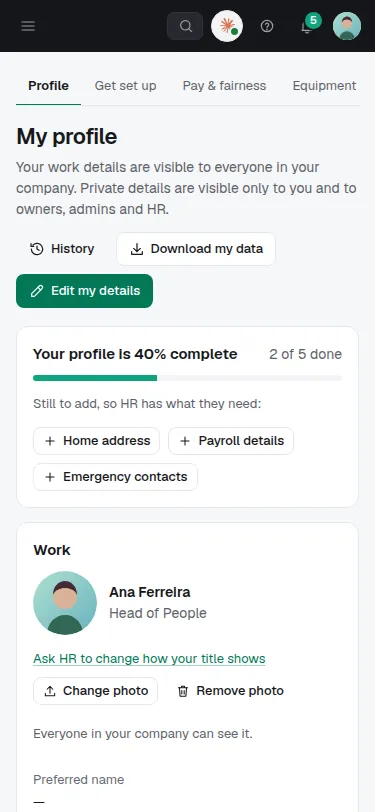
In My profile people see their work details and fill in what HR needs from them: home address, payroll details, emergency contacts. A bar shows how complete it is and what's still missing. Private details are visible only to them and to owners, admins and HR. Download my data gives them a copy of their data.
3. Time off from their phone
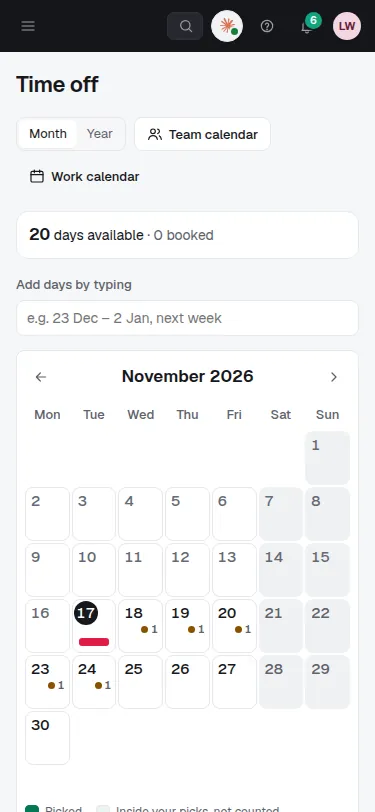
Time off shows the days they have left and a calendar to book from; they can also type the dates in their own words, like "23 Dec – 2 Jan". The request goes to whoever your company chose to approve it, and they're told the answer.
4. Documents to sign
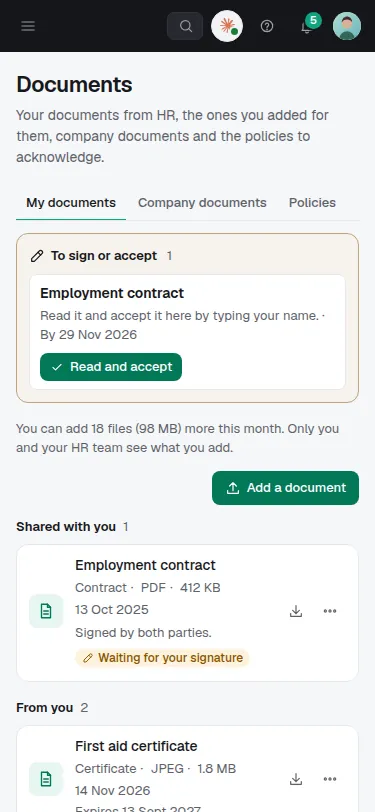
Documents shows what's waiting for them to sign or accept, the documents HR shared with them (contracts, payslips), company documents and policies to acknowledge. They can add their own documents, such as a certificate: only they and HR see those.
5. The equipment they hold
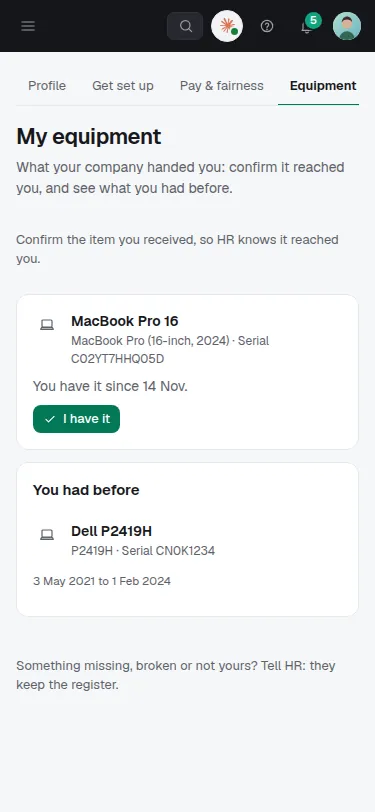
My equipment lists the laptop, phone or badge they hold. They confirm what they received with I have it, and tell HR when something is missing or broken.
Tips
- On a phone, people can install Bizisy from the browser's menu (Install app or Add to Home Screen): it opens like an app and can send notifications.
- What people see follows what your company switched on: the time clock, shifts, surveys, reviews or Ask HR appear when they're in use.
- Directory finds colleagues by name, team or location, and My history shows the changes to their own record.
- People can connect their own AI app to My workspace; it works as them, with their own details only.